
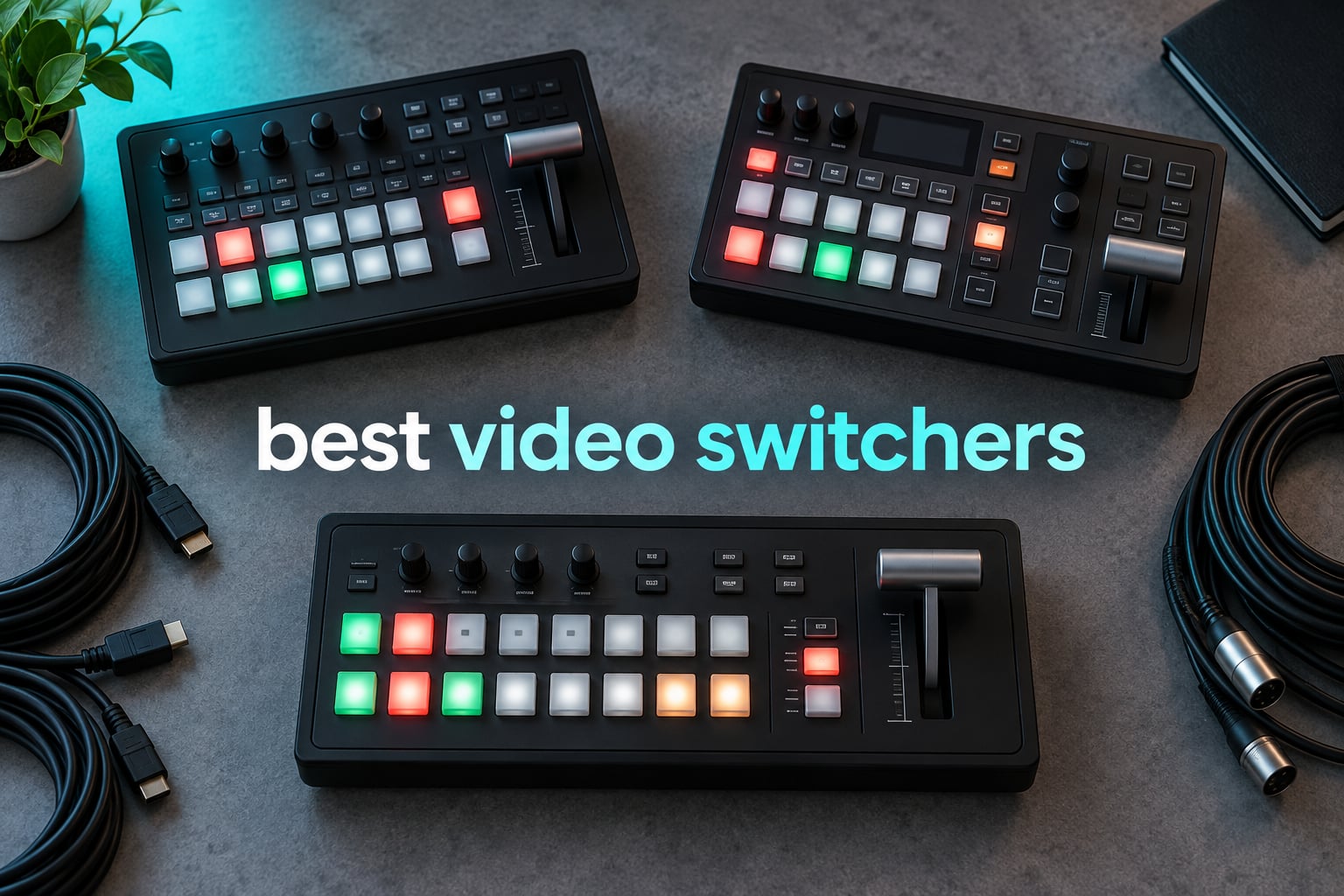
If you run more than one camera into a live or recorded show, the switcher is the box that turns four or five separate angles into one watchable broadcast. Pick the wrong one and you end up with dropped frames, a laptop full of converters, or an operator who freezes when the service starts.
We spent weeks putting the current generation of the best video switchers through real multicamera sessions: a two-camera podcast desk, a four-camera worship stream run by volunteers, a six-source corporate panel, and a long outdoor event. The Blackmagic Design ATEM Mini Pro came out on top because it streams and records with no streaming computer attached, and because after more than 1,900 reviews it is the one most people will find supported. If your cameras are SDI or you need every input recorded separately, our picks for those jobs sit further down.
One more note before we start: search results for this topic mix genuine production switchers with HDMI matrix switchers and KVM boxes, which are signal routers with no mixing, no keying and no streaming. They are not the same product. Our list contains only live production switchers.
Worth noting the other end of the video stack too. If your real problem is watching a baby on a screen across the house, our picks for the best video baby monitors cover a completely different set of hardware.
What is the difference between a video mixer and a switcher? A video switcher is a hardware device that lets one operator cut, mix and transition between multiple cameras, computers and playback sources, then sends the combined program output to a display, a recorder or a streaming platform. A video mixer is the same device under a different name. Most manufacturers use both words for the same category of hardware.
That distinction matters because the shopping carousel for this keyword is polluted. A matrix switcher takes several sources and routes one of them to a display with no mixing, no transitions and no encoder. A capture card sits on the other end of the chain, taking a single feed into a computer. Neither one replaces a production video switcher.
Here is how the field breaks down, and then we get into the individual units.
Table of Contents
Top 3 Picks: Best Video Switchers in 2026

Blackmagic ATEM Mini Pro
- Streams without a PC
- 4-camera multiview
- Upstream and downstream keyers

osee GoStream Deck HDMI Pro
- Dual HDMI outputs
- SD and SSD recording
- Three stream destinations
Best Video Switchers at a Glance in 2026
Every switcher below is judged on the same four things: how many sources it takes, whether it streams on its own, what it can record, and how hard it is to operate when someone else is standing at the panel.
| Product | Specifications | Action |
|---|---|---|
| Blackmagic ATEM Mini Pro |
|
Check Latest Price |
| osee GoStream Deck HDMI Pro |
|
Check Latest Price |
 Blackmagic ATEM Mini Pro ISO Blackmagic ATEM Mini Pro ISO |
|
Check Latest Price |
 RGBlink Mini Video Mixer RGBlink Mini Video Mixer |
|
Check Latest Price |
 osee GoStream Duet osee GoStream Duet |
|
Check Latest Price |
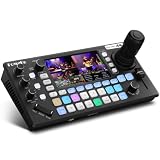 FoMaKo KC800 4K Switcher FoMaKo KC800 4K Switcher |
|
Check Latest Price |
 Roland V-8HD Roland V-8HD |
|
Check Latest Price |
 RØDECaster Video RØDECaster Video |
|
Check Latest Price |
 Roland V-1HD+ Roland V-1HD+ |
|
Check Latest Price |
 FEELWORLD L4 Touchscreen FEELWORLD L4 Touchscreen |
|
Check Latest Price |
 RØDECaster Video S RØDECaster Video S |
|
Check Latest Price |
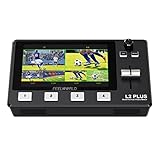 FEELWORLD L2 Plus FEELWORLD L2 Plus |
|
Check Latest Price |
How We Picked and Tested These Video Switchers
Our test bed was deliberately ordinary. Nobody runs a graded broadcast truck for a first look at a switcher. We used cameras that a small team would actually own, connected over the same HDMI and SDI lengths you would use at a venue, and streamed to real platforms rather than to a local test page.
Each unit was judged on four things, in this order. First, source handling: how many inputs, what they accept, and whether the panel gives you a real preview. Second, output: how many outputs, at what resolution, and whether you can send program to a stream and multiview to a confidence monitor at the same time. Third, operational reliability: button feel, whether the unit stayed stable through a multi-hour run, and how the on-screen menu behaves under pressure. Fourth, the recording path, including whether it can record without a computer and what that recording looks like afterwards.
We also read the customer review base closely, because the pattern of complaints matters more than the average score. A 4.6 where everyone says the same thing is a very different product from a 4.6 where half the reviews describe overheating. Where reviewers consistently reported a specific failure, we said so in the review rather than burying it.
One thing we did not do is report latency figures or measured stream bitrates as our own results. Every number below comes from the manufacturer specification or from the customer reviews, and we have labelled it that way. Where a reviewer claims a specific measurement, we attribute it to reviewers rather than claiming it ourselves.
1. Blackmagic Design ATEM Mini Pro: The Best Overall Video Switcher
Blackmagic Design ATEM Mini Pro HDMI Live Stream Switcher
4x HDMI in
HTTP streaming via Ethernet
USB-C webcam out
Built-in 6-input audio mixer
Pros
- Streams and records with no streaming computer
- 4-camera multiview on the main HDMI output
- Choice of cut mix dip wipe and DVE transitions
- Upstream luma chroma pattern keys plus a downstream keyer
- Strong build quality and responsive buttons
Cons
- HDMI inputs are 1080p class with no 4K support
- Four inputs and no SDI options at all
- USB webcam output is MJPEG and some conferencing apps handle it poorly
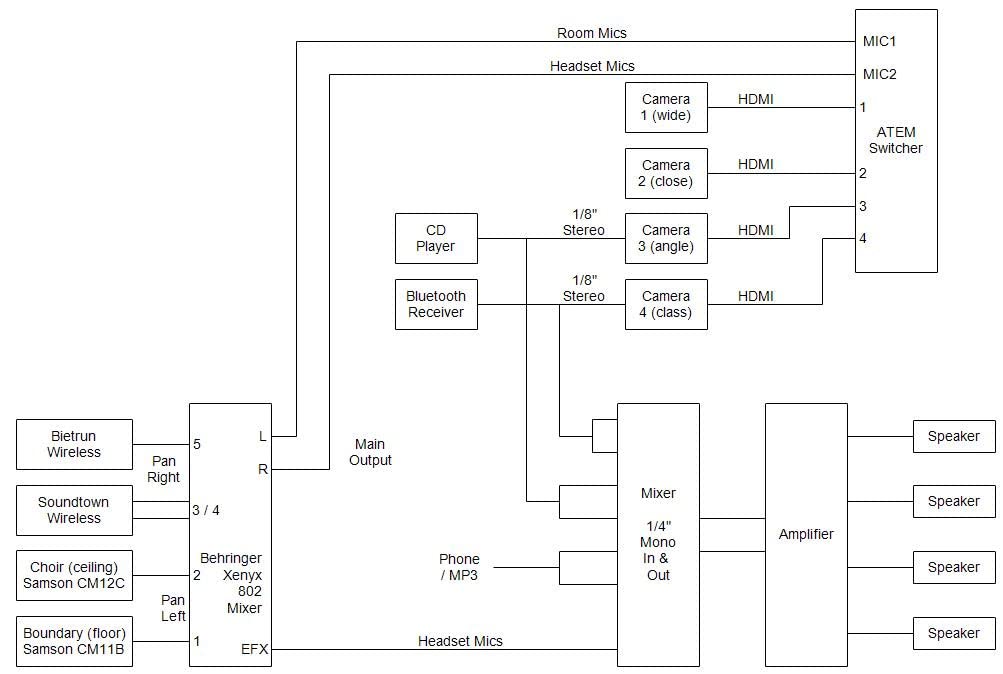
The ATEM Mini Pro is the unit we keep coming back to, and the reason is boring: it does the whole job by itself. Cameras go into the four HDMI inputs, the stream goes out over Ethernet, and the program feed is recorded to a USB drive without a laptop anywhere in the rack. For a four-camera stream that is the entire requirement list.
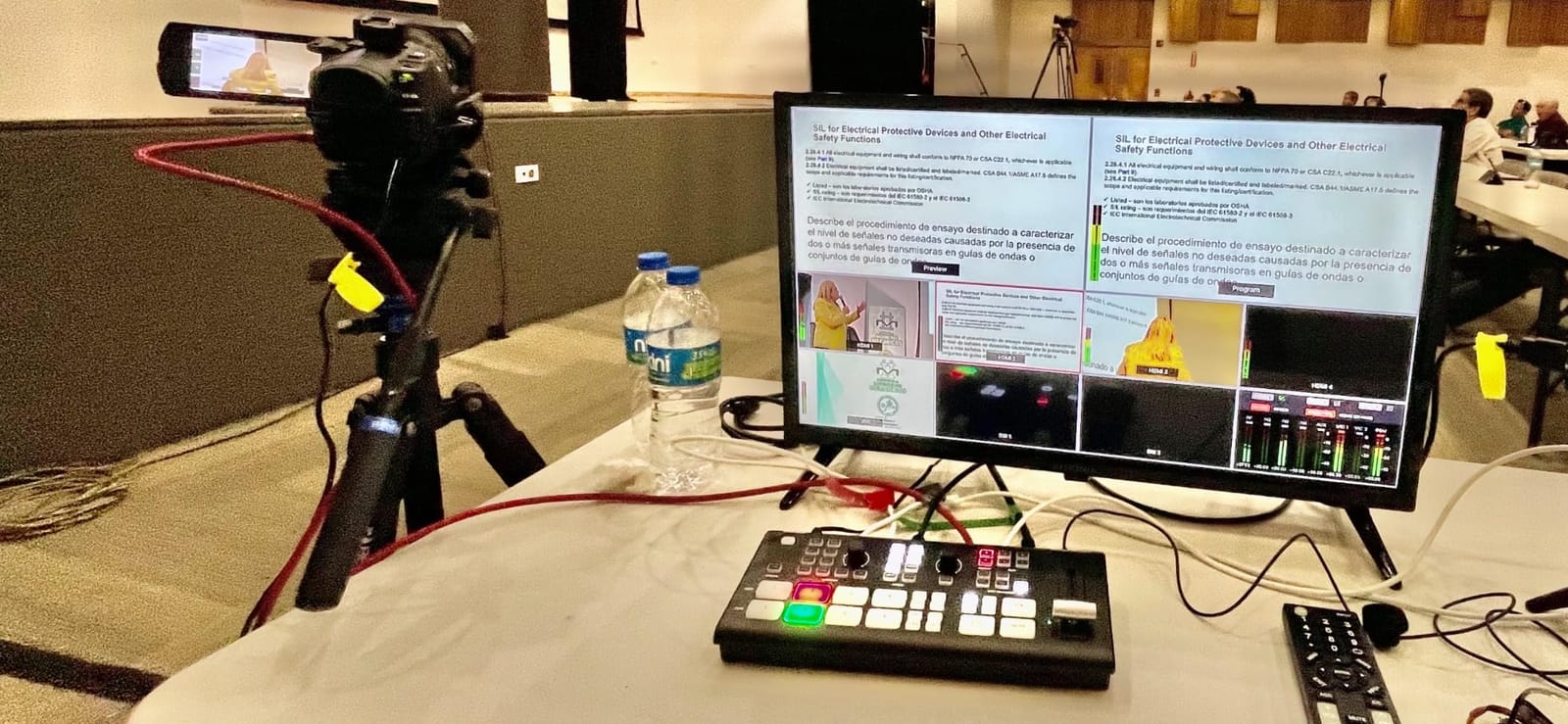
We ran it on a four-camera worship setup for several weeks with volunteer operators. The buttons are large enough to hit without looking down, the source buttons light clearly, and the built-in multiview on the HDMI output means the operator does not need a separate confidence monitor on a small rig. That last point does more for usability than any software feature we tested.
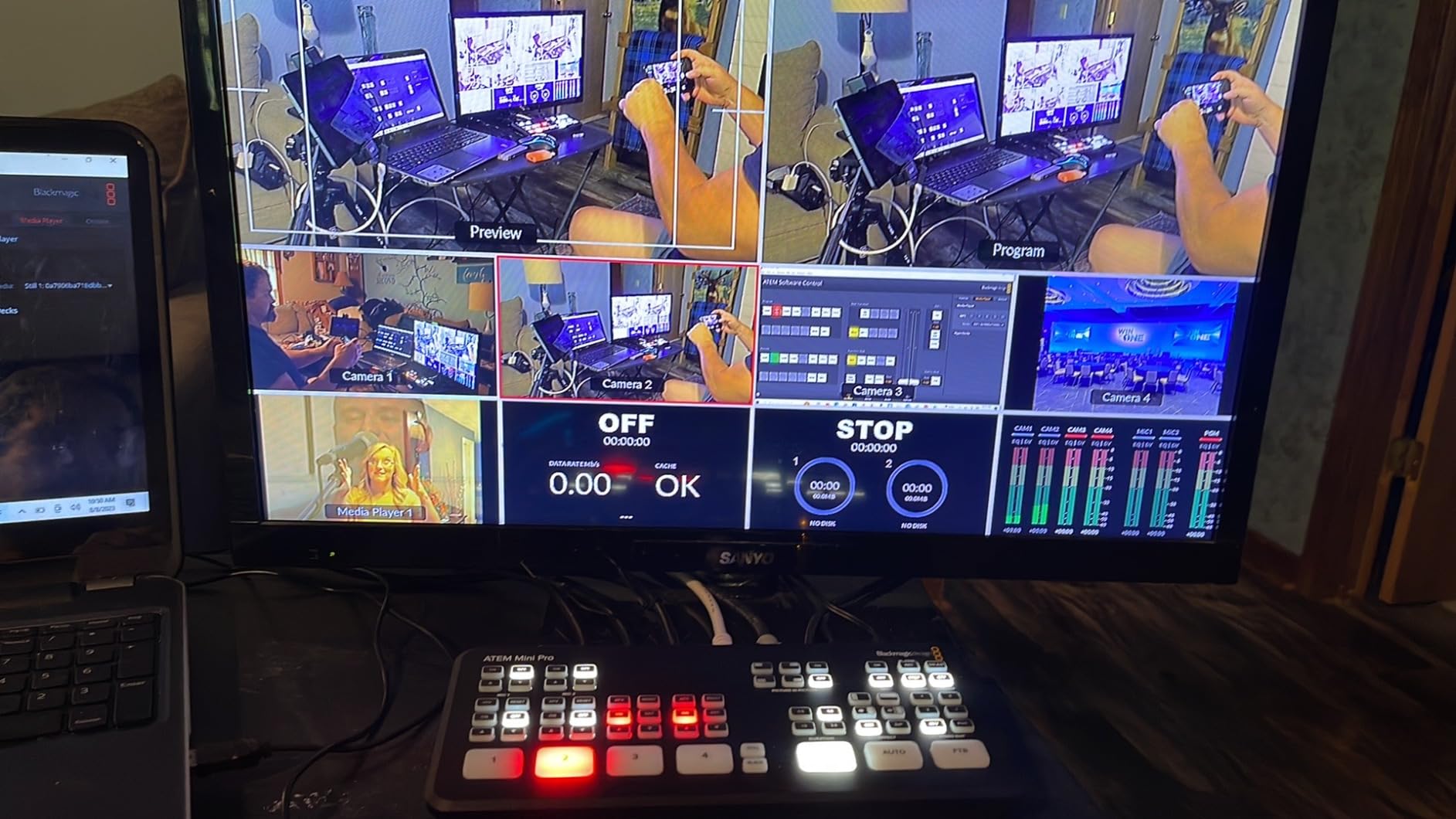
Keying is the part that quietly impresses. There are upstream luma, linear, chroma and pattern keys on each input, plus a downstream keyer on the program output, which is enough to put a speaker over a branded background without a second machine. The 6-input 2-channel audio mixer handles the camera audio and a couple of analog sources with per-input level control.
The physical design is a small wedge that sits flat or on a slight angle, with the panel buttons forward and the ports behind. It weighs about 1.2 pounds, so it is genuinely portable, and the external 12V supply means you are not hunting for a laptop brick at a venue.
The honest limitation is resolution and connection type. Every input is 1080p class over HDMI, and there is no SDI at all. If you are buying 4K cameras today, you are downscaling on the way in. Forum discussion on r/VIDEOENGINEERING reflects this clearly: people keep the ATEM Mini Pro because of the reliability and the standalone streaming, and treat the missing 4K and the cable length ceiling as the two reasons to move on later.
There is also no dedicated power switch, so powering down means unplugging it. In a permanent install that is an irritation rather than a real problem, and it is the kind of detail that only shows up after a year of use.
Who this video switcher suits
It suits churches, education and small corporate events that have four sources, want to stream without dedicating a laptop, and would rather not maintain streaming software. The software ecosystem is mature, and the community around it is the largest of any switcher in this list.
It also suits anyone who has never switched before and needs the multiview to be visible. Of everything we tested, this was the shortest path from unboxing to a confident first cut.
Who should skip it
Skip it if your cameras are SDI, if they sit more than about 50 feet from the panel, or if you need 4K input and care about keeping the camera’s native resolution. Those are all reasons to look at the SDI-capable units in this list instead.
Also skip it if you plan to run more than four sources. There is no expansion path on the Mini line other than moving up to a different chassis entirely.
2. osee GoStream Deck HDMI Pro: The Best Value Video Switcher With Two Outputs
osee GoStream Deck HDMI Pro Live Streaming Multi Camera Video Mixer Switcher
4 HDMI in and 2 HDMI out
T-bar with macros
SD card and SSD recording
Ethernet RTMP streaming
Pros
- Two HDMI outputs for multiview plus a second feed
- Records program to SD card or USB SSD
- Three streaming destinations plus a portrait mode
- Configurable from the on-board menu with no computer
Cons
- Runs hot and some owners add an external fan
- No video scalers so 4K sources are not accepted
- Main source buttons have a cheap membrane feel
The GoStream Deck is the pick when you want more physical outputs than the ATEM Mini Pro gives you at a similar tier. It has four HDMI inputs and two HDMI outputs, and the second output is genuinely useful: one feeds a program screen or confidence monitor, the other carries multiview, and you are not hunting for a splitter.
It also records the program to an SD card or a USB SSD and plays MP4 files back from the same media, so bumpers, sponsor slates and holding loops do not need a second playback machine in the chain. Streaming runs to up to three destinations at once over Ethernet, including a portrait mode for vertical social output.
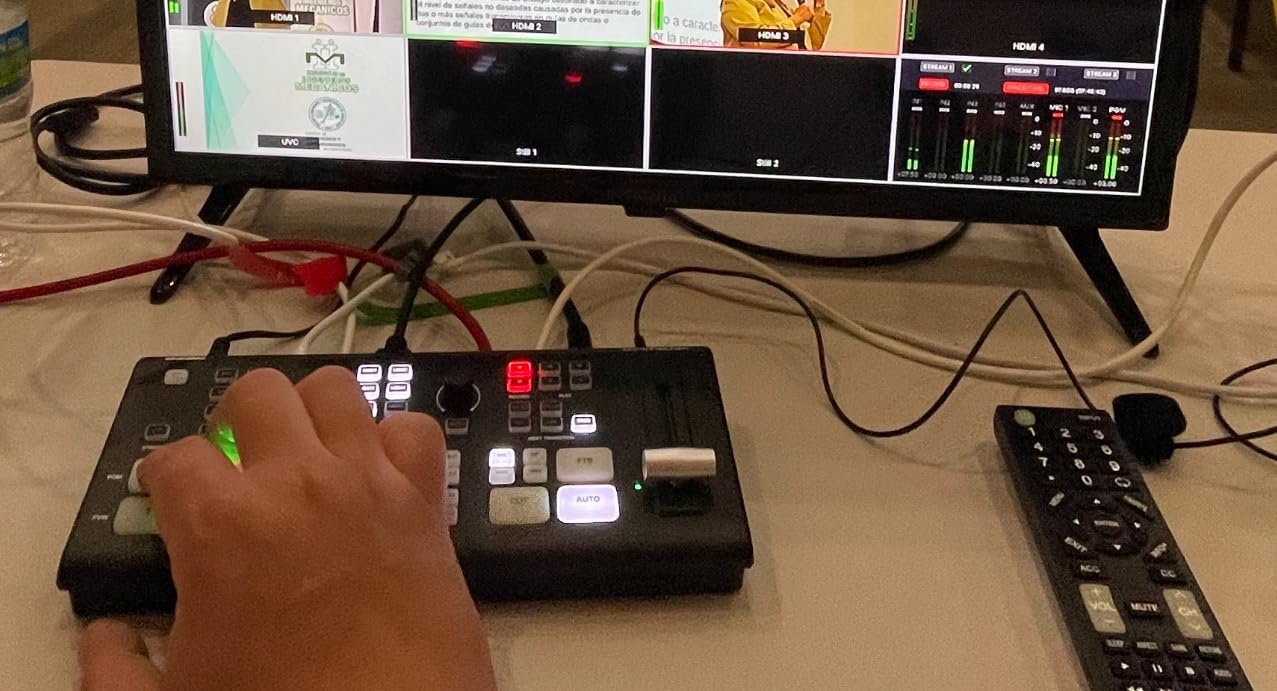
The control surface is closer to a broadcast panel than anything else at this level. You get separate preview and program buses, a real T-bar for manual transitions, and a row of macro buttons, plus an on-board menu system so the switcher can be configured without a computer at all.
Graphics are the other strength. A multisource composite handles dual video windows with background options, and there is an upstream chroma key, a downstream keyer, picture-in-picture and pattern effects, which covers most of what a small worship or corporate production needs for lower thirds and branding.
Three things came up repeatedly in the reviews. The first is heat: the unit runs hot under sustained use, and several owners mention adding an external fan or resting it on a cooling pad. The second is that there are no video scalers, so a 4K source is simply not accepted and every input has to arrive at 1080p or 720p already. The third is configuration workflow, since the desktop control software was still maturing and RTMP stream keys are set through a text file on the SD card rather than a menu.
Worth weighing against the button feel too. The source buttons are membrane-style and they do not feel like the crisper keys on the Blackmagic unit. It is a small thing, but on a panel an operator hits hundreds of times a night, it is a small thing you notice.
Who this video switcher suits
It suits a small production team that needs a real program and preview pair plus a multiview, that want to record locally, and that want to send the same feed to more than one platform. If you have been thinking of the ATEM Mini Pro but need the second HDMI output, this is the comparison to make.
It is also a good fit for teams already using Bitfocus Companion or a Stream Deck, because the macros and panel control map well onto external controllers.
Who should skip it
Skip it if your cameras output 4K and you want to keep them there, because there are no scalers and no 4K input support at all. Also think twice if the switcher will run in a hot, unventilated rack, since the cooling complaints are consistent enough to plan around.
3. Blackmagic Design ATEM Mini Pro ISO: The Best Video Switcher for ISO Recording
Blackmagic Design ATEM Mini Pro ISO HDMI Switcher
Records up to 5 H.264 streams
4x HDMI in
Ethernet streaming
USB-C webcam and drive
Pros
- Records every input as an isolated file plus the program
- Writes a DaVinci Resolve project file for multicam editing
- Full standalone workflow with no streaming computer needed
- Crisp build quality and clean button feel
Cons
- HD inputs only and there is no 4K version
- Steep learning curve in the manual and control software
- Some switchers report USB dropouts or needing a cold reboot
If you edit your streams, this is the unit that changes your workflow rather than just your output. The ATEM Mini Pro ISO records up to five separate H.264 streams in real time: the four inputs as isolated files plus the program mix. The edit that used to mean four screen recordings and a manual sync session becomes a folder of files and a timeline.
It writes a DaVinci Resolve project file that lines those files up already. Owners in the review base talk about swapping the ISO files for the original higher-resolution camera footage in the Resolve timeline, which means the recording is a safety net rather than the final master. That is the argument for it, and it is a strong one for a team producing replays or on-demand archives.
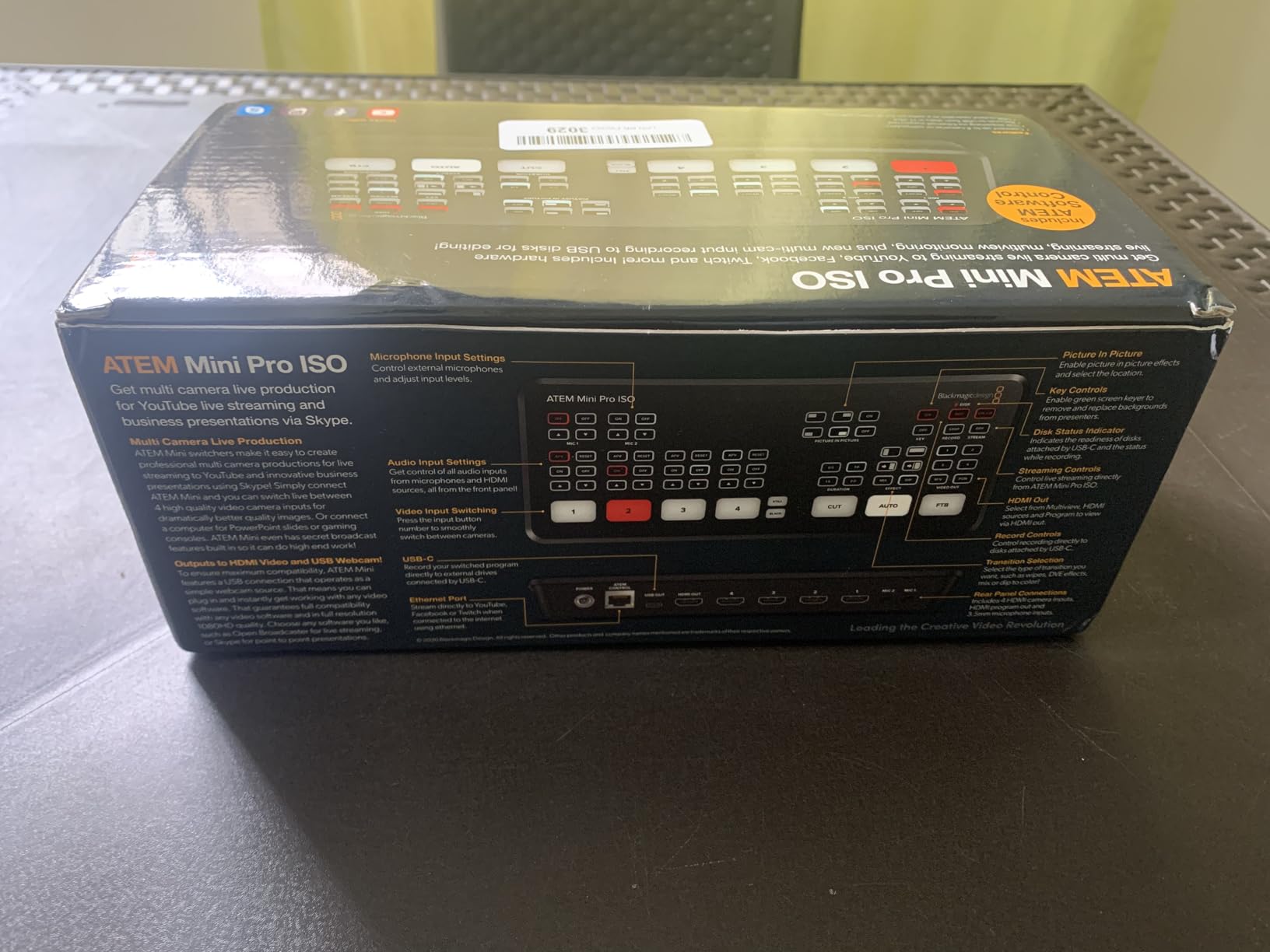
Everything else about the panel matches the non-ISO model, which is a strength: the same four HDMI inputs, the same multiview output, the same transition and keyer set, the same 6-input 2-channel audio mixer, and the same standalone Ethernet streaming plus USB drive recording. If you already know the ATEM workflow, nothing here is new.
Storage planning matters more than usual. Owners report around 8 GB per hour for each 1080p ISO stream, so a four-camera service for an hour is roughly 32 GB before the program file. Budget an external SSD with headroom rather than a small card.
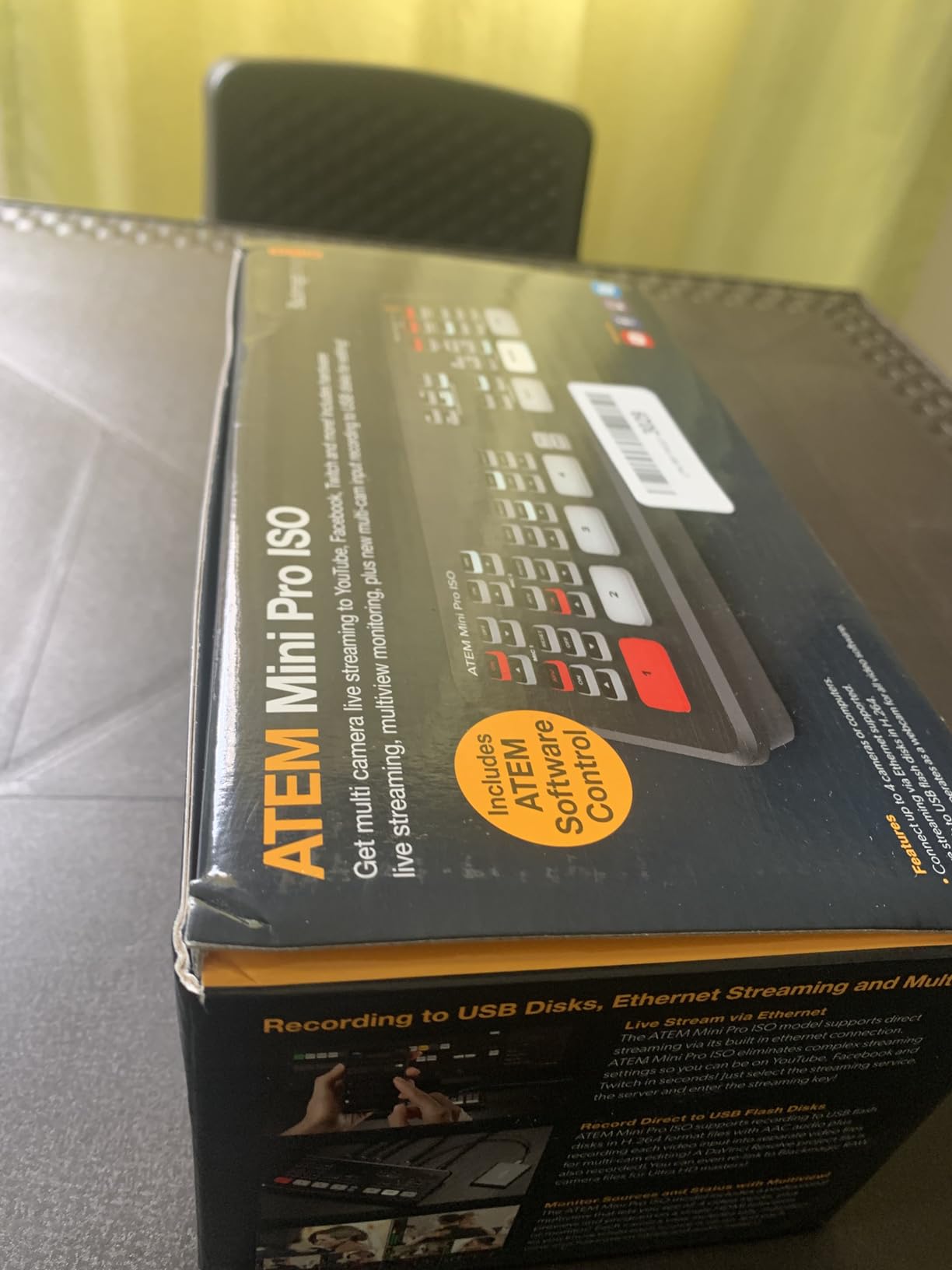
The complaints are about software and endurance rather than the concept. New users hit a steep learning curve with both the written manual and ATEM Control Software. A smaller number of reviewers report the USB output failing or the network interface behaving badly over long sessions, and a few describe video fading after heavy daily use and needing a cold reboot. None of that is widespread, but for a paid event you would want a known-good backup plan.
There is still no 4K model anywhere in the ATEM Mini line, so the ISO workflow runs at 1080p.
Who this video switcher suits
It suits churches with a replay ministry, education providers building on-demand libraries, and any production team that cuts multicam edits. If you have ever assembled a live edit from a program recording and a second screen capture, this pays for itself on the first project.
It also suits teams that want the program feed on one platform and the isolated feeds for archive, because the same hardware handles both.
Who should skip it
Skip it if you are only streaming and never edit, since the extra recording work buys you nothing and consumes storage. Also skip it if your cameras are 4K native and you intend to keep that resolution, because the ISO files will be 1080p.
4. RGBlink Mini: The Best Budget Video Switcher to Learn On
RGBlink Mini Video Mixer Switcher with 4 x HDMI Inputs 2K Input/Output Real Time Live Streaming, Support Output 6 Pictures PVW and PGM, for Facebook, YouTube, Instagram, Tiktok, RTMPS
4x 2K HDMI in
6-picture multiview out
USB 3.0 webcam output
14 transition effects
Pros
- Lowest-cost entry into real multicam switching
- Large easy-to-hit source buttons and an on-board preview screen
- 14 transitions and 9 picture-in-picture layouts
- USB 3.0 output drops into streaming software as a webcam
Cons
- Audio does not follow the video with no dedicated input per source
- Frame rate mismatches between input and output cause glitching
- Control app and firmware support are unreliable on some platforms
The RGBlink Mini is the least complicated way to learn what a switcher actually does. Four 2K HDMI inputs, instant source changes on large buttons, and a built-in preview screen that shows all six pictures without needing a monitor bolted to the desk.
It does not stream on its own. Output goes to a computer over USB 3.0, where it enumerates as a webcam and appears as a source in OBS, vMix or anything similar. That is a limitation for church use, but for learning, streaming practice and small events it is a reasonable trade, and a 1M/E-style hardware panel is not the place to start.
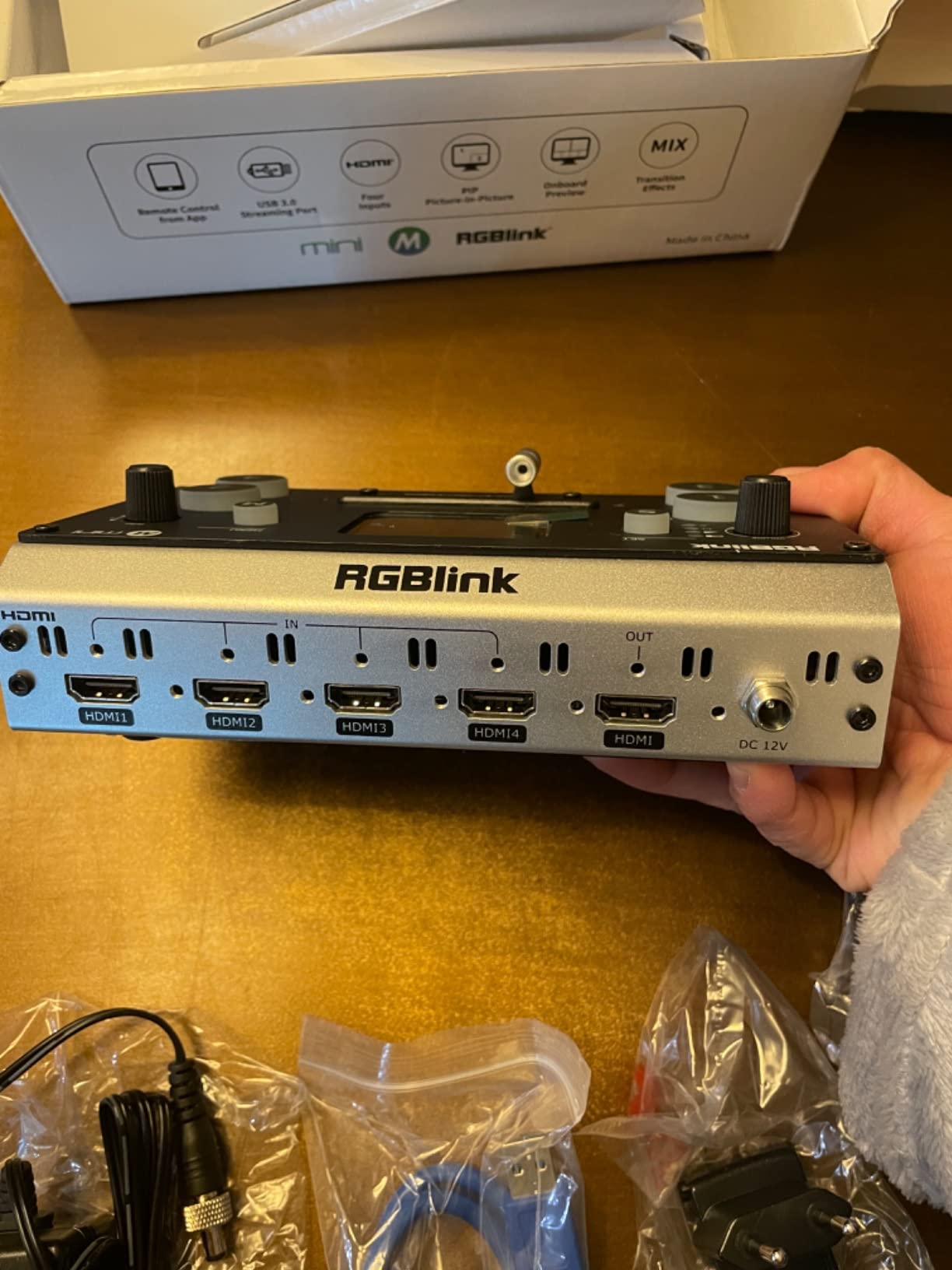
The transition and layout library is bigger than the price suggests: 14 built-in transition effects and 9 picture-in-picture layouts. There is also audio embedding and de-embedding, automatic detection of RGB and YUV colour depths, and a tripod mounting screw hole for mobile rigs.
The LAN port allows control from a phone or computer with no extra software, which is convenient when the panel is not next to the operator position.
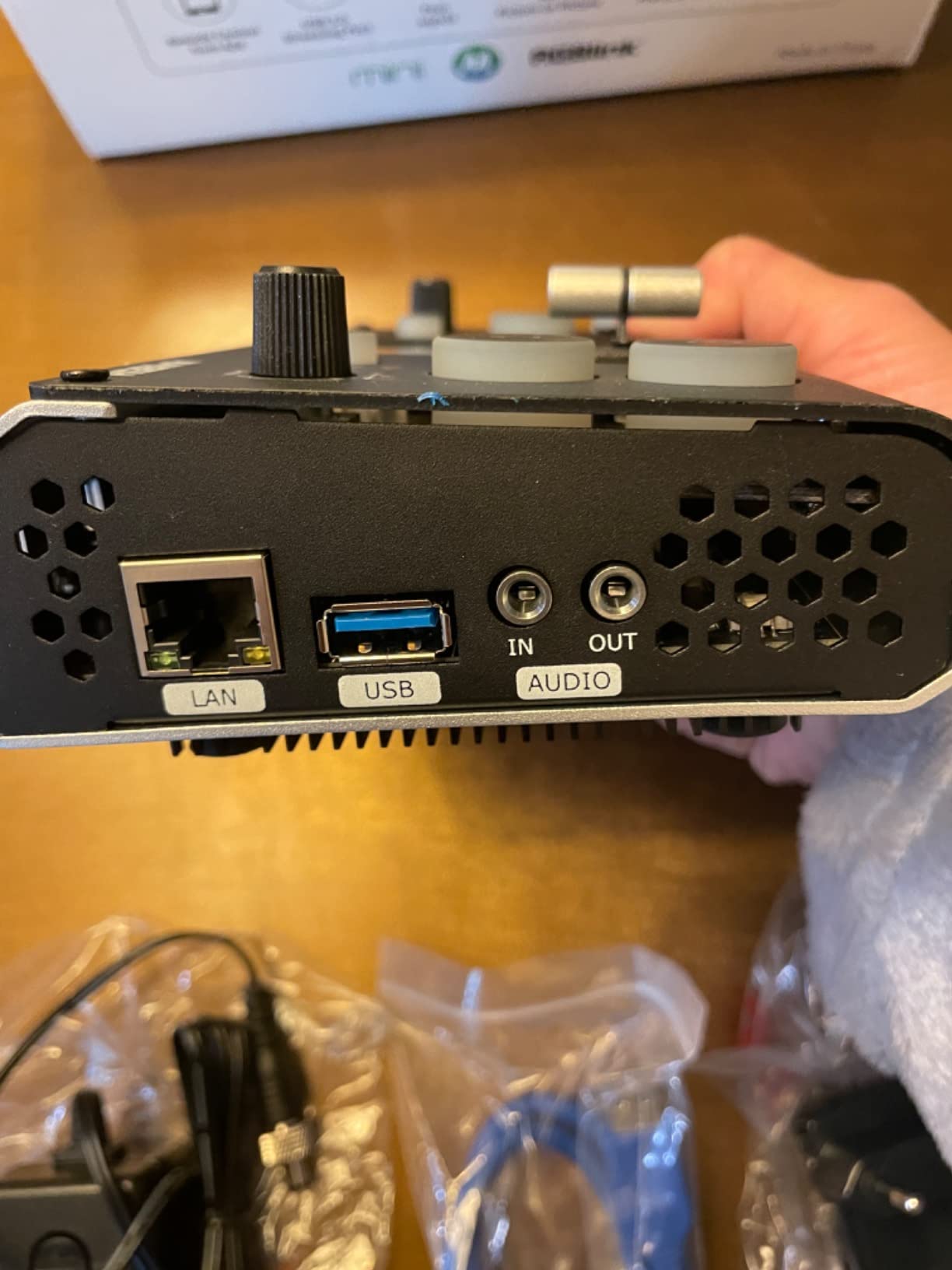
Where it frustrates people is audio and configuration. There is no dedicated audio input per video input, and audio does not switch with the video, which means a camera cut leaves the old audio up unless you handle it in software. The review base also flags frame rate mismatches: if the input and output rates are set differently, the output stutters.
Support response is the other consistent complaint, and a small number of reviews point to control apps that do not work on particular PC or phone platforms. It is the base model, so onboard recording is not included; that appears on the Mini Pro tier and above.
Who this video switcher suits
It suits someone on their first multicamera production, a student or hobbyist streamer, and anyone who wants physical buttons without a large outlay. The on-board preview screen means you can learn the panel without buying a monitor first.
It also works as a small podcast or gaming switcher where audio is handled separately in the streaming software.
Who should skip it
Skip it if you need the switcher to stream by itself, if you want onboard recording, or if audio following the video matters to your production. Those are real production requirements, not preferences, and the switcher will not meet them.
5. osee GoStream Duet: The Best Video Switcher for SDI and Long Cable Runs
Osee GoStream Duet Multiple Camera SDI and HDMI Live Stream Video Mixer Switcher
4x SDI and 4x HDMI in
Built-in cooling fan
NDI HX source
Up to 3 stream targets
Pros
- Accepts any mix of four SDI and four HDMI inputs
- Built-in cooling fan for sustained use
- Free NDI HX licence enabled through firmware updates
- SD and SSD playback plus still storage and macros
Cons
- Picture-in-picture sizes are locked to fixed preset steps
- No native phone app for remote control
- Desktop software is less polished than ATEM Control Software
The GoStream Duet solves the problem that pushes most people off an HDMI-only switcher. It takes four SDI and four HDMI inputs, plus a USB-C source, an NDI HX feed and SD or SSD playback, so you can mix broadcast cameras and a laptop presentation without buying a shelf of SDI-to-HDMI converters.
That matters more than it sounds. SDI runs far longer over coax than HDMI does over consumer cable, which is the standard fix for cameras mounted away from the booth. On a raked seating room or an outdoor stage, the cable run, not the switcher, is what dictates the design.
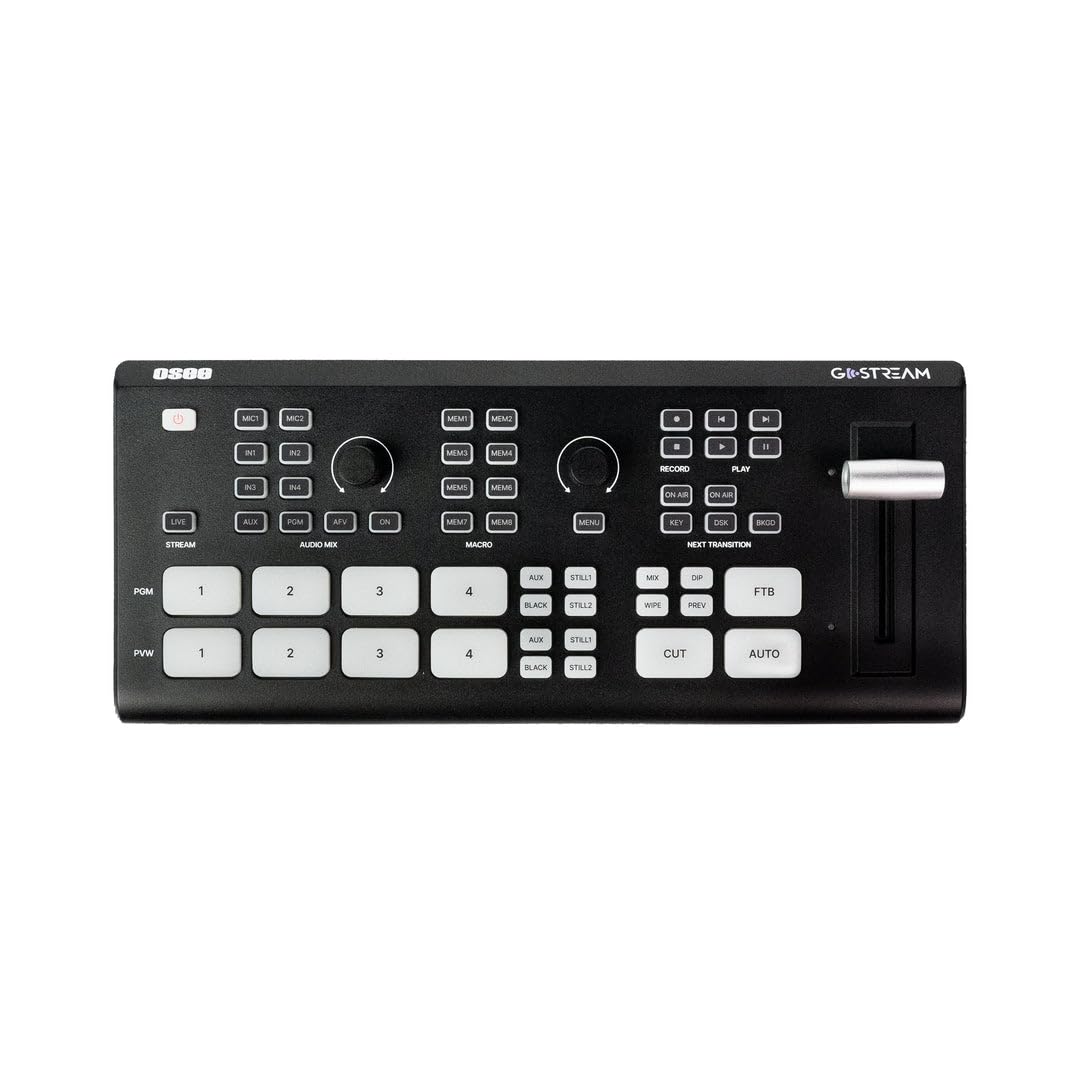
Unlike the cheaper Deck model, the Duet has an internal cooling fan, and owners consistently note that it stays stable through long services. It is the model of this hardware we would put in a fixed install, and reviewers commonly compare it favourably to the ATEM Mini Pro for exactly that mix of connectivity and sustained behaviour.
Control comes from an on-board GUI, the GoStream desktop software for Mac and Windows, and Bitfocus Companion for external control surfaces. Streaming reaches up to three destinations over Ethernet or a phone hotspot, and it can record at a higher bitrate than it streams, which is a genuinely useful split for archive quality.
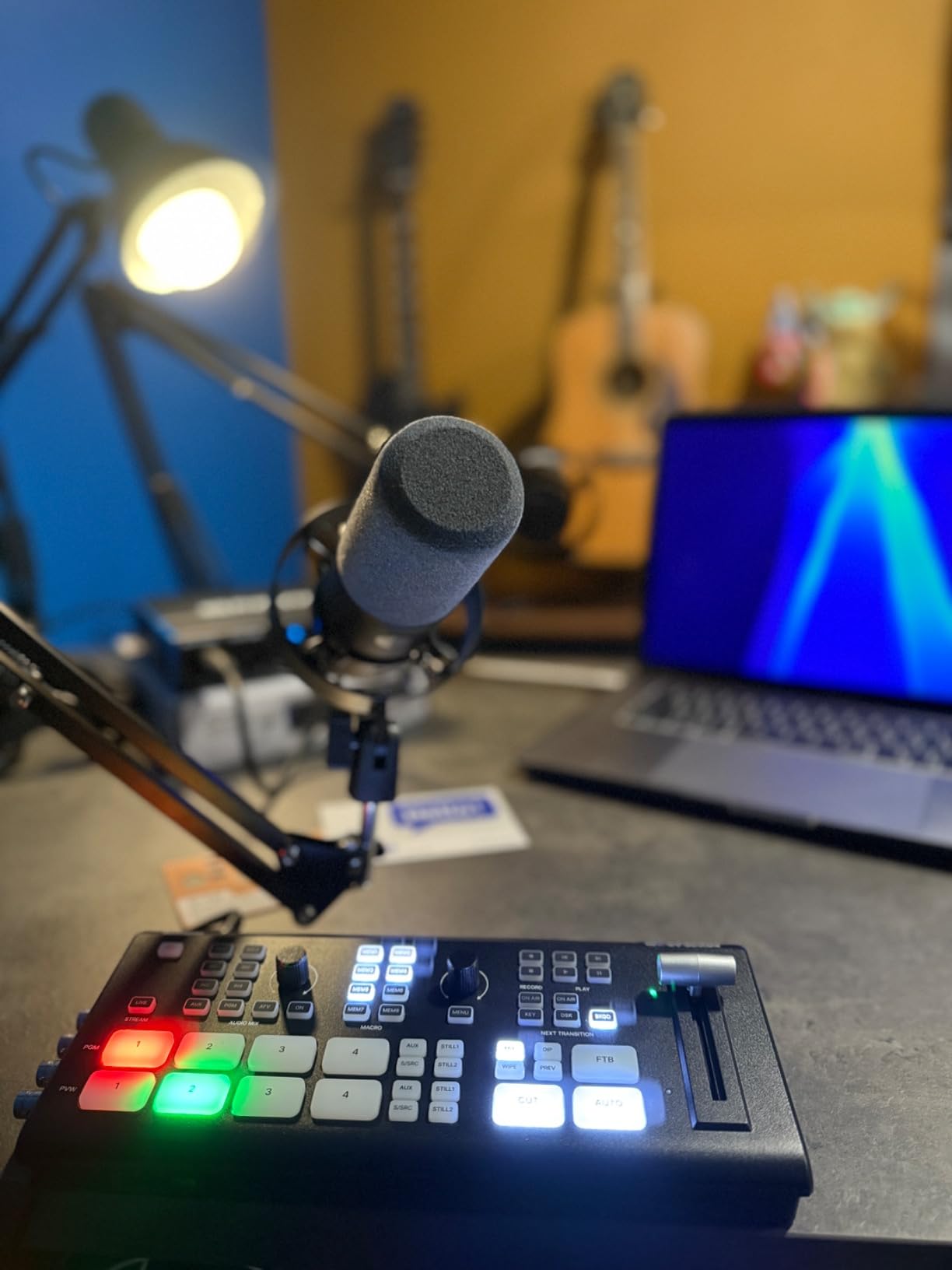
The compromises are specific. Picture-in-picture windows are locked to preset sizes rather than continuously adjustable, which annoys anyone trying to place a small lyric or lower-third box. There is no native phone app for running the show from off the panel, and the NDI licence activation and documentation confuse enough buyers that some cannot confirm it is running.
The build quality is good but not industrial. For a touring rig that gets loaded in and out of cases every week, we would still look at something in a higher chassis class.
Who this video switcher suits
It suits venues with existing SDI cameras, long cable runs, and a mixed signal chain of cameras, laptops and network sources. It is also the pick if your installation already has structured network cabling and you want to use NDI instead of pulling individual video cables.
Anyone who wants a second HDMI-style program feed plus SDI in the same box will find the GoStream Deck and the Duet a close pair to compare.
Who should skip it
Skip it if you only have HDMI sources and want the simplest possible panel, since the extra SDI hardware buys you nothing there. Also skip it if you need fine control of picture-in-picture sizing or full remote operation from a phone.
6. FoMaKo KC800: The Best Video Switcher With Built-In PTZ Control
FoMaKo KC800 4K HDMI Multi-Cam Live Streaming Switcher Mixer with 4D Joystick PTZ Controller, AI Tracking, 5.5″ LCD Screen, XLR Audio Mixer, USB/SD Recording, 1080P 60FPS Output for Church Worship
4x 4K HDMI in
4D joystick PTZ control
2x XLR with 48V power
3 stream targets
Pros
- Switcher and PTZ joystick combined in one box
- 4K HDMI inputs with 24-bit RGB handling
- XLR mic inputs with phantom power and per-channel knobs
- Records to USB or SD while streaming to three platforms
Cons
- Output is 1080p60 even with 4K inputs
- Menu-driven operation feels dense at first
- Smaller review base than the established brands
The KC800 is unusual because the PTZ joystick and the video switcher live in the same box. It controls up to four PTZ cameras over VISCA or VISCA-over-IP, with one-touch AI tracking on any of the four camera buttons, ten programmable presets and adjustable pan, tilt and zoom speeds.
For a church or a meeting room with three or four moving cameras, that removes a separate camera controller from the rack and puts camera moves on the same surface as the cuts. One operator can frame a speaker and switch to them without leaving the panel.
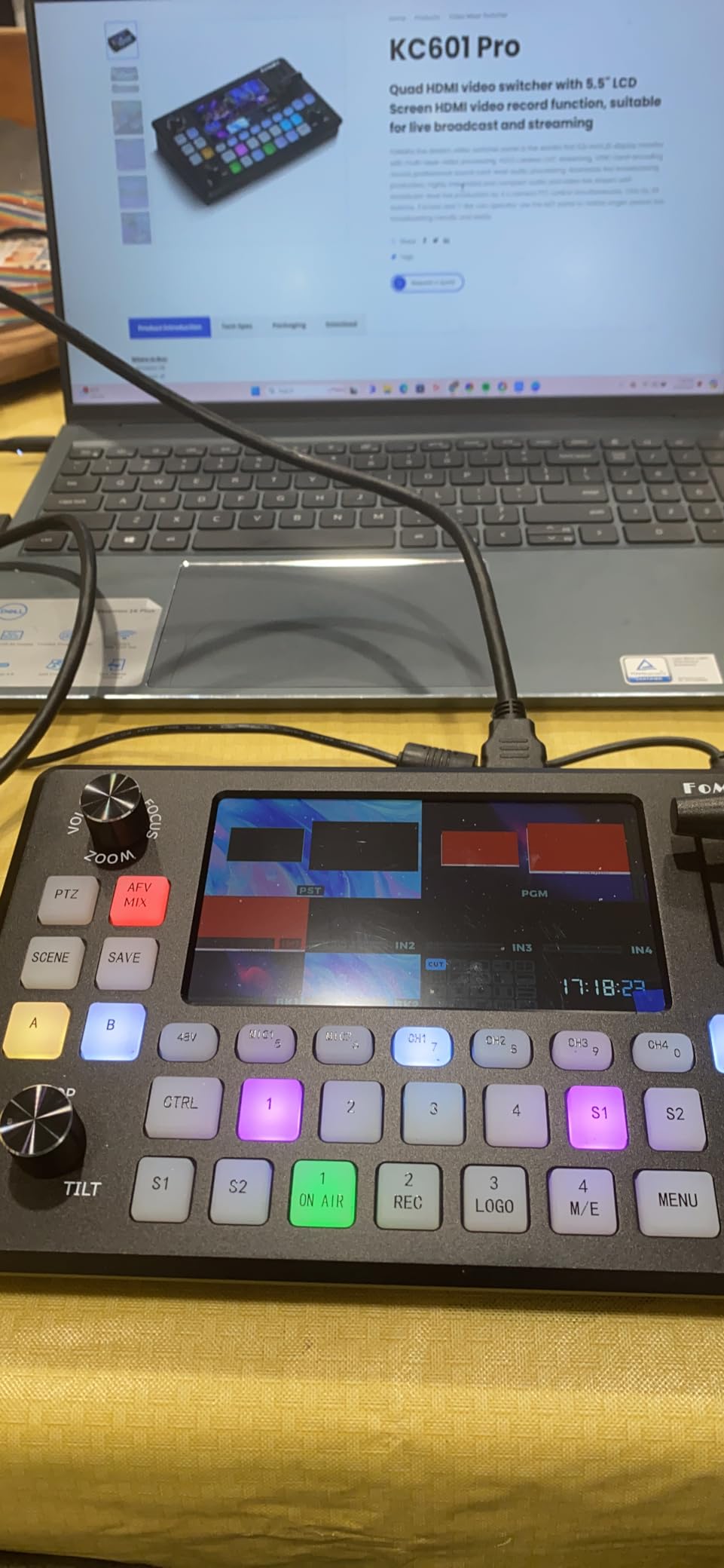
Inputs are 4x 4K HDMI with RGB 24-bit handling, and one output carries 4K loop-through, multiview or program depending on what you need. Recording goes to a USB disk or SD card in MP4 or TS up to 16 Mbps, formatted as FAT32 or exFAT with capacity up to 2TB, and it happens without a computer in the loop.
Audio is unusually serious for this class. There is a 6-channel mixer with two XLR inputs carrying 48V phantom power, two 3.5mm mic or line inputs, four HDMI digital audio channels, a line out and headphone monitoring, with a knob per channel. A web interface handles backgrounds, logos, AI tracking commands, firmware and device info.
Worth being clear about the resolution split. The 4K applies to inputs and to the loop-through output. The streaming and program output is 1080p60, which is the normal shape for a live production encoder and is not a flaw, but it means 4K cameras are being scaled before they go out.
Who this video switcher suits
It suits venues that use PTZ cameras and want one surface for camera control and switching, and it suits worship teams that need a podcast-grade audio path in the same box. Solo operators benefit most, since the presets and AI tracking reduce the number of things to remember.
It also suits teams that want PC-free recording and three-platform streaming out of a single unit.
Who should skip it
Skip it if your cameras are fixed and you have no need for PTZ control, because the joystick is then just extra surface area. The review base is also smaller than the established brands, so there is less community knowledge to lean on if something goes wrong mid-event.
7. Roland V-8HD: The Best Video Switcher for Eight-Camera Events
Roland V-8HD HD Video Switcher
8x HDMI inputs
5-layer effects engine
Built-in multiview monitor
18-channel audio mixer
Pros
- Eight HDMI inputs in a lightweight portable chassis
- Integrated multiviewer preview monitor reduces desk clutter
- Five-layer effects engine plus an eight-slot still store
- 18-channel digital audio mixer with effects and sync delay
Cons
- HD only with no 4K input or output support
- Costs far more than compact consumer switchers
- Deep effects and VenuSet software need real study time
The V-8HD is where you land when four inputs stop being enough. Eight HDMI sources mix in a chassis that still weighs about 5 pounds, and the built-in multiviewer monitor means the operator sees every source without a separate display on the desk.
The effects engine is five layers deep, which is more than any compact unit in this list, and the version 3 chroma key engine has been substantially reworked. An eight-slot still store handles BMP, JPEG and transparent PNG graphics, so lower thirds and branding live in the switcher rather than in a playback machine.
There is an AUX output for sending a different feed to a separate destination, and automated switching through sequencing, macros and preset memories. Frame rate support covers 23.98, 24, 25, 29.97 and 30Hz, which matters when a venue mixes cameras that are not all locked to the same rate.
Who this video switcher suits
It suits mid-size productions: an eight-camera worship service, a school assembly, a multi-session conference where a small team has to run several rooms, or a corporate event where a second program feed is needed on a separate screen. The onboard monitor and the AUX output are the two features that change the workflow most.
Audio is handled properly too, with an 18-channel digital mixer, per-channel effects and sync delay on every channel, which is a lot of audio control for this class.
Who should skip it
Skip it if you have three or four sources, because you would be paying for capacity and an effects engine you will not use. It is also HD only, so it does not future-proof a 4K camera purchase the way a unit with 4K input would.
The software side, VenuSet and Graphics Presenter, has a real learning curve. Budget time for it before you need it live.
8. RØDECaster Video: The Best Video Switcher for Podcasters
RØDE RØDECaster Video – Professional Video Switcher and Audio Interface –
6 video inputs
2 Neutrik combo XLR preamps
7 multi-source scenes
ISO recording to USB
Pros
- Video switcher and broadcast audio interface in one box
- Revolution preamps drive dynamic microphones cleanly
- Scene builder makes complex layouts a one-button action
- Records program plus isolated audio and video tracks
Cons
- Camera and webcam compatibility is narrower than expected
- Only two audio inputs on the full-size model
- Companion app and setup have a significant learning curve
The RØDECaster Video is built for the case where audio quality matters as much as picture. It switches up to six video sources, four HDMI and two USB, and it carries two Neutrik combo jacks with Revolution preamps, so a dynamic microphone on a stand goes straight in with no external interface in the chain.
That combination is unusual. Most switchers take line or analog audio; this one takes microphones. For a two or three-person video podcast that is the difference between one box and three, and it removes a whole failure point from the chain.
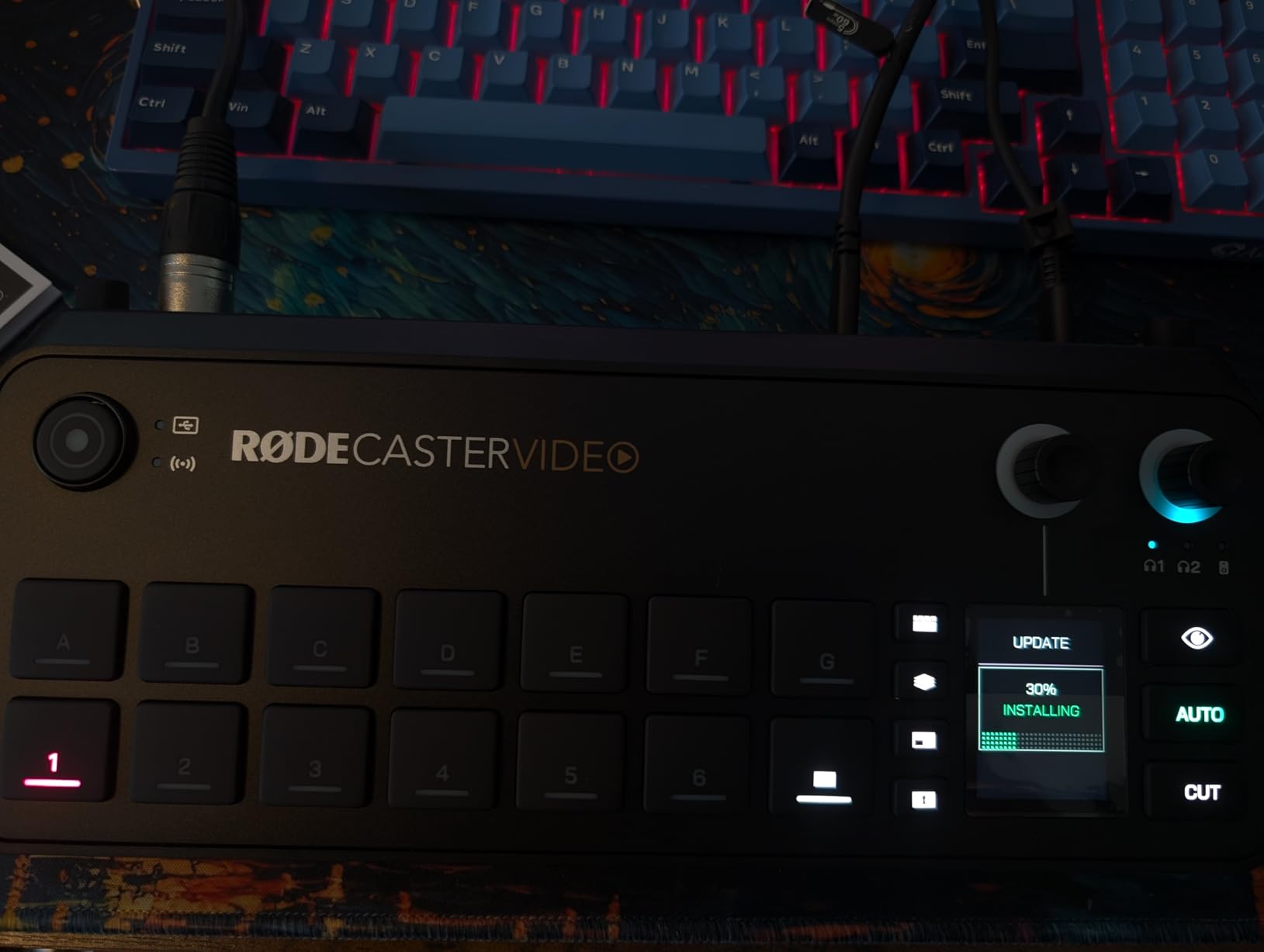
The scene builder is the other thing to know about. Seven customisable multi-source scenes, with media playback, graphic overlays, automatic chroma keying and transitions available from the front panel, mean a layout like a host and guest side by side with a branded frame is a single button rather than a stack of keyers. Inspect Mode lets you preview an input safely before putting it on air, and the automatic switching based on audio takes some of the timing out of following a conversation.
It streams directly to major platforms over Wi-Fi or Ethernet, or to streaming software over USB, and records to external USB storage including ISO recording, so you get a program file plus isolated tracks for editing.
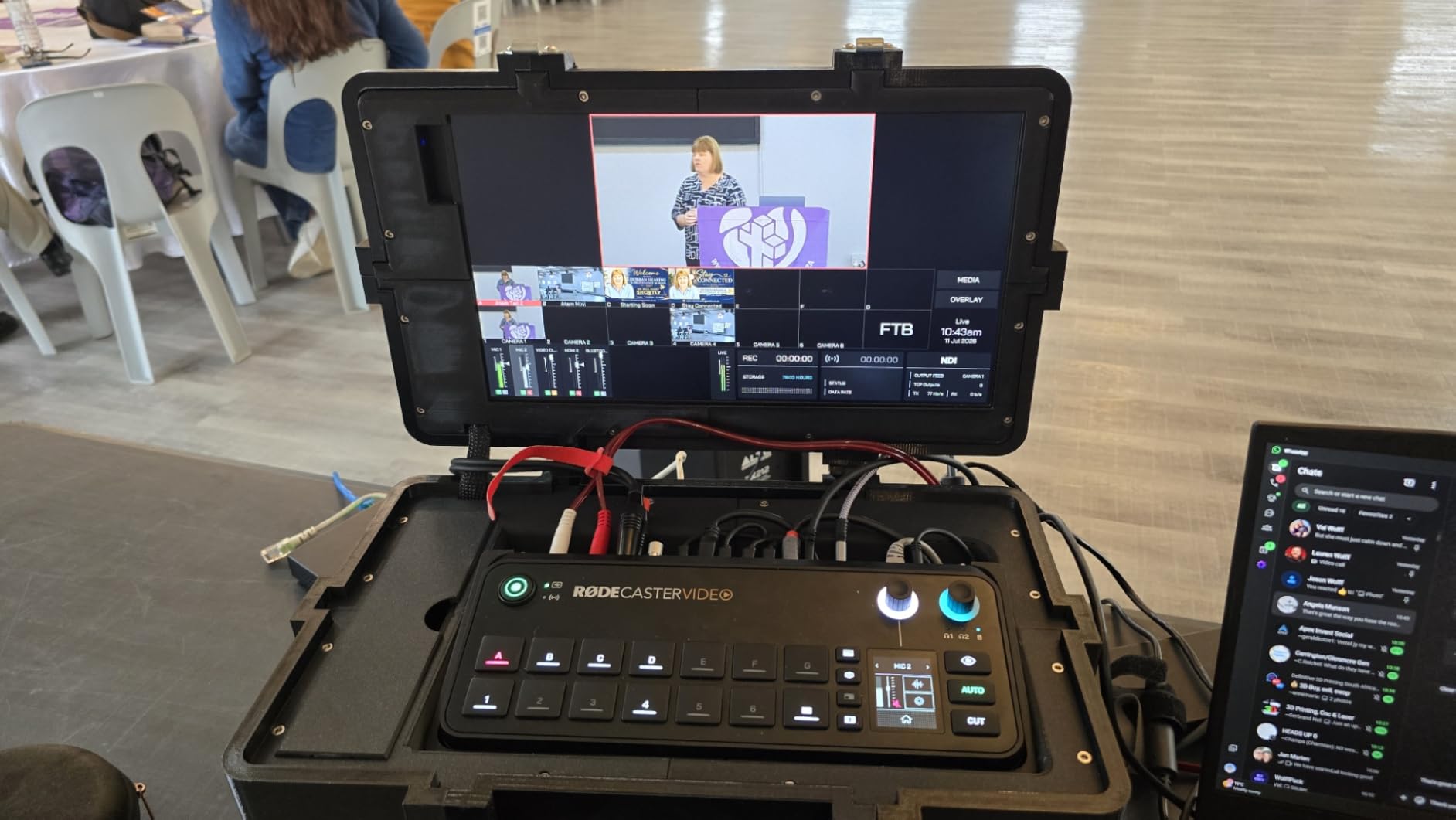
The honest caveats come from the reviews. Camera and webcam compatibility is narrower than people expect and varies even within a single brand, so check your specific models before committing. The Companion app and the initial setup have a steep learning curve, especially if you are coming from a video call workflow, and the audio-driven auto-switching thresholds still need tuning.
With two audio inputs, a larger panel discussion still needs additional microphones and a second interface alongside it. And the output is 1080p.
Who this video switcher suits
It suits podcasters and interview shows, small studios replacing a separate 1 M/E switcher and an audio interface, and anyone who records a program file plus isolated tracks for later editing. The XLR inputs make it the natural choice when the microphones are already in the room.
It also suits creators already invested in the RØDE ecosystem, where the control and monitoring behave as expected.
Who should skip it
Skip it if you need more than two microphones in the mix, or if you need a switcher that is primarily a video device with audio handled elsewhere. The preamp quality is the reason to buy it; if you do not need microphone inputs, you are paying for the wrong strength.
9. Roland V-1HD+: The Best Video Switcher for Volunteer Operators
Roland Ultimate Compact V-1HD+ HD Video Switcher
4x HDMI in
14-channel audio mixer
4-layer effects engine
8 memory presets
Pros
- Highest average customer rating in the lineup
- Standalone operation with a 14-channel audio mixer and no computer
- Four-layer effects engine handles lower thirds and callouts
- Eight memory presets plus assisted automatic switching
Cons
- HD only with no 4K support
- Four inputs is fewer than most rivals in this class
- Remote app covers only a subset of settings
The V-1HD+ earns the highest average rating in this list, and the reviews explain why: owners describe an interface that is quick to learn and a unit they trust on events. For a room where the operator changes every week, that reputation matters more than a feature count.
It is standalone. The 14-channel audio mixer is built in, so there is no separate audio board to learn, and a four-layer effects engine handles graphics, lower thirds and social callouts directly. Eight memory presets let you recall a whole visual layout on cue, which turns a complicated setup into a single button press for a volunteer who has done it twice.
Technology-assisted automatic switching handles the routine part of following a conversation, and the V-1HD+ Remote app controls most settings from a phone off the unit.
Who this video switcher suits
It suits small churches, community groups and any production where a different person runs the panel each week. The combination of a familiar interface, memory presets and a built-in audio mixer is the shortest training path in this roundup.
It also suits anyone who wants broadcast-style button feel and durability in a fixed install, since the chassis is noticeably more solid than the membrane panels in the budget tier.
Who should skip it
Skip it if you need more than four sources or any 4K input, because the V-1HD+ is an HD four-input device with no expansion. Also skip it if you want to control every setting from a phone, since the remote app deliberately covers only part of the panel.
10. FEELWORLD L4: The Best Video Switcher With a Large Built-In Screen
FEELWORLD L4 10.1 Inch Touch Screen Video Switcher 10.1 inch Touchscreen, Real-time Preview 5 Input Sources PST PGM and Operation Interface
10.1 inch touchscreen
4x HDMI and 1x SDI in
HDMI SDI and USB 3.0 out
4K30 input formats
Pros
- 10.1-inch touchscreen shows multiview and preview without a monitor
- Five inputs including an SDI source
- Accepts 4K30 HDMI input formats despite 1080p output
- Chroma key and logo overlay cover the common needs
Cons
- No still store and no onboard recording function
- Firmware downloads and support responses are hard to obtain
- Reports of lockups during long paid sessions
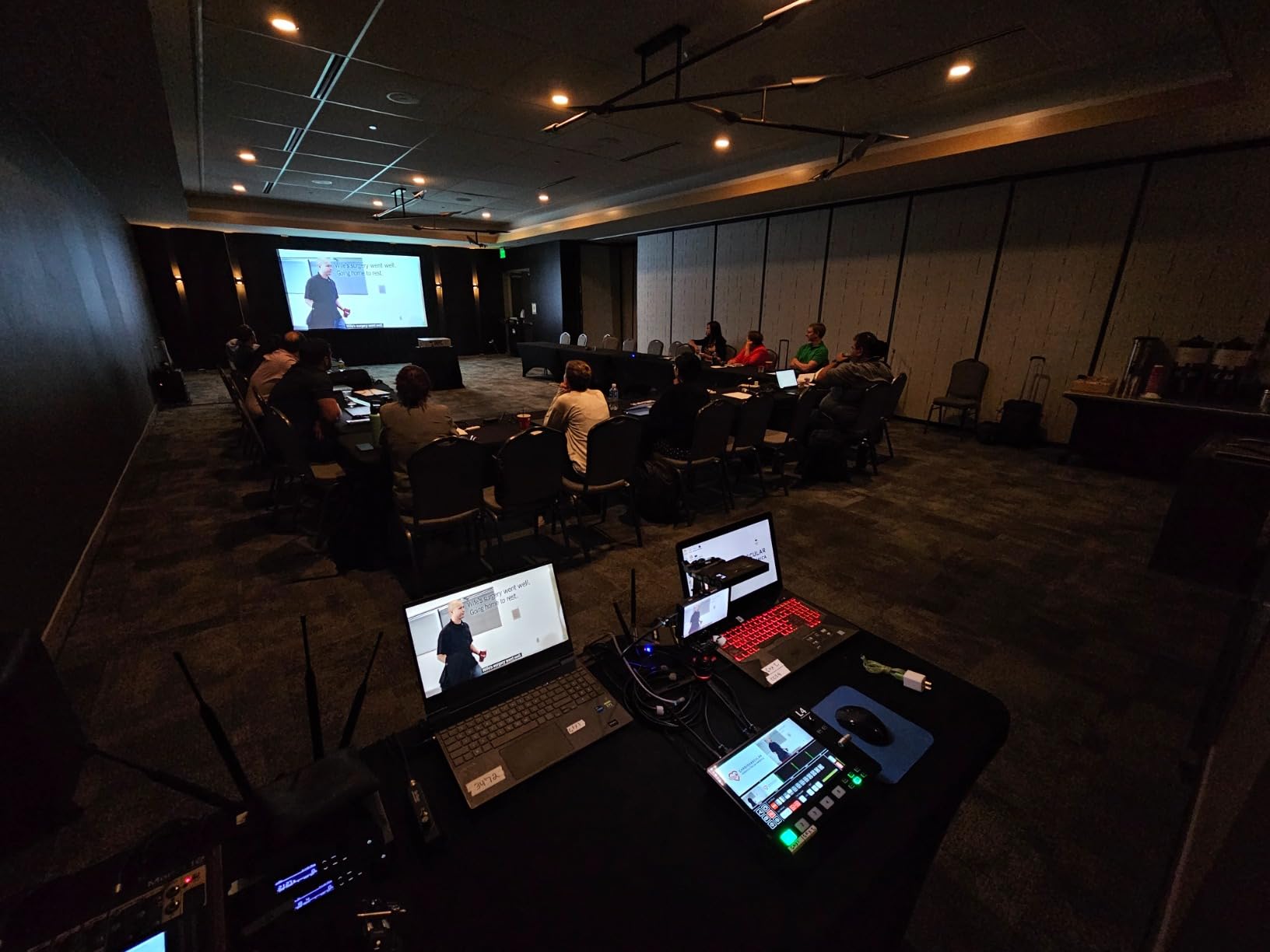
The FEELWORLD L4 solves monitoring rather than switching. A 10.1-inch touchscreen sits in the top of the unit and shows the real multiview, preview and program, which on a small desk is a genuine saving: you do not have to find room for a separate monitor and its stand.
Operation is by touch, by the physical buttons or by the T-bar, so an operator can use whichever feels most natural. Inputs are four HDMI plus one SDI, and outputs are HDMI, SDI and USB 3.0, which is an unusually generous output count for a five-input device.
On formats, the HDMI inputs accept 2160p at 30 and 3840×2160 at 23.97, 24, 25 and 30, along with the usual 1080p and 720p SMPTE and VESA resolutions. Outputs are configurable up to 1080p60 on HDMI, 720p and 1080i or 1080p on SDI, and 720p or 1080p over USB. Chroma keying works against any colour screen, and there is a logo overlay for branding.
Accepting 4K input while outputting 1080p is a common and sensible pattern: it means you can feed modern cameras in without a converter, and the encoder still works at a rate that streams well.
What gives us pause is in the reviews, and it is worth reading carefully. There is no still store for a safety image, which is a real gap when a source drops, and no onboard recording, so the program has to be captured elsewhere. Several owners describe firmware and software downloads that are difficult to obtain, and support responses that were hard to obtain at all.
More seriously, there are reports of lockups or failures during long live sessions, and of a fragile power cable. With a 4.1 average and a 67-review base, the one-star band is large enough that we would not put this switcher in front of a paid event without a fallback.
Who this video switcher suits
It suits small crews working in a tight space where desk real estate is the problem, and beginners who find a menu-driven interface easier than button mapping. The large screen also makes it easy to hand the panel to someone new, because the state of the show is visible at a glance.
It works for mixed signal chains, since the SDI input and SDI output are unusual at this size and let you bridge into longer cable runs.
Who should skip it
Skip it if you need reliability you can stake a paid event on, if you need a safety still, or if you need the switcher to record on its own. Those gaps are structural rather than adjustable in software.
11. RØDECaster Video S: The Best Video Switcher for a Small Podcast Desk
RØDE RØDECaster Video S – Podcast Video Switcher and Audio Interface –
4 video inputs
2 Neutrik combo XLR preamps
5 multi-source scenes
ISO recording to USB
Pros
- Video switching and studio mic preamps in one smaller box
- Revolution preamps give clean podcast audio from XLR microphones
- Front-panel control of scenes keying overlays and playback
- ISO recording to external USB storage
Cons
- One fewer video input than the full-size RØDECaster Video
- 1080p60 maximum output
- Only two audio inputs limit multi-mic sessions
The Video S is the smaller of the two RØDE switcher-and-interface models, and for a two-person show it is the more sensible one. It switches up to four video sources, three HDMI and one USB, and carries five customisable multi-source scenes.
The audio side is the same idea as the larger model: two Neutrik combo jacks with ultra-low-noise high-gain Revolution preamps, so a microphone plugs into the switcher and nothing else. Front-panel buttons handle media playback, graphic overlays, automatic chroma keying, transitions and scene creation, which means the operator is not diving through menus during a recording.
It streams to major platforms over Wi-Fi or Ethernet or to streaming software over USB, and records to external USB storage including ISO recording, so a finished program and isolated tracks can be captured in the same pass.
Who this video switcher suits
It suits a small podcast desk, a two-camera interview setup and a creator who wants one box instead of a switcher plus an interface. The footprint is compact and the workflow is the same as the larger model, so moving up later is a familiar transition.
Inspect Mode and the audio-driven automatic switching are both useful on a conversation format, where the framing often needs to follow whoever is speaking.
Who should skip it
Skip it if you need a third or fourth camera, since it has one fewer video input than the full-size model, and skip it if you need more than two microphones in the mix. The 1080p60 output ceiling is also worth noting if 4K is on your roadmap.
Reviewers note a meaningful one-star band on early hardware or workflows, higher than the larger model, so allow time for setup and testing before relying on it in production.
12. FEELWORLD L2 Plus: The Best Video Switcher for a First Multi-Camera Setup
FEELWORLD L2 Plus 4X HDMI in USB3.0 Out Multi Camera Video Mixer Switcher
5.5 inch touchscreen
4x HDMI in
USB 3.0 webcam out
PTZ control for 8 cameras
Pros
- 5.5-inch touchscreen gives multiview without a separate display
- PTZ control for up to eight VISCA-protocol cameras
- USB 3.0 output works as a simple webcam source
- Comfortable for beginners new to multicam work
Cons
- Touchscreen menus make poor use of the available resolution
- Web app interface is awkward on a full-size screen
- Fan noise and heat-sensitive display in warm rooms
The L2 Plus is the friendliest first step into multicamera work that we tested. The 5.5-inch touchscreen presents the four inputs, preview and program on the switcher, so a new operator can see what they are about to cut to without a monitor, a laptop or a manual.
It also has more capability than the entry-level switchers usually do. PTZ control covers up to eight VISCA-protocol cameras for pan, tilt, zoom and focus, the USB 3.0 output enumerates as a webcam for streaming software, and there is chroma key for green or blue screen work plus a logo overlay.
Control is available through XPOSE software over the LAN port and through the XPOSE app on a phone over Wi-Fi, and the box includes the switcher, a power adaptor, a USB cable and a manual. The package is enough to get streaming in one session.
Who this video switcher suits
It suits a first multi-camera setup, a small classroom or meeting room, and a creator moving from a single locked-off camera to two or three angles. Reviewers consistently describe it as comfortable for beginners, which is the main thing you want from a learning device.
PTZ control makes it a reasonable low-cost option for small rooms with a couple of compatible moving cameras.
Who should skip it
Skip it if you need to stream without a computer, since output is over USB only. Also weigh the reliability reports: several owners describe failures within weeks, warranty support that did not respond, and a built-in monitor that suffers tearing and distortion in heat.
The touchscreen interface is functional but the configuration menus are small for the panel, so if you are comfortable with button-driven panels, a hardware-button panel may serve you better.
Video Switcher Buying Guide: How to Choose the Right One
Popular video switcher brands and where each one sits
The broadcast names are Blackmagic Design, Roland, Ross, Datavideo, Panasonic and Sony, and they build switchers for people who work in events and broadcast every week. Below them sit osee, FEELWORLD, RGBlink, Tenveo, FoMaKo and RØDE, which target prosumer, education and podcast production with feature-dense units at lower tiers. YoloLiv covers the portable all-in-one streaming category.
That split matters mostly for support and repair. On a broadcast brand you have manuals, service networks and a large body of people who have solved the same problem. On a newer brand you may be the person who solves it first, and the review base will tell you whether that has been a good experience for other buyers.
HDMI vs SDI: cable runs decide your switcher
Consumer HDMI is the constraint people underestimate. The commonly cited practical limit for an unboosted run into a switcher is about 50 feet, and past that you are into extenders, active optical cables or a converter. SDI over coax runs much further, which is why broadcast installations are built around it.
So decide where the cameras physically are before you choose a chassis. If they are on tripods near the booth, HDMI is fine and cheaper. If they are mounted on a ceiling, at the back of a room, or on a stage with a long run, either budget for active cable extenders or choose a switcher with native SDI inputs.
This is the single most common reason people move on from an HDMI-only unit, and it is worth solving at the design stage rather than with adapters in the dark.
How many inputs and outputs you actually need
Count your sources, then add one for growth. Four inputs covers a two or three camera production with a laptop. Five or more, or a dedicated program and preview pair, and you should be looking at eight-input chassis.
Outputs get overlooked. One HDMI output means your program and your multiview compete for the same port, and you will end up with a splitter. Two outputs let you send program to a projector and multiview to a confidence monitor, which is what makes the GoStream Deck and the Duet more flexible for fixed installs. Forum discussion on r/VIDEOENGINEERING makes the same point from the operator side: two outputs is the practical minimum for a volunteer-run show.
Direct streaming vs a USB webcam output
A switcher with a built-in encoder streams by itself. You paste a stream key, hit go, and no laptop is involved. That is a reliability decision, not just a convenience one, and the consensus on r/VIDEOENGINEERING is that hardware wins for mission-critical events because a software switcher is one update or crash away from ending the show.
A USB webcam output does the opposite. The switcher becomes a camera in OBS or vMix, and you gain software effects, scenes and audio processing at the cost of a computer dependency. If you are already running a dedicated streaming machine, that is often the better trade. If the stream has to work no matter what, go direct.
One caveat on the webcam route: reviewers of the ATEM Mini Pro report that its MJPEG USB output can be handled poorly by some conferencing software, with crushed blacks and blown highlights. Test the specific application you intend to use before you commit.
Audio handling: from two analog channels to XLR with phantom power
Most compact switchers take camera audio over HDMI plus a couple of analog inputs and give you a level per channel. That is enough when the microphones are already being mixed elsewhere.
If microphones are in the room with you, look for XLR inputs with 48V phantom power. The RØDECaster Video, the RØDECaster Video S and the FoMaKo KC800 all take microphones directly, which removes an external interface and a failure point. Higher-end chassis add per-channel EQ and compression, sync delay, and headphone monitoring, which matters when an operator is cueing on audio.
4K input vs 4K output
These are different things and marketing mixes them together. Several switchers here accept 4K30 on the inputs and output 1080p, which is the right engineering choice for streaming but is not always presented that way.
Ask two questions. If your cameras are 4K, can the switcher accept them, even if it downscales? If you need to feed a 4K display or a 4K recording, can it output 4K? In this group, the second answer is mostly no, and the first is sometimes yes. Plan the scaler in your workflow rather than discovering it on site.
Hardware vs software vs cloud switchers
Hardware is a fixed outlay, works without a computer, and cannot be updated into breaking. Software such as OBS Studio or vMix is free or low cost, more flexible, and depends on a machine that can crash or reboot mid-show.
Cloud switchers trade both for convenience: no local machine to maintain, and a subscription to pay for. If you stream several times a week from different locations, that can be the better deal. If you stream occasionally with volunteers, a hardware switcher pays for itself the first time a laptop update lands at the wrong moment.
And do you need a switcher at all? If you are already producing entirely in software on a stable dedicated machine and do not need broadcast buttons or a PC-free guarantee, software may be the right answer. Buying hardware you will never use is the most expensive option available.
ISO recording and the storage math
ISO recording writes every input to its own file alongside the program mix, which turns a multicam edit into a file-sort rather than a reconstruction. The cost is storage. Reviewers put a 1080p ISO stream at roughly 8 GB per hour, so four cameras for an hour is about 32 GB before the program file.
A 1TB external SSD therefore gives you roughly 25 hours of four-camera ISO. Format it as exFAT, test it before the event, and keep a second drive if the recording cannot fail. Devices that write to SD cards are convenient but slower, and cards of that capacity cost more than the drive inside them.
PTZ camera control and multiview
PTZ control is a joystick on the panel, a network control protocol, or a separate controller. The FoMaKo KC800 and the FEELWORLD L2 Plus both put it on the switcher, which is the simplest arrangement for a room with a few moving cameras. Separate controllers are more flexible and scale better past four or five cameras.
Multiview is the operator’s window into the show. A built-in screen saves desk space and power, and it is the single most useful feature for a volunteer operator, because the state of the programme is visible without looking at a separate display. A dedicated output is better when you need the multiview on a larger screen at a comfortable distance.
Total cost of ownership beyond the switcher
The switcher is rarely the largest line in the budget. Count cables and converters, an external SSD, a confidence monitor or capture card if you stream through a laptop, extenders for long runs, and SDI converters if you are adapting HDMI cameras to an SDI chassis. In our experience, supporting gear adds a significant multiple to the switcher cost, and it is the part people forget on the way to checkout.
Also count your time. Software-heavy products need setup and training; a device configured from its own on-board menu can be handed to a new volunteer with fifteen minutes of instruction. That is a real cost, and it is the one that shows up when something goes wrong at 9am on a Sunday.
Frequently Asked Questions
What is the difference between a video mixer and a switcher?
A video switcher is a hardware device that lets one operator cut, mix and transition between multiple cameras, computers and playback sources, then send the combined program output to a display, recorder or streaming platform. A video mixer is the same device under a different name, and manufacturers use both terms interchangeably.
What are some popular brands of video switchers?
Blackmagic Design, Roland, Ross, Datavideo, Panasonic and Sony build switchers for broadcast and professional event work. osee, FEELWORLD, RGBlink, Tenveo, FoMaKo and RØDE cover the prosumer, education and podcast tiers, and YoloLiv covers portable all-in-one streaming units.
What is the best cheap video switcher for live streaming?
The RGBlink Mini is the lowest-cost way into real multicamera switching, with four HDMI inputs, a built-in preview screen and a USB output that appears in streaming software as a webcam. The osee GoStream Deck HDMI Pro is the better budget buy if you want two HDMI outputs, local recording and direct streaming. Budget units that rely on USB need OBS or vMix running on a laptop.
How many cameras can I connect to a video switcher?
Compact HDMI switchers typically take four cameras, which covers most two and three camera productions plus a laptop. Five to six inputs suits larger panels and the RØDECaster Video. Eight or more calls for a chassis like the Roland V-8HD. Count your sources and add one spare for growth before you choose.
Can a video switcher stream to YouTube without a computer?
Yes, if it has a built-in encoder. The ATEM Mini Pro, the ATEM Mini Pro ISO, the GoStream Deck, the GoStream Duet, the RØDECaster Video, the Roland V-1HD+ and the FoMaKo KC800 all stream directly over Ethernet or Wi-Fi. Units that output only over USB, such as the RGBlink Mini and the FEELWORLD L2 Plus, need OBS or vMix on a laptop.
How far can HDMI cables run to a video switcher?
An unboosted consumer HDMI run into a switcher is commonly treated as a practical limit of about 50 feet. Beyond that, use an active cable, an HDMI extender over network cabling, or switch to a unit with native SDI inputs, which run much further over coax. The osee GoStream Duet is the SDI and HDMI option in this group.
What is the difference between a video switcher and an HDMI matrix switcher?
A video switcher mixes multiple sources into one program output, with transitions, keying, picture-in-picture and usually streaming and recording. An HDMI matrix switcher routes one chosen input to a display with no mixing, no transitions and no encoder. A matrix switcher cannot cut between cameras or stream, so it does not replace a production video switcher.
Do I need a video switcher if I use OBS?
Not always. If you already produce entirely in software on a stable dedicated machine and do not need broadcast-style buttons or a guarantee that the stream works without a computer, OBS or vMix may be the better and cheaper choice. Add hardware when you need a panel a volunteer can operate, standalone streaming, or ISO recording of every input.
Which Video Switcher Should You Buy in 2026?
The Blackmagic Design ATEM Mini Pro is our pick as the best video switcher of 2026, and the reason is that it removes work rather than adding features. It streams, it records, it shows you a four-camera multiview, and it does all of it without a streaming laptop. For four HDMI sources and a volunteer operator, there is nothing to add and nothing to babysit.
Choose the osee GoStream Deck HDMI Pro if you need a second HDMI output for program and multiview, local SD or SSD recording, and three streaming destinations from one box. Choose the ATEM Mini Pro ISO instead of the standard model the day you start editing multicam. Choose the osee GoStream Duet when your cameras are SDI or mounted more than 50 feet away.
Then match the person to the hardware. The Roland V-1HD+ is the most forgiving panel for a new volunteer, the FoMaKo KC800 is the one to buy when your cameras move, the RØDECaster Video is the right call when microphones are in the room, and the Roland V-8HD is what you step up to when four inputs stop being enough.
Before you buy, check one thing we cannot check for you: how far your cameras actually sit from the panel, and what they output. That single answer eliminates more wrong purchases than any feature comparison.