
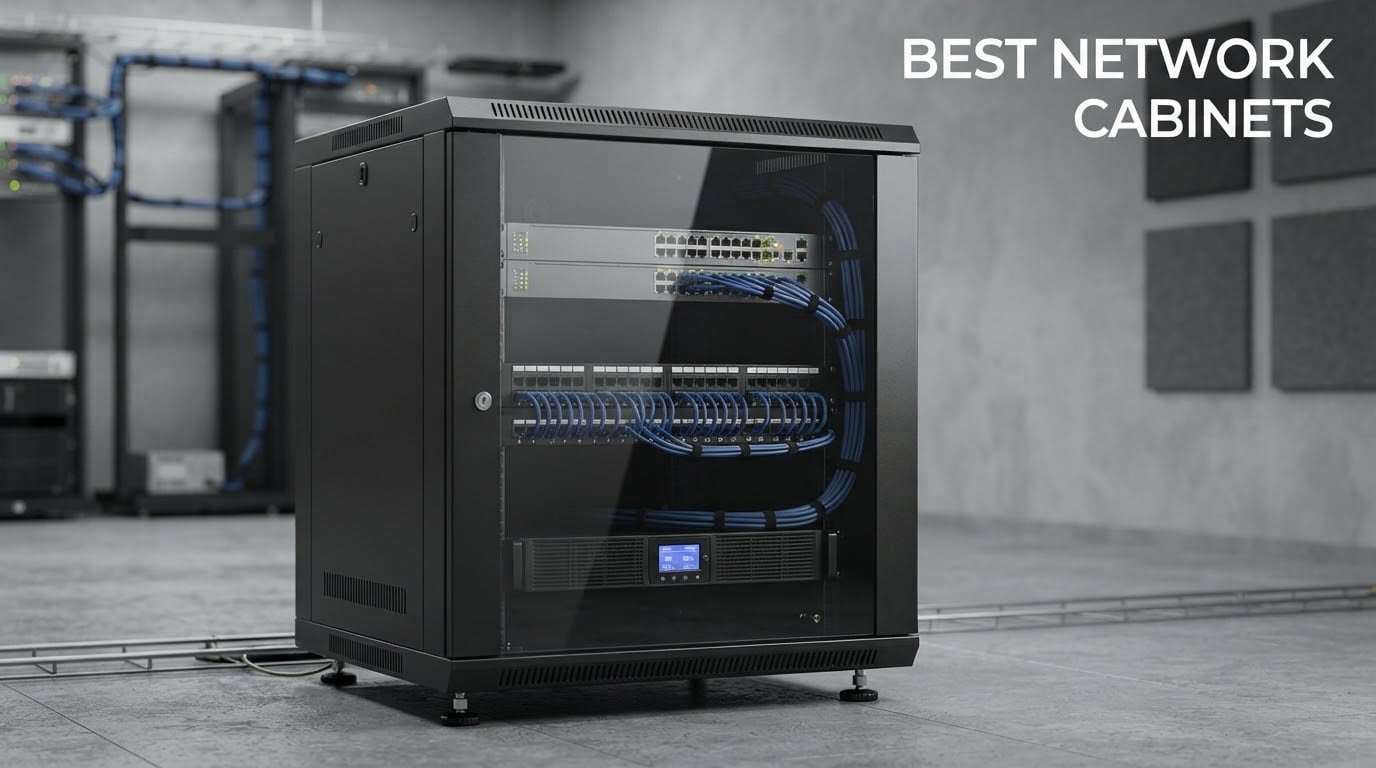
The best network cabinets solve a problem most people ignore for years: the pile of switches, routers, patch panels and UPS units that slowly takes over a closet corner, a hallway cupboard or the space behind a desk. A 19-inch rack enclosure gathers that gear into one steel box with mounting rails, cable routing, airflow and a lock, so the next time you need to change a port you are not crawling behind furniture with a flashlight.
We spent weeks putting together the best network cabinets in 2026 list, comparing enclosures by the things that actually decide whether you will still be happy with the purchase in two years: steel gauge, whether the mounting rails adjust cleanly, honest load ratings, real usable depth rather than the marketing number, door type, and warranty length. The twelve picks below cover every form factor a buyer realistically meets, from a 6U box that screws onto studs in a hall cupboard to a 42U open frame you roll into a garage.
If you are still deciding what to put inside the cabinet, our guide to the best network attached storage devices covers the most common occupant of a home rack. Here is how the enclosures themselves compare, starting with the head-to-head everyone asks about.
Table of Contents
Network Cabinet vs. Server Cabinet: What Actually Differs
A network cabinet is a lighter, shallower enclosure built around network gear: switches, routers, patch panels and small UPS units. A server cabinet is a heavier, deeper box with far more vertical space, rear cable-management room, stronger cooling and load ratings built for full-size servers and blade chassis. Network cabinets tend to run 6U to 12U wall-mounted units; server cabinets start around 22U and go to 42U or more.
The practical divide is depth and heat. Servers push a lot of air front to back and need somewhere to bend and bundle hundreds of cables behind the rails, so a server cabinet’s extra depth is functional, not cosmetic. Network gear produces far less heat, so a 450mm-deep wall box with a single fan usually does everything a home install needs.
Top 3 Picks: Best Network Cabinets in 2026

StarTech 42U 4-Post Open Frame
- Adjustable 22 to 40 inch depth
- 1322 lb load capacity
- 2-year warranty
- Casters and levelling feet included

NavePoint 12U Wall Mount
- Welded cold-rolled steel frame
- 110 lb load rating
- Lockable tempered glass door
- Removable side panels

VEVOR 12U Open Frame Rack
- 23 to 40 inch adjustable depth
- Two shelves included
- Works freestanding or wall mounted
- Large hardware kit
The StarTech open frame wins on the strength of its steel and its review volume, which is by far the largest in this category. The NavePoint 12U is the enclosure most home network closets actually need, and the VEVOR open frame does the same job with adjustable depth for a fraction of the outlay. All three are 19-inch EIA-310 compatible, so your switches and panels fit either way.
All 12 Network Cabinets Compared Side by Side in 2026
| Product | Specifications | Action |
|---|---|---|
| StarTech 42U 4-Post Open Frame Rack |
|
Check Latest Price |
| NavePoint 12U Wall Mount Enclosure |
|
Check Latest Price |
| VEVOR 12U Open Frame Rack |
|
Check Latest Price |
 AxcessAbles 12U Open Frame AV Rack AxcessAbles 12U Open Frame AV Rack |
|
Check Latest Price |
 StarTech 18U 2-Post Wall Mount Rack StarTech 18U 2-Post Wall Mount Rack |
|
Check Latest Price |
 Tecmojo 12U Open Frame Network Rack Tecmojo 12U Open Frame Network Rack |
|
Check Latest Price |
 Tecmojo 6U Wall Mount Cabinet Tecmojo 6U Wall Mount Cabinet |
|
Check Latest Price |
 RackPath 12U Wall Mount Cabinet RackPath 12U Wall Mount Cabinet |
|
Check Latest Price |
 Sysracks 27U Wall Mount Cabinet Sysracks 27U Wall Mount Cabinet |
|
Check Latest Price |
 StarTech 22U 4-Post Server Cabinet StarTech 22U 4-Post Server Cabinet |
|
Check Latest Price |
 NavePoint 42U 2-Post Open Rack NavePoint 42U 2-Post Open Rack |
|
Check Latest Price |
 Tripp Lite 25U 2-Post Open Rack Tripp Lite 25U 2-Post Open Rack |
|
Check Latest Price |
1. StarTech 42U 4-Post Open Frame Rack: The Best Overall Network Cabinet for Serious Builds
StarTech 42U 4-Post Open Frame Rack, 19in, 22-40in, 1323lb/600kg
42U 4-post open frame
22 to 40 in adjustable depth
1322 lb load capacity
2-year warranty
Pros
- Very heavy gauge cold-rolled steel
- Adjustable mounting depth from 22 to 40 inches
- Cage nuts screws wrenches and casters all included
- Flat-pack packaging arrives intact
Cons
- Assembly diagrams contradict the text
- Takes two people to bolt together
- Over 80 inches tall through a doorway is awkward
The StarTech 42U 4-Post Open Frame Rack is the best network cabinet overall because it is the one enclosure in this list that scales with you. It carries 1322 pounds, its mounting depth slides from 22 to 40 inches, and it does all of that without flexing. On a 4.7 average across more than two thousand reviews, it is also the most thoroughly owner-reported rack we looked at.
That adjustable depth is the feature we would point a first-time buyer at. Rack equipment is rarely a single depth: a shallow access switch, a full-size NAS and a rack-mount UPS all sit at different depths, and a fixed-depth frame forces one of them to float out from the rails. On this frame you set the depth once and everything lines up.
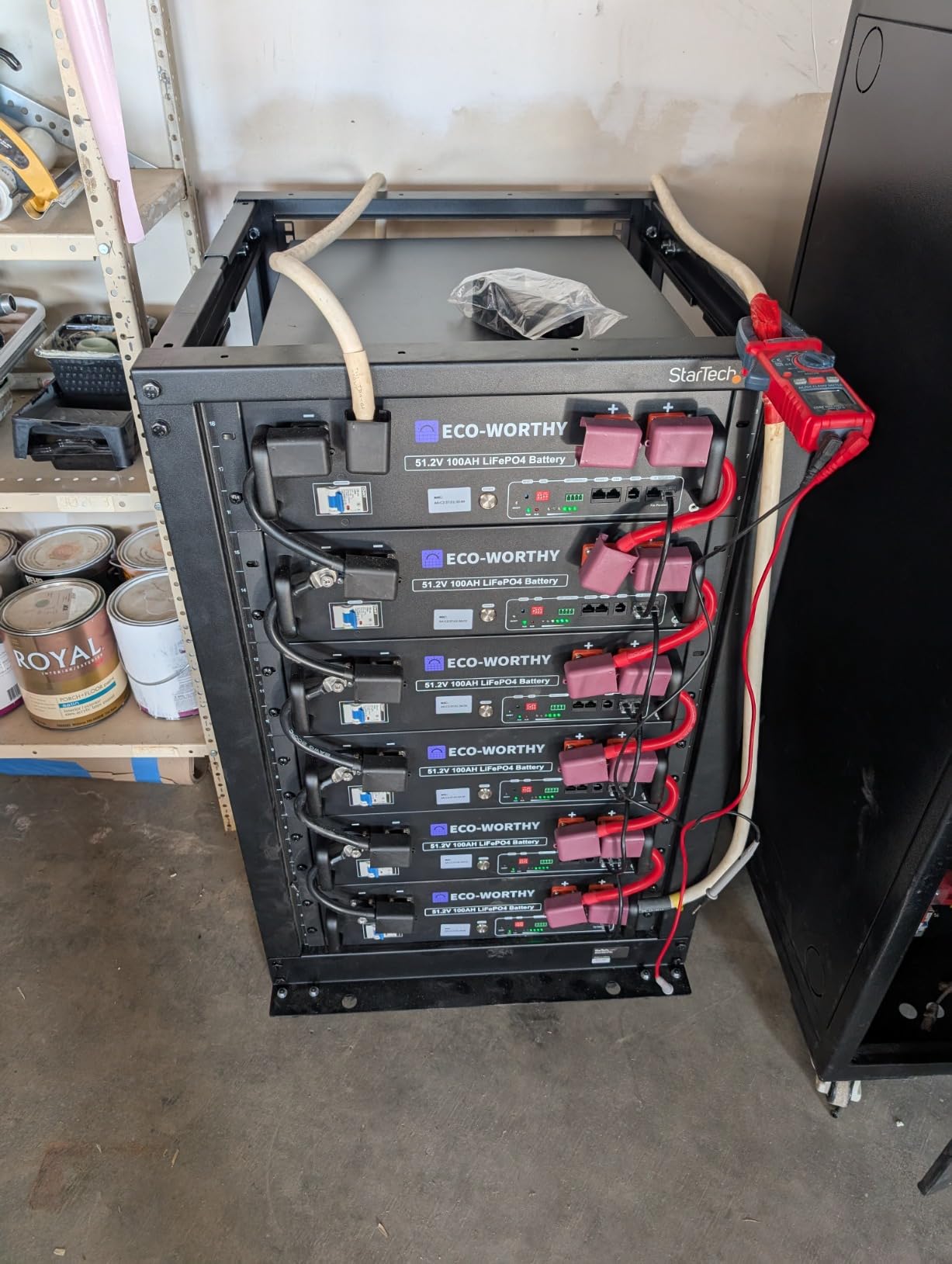
Owner photos show a frame that arrives flat-packed and complete, with the casters, levelling feet, cage nuts, screws, a screwdriver, a wrench and cable management hooks all in the box. That hardware list matters more than it sounds, because the single most common review complaint in cheaper racks is missing fasteners halfway through assembly.
The build quality is the real story. Reviewers describe cold-rolled steel heavy enough that the rails do not bow when loaded from one side, which is exactly the failure mode that makes an open rack wobble once a full home lab goes in. The wide casters also roll properly, so you can reposition the whole rack rather than dragging it across a garage floor.
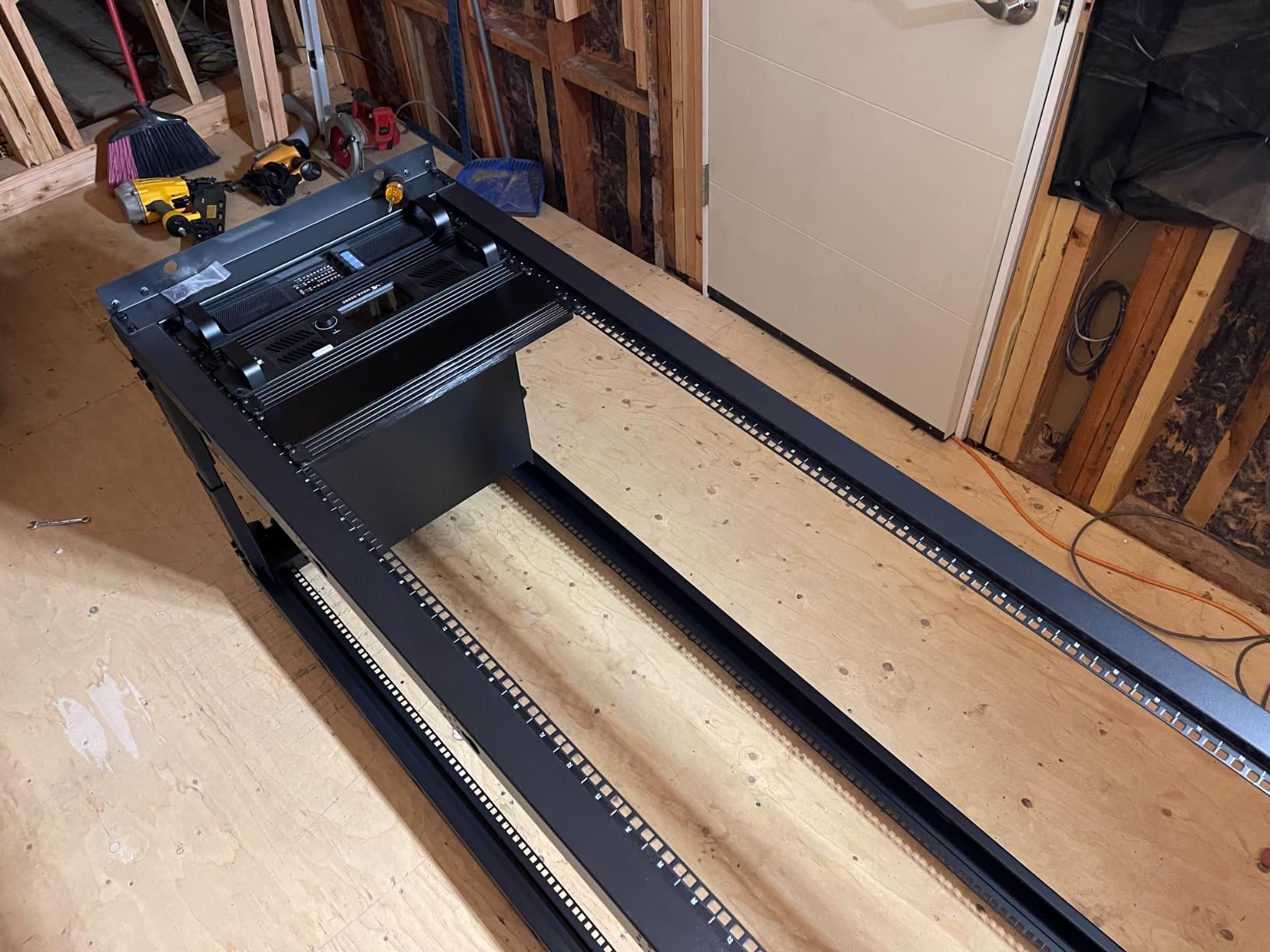
What you gain from a 4-post open frame
A four-post frame has vertical rails at the front and back, so anything deeper than your rail spacing can slide in from the side instead of having to be angled into position. That is the format sliding-rail servers and most 4U-and-taller chassis expect, and it is why this style dominates data centers.
Because it is open, airflow is unrestricted and every port on the front of your gear stays reachable without a door to swing past. The trade is that nothing is concealed and nothing is locked, so this is a garage, basement or dedicated equipment room choice rather than a living space one.
Where it is not the right answer
Assembly is genuinely a two-person job on a frame this size, and the documentation draws diagrams that disagree with the written steps. Several buyers report watching an assembly video instead, which tells you the hardware is right and the manual is weak.
At more than 80 inches tall, moving it through a standard doorway takes planning. If your network lives in a closet with a low ceiling or a narrow stairwell, a 12U wall enclosure is a far better fit and the same gear will fit in a fraction of the space.
2. NavePoint 12U Wall Mount Enclosure: The Best Value Network Cabinet for a Home Closet
NavePoint 12U Server Rack Enclosure with Glass Door, Cooling Fan, Locks, & Removable Side Panels – 12U Wall Mount Network Cabinet 19 Inch Rack 17.7″ Deep (450mm)
12U wall-mount enclosure
450mm depth,17.72 inch
110 lb load rating
Welded cold-rolled steel
Pros
- Sturdy welded cold rolled steel frame
- Lockable reinforced tempered glass door
- Removable side panels for cable routing
- Built-in cooling fan and flow-through vents
Cons
- Needs solid wall structure and correct stud spacing
- Fixed 17.72 inch depth limits deeper gear
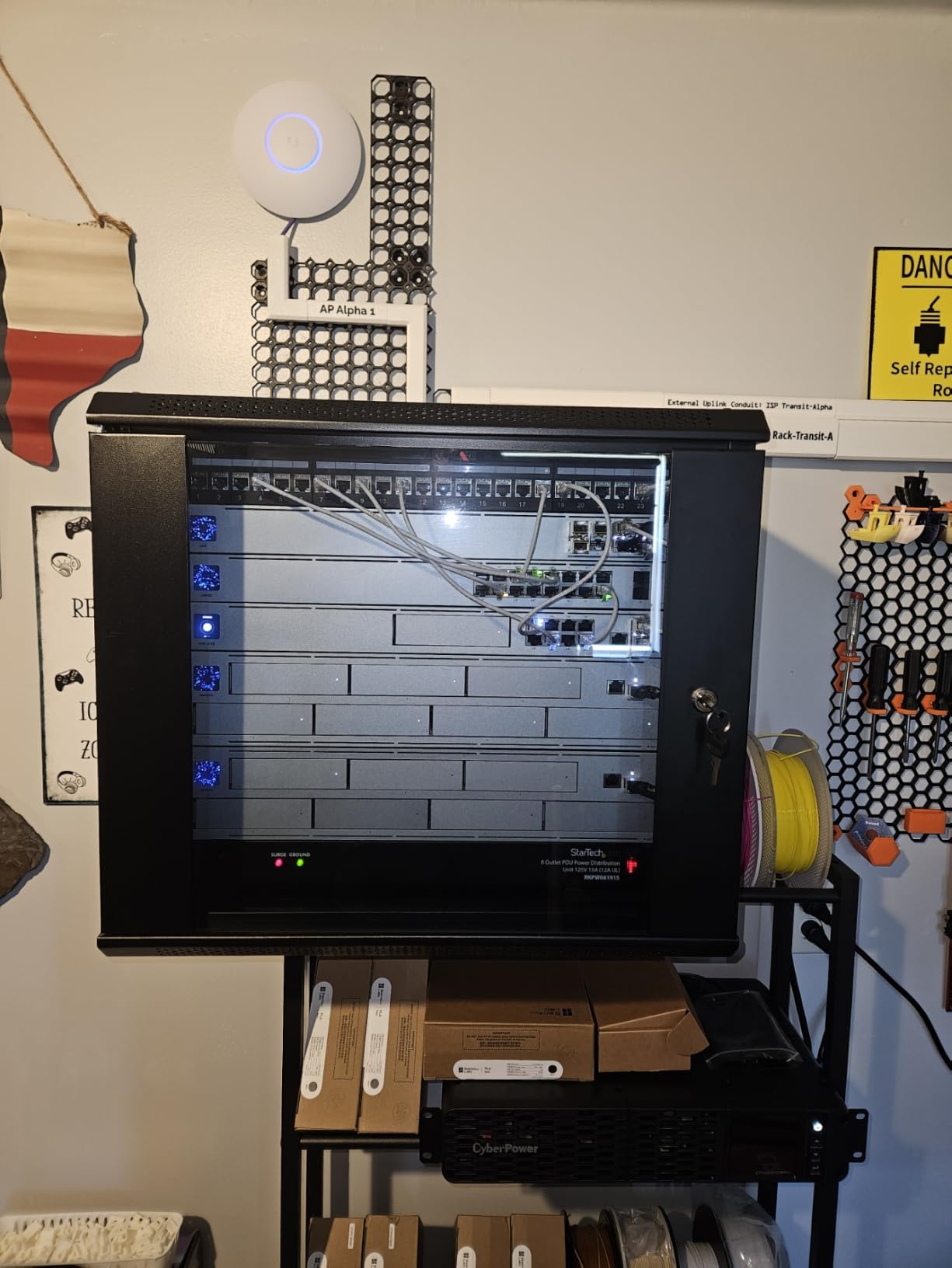
The NavePoint 12U is the best network cabinet for most homes, because it does the four things that matter in a closet: it locks, it breathes, it holds real weight and it costs a fraction of what the enterprise enclosures do. A 4.4 average over more than 1200 reviews puts it well past the point where we would worry about hidden failures.
The frame is welded cold-rolled steel rather than folded sheet, and it is rated for 110 pounds of installed equipment. That is more than a typical switch, patch panel, router and small UPS will ever put on the rails together, which means the rating is not a stretch figure you will be testing.
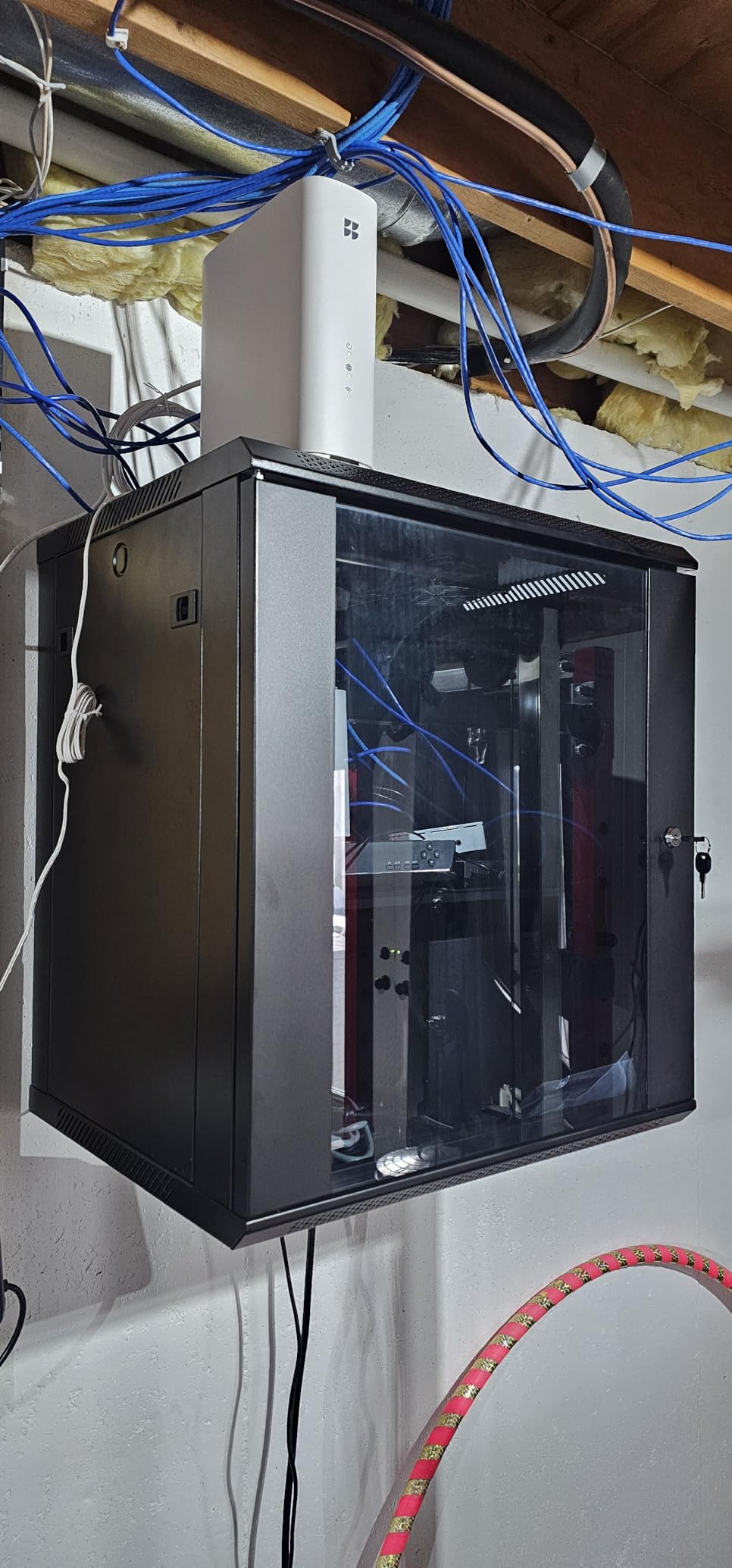
The front door is reinforced heat-treated tempered glass with an integrated security lock, and the side panels come out. Those removable side panels are underrated: they are how you route a thick bundle of patch cables out of the cabinet without crushing them against the frame or drilling the enclosure.
A built-in fan plus flow-through ventilation handles the heat from a small stack without needing a separate fan accessory. For a closet in a home or a small office, that is the whole thermal story, and adding a second fan inside a 6U box usually costs you a rack unit you needed for the UPS.
Why 450mm depth is usually enough
At 17.72 inches deep, this cabinet holds network gear with room to spare. Network switches, routers, patch panels and most rack-mount UPS units are all well under 16 inches deep, so a deeper enclosure mostly buys you empty space behind the rails.
Depth becomes critical the moment you add servers, or the moment you want real cable slack behind the equipment so patch leads can bend without kinking. If you are planning a NAS or a full-size server, read the depth section further down before settling on a 450mm box.
What to check before you drill
This is a wall-mounted enclosure rated for 110 pounds, so the wall matters more than the cabinet. You need solid framing and correct stud spacing, and a populated cabinet plus gear can weigh far more than the empty unit suggests.
Navepoint’s build quality draws repeat criticism on home-lab forums, and the recurring theme is sheet-metal feel and door alignment rather than structural failure. It is worth inspecting the box the day it arrives, before you mount it.
3. VEVOR 12U Open Frame Rack: The Best Budget Network Cabinet with Adjustable Depth
VEVOR 12U Open Frame Server Rack, 23-40 in Adjustable Depth, Free Standing or Wall Mount Network Server Rack, 4 Post AV Rack with Casters, Holds All Your Networking IT Equipment AV Gear Router Modem
12U open frame
23 to 40 in adjustable depth
500 lb freestanding rating
2-year warranty
Pros
- Adjustable depth fits shallow switches and full servers
- Two included shelves for non-rack gear
- Works on casters or wall mounted
- Large accessory kit with 145 screws and 10 cage nuts
Cons
- Holes are not pre-tapped so a drill is required
- Instructions do not match the shipped parts
- Capacity claim is far above the manual figure
The VEVOR 12U Open Frame is the best network cabinet if adjustable depth is your priority and your budget is the reason you are reading. Nowhere else in this list will you find 23 to 40 inches of depth adjustment at this outlay, and the 4.0 average over nearly a thousand reviews reflects a budget frame that does its job with assembly caveats.
That depth range is the reason to keep it on the list. A rack that adjusts from 23 to 40 inches can take a shallow access switch at the front and a deep server on sliding rails behind it, in the same frame, without a second cabinet. The carbon steel construction has real corner reinforcement rather than the thin folded sheet used in cheaper units.
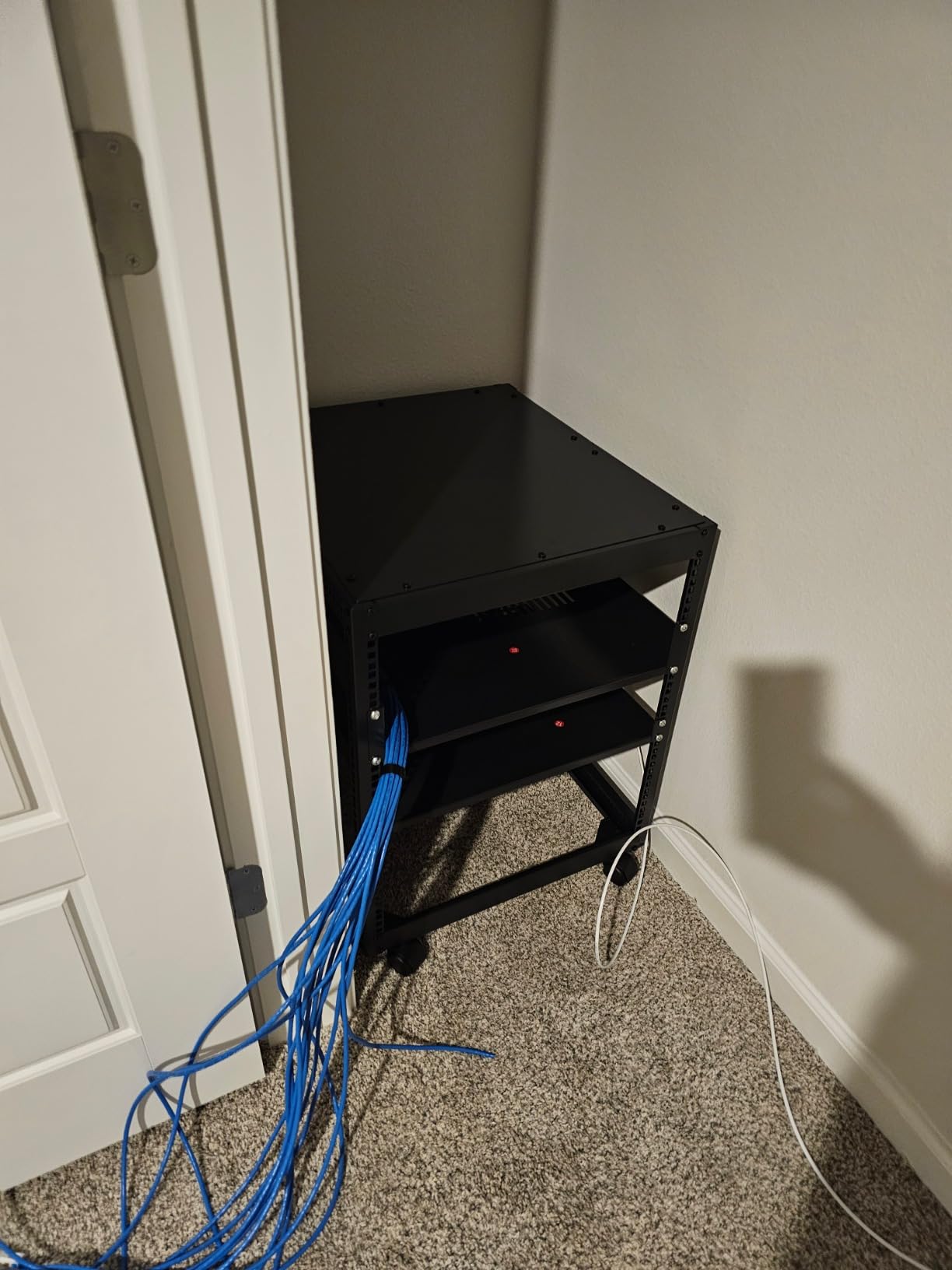
Two included shelves are a genuine bonus at this tier. They give you somewhere to put a firewall appliance, a power supply or a small NAS that has no rack ears, which otherwise means strapping it to the frame with cable ties. Most competitors at this level ship bare frames and rails only.
It also converts between roles. Mount it on the included casters for a floor-standing rack, or use the supplied expansion screws to fix it to a wall where the 150-pound wall rating applies. Owners report it holding a full home lab stack of switch, router, UPS and NAS without complaint.
What the assembly actually involves
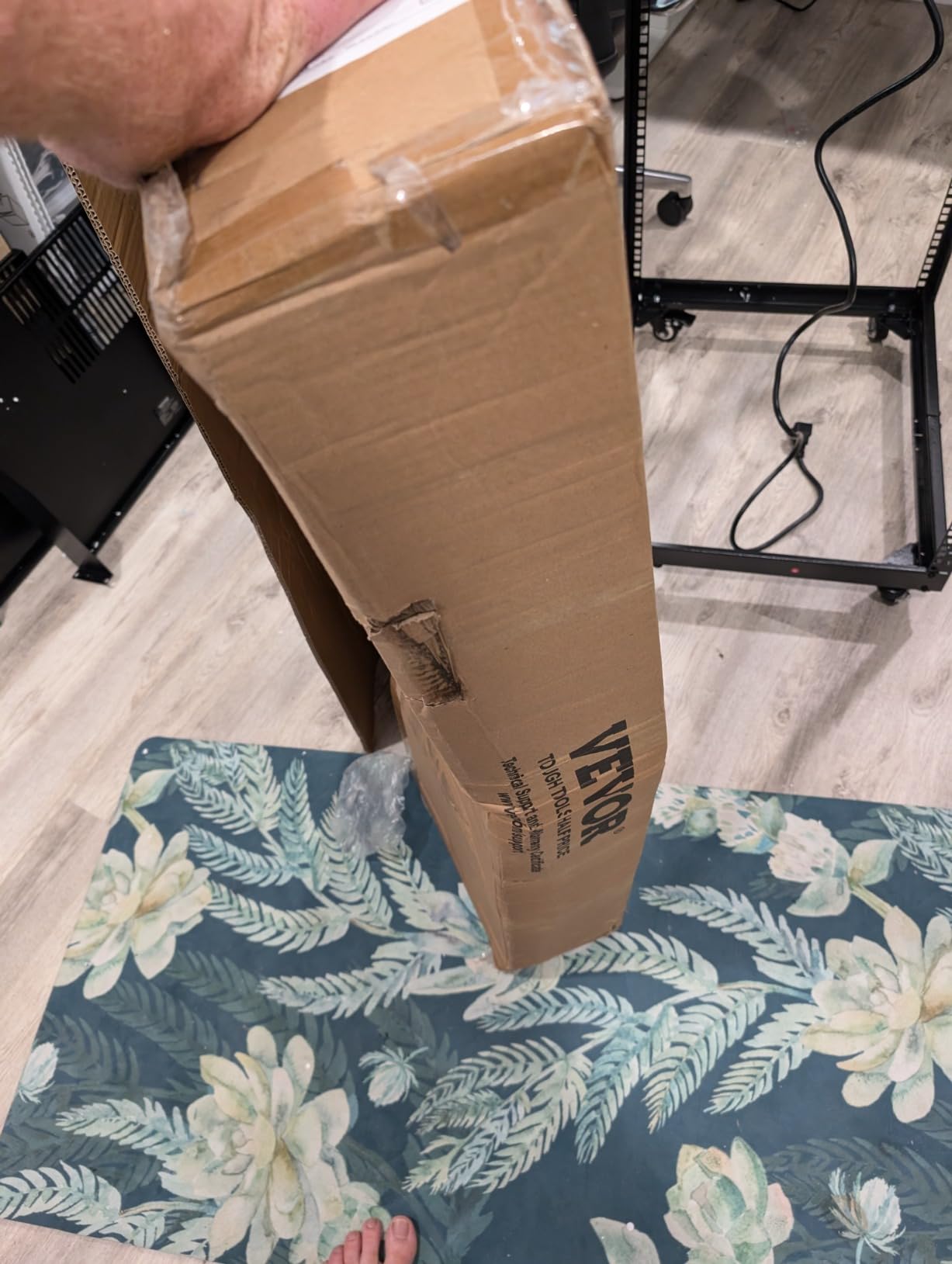
Budget racks are untapped, and that is the honest headline for anyone considering this. You will need a power driver with real torque to drive the included M5 screws, and the instructions are poorly illustrated and do not always match the parts in the box.
Plan on an hour with a video open on a second screen. It is a solvable problem, and the accessory kit is generous enough that a missing screw is unlikely, but the finished rack will feel looser than a properly tapped rail if you force it.
Where the specification sheet overreaches
Reviewers consistently flag the 500-pound capacity number, noting the manual lists a far lower figure. Judge the ground rating conservatively, and use the 150-pound figure as your guide for any wall-mounted installation.
The caster nuts are spot-welded and can loosen under load, and at deeper settings the top panel does not fully cover the frame, which leaves a gap you can see if the rack sits in view. Neither matters in a garage; both matter in a finished room.
4. AxcessAbles 12U Open Frame AV Rack: The Best Network Cabinet for Pro Audio and Mobile Rigs
AxcessAbles 12U Network Rack with Wheels – 500lb Capacity, 18″ Depth | 19-Inch Open Frame AV Rack Case with 3” Caster Wheels | Screws, Spacer, Tool Included
12U open frame
1.5mm steel frame
500 lb rated capacity
3 inch lockable casters
Pros
- Heavy 1.5mm steel frame reduces vibration
- Preinstalled lockable 3 inch caster wheels
- Universal 19 inch fit for audio video IT and network gear
- Setup kit with 34 rack screws and a 1U spacer
Cons
- Shallow 18 inch depth limits deeper chassis
- Capacity figure differs between listing and specifications
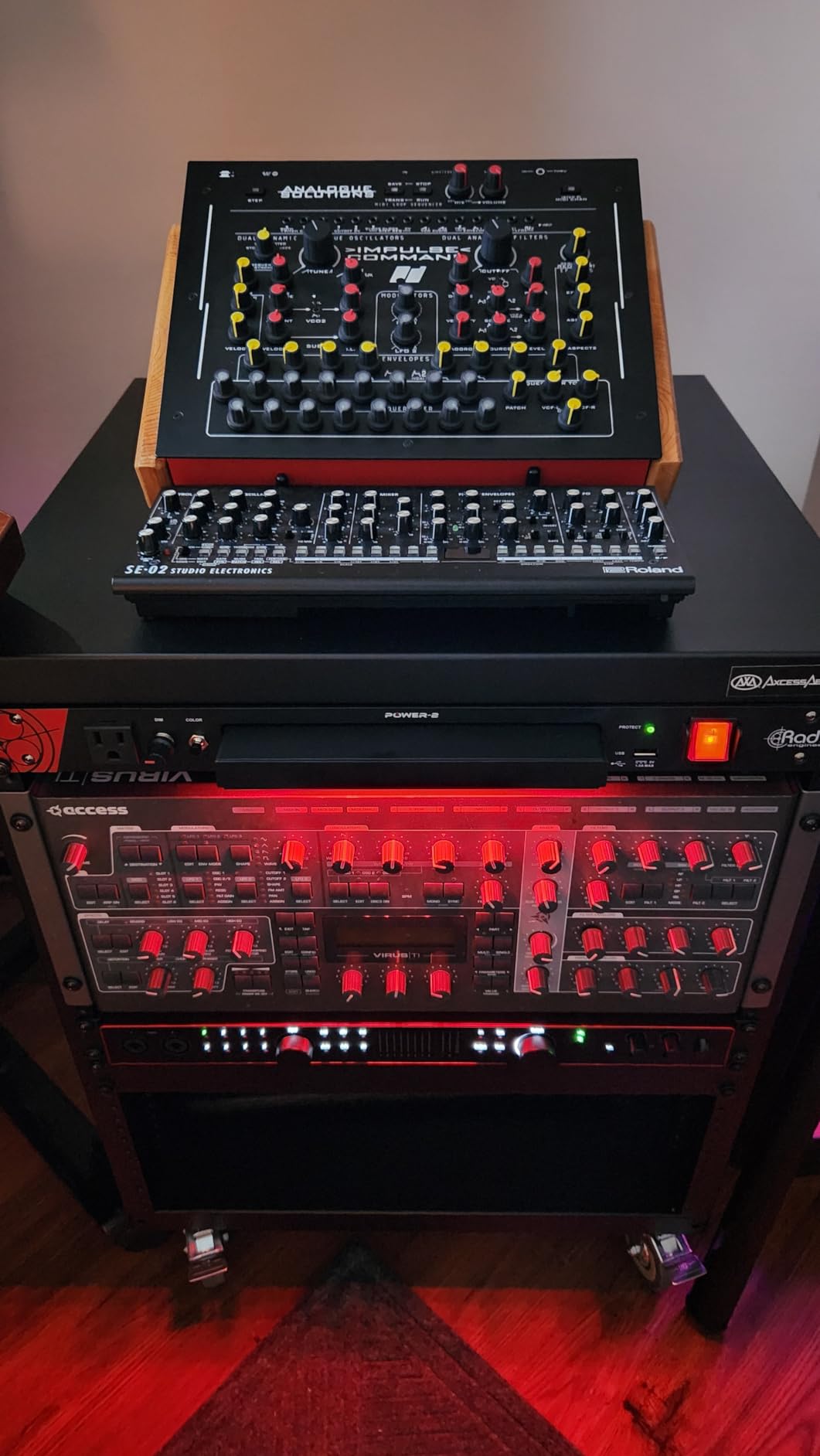
The AxcessAbles 12U is the best network cabinet if your rack is going into a rehearsal room, a studio or a live venue rather than a closet. It ranks near the top of recording studio racks, and the 1.5mm steel frame is noticeably thicker than the folded sheet used by most budget open frames.
Vibration is the reason that thickness matters here. Patch bays, interface chassis and preamps pick up sympathetic resonance on a light frame, and the fix is mass in the steel, not tape on the rails. Buyers consistently describe this frame as stable and quiet under load.
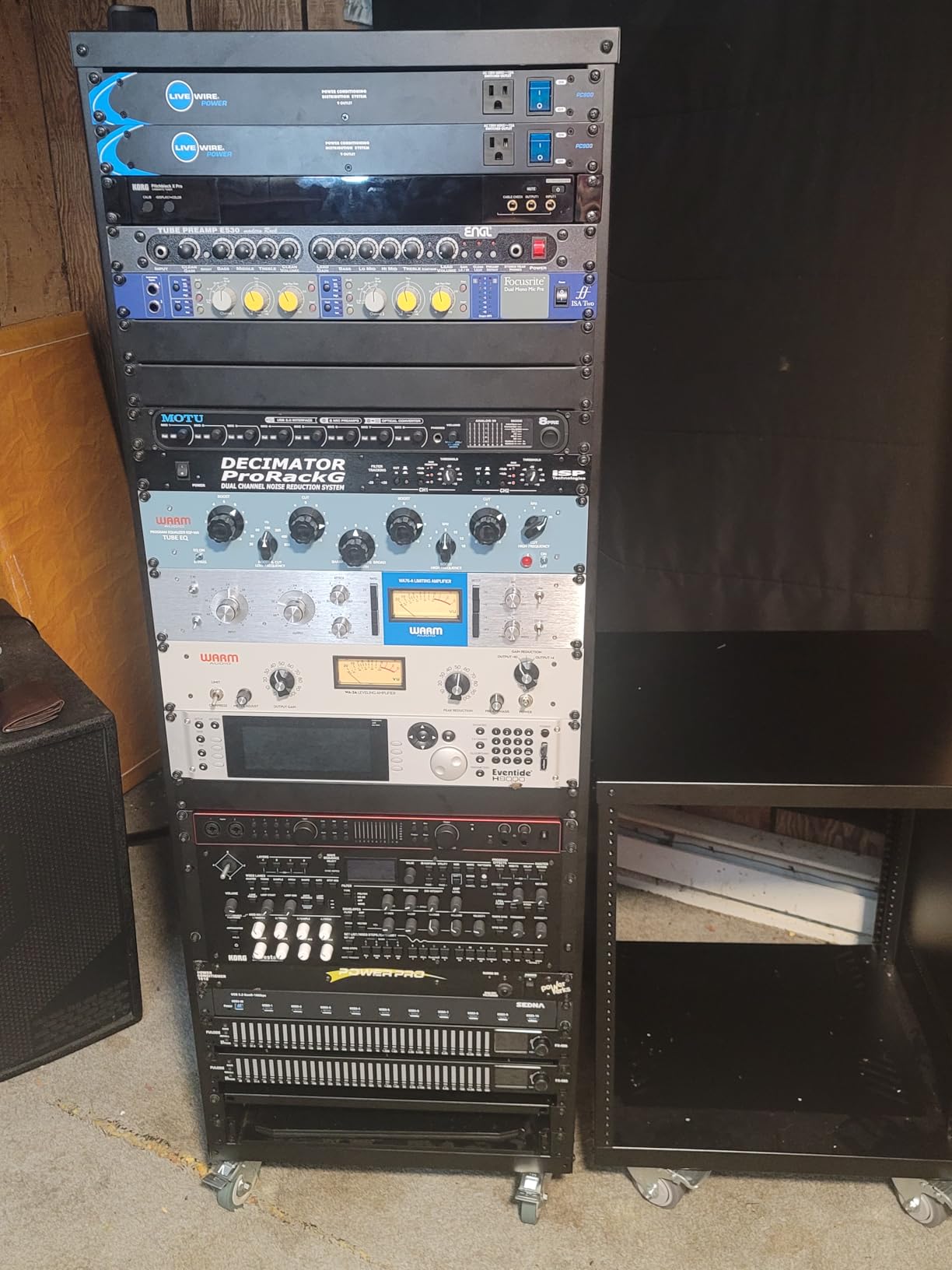
The preinstalled lockable 3-inch caster wheels are the standout feature. Most racks at this size bolt on four small wheels after assembly; these arrive fitted and lock, so the rack stays put when someone kicks a cable. For a mobile rig that gets rolled between rooms, that is the whole point.
The setup kit includes 34 rack screws, a 1U blank spacer and an assembly tool, so you are not hunting for hardware the night before a session. The universal 19-inch pattern means network gear, AV receivers and pro audio chassis all share the same rails.
Why this is also a fine home lab rack
Nothing about the design is AV-specific. A 1.5mm steel 12U open frame on lockable casters works equally well for a switch, a NAS and a rack-mount UPS, and the mobility is a bonus in a garage or basement where you may want to roll the rack out to work on it.
The 4.5 average across 538 reviews says the product does what it advertises without drawing heavy criticism, which in this category is about as clean a signal as you get.
When the 18-inch depth stops you
Eighteen inches is short. It suits access switches, patch panels, shallow NAS enclosures and most 1U and 2U gear, but a 4U server with 24-inch-deep rails or chassis will overhang the frame or sit proud of the front rail.
Check the depth of your deepest device before committing. If you plan to add a full server later, one of the adjustable-depth racks in this roundup will serve you better for longer.
5. StarTech 18U 2-Post Wall Mount Open Frame Rack: The Best Network Cabinet for Wall-Mounted Open Builds
StarTech 18U 2-Post Wall Mount Open Frame Rack, 19in (RACK-18U-20-WALL-OA)
18U 2-post wall-mount
12 to 20 in adjustable depth
200 lb capacity
5-year warranty
Pros
- Adjustable depth from 12 to 20 inches
- 2.0mm SPCC cold-rolled steel rails
- Complete M6 cage nut and screw set included
- ISTA-6 certified flat-pack packaging
Cons
- Open frame offers no physical security
- Loaded weight needs real structural support behind the wall
The StarTech 18U 2-Post wall-mount is the best network cabinet when you want open-frame access but have no floor space to give up. It carries 18U on a 20-inch-deep footprint, and its 2.0mm SPCC cold-rolled steel rails are thick enough that the frame stays square with a real load on it.
That rail thickness is the spec to care about here. Difficult-to-adjust mounting rails are the most repeated complaint in this whole category, and a thicker rail is the reason a 2-post frame like this can be set to depth and stay there. The 4.7 average with a large share of five-star ratings reflects that.
What 12 to 20 inches of adjustment gives you
Twelve inches is enough for a patch panel, an access switch and shallow network appliances. Extending to 20 inches gives you room for a UPS and a deeper firewall without pushing gear off the rails. Because the depth moves, one cabinet covers a small network and a larger one after an upgrade.
At 35.7 inches tall and 19.8 inches wide, this fits above a desk or beside a door in a space where a floor-standing rack would be in the way. It is a genuine home-lab choice when the equipment is already network gear rather than servers.
Where the open frame costs you
There is no door, so there is no lock and no concealment. Anyone who can reach the rails can unplug a cable, which is fine in a garage and a poor choice for a shared closet or a visible office.
The 200-pound rating only holds if the wall behind it can carry it. This is a steel frame plus whatever you bolt into it, and drywall anchors alone are not the answer. Find studs before you order, and check the mounting instructions in the section further down.
6. Tecmojo 12U Open Frame Network Rack: The Best Network Cabinet for First-Time Home Labs
Tecmojo 12U Open Frame Network Rack for IT & AV Gear, AV Rack Floor Standing or Wall Mounted,with 2 PCS 1U Rack Shelves & Mounting Hardware,Network Rack for 19″ Networking,Audio and Video Device
12U open frame
260 lbs floor rating,130 lbs wall
20.15 in deep
3-year warranty
Pros
- Cold rolled steel rated 260 lbs on the floor
- Two ventilated shelves included for non-rack gear
- Works on the floor
- a table or wall mounted
- Drilling template and assembly video included
Cons
- Top and bottom cross supports use about 2U of the 12
- Only partially cage-nut compatible
- Included rack screws often run short
The Tecmojo 12U Open Frame is the best network cabinet for a first home lab, and the reason is the two ventilated shelves. Buying a bare frame means solving the problem of non-rack gear yourself, and this one arrives able to hold a firewall appliance, a NAS or a power supply on a proper shelf from day one.
It also moves. Whether you stand it on the floor, put it on a table or fix it to a wall, it is the same rack, which matters if your network gear is currently split between a desk and a cupboard and you want one place for all of it.
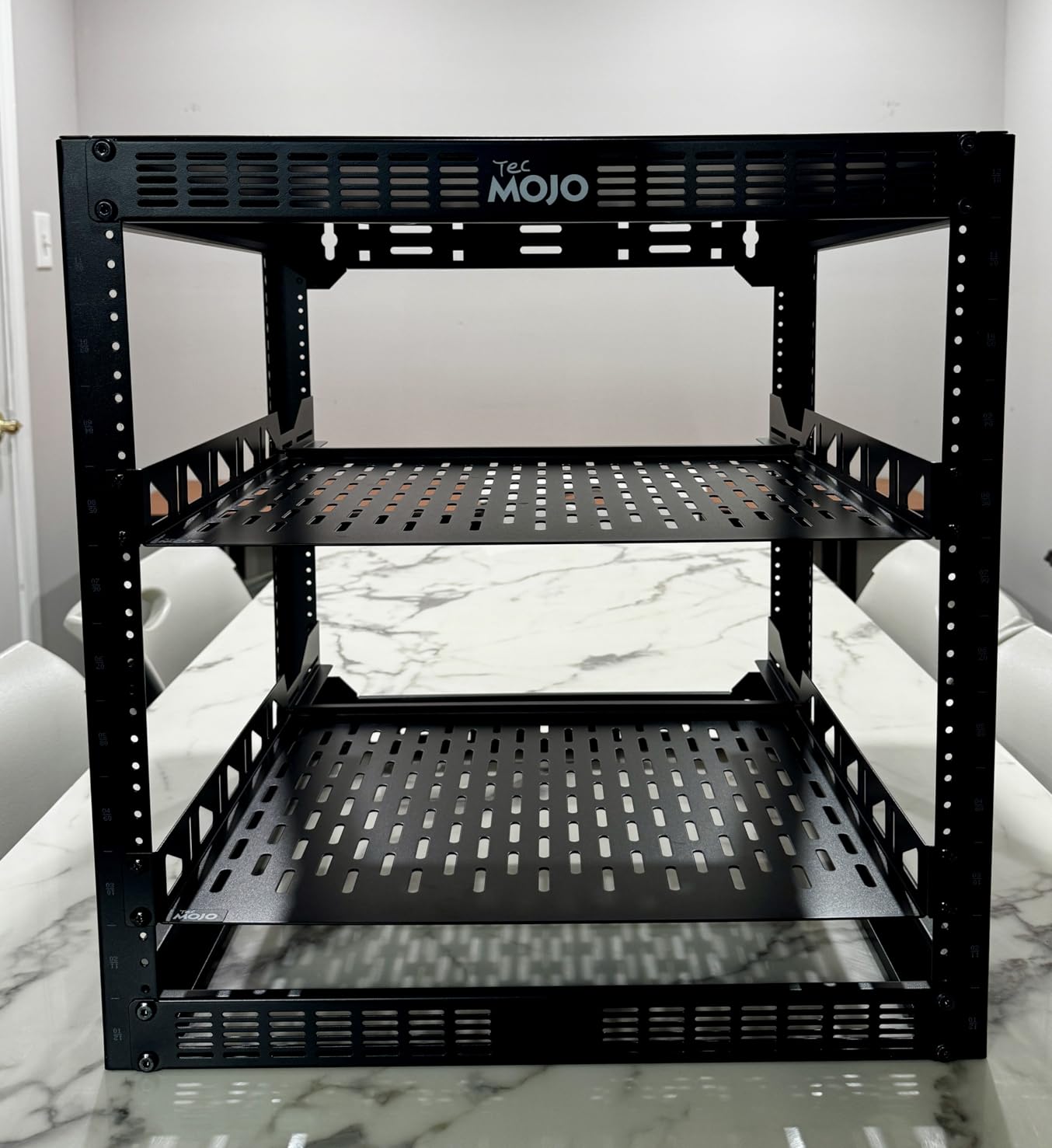
Cold rolled steel construction and a 260-pound floor rating put it comfortably above the budget tier for stiffness. At 20.15 inches deep and 28.6 pounds empty, it is a manageable object to move around a room, which no 42U frame is.
A drilling template and an online assembly video are included, and both matter more than they sound on an open frame. Marking 48 rack positions on a bare post without a template is where first-time builders usually go wrong.
The 12U reality check
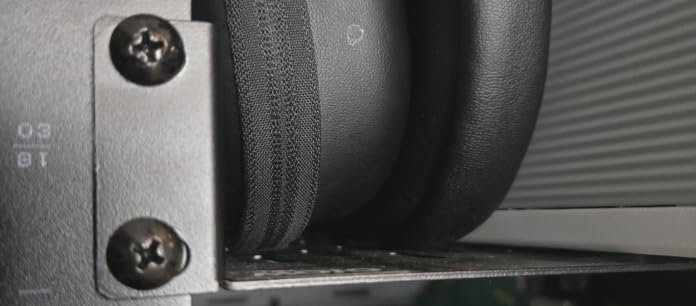
Advertised U counts assume every rack unit in the frame is usable, and here the top and bottom cross supports occupy about two of them. You are really looking at roughly 10U of usable mounting space inside a 12U frame.
That still covers a switch, a patch panel, a router and a UPS, but it means you should count your gear before you commit. If your list is longer than ten units of equipment, size up rather than planning to squeeze.
Things to sort out during assembly
Compatibility with cage nuts is only partial, so some equipment may need to be screwed straight into the frame. Hold on to your own M6 cage nuts and screws rather than relying entirely on the included set, which owners report running short on a full build.
Hole alignment is inconsistent on some units, and paint on the threads and bolt holes can strip hardware if you force it. Keep a thread chaser nearby. None of this threatens the finished rack, but all of it adds an hour to the first assembly.
7. Tecmojo 6U Wall Mount Cabinet: The Best Network Cabinet for Small Closets
Tecmojo 6U Wall Mount Server Cabinet IT Network Rack Enclosure Lockable Door and Side Panels Black, Cooling Fan, Standard Glass Door, 450mm Depth, for 19” IT Equipment, A/V Devices
6U wall-mount enclosure
450mm depth,14.2 in usable
110 lb load rating
3-year warranty
Pros
- Lockable glass door and lockable side panels
- Adjustable rails with numbered U positions
- Reversible door swing and punch-out cable panels
- Accurately machined parts align well
Cons
- Usable depth of about 14.25 inches is tight
- Included fan consumes about one U
- No pre-cut cable knockouts at the rear
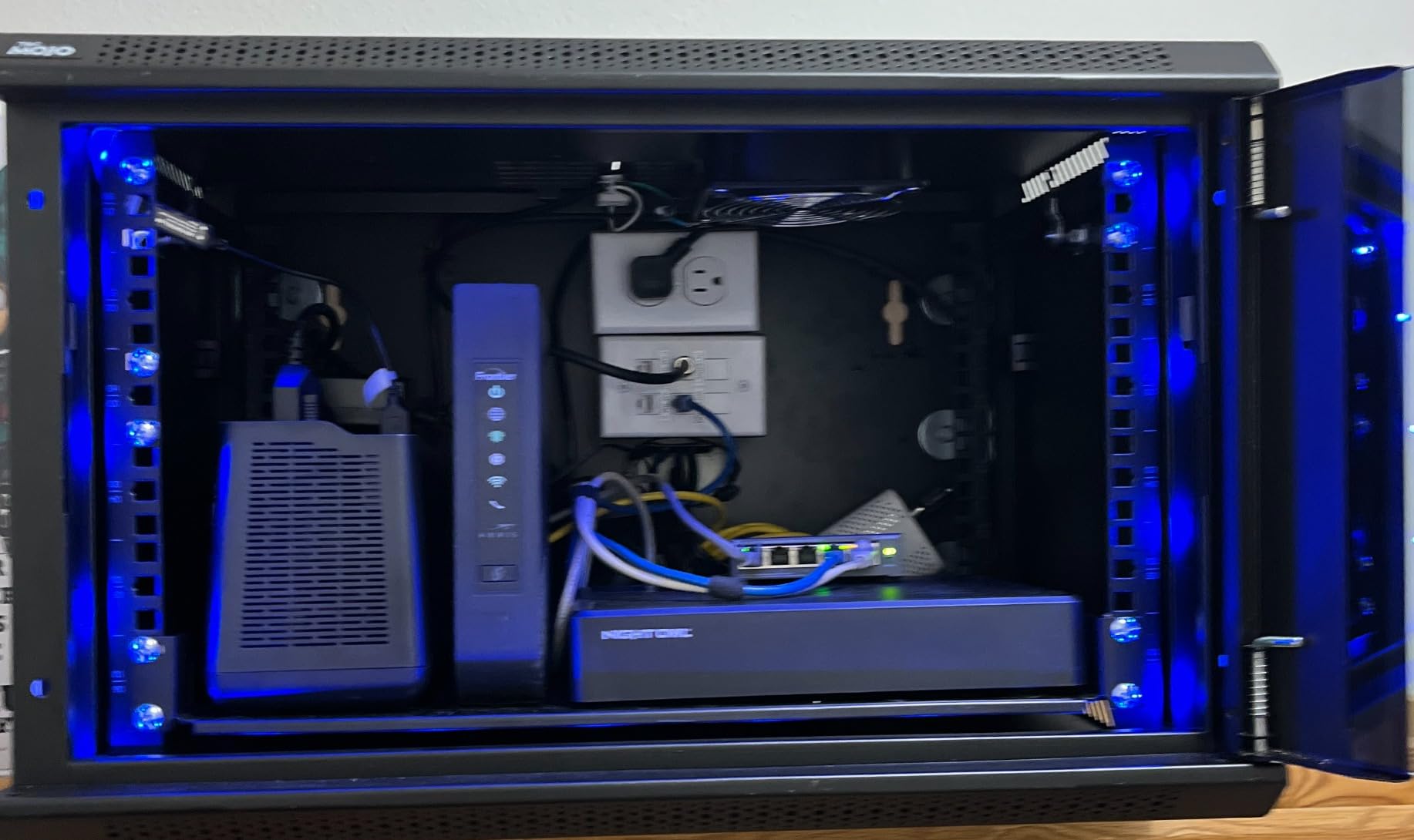
The Tecmojo 6U is the best network cabinet when you have genuinely small gear and nowhere to spare. Six units is enough for a router, an eight-port switch, a patch panel and a compact UPS, and at 13.78 inches tall it takes up about the space of a wall bracket rather than a piece of furniture.
Build accuracy is what separates it from the generic 6U boxes. Owners note that the machined parts line up during assembly and that the adjustable rails carry numbered U positions alongside both square and tapped holes, so gear goes in and comes out repeatedly without the rails drifting.
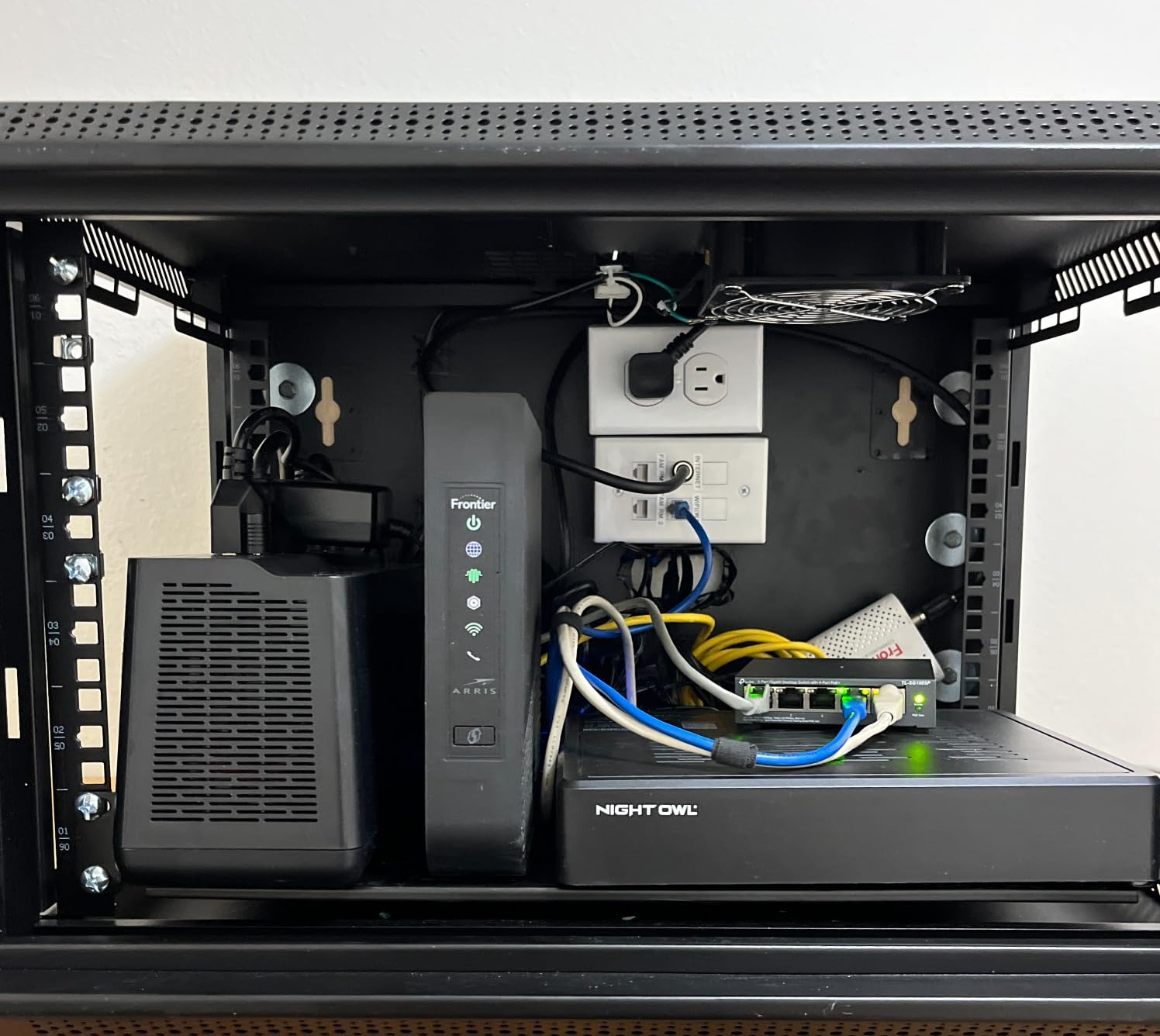
Security is handled properly for a box this small. The glass front door and the side panels all lock, and the front door can be fitted for either swing direction so it never opens into a wall or a doorframe. The punch-out top and bottom panels give you clean cable entry rather than a drilled hole with a rubber grommet.
Cold rolled steel with a 110-pound rating, plus PCI, HIPAA and EIA/ECA-310-E compliance, is a more serious specification sheet than most cabinets in this size class offer. A supplied fitment template simplifies marking the wall for mounting.
Plan around the 14.2-inch usable depth
The cabinet is 17.72 inches deep overall but gives you about 14.25 inches of mounting depth. That is fine for switches, patch panels and wall-style firewalls, and it will be tight for a 2U server chassis or a desktop NAS that needs its full depth to sit square on the rails.
Measure the deepest device you plan to install, including its cables at the back, before you commit. If the measurement is over 13 inches, step up to a 12U or a deeper cabinet rather than forcing it.
Two small annoyances worth knowing
The included cooling fan is a thick one and takes roughly a rack unit to itself, so a nominal 6U cabinet gives you closer to five units of usable space once the fan is mounted. The fan also runs continuously with no automatic shutoff, which is the noise argument for a glass-door enclosure.
There are no pre-cut knockouts in the rear panel, so cable entry is front and top or bottom only. A few owners also report units arriving slightly bent, which can make the frame sit out of square on an uneven wall. Inspect it on arrival.
8. RackPath 12U Wall Mount Cabinet: The Best Network Cabinet for Quiet Cooling
RackPath 12U Wall Mount Network Rack Cabinet – Quiet Cooling Fan, Locking Glass Door, 17.7″ Deep (450mm), Removable Locking Side Panels, Fits 19″ IT & A/V Equipment
12U wall-mount enclosure
Pre-installed 120mm low-noise fan
450mm depth,17.72 in
110 lb capacity
Pros
- Quiet 120mm fan pre-installed with no extra accessory
- Lockable tempered glass door and removable side panels
- Fully adjustable vertical mounting rails
- Removable top and bottom cable panels
Cons
- Fixed 17.7 inch overall depth limits deeper gear
- Wall needs a solid structure for the 110 lb rating
The RackPath 12U is the best network cabinet when the rack sits somewhere fan noise would bother you. It arrives with a 120mm low-noise cooling fan already fitted, and because that fan is part of the package rather than a separate purchase, you get airflow without spending a rack unit on a fan mount.
It is otherwise a conventional, well-executed wall enclosure: cold-rolled steel in a black powder-coated finish, lockable tempered glass door, and removable locking side panels. The 4.3 average across 286 reviews sits slightly below the leaders, which reads as competent rather than outstanding.
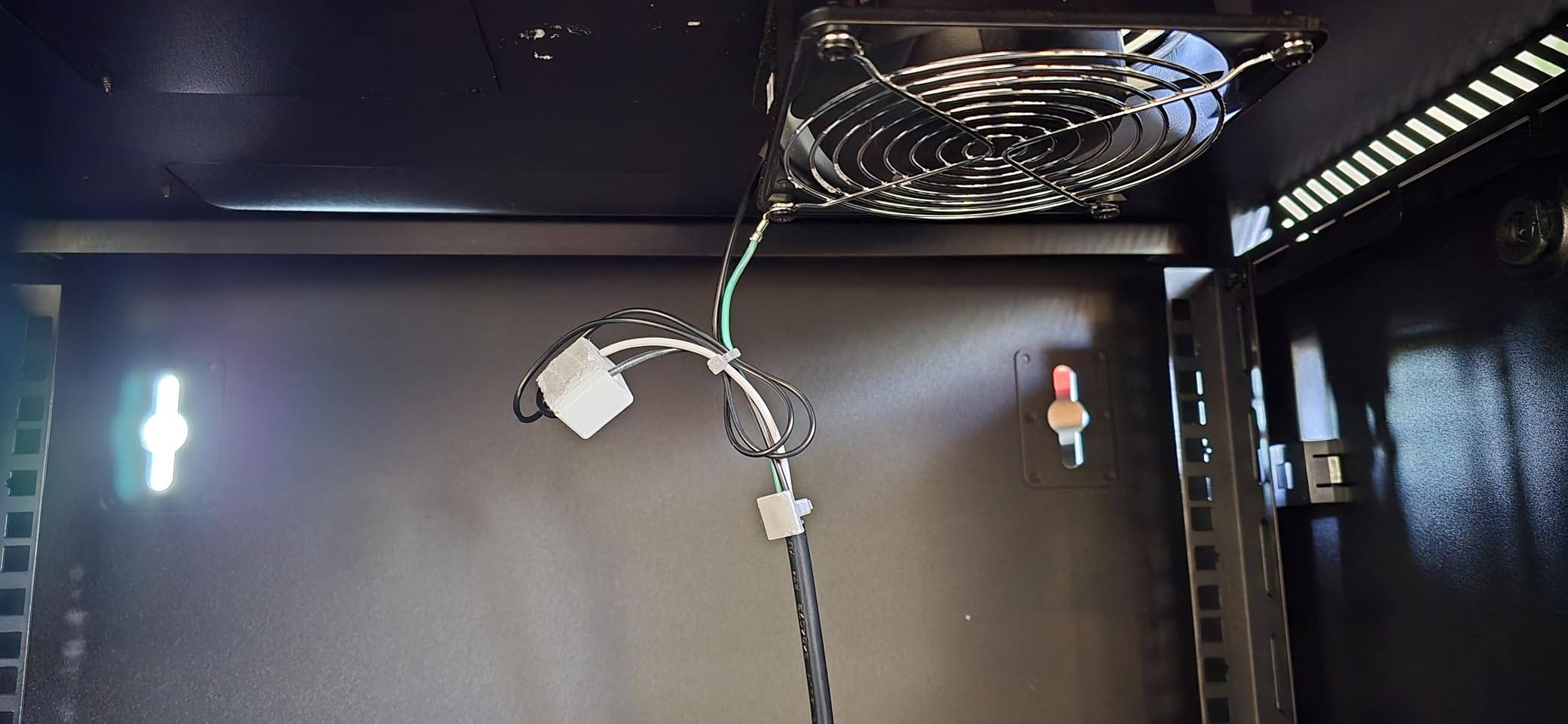
Removable top and bottom cable management panels are the feature we would underline. They are where your patch bundles actually enter and exit, and having them removable means you can route a thick loom out of the enclosure without fighting a fixed panel or crushing the cables against the frame.
The vertical mounting rails are fully adjustable, so you can set internal depth to suit your gear even though the overall cabinet depth is fixed. That is what makes a 17.7-inch-deep box work with a slightly deeper switch than its shell suggests.
How quiet is quiet enough
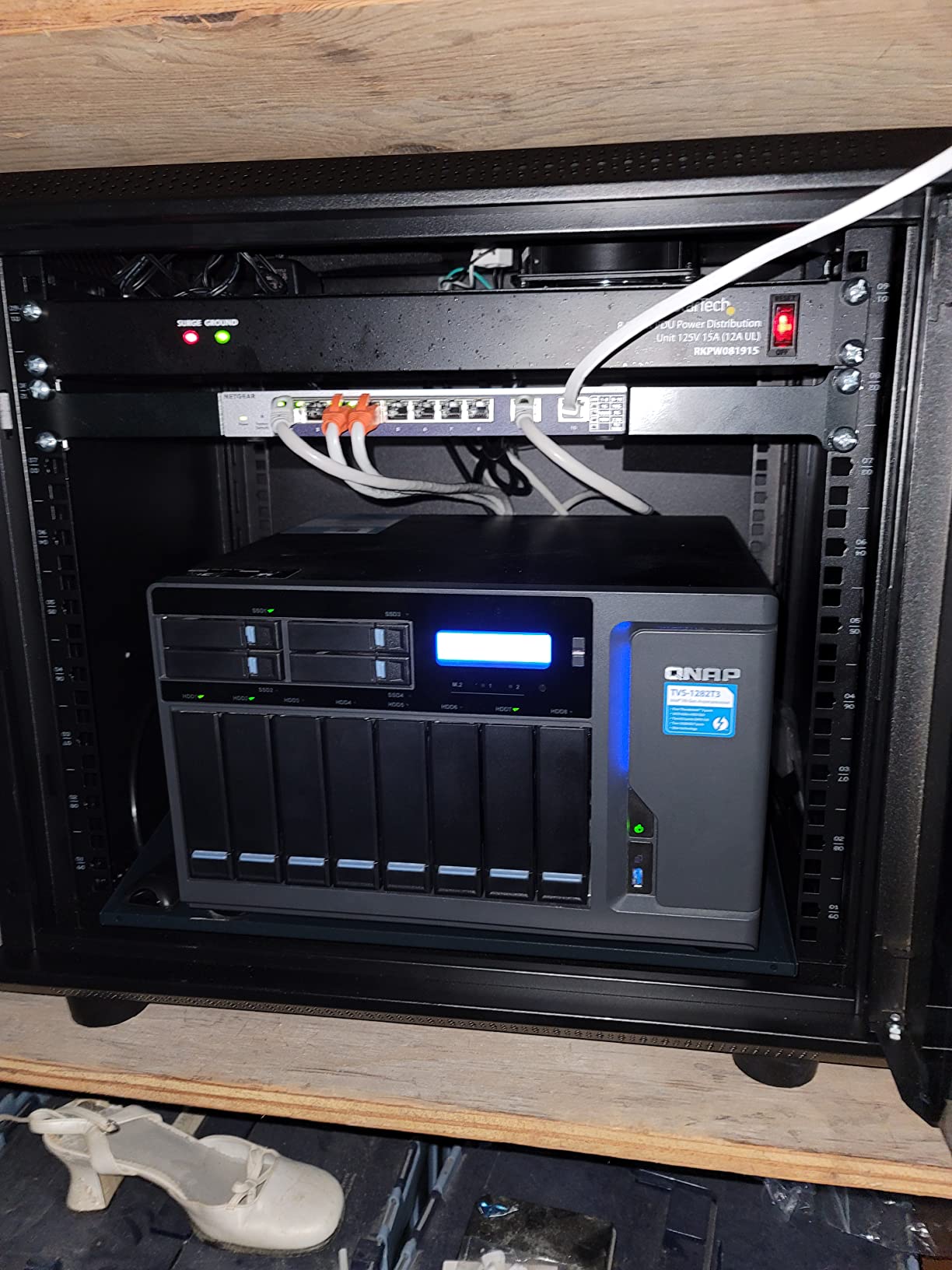
A single 120mm low-noise fan in a steel enclosure is a different acoustic proposition from a rack full of gear fans. A NAS with spinning drives will still be audible, because drive noise comes from the drive, but the cabinet itself stops contributing a constant whoosh on top of it.
Because it is a glass-door cabinet, the door also acts as a partial barrier for sound escaping outward, which matters if the rack is next to a workspace rather than inside a closet.
Where it stops short
Overall depth is fixed at 17.72 inches, so it is a 450mm-class enclosure and anything deeper than about 16 inches will overhang. The 110-pound wall rating demands a properly framed wall for the same reason every wall-mounted cabinet does.
At 41.4 pounds empty, this is a heavier box than most 12U wall enclosures, so plan the mounting hardware for the empty weight before you add gear. Ask for help getting it onto the wall rather than lifting it one-handed at full height.
9. Sysracks 27U Wall Mount Cabinet: The Best Network Cabinet When Depth Matters Most
27U Wall Mount Server Rack Cabinet, 19” Locking Network Rack, 24” Deep, Glass Door, with Fan, PDU and Shelf
27U wall-mount enclosure
24 in deep,20 in usable
133 lb wall rating
PDU and shelves included
Pros
- Large 27U capacity with 20 inches of usable depth
- Excellent padded flat-pack packaging
- Includes two fixed shelves a PDU and brush entry panels
- Lighter than expected for its size
Cons
- Integrated fan can be noticeably noisy
- Lightweight locks and a front door that can sit out of square
- Rear panel rattles when the cabinet is moved
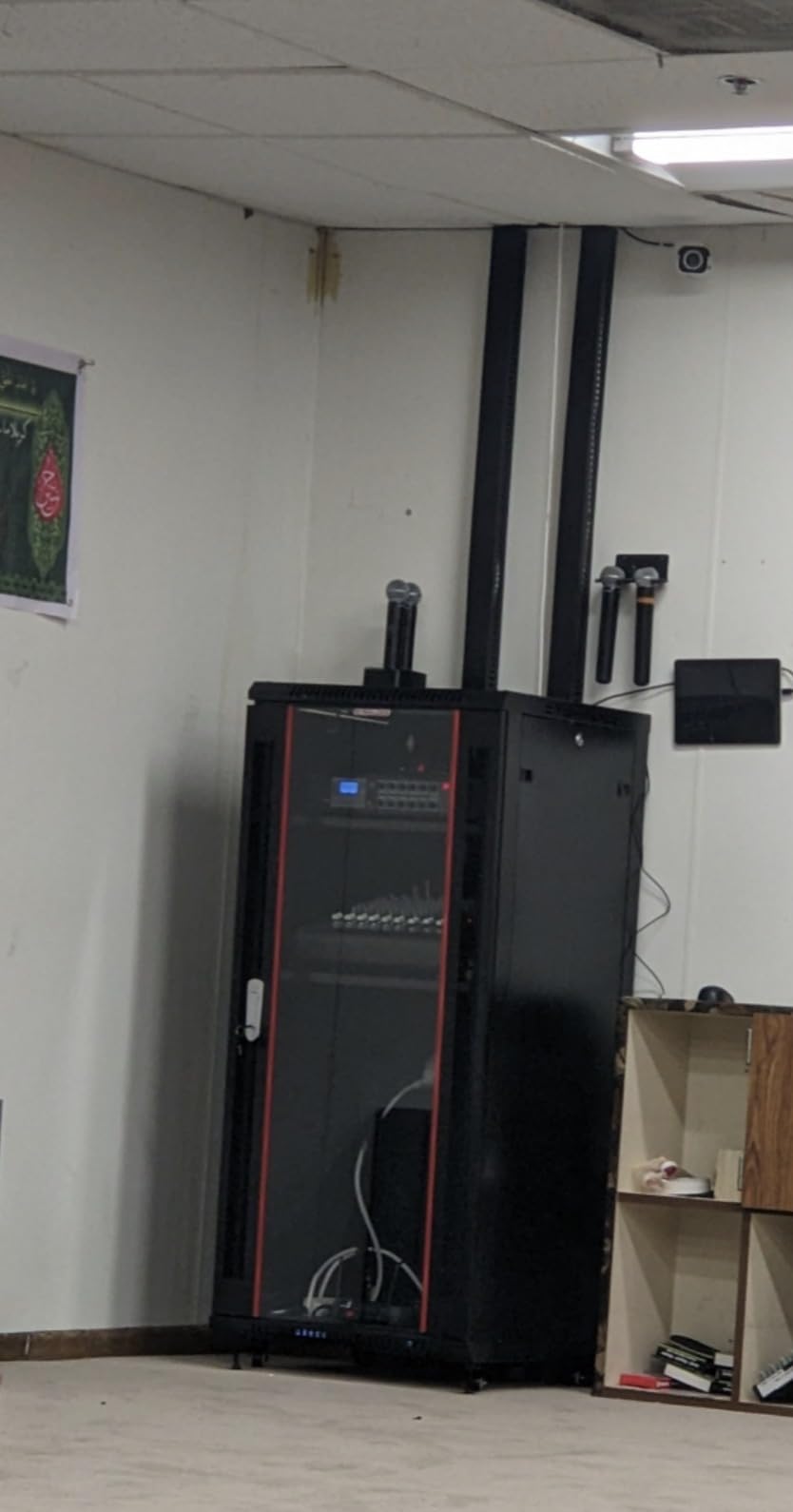
The Sysracks 27U is the best network cabinet when you want a wall enclosure with real depth behind the rails. At 24 inches overall it gives you 20 inches of usable mounting depth, which is where patch cables finally have room to bend and servers stop sitting proud of the front rail.
Twenty-seven units is a lot of vertical space for network gear alone, so this is the cabinet to buy if you are consolidating a NAS, a server and AV or security equipment in one place rather than housing two switches and a router.
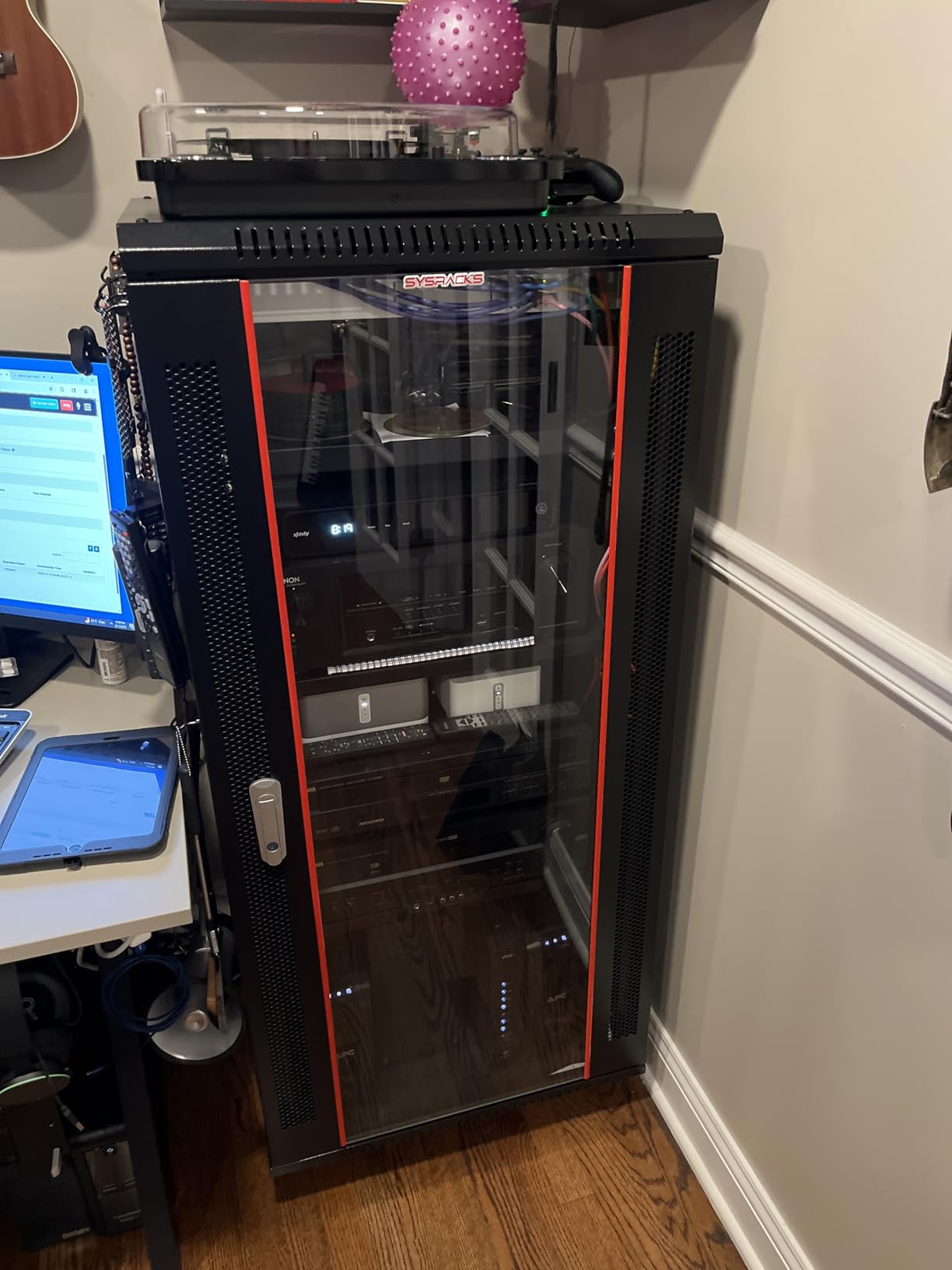
The included hardware pack is unusually generous. Two fixed shelves, a PDU, brush cable entry panels and casters come in the box, which means you are not immediately shopping for a power distribution strip and cable glands before the first install.
Packaging gets specific praise from owners: padded corners and foam-separated panels, so the frame arrives without the bent rails that ruin flat-packed wall units. The cabinet is also lighter than buyers expect for 27U, which makes it far easier to reposition than a same-height floor rack.
Why the extra depth changes the cabling
Behind a 20-inch mounting depth you can run a vertical cable manager, form service loops and route a bundle of patch leads without a tight bend. Forum experience is consistent on this point: once the cables cannot bend properly, gear gets unplugged and re-terminated constantly, and the tidy rack becomes a mess again within a year.
Twenty inches of usable depth is also what lets you mount a rack-mount UPS on rails instead of on a shelf, which is the difference between a secure installation and a heavy box balanced on the bottom of an enclosure.
Weak points to plan around
The integrated fan is the loudest in the wall-mount group here, and that is worth weighing if the cabinet will sit near where you work. The locks are also light, so treat the enclosure as tidy rather than secure in a shared space.
Instructions are poor and some parts arrive unassembled, the front door can sit out of square or rattle, and on larger units the casters and levelling feet cannot both be used at the same time. On a cabinet this size, budget an afternoon for assembly rather than an hour.
10. StarTech 22U 4-Post Server Cabinet: The Best Network Cabinet for Full Enclosures and Noise Reduction
StarTech 22U 4-Post Server Cabinet, 33in/83cm Deep, 1764lb (RK2236BKF)
22U 4-post cabinet
5.7 to 33 in adjustable depth
1764 lb capacity
Lifetime warranty
Pros
- Build tolerances tight with no misaligned holes
- 1764 lb capacity on genuinely heavy steel
- Lockable removable doors and side panels
- Vented top with brush cable entry panels
Cons
- Very heavy and difficult to move
- Some base panel inserts are flimsy
- Mounting rails use a sliding mount rather than fixed U marks
The StarTech 22U 4-Post Server Cabinet is the best network cabinet if noise is the deciding factor, because it is a full enclosure rather than an open frame. Doors and side panels turn a bank of gear fans into a contained box, and owners specifically report that the enclosure noticeably reduces the sound that reaches the room.
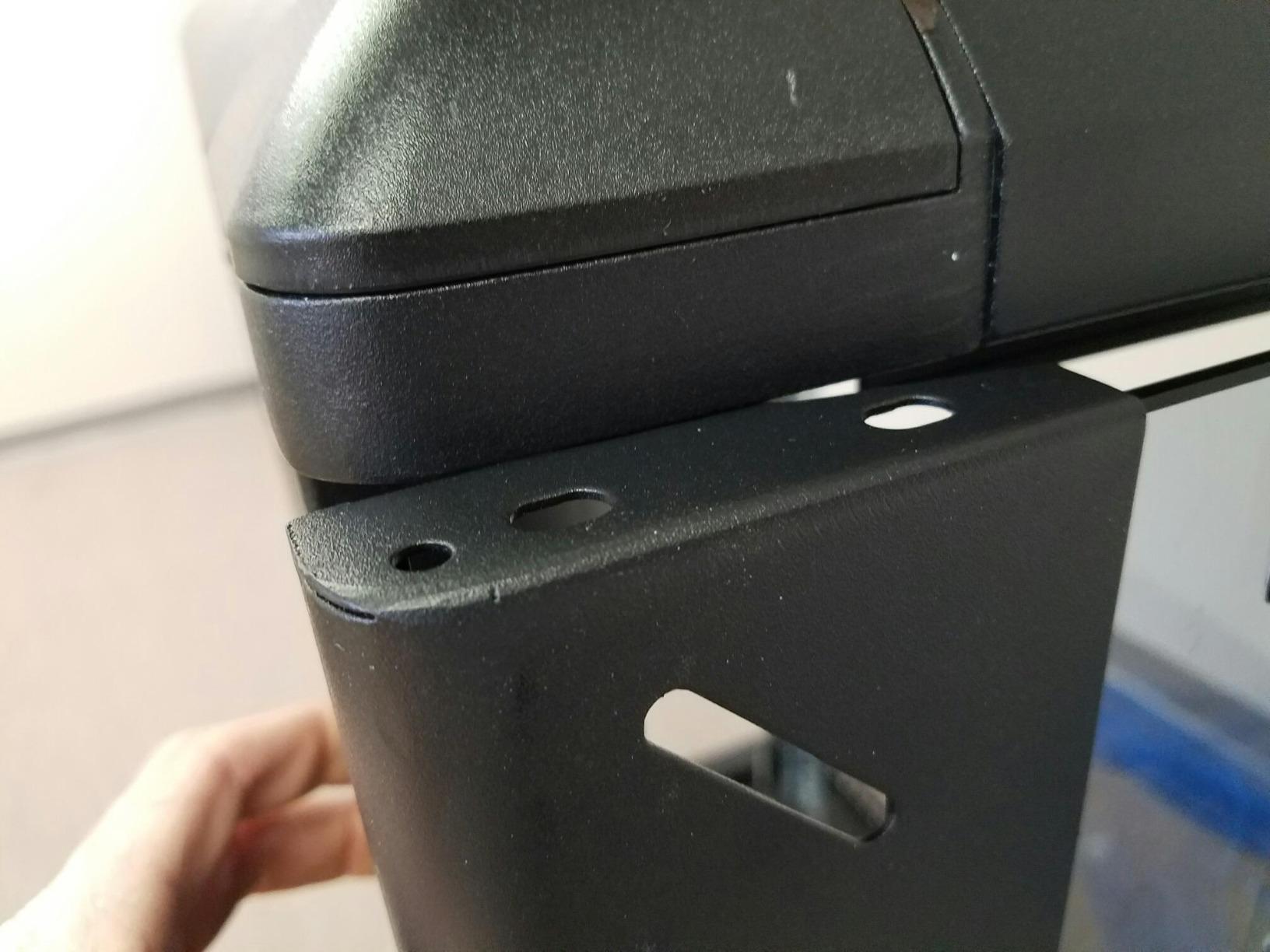
Build tolerances are the standout. Owners describe parts fitting together tightly with no misaligned holes, which sounds mundane until you have spent an evening fighting a rail that will not sit square. The 1764-pound stationary capacity is backed by steel heavy enough to justify the number rather than print it.
Depth adjusts from 5.7 to 33 inches, an enormous range that lets you mount shallow network gear on the front rails and a deep server behind them without a second enclosure. Lockable, removable front and rear doors plus side panels give you security and access in one design, with reversible door swing.
A vented top and brush cable entry panels handle airflow and hide the wiring at the same time. The box also arrives with wheels, levelling feet, cage nuts, cup washers, keys and Allen keys, and it is backed for life with lifetime technical support.
Where the acoustic gain comes from
Sound has to pass through steel to escape a closed cabinet, and that is the entire mechanism. Reviews mention owners adding acoustic damping layers inside this enclosure to improve it further, which only works because there is an enclosed volume to fill.
If your rack lives in a living space or an open-plan office, this is the difference between gear you can ignore and gear you can hear from the sofa. It is also the reason the enclosure is worth more than an open frame of the same height.
Reasons to pass on it
At 62.6 kilograms empty, this is a freight-scale object that is genuinely difficult to move and must be positioned before it is loaded. If you might ever want the rack in a different room, an open frame with casters is a far more practical choice.
Some base panel inserts are flimsy, the bottom tray holes are not pre-threaded, and the mounting rails use a sliding bolt-and-nut mount instead of numbered U positions, which makes planning a layout more work. There are also isolated reports of missing parts and slow manufacturer support responses on warranty claims.
11. NavePoint 42U 2-Post Open Frame Rack: The Best Network Cabinet for Full-Height Budget Builds
NavePoint 42U 2 Post Open Frame Server Rack with Casters for 19 Inch Equipment, Networking, and IT Devices, 2-Post Rack 330lbs Weight Capacity, Black
42U 2-post open frame
330 lb stationary load
23.75 in deep
Square-punched cage nut holes
Pros
- Cold rolled steel rated 330 lb stationary
- Full 42U of space in a 23.5 inch wide footprint
- Easy cable access and unobstructed airflow
- Self-squaring structure with bolt-down provisions
Cons
- Open frame leaves equipment exposed and unsecured
- Two-post format lacks lateral bracing for wide gear
The NavePoint 42U 2-Post is the best network cabinet when you want full-height capacity and a two-post footprint without paying for a four-post frame. It gives you all 42U of rack space in a 23.5-inch-wide frame, which is narrower than a four-post rack and considerably easier to fit in a corner.
The 4.6 average across 246 reviews describes a dependable, no-frills rack that people buy once and forget. Cold rolled steel with a black powder-coated finish carries a 330-pound stationary load, and square-punched cage nut holes make equipment mounting straightforward.
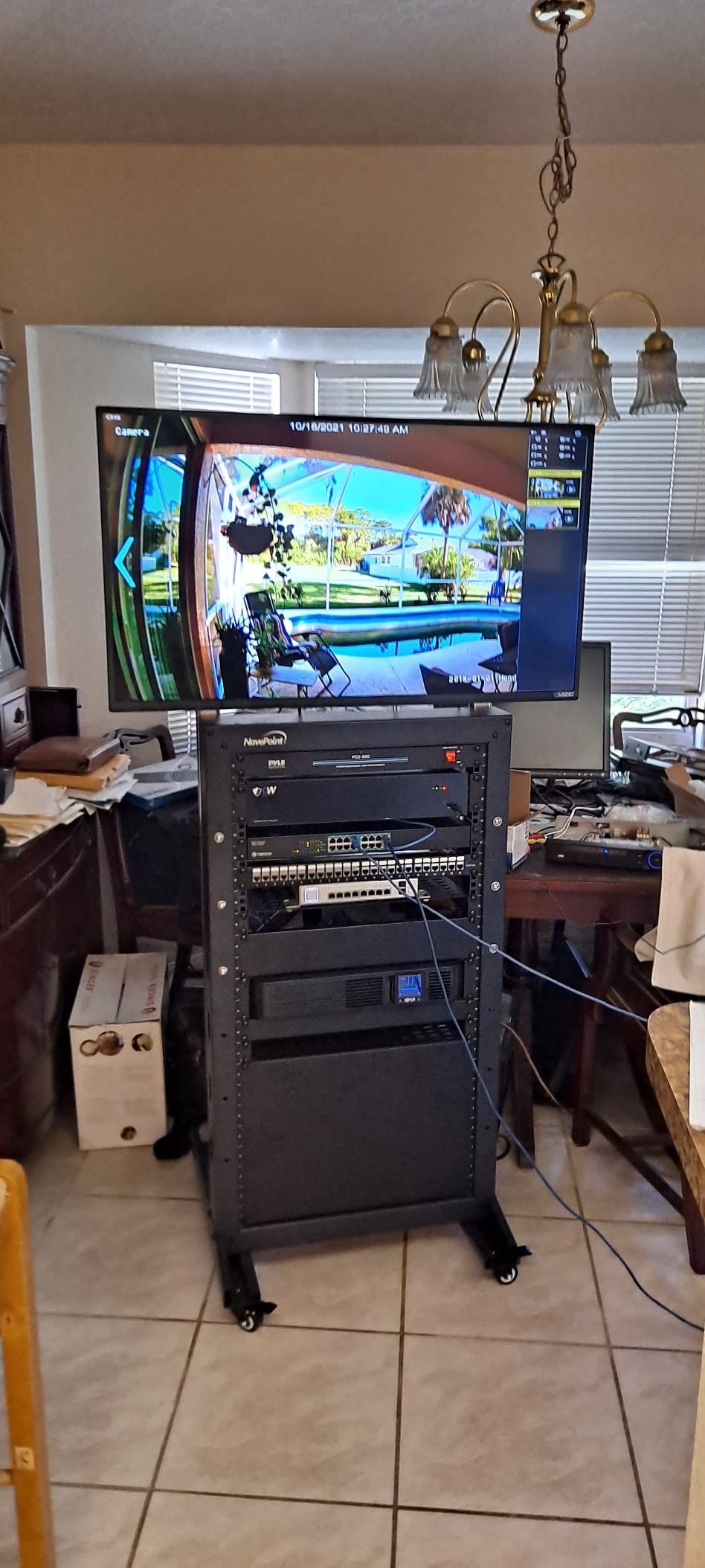
The open frame is the reason people choose a 2-post in the first place. Cables run behind the equipment with no rear panel in the way, and there is no door to open when you need to reach the back of a switch. On a rack full of patch panels, that accessibility is worth more than concealment.
The self-squaring structure with bolt-down provisions is a detail worth noting. It means the frame stays square under load and can be fixed to the floor, which matters for a rack this tall in a space where someone might brush past it.
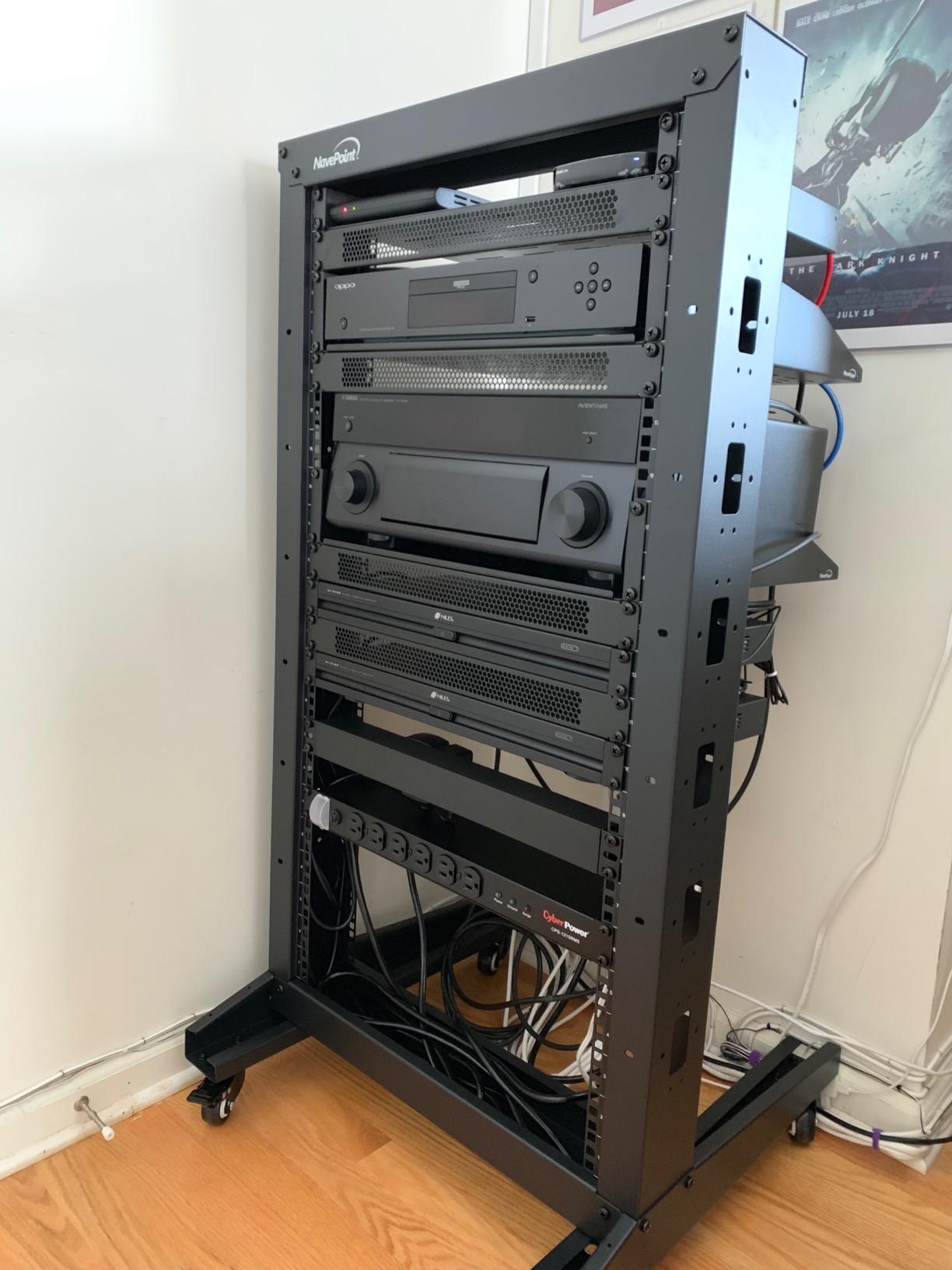
Two-post versus four-post
A four-post rack has rails at the back as well as the front, so a heavy or deep server cannot tip forward and does not need side support. A two-post rack holds everything on the front rails, which is completely fine for network gear and patch panels but marginal for a heavy server on sliding rails.
If your plan is switches, panels, a UPS and a modest NAS, two posts are the more flexible and cheaper choice. If a full-size server is in the plan, go four-post.
Limits to plan around
There is no lateral bracing, so very wide or very heavy chassis can sit further forward than you would like, and the two-post format has less depth adjustment than the adjustable frames earlier in this list. Check equipment depth against the 23.75-inch frame depth before buying.
At 81.75 inches tall this is a full-height rack and will not go through a low ceiling. The same Navepoint build-quality caution that applies to their wall enclosures applies here: inspect the frame and rails on arrival.
12. Tripp Lite 25U 2-Post Open Frame Rack: The Best Network Cabinet for Toolless PDU Mounting
Tripp Lite 25U 2-Post Open Frame Server Rack, Standard 19 inch Width for Network Equipment, 800 lbs Capacity, 12-24 Threaded & Numbered Mounting Positions, 5-Year Warranty (SR2POST25)
25U 2-post open frame
800 lb capacity
Black aluminum frame
5-year warranty
Pros
- 800 lb capacity on a rigid aluminum frame
- Round threaded and numbered mounting positions
- Toolless button holes accept PDUs and cable managers
- Only 24 lb so it is easy to reposition
Cons
- Open frame offers no physical security
- Aluminum is less rigid than comparable cold-rolled steel
The Tripp Lite 25U 2-Post is the best network cabinet for anyone who wants to mount a PDU without tools. The button holes are designed to accept power distribution units and cable managers directly, so the two components you need most do not require finding a matching screw pattern or inventing a bracket.
The other feature that saves planning time is the round threaded, numbered mounting positions. You can read a layout off the rail numbers before you start, which turns rack assembly from trial and error into a drawing you can follow.
It also holds more than you would expect. The 800-pound rating is on an aluminum frame that weighs just 24 pounds empty, so moving the whole rack is a two-person job rather than a project, and the frame stays rigid under a normal network load.
Twenty-five units is a sensible middle height: full enough for a switch, a patch panel, a UPS and room to grow, short enough to work on without a ladder. The included hardware covers it, with 28 sets of 12-24 screws and washers plus installation hardware and cable management hooks.
Aluminum versus steel
Aluminum is lighter and resists corrosion, which is why it is common on two-post racks. The trade is stiffness: a comparable cold-rolled steel frame deflects less under a side load, and if you plan to mount a full-size server on rails, a steel 2-post or 4-post is the safer choice.
For network gear, patch panels and a UPS, the difference is rarely visible. The 4.5 average across 186 reviews reflects a product that meets its stated rating without drawing much criticism.
What to know before you commit
Like every open frame here, there is no door, so there is no lock and no concealment. That is a deliberate trade for airflow and rear access, and it suits a closet, a garage or a dedicated equipment room.
Because it is 50 inches deep, check your ceiling height and doorways before delivery, and note that a two-post rack gives you front rails only. Budget for a top-of-rack cable manager to keep the front tidy, which is where two-post builds usually start to look untidy.
How to Choose a Network Cabinet
Start with form factor, because it decides everything else. A wall-mount enclosure suits a closet, a hallway or above a desk where floor space is not available. A floor-standing cabinet or rack suits a garage, basement or equipment room where you will add gear over time. An open frame gives you the best airflow and the easiest cable access, at the cost of any security or noise reduction.
Second is steel and rails. Look for cold-rolled or SPCC steel and check the rail thickness where the manufacturer publishes it. Difficult-to-adjust rails are the most repeated complaint in this category, and thin rails are the underlying cause. Also check whether the rails have numbered U positions or an unnumbered sliding mount, because the former makes layout planning much faster.
Third is honest load capacity, stated separately for floor-mounted and wall-mounted use. Ratings on budget units are frequently aspirational, so use the manual figure rather than the listing headline, and for a wall cabinet add the weight of the empty unit to the weight of your gear before you look at anchors.
Fourth is door type and acoustics, which matter more in a home than a datacenter. A lockable glass or perforated steel door conceals cables, adds physical security and reduces sound escaping the cabinet. A fully perforated door moves the most air. An open frame moves the most air and stops none of the noise.
Fifth is warranty and support. A two-year warranty is the common baseline here; the entries in this roundup range from one year to a lifetime, and enterprise-grade enclosures resolve shipping damage and missing parts far more reliably than budget brands. For a heavy wall-mounted cabinet, that support is worth more than the difference in price.
Sixth, finish. Black powder coat blends into a dark home interior far better than office silver, which is a detail forum buyers care about more than expected when the rack is visible from a hallway. If you want storage solutions to coordinate with the same room, our best tool cabinets and best garage storage cabinets guides cover matching enclosures for the rest of the space.
How Many RU Do You Actually Need?
One rack unit equals 1.75 inches of vertical mounting space, and a 19-inch rack is 19 inches wide between the rails. Start by listing what you already own, because that is where people over- or under-buy.
A typical small network build looks like this: a 1U rack-mount switch, a 1U 24-port patch panel, a 1U firewall or router, a 2U or 3U UPS, plus a 1U horizontal PDU if you are wall mounting. That is six to eight units of gear before any blanking panels. Add a NAS chassis at 4U or a 1U server and you pass 9U quickly.
Then add breathing room. Count two spare units minimum for a second patch panel and a second switch, and aim for 20 to 30 percent headroom on top of that. Forum advice is consistent on this: people who buy a 9U cabinet for nine units of gear end up buying a second cabinet within a year.
One more adjustment. Open frames often lose one to two units to top and bottom cross supports, so a nominal 12U frame may really give you ten. And a thick cooling fan can take a unit of its own, which is true of several wall enclosures in this roundup. Count the frame’s fixed hardware before you finalise the number.
Why Depth Matters for Cable Management
Depth is the most under-considered spec in this category, and it is the one buyers most often regret. The number on the box is overall depth; what you actually need is usable mounting depth plus enough room behind the equipment to bend and bundle cables without a tight kink.
Eighteen inches, as on the AxcessAbles frame, suits network gear with shallow rails and nothing larger. Twenty inches gives you a switch plus proper patch lead slack. Twenty-four inches, as on the 27U wall enclosure, is where a rack-mount UPS on rails and a real cable manager both start to fit comfortably.
Thirty-three inches and beyond exists for a different reason: heat and cable volume. Full-size servers move a great deal of air front to back and need rear space for the power and data looms, which is why the deepest racks in this roundup are aimed at server builds rather than network gear.
The rule of thumb we use: measure the deepest device you intend to install, add two inches for the connector and bend, then check that the cabinet’s usable mounting depth exceeds that number. If it does not, you will be managing cables in a space that is already full of equipment.
How to Load a Rack Correctly
Loading order is where most home racks go wrong, and the fix is simple. Always load from the bottom up, putting your heaviest equipment at the base. A top-heavy rack is described on r/sysadmin as a genuine safety hazard, because the weight is above the centre of gravity and a nudge can take the whole thing over.
Mount power and network distribution at the top. Put the PDU at the top of the rack so short power leads run down to the gear, which keeps the heavier power cables high and out of the way of anyone working at the bottom.
Reserve patch-panel space at eye level in the middle of the rack. It is the part you touch most often, and putting it at a comfortable height means routine changes do not involve pulling a switch to the front of the cabinet.
Leave deliberate slack behind every device. A service loop is not untidy; it is what lets you unplug a switch and lift it out without dragging the patch leads with it. This is the practical reason depth matters, and the reason the deepest cabinets in this roundup exist.
Finally, label both ends of every patch lead before you slide anything back in. The five minutes it takes at install saves the twenty minutes of tracing a cable behind a closed door every time you change something later.
How to Wall Mount a Network Cabinet
Find the studs first, before the cabinet arrives. Use a stud finder or knock on the wall, mark the centres, and check that the cabinet’s mounting holes line up with them. A 12U enclosure plus a switch, patch panel and UPS is genuinely heavy, and drywall anchors alone are not a substitute for framing.
Check the stud spacing against the cabinet’s hole pattern. Standard framing puts studs 16 inches apart on centre, and a wall-mount cabinet designed around two studs needs its mounting slots to span that distance. If the holes do not align with the studs, the cabinet should not be hung on that wall.
Use structural screws rated above the total loaded weight, including the empty cabinet. A 6U glass-door enclosure with a fan runs close to 30 pounds before you add anything, and a 12U populated cabinet passes 110 pounds quickly. Anchor into studs with the supplied hardware, and use toggles or masonry anchors only where there is no framing.
Mount the empty cabinet first with a helper, then level it, then tighten fully. Check the frame is square with a spirit level before you load it, because a cabinet hung on an out-of-square wall will bind its own door and rattle.
Route power from a nearby outlet rather than through a long extension across the room, and keep the cable entry panel at the bottom for data and the top for power. That separation makes every future change faster.
Popular Network Rack Brands and Who They Are For
StarTech.com is the strongest all-rounder here, with the most heavily reviewed racks in this roundup and warranties from two years to a lifetime. Buy from them when you want predictable steel, complete hardware kits and US support that resolves problems.
Tripp Lite is the enterprise-leaning choice, known for PDUs, UPS units and racks that share the same ecosystem. Their 2-post racks are unusually practical for toolless PDU mounting. APC NetShelter is the name enterprise sysadmins reach for first, and forum consensus favours it when a rack needs front and rear locking, ready rails and generous cable-management room.
Ubiquiti is worth considering as an ecosystem choice if your network is already UniFi, since matching gear support is simpler when everything comes from one vendor. Navepoint covers the budget wall-enclosure tier, and it is widely used, but build quality draws repeated criticism on home-lab forums, so inspect on arrival. Intellinet and Mecale sit in the mid-tier for buyers who want a named brand without enterprise pricing. VEVOR is the value end of the open-frame market, strong on included hardware and weak on finish and instructions.
If you want the short version: StarTech for the best overall build, Tripp Lite or APC for enterprise and security, and Navepoint or VEVOR for value. What counts as the best brand depends far more on form factor and load than on the logo.
Frequently Asked Questions
What is the best network cabinet for a home?
For most homes a 12U wall-mount enclosure with a lockable glass door is the right answer, because it holds a switch, patch panel, router and compact UPS while freeing the closet floor. Choose a frame with removable side panels, a cooling fan and a stated load rating well above what your gear will weigh.
What is the difference between a network cabinet and a server cabinet?
A network cabinet is a lighter, shallower enclosure sized for switches, routers, patch panels and small UPS units, usually 6U to 12U and wall mounted. A server cabinet is heavier and deeper, starting around 22U, with more rear cable-management room, stronger cooling and load ratings built for full-size servers.
What are some popular brands of network racks?
The most widely used names are StarTech.com, Tripp Lite, APC NetShelter, Ubiquiti, Navepoint, Intellinet, Mecale and VEVOR. StarTech and Tripp Lite lead on build quality and warranty, APC is the enterprise standard, Navepoint and VEVOR cover the value tier, and Intellinet and Mecale sit in between.
What is the best brand for server racks?
APC NetShelter is the most frequently recommended name in enterprise and sysadmin settings, with locking front and rear doors, ready mounting rails and deep cable-management space. For prosumer and home-lab buyers, StarTech.com offers comparable steel and rail quality with more accessible pricing and warranty terms.
How do I choose the right rack size for my network gear?
Add up the rack units of everything you own, add two units of spare capacity for a future patch panel and switch, then add 20 to 30 percent headroom. Remember that open frames can lose one to two units to cross supports and a thick fan can take another, so check usable space rather than the advertised number.
How much clearance do I need behind a rack for cables?
Allow at least 6 to 8 inches behind the equipment for patch leads to bend and form service loops, and 10 inches or more if you are mounting servers or a rack-mount UPS on rails. A cabinet with 20 inches of usable mounting depth covers most network builds comfortably.
The Verdict: Which Network Cabinet Should You Buy in 2026
The StarTech 42U 4-Post Open Frame Rack takes the top spot among the best network cabinets in 2026 because it combines the heaviest steel, an adjustable 22-to-40-inch depth, a 1322-pound rating and the largest review base in the category. If you are building something that will grow, that combination is very hard to beat.
For a single home network closet, the NavePoint 12U wall enclosure is the more sensible buy: locked, ventilated, removable side panels and a compact 450mm footprint. For the tightest spaces, the Tecmojo 6U does the same job in half the height. For a wall-mounted open build or a garage, the Tecmojo 12U open frame and the VEVOR 12U cover the value end, with adjustable depth doing more work than the brand badge.
Whichever you choose, count your rack units first, check the wall behind it, and load it bottom-up with the heavy gear low. Those three steps solve most of the problems people hit in their first year with a network cabinet.