
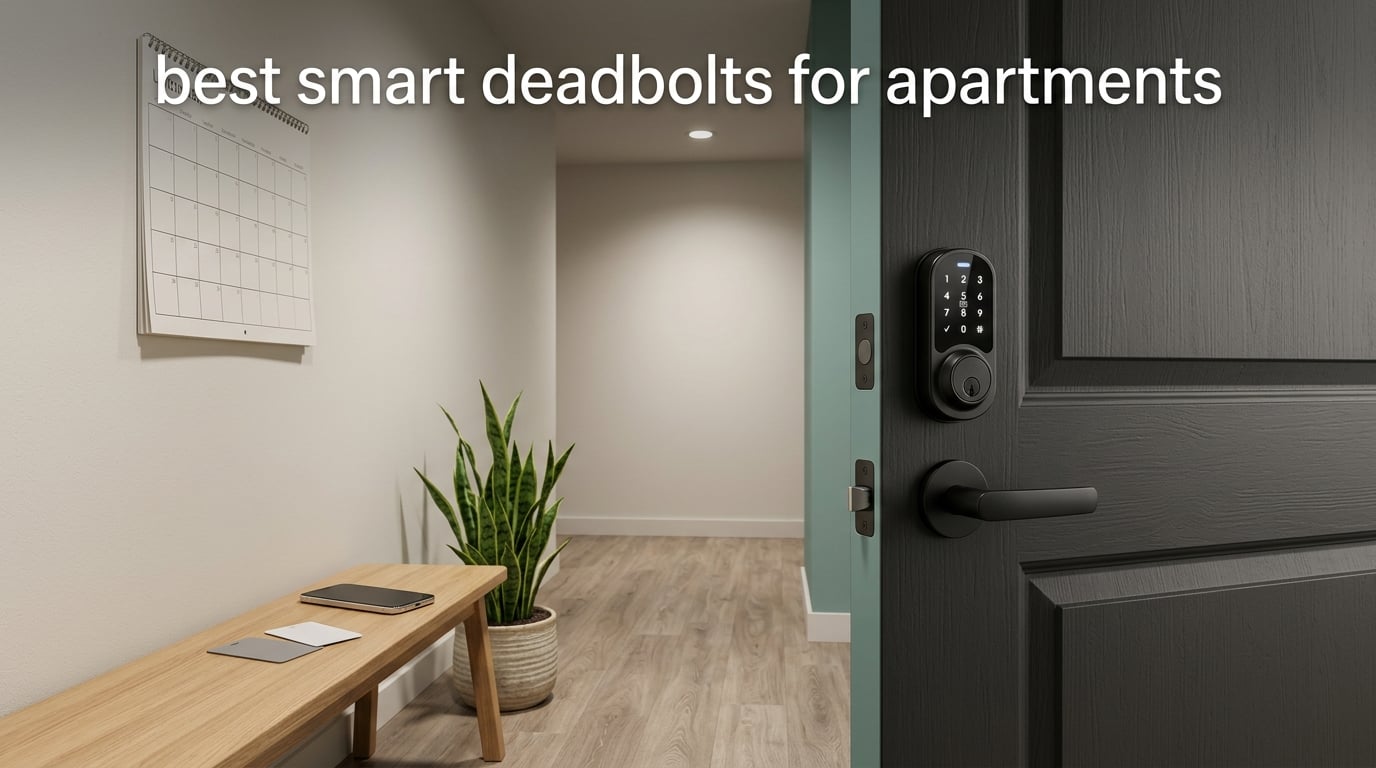
If you rent, the best smart deadbolts for apartments are not the ones with the longest feature lists. They are the locks that mount on the inside of an existing deadbolt, come out in under ten minutes, and still open with a physical key when your phone is dead in the stairwell. We compared eight of them on exactly those terms.
Our top pick is the TEEHO TE002, a fingerprint and keypad deadbolt that needs no app, no hub and no Wi-Fi connection. It stores 20 fingerprints and 20 passcodes, includes two backup keys, and installs with a screwdriver on a standard 2-1/8 inch apartment bore. Everything else we tested is either more connected or less reversible, and in a rental those two things matter more than an app.
The honest part of this guide is the section before the reviews, because most of the smart lock conversation assumes you own the door. In an apartment, the first question is not which lock is best, it is whether you are allowed to install one at all. Renters on r/Apartmentliving and r/Renters describe wildly different answers from landlord to landlord, with one reporting a demand to cover a cylinder change and another reporting a simple yes. The second question is what your lease actually says.
We also handle the boring parts that block most purchases: how to measure an apartment door, and how to remove the lock at move-out without losing your security deposit. If you are also upgrading other renter-friendly essentials, our dehumidifier guide for apartments covers the same no-permission-needed logic.
Table of Contents
Top 3 Picks for the Best Smart Deadbolts for Apartments (October 2026

TEEHO TE002 Fingerprint Deadbolt
- Offline lock with no app or hub
- BHMA Grade 3
- 20 fingerprints and 20 passcodes
- Screwdriver-only no-drill install
- 4 AA batteries up to 365 days

ULTRALOQ Bolt SE Wi-Fi
- Built-in 2.4 GHz Wi-Fi with no bridge
- Matter over Thread
- 50 fingerprints and 50 passcodes
- Up to 18 months of battery

Schlage Encode Smart WiFi
- Highest BHMA residential rating here
- 100 access codes with lock history
- Built-in Wi-Fi with no hub
- 4 AA batteries for about 6 months
The three above cover the three real renter situations. The TEEHO is the answer when you want the fewest possible reasons for a landlord to say no. The ULTRALOQ is the answer when you genuinely need remote access and you control your own 2.4 GHz network. The Schlage is the answer when mechanical security matters more than the price tag and you have permission to swap the whole lock.
Smart Deadbolts for Apartments at a Glance (October 2026)
| Product | Specifications | Action |
|---|---|---|
| TEEHO TE002 Fingerprint Deadbolt |
|
Check Latest Price |
| ULTRALOQ Bolt SE Wi-Fi |
|
Check Latest Price |
 eufy Security Smart Lock C220 eufy Security Smart Lock C220 |
|
Check Latest Price |
| Schlage Encode Smart WiFi |
|
Check Latest Price |
 DESLOC B200 Fingerprint Smart Lock DESLOC B200 Fingerprint Smart Lock |
|
Check Latest Price |
 CANDY HOUSE Sesame 5 CANDY HOUSE Sesame 5 |
|
Check Latest Price |
 Aqara Smart Lock U100 Aqara Smart Lock U100 |
|
Check Latest Price |
 Kwikset Powerbolt 250 Kwikset Powerbolt 250 |
|
Check Latest Price |
One detail worth reading twice is the last column. Some of these locks are keyed different, meaning they will not accept the key your building already handed you, and the Sesame 5 is the opposite case entirely because it keeps your original cylinder in place. Keyed-different is a security upgrade in the sense that nobody has a spare, and an inconvenience in the sense that maintenance cannot get in with a key unless you create a code for them.
How We Ranked These Locks for Apartment Life
Consumer star ratings measure how much people like a product. They do not measure whether a lock is legal in your lease, whether it fits a 1-3/8 inch hollow-core door, or whether you can undo it in ten minutes on moving day. So we scored every lock on six apartment-specific factors before we ever looked at features.
Our Apartment Fit Score weights each factor on a 0-5 scale, then normalizes to a 0-10 total. Lease Compliance and Reversibility together carry 45 percent of the weight, which is deliberate. For a front door, ANSI grade dominates. For a rental door you will hand back, the two questions that decide your deposit dominate.
Lease Compliance (25 percent): can a tenant install it with no new holes in the exterior hardware and no permanent wiring?
Reversibility (20 percent): can it be removed at move-out and the door restored exactly, with no residue and no paint damage?
Door Fit Breadth (15 percent): tolerance for thin doors, hollow-core construction, undersized bores and tight interior clearance for the motor.
Entry Method Redundancy (15 percent): how many ways in without a working phone. Key, PIN and fingerprint are what matter in a stairwell.
Mechanical Security (15 percent): the ANSI/BHMA grade of the actual lock body. A retrofit inherits the grade of the deadbolt it wraps.
Connectivity Reliability (10 percent): built-in Wi-Fi scores highest because there is no bridge to lose. Bluetooth-only scores lowest in apartment buildings.
One consequence of this weighting is worth flagging before you read the reviews: the highest-rated locks are not always the highest-scoring ones here. A Grade 3 lock that needs no permission conversation beats a Grade 1 lock that requires a written landlord approval you may never get.
Can I Install a Smart Deadbolt in My Apartment?
Usually yes, but your lease decides, not this article. Interior-only retrofit locks that mount over an existing deadbolt are broadly treated as personal property changes. Full replacements that involve new strike plates, longer screws or a new exterior cylinder are far more likely to need written permission. Read the alteration, repair and entry clause before you buy anything, not after.
The second question nobody can answer for you is whether your entry door is yours at all. Apartment doors are often building-owned fixtures maintained by the property manager, and tenants on r/Apartmentliving and r/Locksmith are openly unsure where that line sits. The way to find out is simple and boring: ask the management office in writing who services the entry lock, and get the answer in email. If the answer is that your unit is building-owned, the case for a change is much stronger, and so is the chance they will do it for you.
What landlords actually object to is almost never technology. It is emergency access. Property managers and landlords on r/Landlord converge on one practical solution: re-keyable cylinders such as Kwikset SmartKey and Weiser SmartKey, so the key changes between tenants without replacing the whole lock. A renter asking for a smart lock with a landlord master code is asking for something landlords already want.
Here is a permission request that works, because it answers the maintenance objection before it is raised:
Name the exact lock and model, and the install time, usually 10 to 15 minutes.
State that it is interior-mounted only, with no drilling into the door or frame and no permanent wiring.
Offer a landlord-held master code or app access that you create and revoke, plus full access history.
Commit to restoring the original hardware at move-out and photographing the door before and after.
Ask for written approval, and keep it with your lease.
The phrase that does the most work in that message is “does not touch the exterior.” Renter threads treat it as the deciding detail, because it answers the visual objection and the deposit objection at once.
If the answer is no, or if the door turns out to be building-owned, you have three non-product options: ask the building to change the cylinder themselves, add a portable secondary barrier on your bedroom or interior door, or ask management to supply a smart lock as a building upgrade. While you are waiting, our renter-friendly water filter picks for apartments cover another upgrade you can make entirely on your own.
How to Measure Your Apartment Door
Measure four things before you order: the bore diameter, the backset, the door thickness and the strike plate. Get any of these wrong and the lock will not fit, and on a rental door you cannot simply widen the hole. Most standard US apartment doors take a 2-1/8 inch (54mm) bore, a 2-3/8 inch or 2-3/4 inch backset, and a door thickness between 1-3/8 and 1-3/4 inches.
The backset is the measurement people skip. It is the distance from the door edge to the center of the bore, and it is measured on the door face, not the edge. If your existing deadbolt sits 2-3/4 inch from the edge and the new lock expects 2-3/8 inch, the bolt will not line up with the strike.
Next, look at the strike plate. This is the fix nobody mentions: a factory apartment strike plate is often a thin 1 inch rectangle screwed into soft jamb wood, and a 1 inch bolt landing on it is a downgrade in security even if the lock body is excellent. A long-strike or extended-strike plate with three-inch screws costs very little and converts a decorative lock into a real one. Ask permission before swapping it, because the frame is not yours.
Finally, check interior clearance. Slide the door fully open and measure the gap between the door and the frame on the interior side. A deadbolt motor needs room to turn the thumb turn without hitting the jamb, and narrow doors in older buildings are the most common reason a lock returns unopened. Mortise lock doors, metal security doors and fire-rated doors are all exceptions; none of the locks in this roundup are designed for them.
1. TEEHO TE002 Fingerprint Deadbolt – Best Overall for Renters
TEEHO TE002 Fingerprint Deadbolt with Keypad for Front Door, Matte Black
BHMA Grade 3 with no app or hub
20 fingerprints, 20 PINs, 2 keys
4 AA batteries, up to 365 days
Pros
- Fingerprint reader reads first try for most users
- Screwdriver-only install with no drilling
- Works fully offline with no app or account
- 20 fingerprints plus 20 passcodes and 2 physical keys
- One-time PINs delete themselves after use
Cons
- Lightweight build that some reviewers question for durability
- Auto-lock delay can reset to the minimum setting
- Programming sequence is long and the bore is limited to 54mm
The TEEHO TE002 is the lock I keep recommending to renters, because it asks nothing of your landlord, your phone or your building Wi-Fi. It stores 20 fingerprints and 20 passcodes, includes two physical backup keys, and runs on four AA batteries for up to 365 days. There is no account to create, no hub to mount and nothing to lose when the network drops.
What you give up is remote access. There is no app unlock, no access history and no push notification, because the lock has no radio at all. On a fourth-floor walk-up that is a fair trade. On a ground-floor street-facing unit where you want a dog walker in while you are at work, it is not, and I would look at the ULTRALOQ instead.
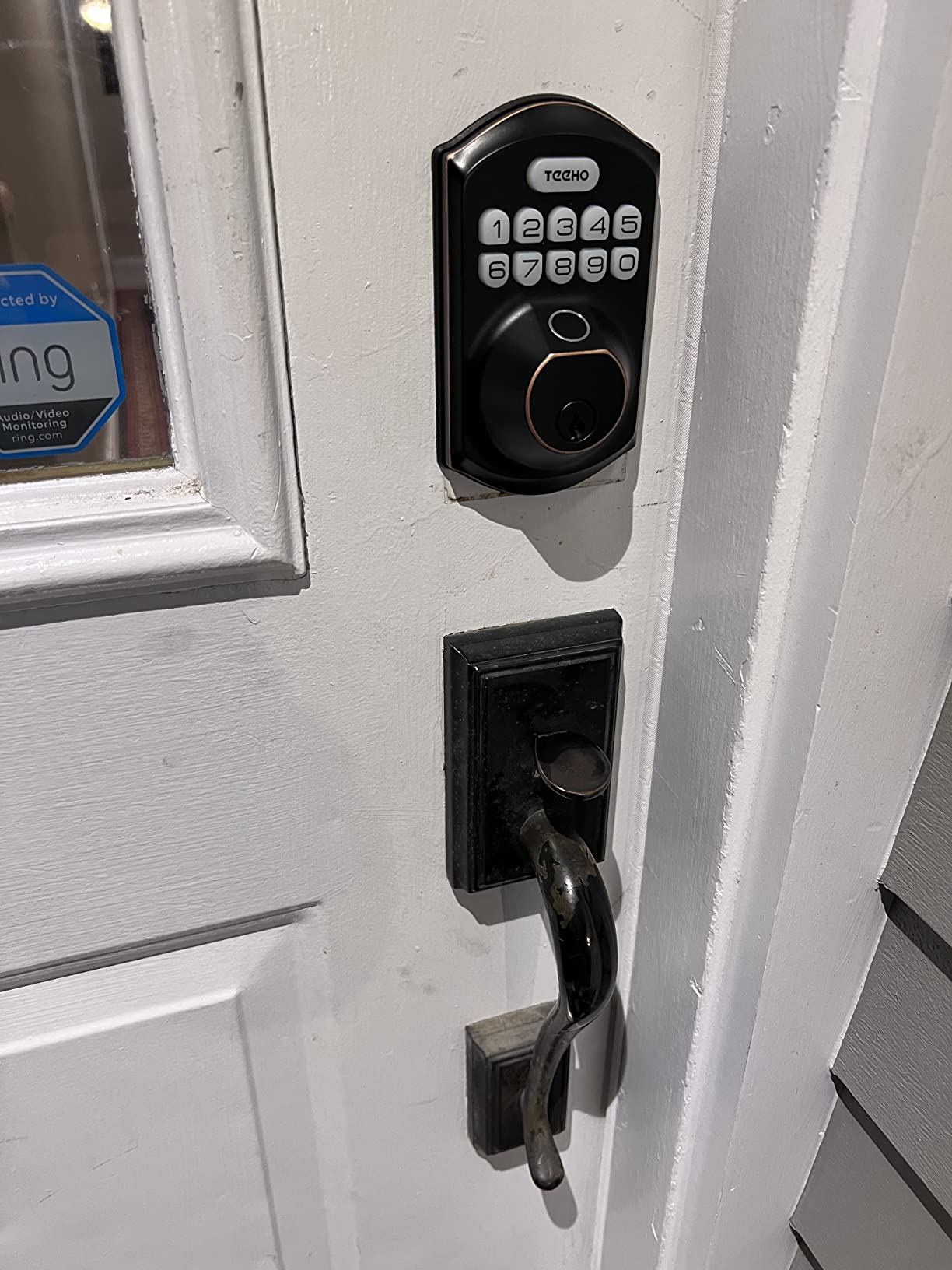
The mechanism is simple and quick. Unlock takes 1 second, fingerprint recognition takes 0.3 seconds, and the auto-lock delay is adjustable from 10 to 99 seconds with a one-touch exterior lock button. The two security extras that matter most in a shared apartment are anti-peep passcodes, which mask digits on screen, and a wrong-password lockout that disables the keypad after repeated failures.
The build is the honest weakness. It weighs 16 ounces, and some reviewers question how a zinc and stainless body holds up over a decade in a busy stairwell. The 2-year warranty is also shorter than the coverage behind the Schlage and the ULTRALOQ. It measures 5.12 by 2.95 by 1.3 inches, about as compact as an interior deadbolt gets.
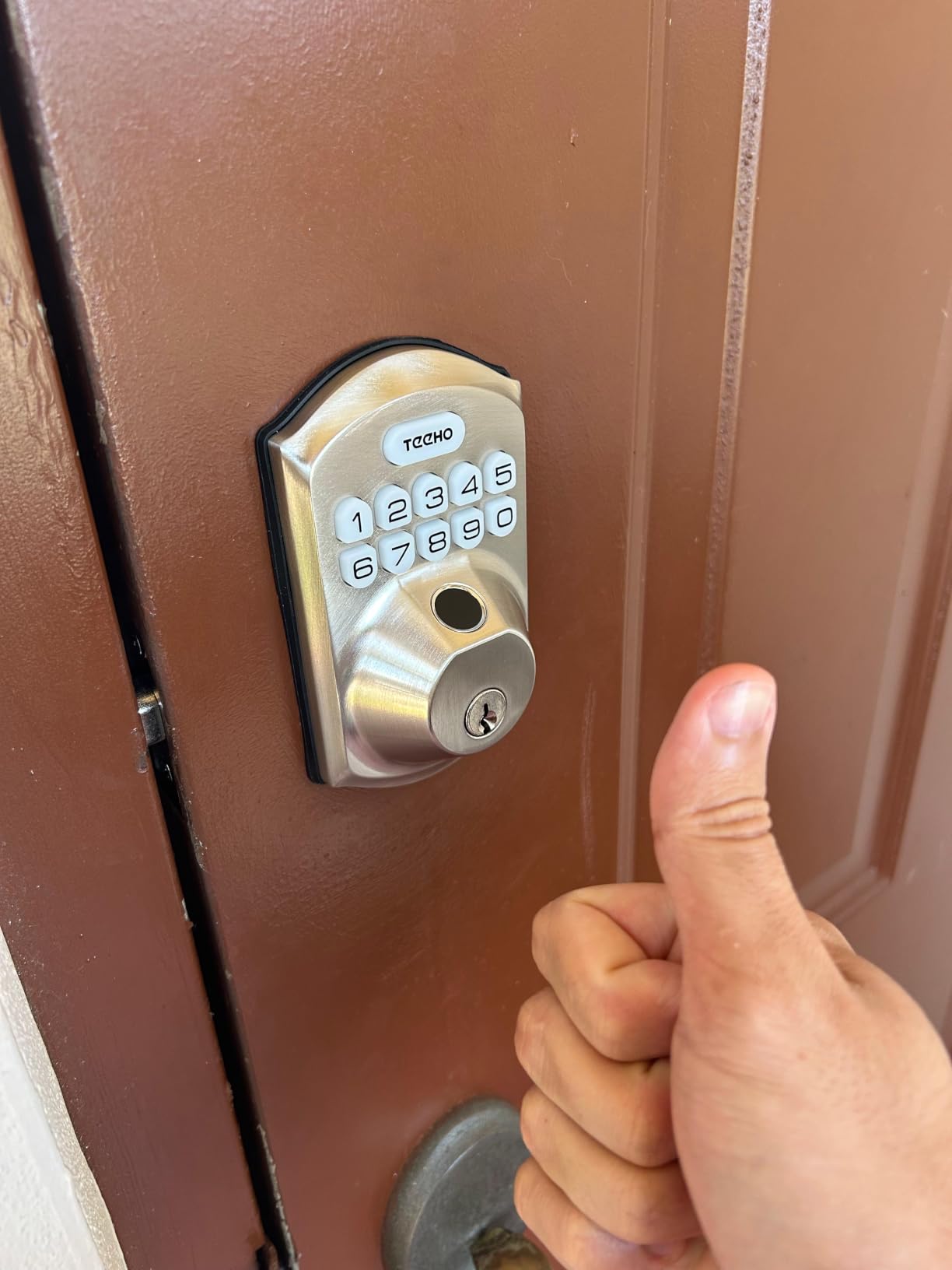
What fits and what does not
Installation is screwdriver-only with no drilling, but the bore limit is firm at 54mm, which is the standard 2-1/8 inch US hole. Measure before you order. A mortise lock door, a wider bore or a metal security door rules it out.
Because it lands on a standard bore without new holes, the permission conversation is much easier. The same install performed as a full replacement, with a new strike plate and longer screws, is a different conversation entirely.
Where it falls short
The auto-lock timer draws the most complaints. Owners report it resetting to the minimum delay, which in a four-person apartment means the door re-locks while someone is still pulling it shut with groceries.
Programming is long and fiddly, and occasional fingerprint read failures push you to the keypad. Both are tolerable. Neither is elegant.
2. ULTRALOQ Bolt SE Wi-Fi – Best for Shared Apartments
ULTRALOQ Bolt SE Wi-Fi Smart Lock, Matter Over Thread, App Remote Access
Built-in 2.4 GHz Wi-Fi, no bridge
50 fingerprints, 50 passcodes
Matter over Thread
Up to 18 months battery
Pros
- Remote lock and unlock over built-in Wi-Fi with no bridge
- 50 fingerprints and 50 passcodes suit roommates
- Seven ways in including fingerprint
- keypad
- app and voice
- Keyed different with 2 emergency keys included
- Programmable auto-lock timer with one-button instant lock
Cons
- Remote access needs 2.4 GHz Wi-Fi within about 70 ft of the router
- Matter features require a separate Thread Border Router hub
- Keyed different cylinder and no door position sensor
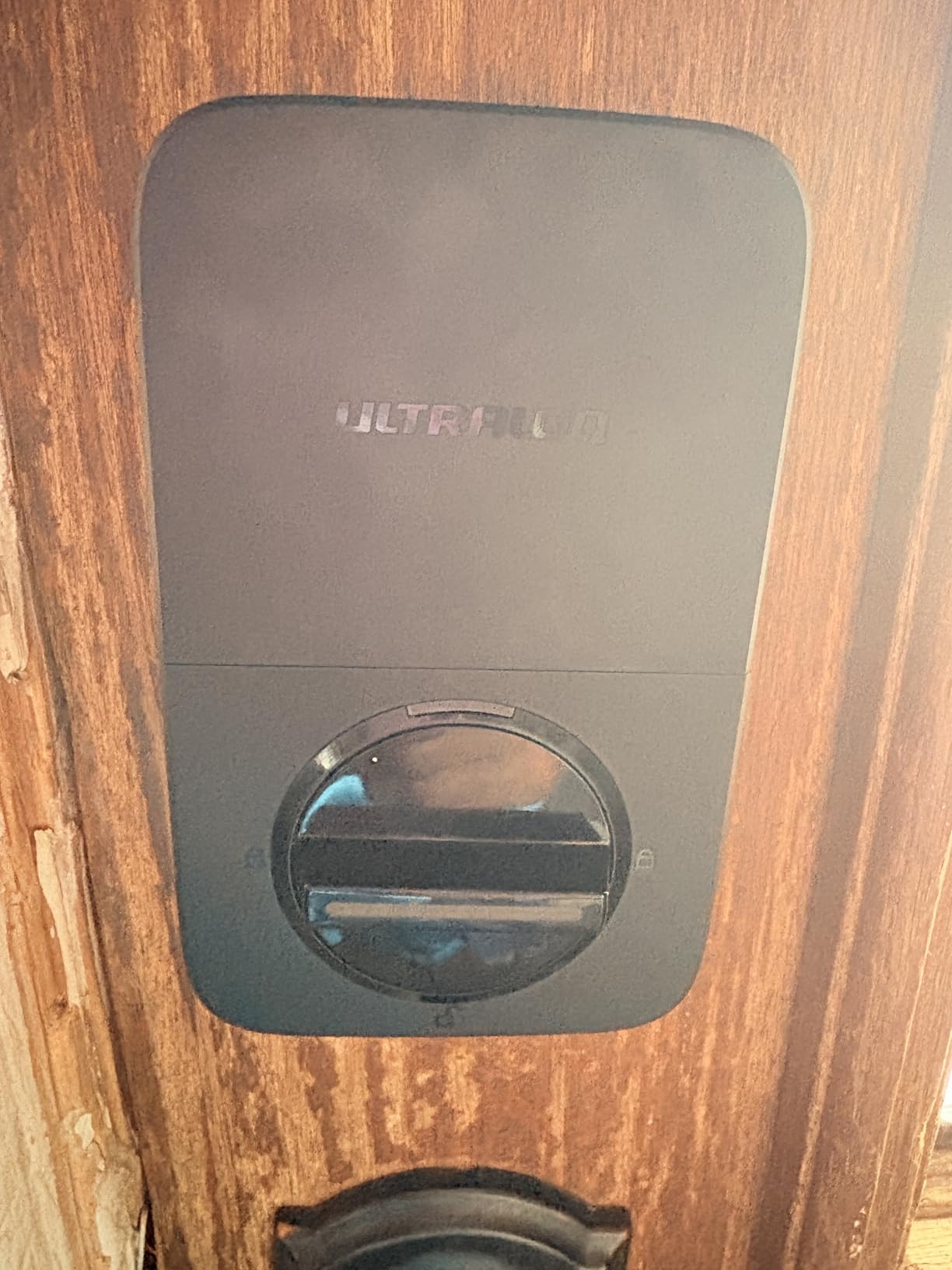
The ULTRALOQ Bolt SE is the pick for a shared apartment where more than one person needs their own entry method. Fifty fingerprints and 50 passcodes is genuine capacity for roommates, a partner, a sitter and a contractor, and the fingerprint reader is described by owners as accurate even while wearing gloves. Install is quoted at around 10 minutes with a screwdriver.
Unlike most connected locks in this price range, it has Wi-Fi built into the lock rather than behind a bridge. That removes one box from the equation, which matters in a rental where you cannot run Ethernet to the door. Matter over Thread adds a second remote path for Apple Home users, and the advertised battery life of up to 18 months is the longest claim we found in the group.
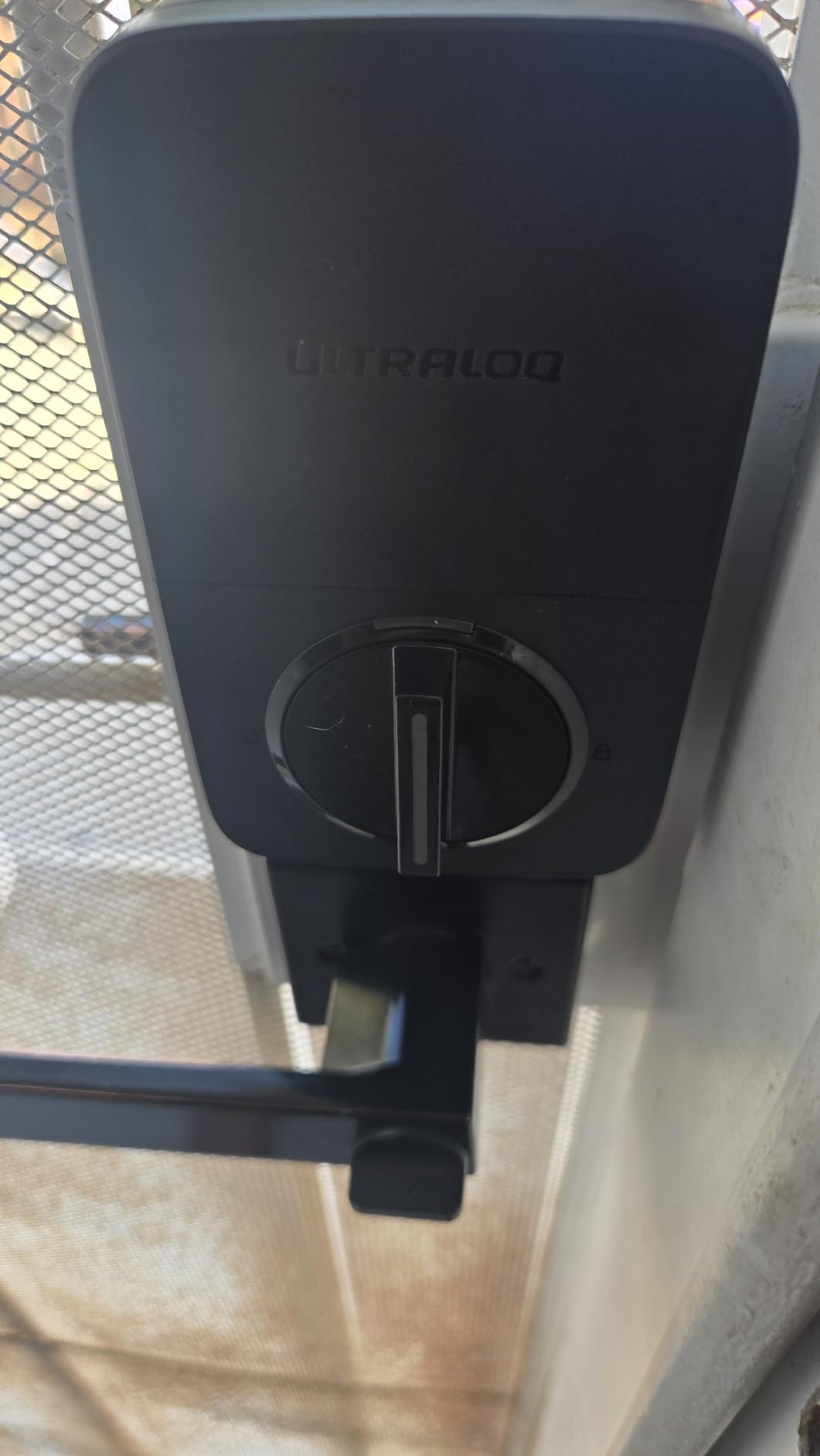
The constraints are specific and you should check them against your building before buying. Remote access runs on 2.4 GHz only, and the router needs to be within roughly 70 feet of the door. Apartment buildings are notorious for 2.4 GHz congestion from dozens of neighbouring routers, and for an ISP that changes between leases. If your unit shares a network with thirty other devices, test this before you commit.
Two more details matter in a rental. The cylinder is keyed different, so it will not match the key the building gave you, and no door position sensor is included, so open or closed status in the app is limited. The zinc alloy body carries an IP65 waterproof rating and ANSI/BHMA certification, backed by a lifetime mechanical warranty and an 18-month electronics warranty.
When this lock earns its cost
It earns it when you have a real remote-unlock need: a dog walker, a partner on opposite shift patterns, or a landlord who wants a revocable code instead of a physical key. Fifty fingerprints also beats every other lock here for a five-person household.
It does not earn it if you only come home on foot and open the door with a code. The TEEHO above does the same job with no network dependency at all.
Setup realities to plan for
Matter over Thread needs a Thread Border Router, which most renters do not own. Without one, you are using the built-in Wi-Fi path and the Matter support is dormant.
Buyers who moved off hub-based locks report the same pattern in Home Assistant and Hubitat communities: reliability, not features, is what makes a lock usable. A direct Wi-Fi path removes a failure point, but it does not remove the building’s network from the equation.
3. eufy Security Smart Lock C220 – Best With an Apple Watch
eufy Security Smart Lock C220, Fingerprint Keyless Entry Door Lock
Fingerprint, keypad, app, key, Apple Watch
Self-learning sensor
8 AA batteries, about 8 months
Built-in Wi-Fi, no bridge
Pros
- Six unlock methods including fingerprint and Apple Watch
- Built-in Wi-Fi so no bridge to buy
- Self-learning fingerprint sensor improves with each touch
- 15-minute no-drill install that fits bores under 54mm
- Batteries included in the box
Cons
- Keyed different so it will not accept an existing apartment key
- 8-month battery life is shorter than some rivals claim
- Fingerprint capacity and passcode limits are not detailed in the listing
The eufy C220 is the mid-list answer for a renter who wants fingerprint entry and phone-free unlocking without buying a separate bridge. The self-learning sensor is the part that impressed us most in owner feedback: it reduces the retry rate that plagued earlier fingerprint locks, and it works from a touchscreen keypad, the app, a physical key or an Apple Watch.
It also fits more apartment doors than a 54mm-only lock does. Removing the supplied spacer lets the interior body sit on bores under 54mm, and the whole install is quoted at about 15 minutes with no drilling. That flexibility matters on older buildings with odd hardware.
Where it fits your door
Because it mounts over an existing deadbolt, the exterior hardware is unchanged, which is the single most persuasive fact in a landlord conversation. The BHMA Grade 3 rating was earned after more than 100,000 lock cycles, with IP53 water resistance and an operating range of -22F to 158F.
Plan for one thing at install: the cylinder is keyed different, so the building’s existing key will not work. Decide early how maintenance gets in.
Battery and trade-off reality
Eight AA batteries give roughly eight months of use, shorter than most claims in this group, though the batteries ship in the box so you can use it the same day. In a household with heavy foot traffic, expect to be checking levels more often than the marketing suggests.
The other reported drawback is documentation. Owners frequently note that fingerprint capacity and passcode limits are not spelled out clearly in the listing, so check the current manual before you plan codes around it.
4. Schlage Encode Smart WiFi – Best for Mechanical Security
Schlage Encode Smart WiFi Deadbolt Lock with Century Trim, Matte Black
Highest BHMA residential rating here
100 access codes with history
Built-in Wi-Fi, no hub
4 AA batteries, about 6 months
Pros
- Highest BHMA residential security
- durability and finish rating in this group
- Up to 100 access codes with lock history and multi-lock management
- Built-in Wi-Fi connects straight to the app with no bridge
- Heavy zinc hardware owners describe as noticeably sturdier
- Alexa and Google Home voice control
Cons
- The priciest lock in this roundup by a wide margin
- Fingerprint-resistant touchscreen instead of a fingerprint reader
- Stated battery life of only about six months
The Schlage Encode is the one to buy if mechanical quality outweighs everything else and you have permission to replace the whole lock. It carries the highest BHMA residential security, durability and finish rating of anything we tested, and at 3.4 pounds the zinc hardware feels like a step up from the lightweight bodies in the budget tier. It also has the deepest review base in this group, which means the failure patterns are well documented rather than speculative.
Functionally it is a code lock rather than a fingerprint lock. It manages up to 100 access codes with lock and unlock history, customisable notifications and multi-lock management, all through the Schlage Home app over built-in Wi-Fi. There is one physical backup key, and a door-movement and forced-entry alarm you can configure to your own tolerance.
What you need to know before buying
It is a full replacement, not a retrofit, and it fits a narrower envelope than the retrofit picks: 1-3/8 to 1-3/4 inch door thickness with a 2-3/8 or 2-3/4 inch backset. A thin 1-3/8 inch hollow-core apartment door sits right at the limit, so measure carefully.
The touchscreen is fingerprint-resistant by design, which is a security feature against smudge attacks and a usability complaint at the same time. Some owners report it feeling sluggish or easy to mis-hit in rain or cold.
Battery, keys and the landlord question
Four AA batteries are included and rated for about six months, the shortest claim among the Wi-Fi models here. That is a real annoyance in a household where several people come and go daily.
Because it is keyed differently from your building’s cylinder and drilled into the door, this is the pick most likely to require a written permission slip. Ask first, install second. If you need a lock you can hold in your hand and take with you, the Kwikset at number 8 is a different conversation.
5. DESLOC B200 – Best for Fast Fingerprint Entry
DESLOC B200 Fingerprint Smart Door Lock, Keyless Entry Deadbolt
Fingerprint unlock in under 0.3 seconds
50 fingerprints, PINs, fobs, 2 keys
4 AA batteries, up to 12 months
USB-C emergency power
Pros
- Fingerprint unlock in under 0.3 seconds
- Screwdriver-only no-drill install over most standard US doors
- 8 entry methods including a physical key fallback
- 12-month stated battery life plus USB-C emergency power
- Operates from -22F to 158F with IP54 water resistance
Cons
- Remote app control and voice need the separately sold G2 gateway
- Bluetooth only with no built-in Wi-Fi
- Touchscreen keypad rather than physical buttons
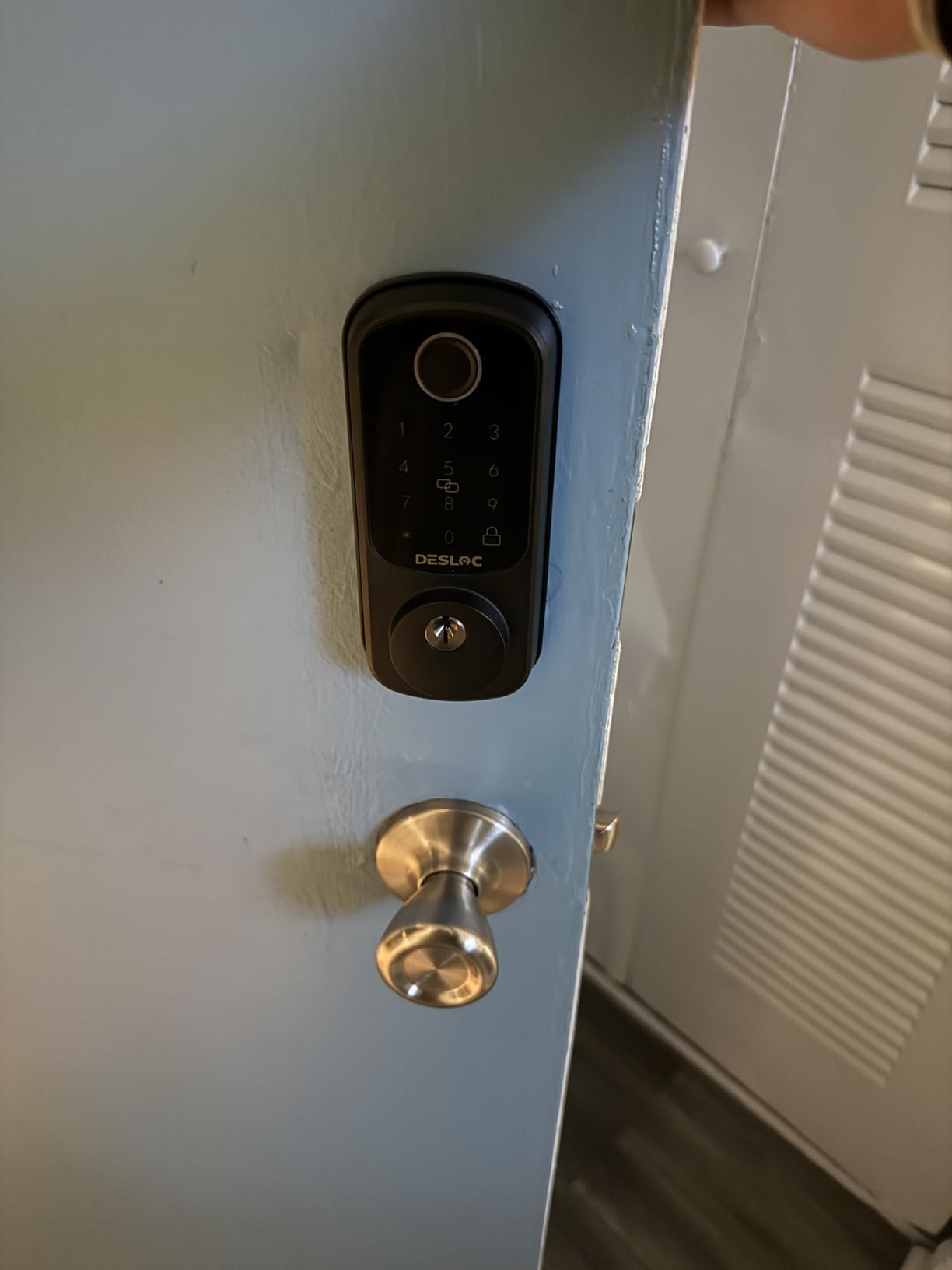
The DESLOC B200 is among the fastest fingerprint readers in this roundup, unlocking in under 0.3 seconds by the manufacturer’s figures with a self-learning sensor. That responsiveness is the reason owners with dry skin or reduced dexterity single it out, and it also means fewer retries in a cold stairwell where fingertips are less cooperative.
Entry capacity is genuinely broad: up to 50 fingerprints, PIN codes, key fobs, two physical keys, eKeys and app control. The TTLock app handles scheduled and temporary codes over Bluetooth, which is enough for a dog walker or a cleaner without any cloud account.
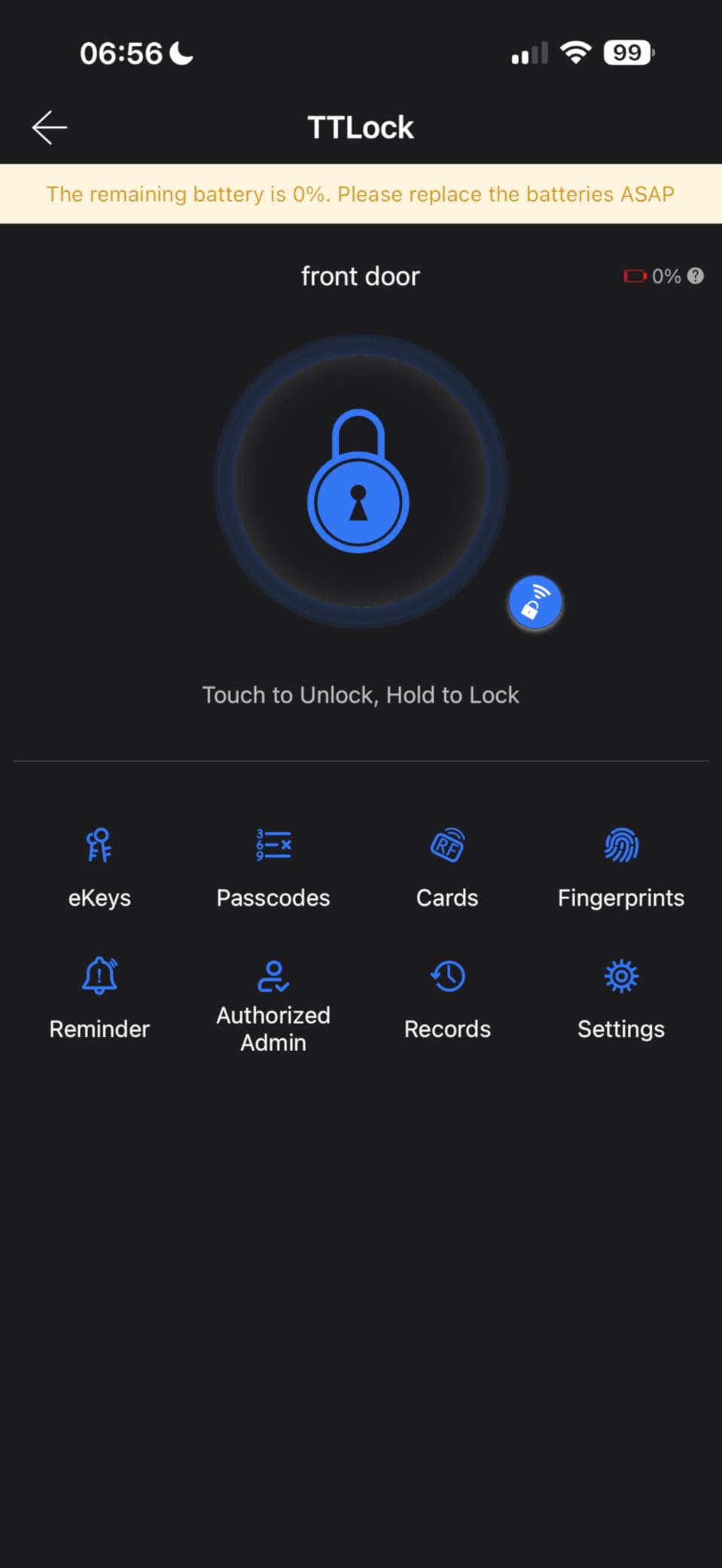
The catch is the G2 gateway. Remote app control, eKeys and voice assistants are all gated behind a separately sold hub. Without it you are in Bluetooth range only, which in an apartment means standing in your own hallway. Reviewers are candid that this pushes the real cost above the sticker price for anyone who actually wanted remote access.
Battery life is stated at up to 12 months on four AA cells, with a USB-C emergency power port on the interior for the day the batteries die. The aluminum body is IP54 rated, BHMA Grade 3 compliant, and backed by a 12-month product warranty with lifetime US-based phone support.
Who should choose this
Choose the B200 if the fastest possible fingerprint read is your top priority and you are content with Bluetooth-range app control. It is also a reasonable pick for a bedroom or interior door where remote access is irrelevant.
Skip it if you need to unlock from work, because the gateway is not optional for that use case.
Fit and finish details
Installation is screwdriver-only on most standard US doors with no drilling, which keeps the landlord conversation short. The keypad is a touchscreen rather than physical buttons, so it loses an edge to the Kwikset in cold or dark conditions.
Finishes are limited to gray and black, so matching existing door hardware is rarely possible. Given the interior-only mount, that matters less than it would on a full replacement.
6. CANDY HOUSE Sesame 5 – The Truest Retrofit
CANDY HOUSE Sesame 5, Smart Lock, Bluetooth Electronic Deadbolt, Auto-Lock, Keyless Entry Door Lock for Front Door, Fits Your Existing Deadbolt, for Airbnbs Vacation Rentals
Retrofit over your existing deadbolt
3M tape install, no drilling
Keeps the original key cylinder
CR123A batteries included
Pros
- Mounts on the interior with 3M tape and leaves the exterior cylinder untouched
- Keeps a high-security deadbolt instead of downgrading it
- Works with about 99 percent of existing keys
- Light at 138 g and easy to move between doors or properties
- Auto-lock timer adjustable from 3 seconds to 1 hour
Cons
- Remote control needs the separately sold Hub3
- Settings only change over a live Bluetooth connection
- Instructions are diagram-heavy and some pieces arrive defective
The CANDY HOUSE Sesame 5 is the only lock here that mounts without screws and without touching the deadbolt it wraps. A metal base adapter and 3M tape attach to the interior thumb turn, the original key cylinder stays exactly where the building put it, and the whole thing weighs 138 grams. If reversibility is your top criterion, this is the pick to beat, since nothing else here needs so little of the door.
That design also means you keep whatever deadbolt grade you already had. A cheap Grade 2 apartment deadbolt stays a Grade 2, but a good one stays good, and no cheap retrofit hardware is bolted to your door.
Key compatibility is the headline feature
The Sesame 5 works with roughly 99 percent of existing keys, and the manufacturer will 3D-print a custom adapter on request for an unusual key. In a building where a neighbour may have quietly copied your key, this is the one lock here that lets you change who gets in without changing the cylinder at all.
SesameOS 3 gives you a free Bluetooth API, an open-source app and Matter support, plus pairing with iPhone, Apple Watch, NFC tags and widgets, and voice support for Alexa, Google Assistant and Siri.
What to expect in practice
Settings can only be changed over a live Bluetooth connection, not from away, which is a genuine limitation for a shared apartment. Remote control requires the separately sold Hub3, which adds Wi-Fi alongside Bluetooth.
The rating here reflects setup friction more than mechanism quality. Owners cite unclear diagram-heavy instructions, an occasional defective piece and a bundled screwdriver that is too small, and some report Bluetooth discovery failures on the newest iPhone models. Long-term owners of the Sesame line report roughly seven years of reliable use.
7. Aqara Smart Lock U100 – Best for Apple Home Key
Aqara Smart Lock U100, Apple Home Key, Fingerprint Deadbolt, Gray
Apple Home Key tap unlock, works with a dead phone
Fingerprint for 50 prints
4 AA batteries, up to 8 months
IP65 zinc with AES-encrypted prints
Pros
- Apple Home Key unlocks with an iPhone or Apple Watch tap even when the device is out of power
- Fingerprint reader for up to 50 prints
- Fast and accurate reads that non-Apple family members can use
- Physical key and 6-digit code kept as backups
- Fingerprint data stored locally and AES encrypted
Cons
- Remote control and log viewing need the separately sold Aqara hub
- The Aqara app and documentation are widely criticized
- Cannot be re-keyed to match other doors and the NFC card is an extra purchase
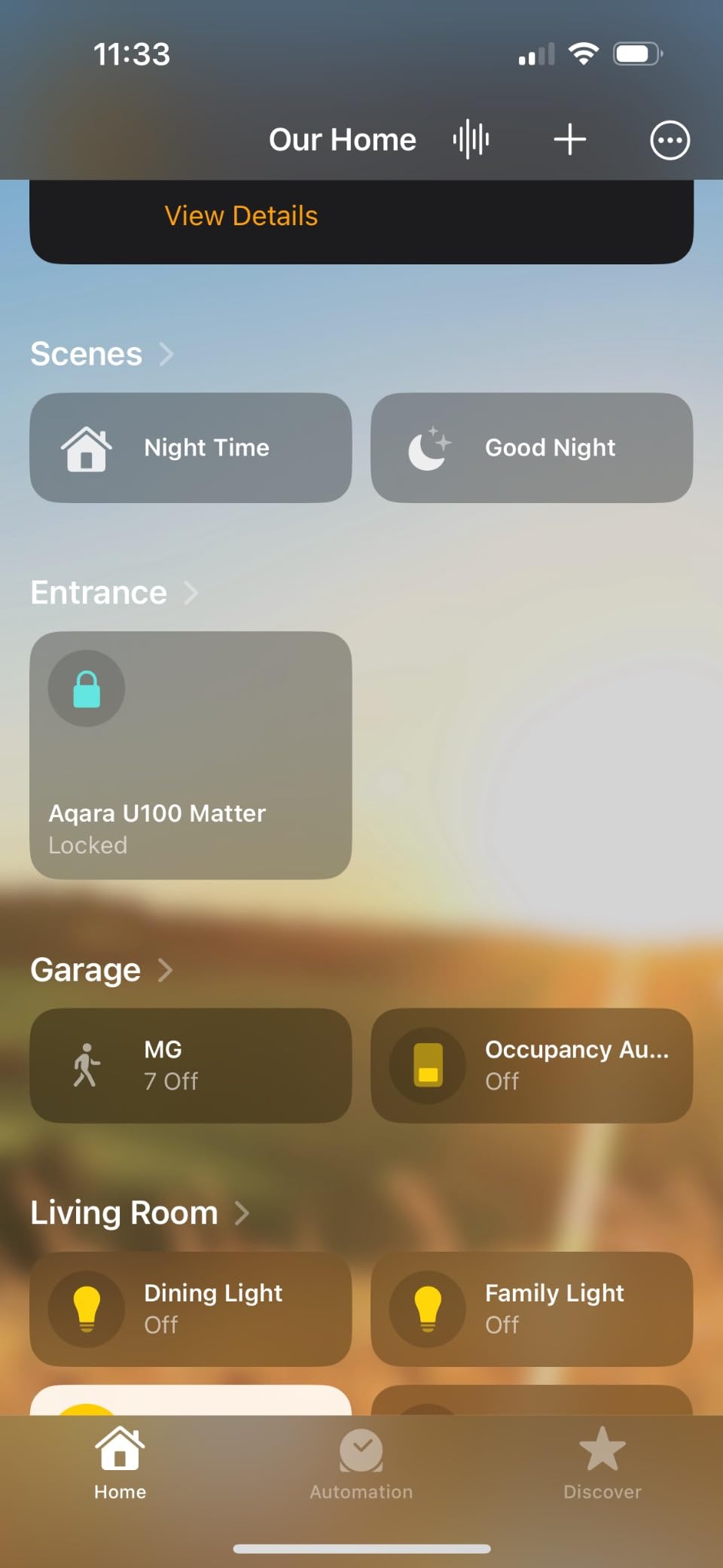
The Aqara U100 is the pick if your household lives in Apple Home and you have ever been locked out by a flat battery. Apple Home Key taps work even when the iPhone or Watch is powered off, which turns the most common renter lockout scenario, a dead phone in the stairwell, into a non-event for anyone in the family group.
The fingerprint reader takes up to 50 prints and is described by owners as fast and accurate, including for family members on Android phones who do not use Home Key at all. That gives you a phone-free path in, which matters more in an apartment than any remote unlock feature.
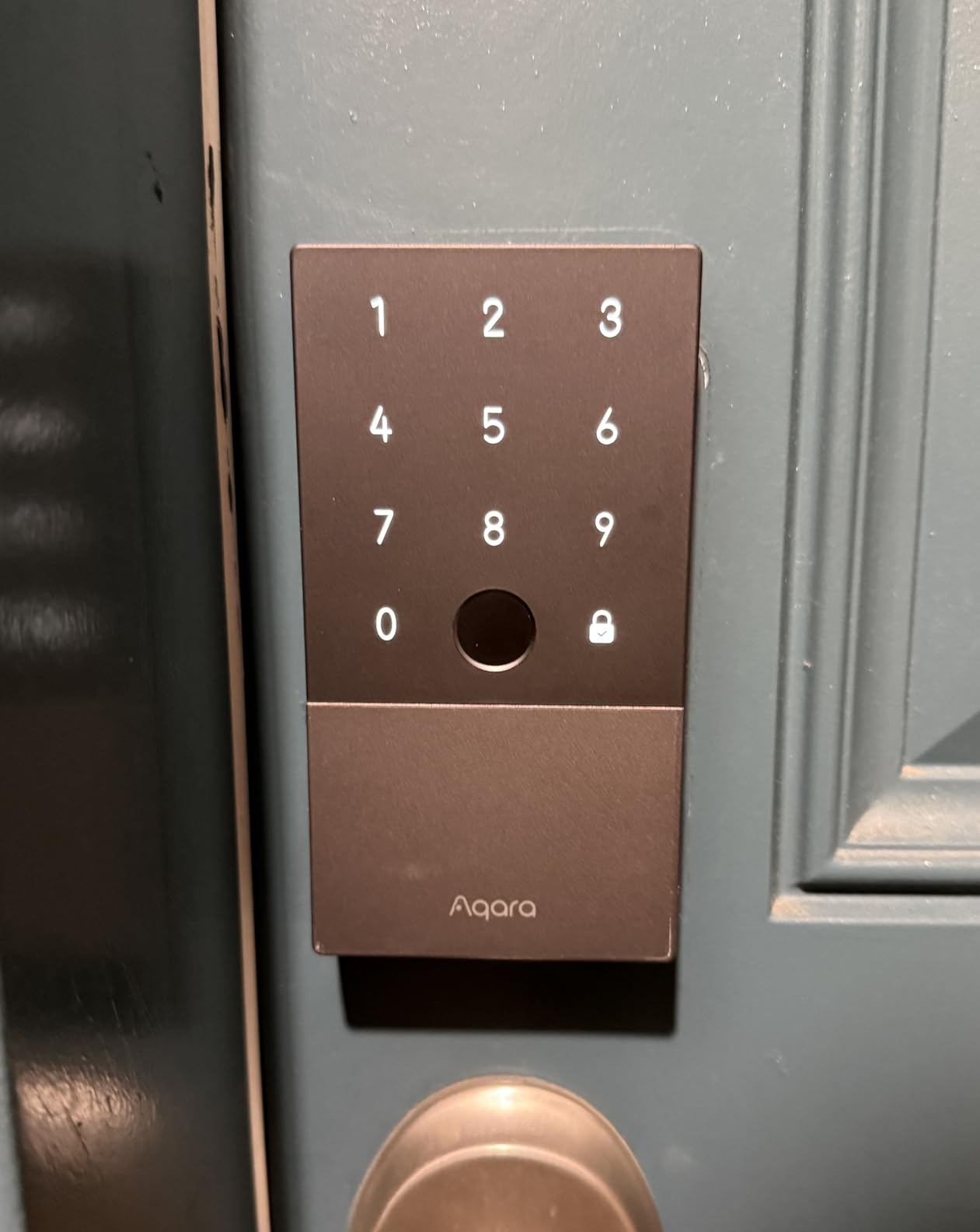
The battery claim is 8 months on four AA cells, and several owners report beating it. The zinc alloy body carries an IP65 rating and a BHMA Level 3 equivalent, operating from -31F to 151F, with a USB-C emergency charging port on the interior. A built-in gyroscope handles auto-lock, and a Do Not Disturb mode silences the beeps during quiet hours in thin-walled units.
Fingerprint data stays on the lock and is AES encrypted, which is a real answer to the privacy question that stops some people installing a biometric lock in a shared building at all.
Where the ecosystem gets in the way
Remote passcode configuration and access logs need the separately sold Aqara Zigbee 3.0 hub. Without it you are limited to in-app Bluetooth control and one-time local passcodes. Home Key sharing also requires an Apple Home hub, and some owners report it failing on a second household iPhone.
The app and documentation draw the most criticism in owner feedback, and a small number of buyers report erratic beeping, keypad glitches or outright failure within weeks. The NFC card is sold separately.
Things that can complicate an apartment install
The cylinder uses a non-Kwikset tumbler, so it cannot be re-keyed to match the rest of your doors, and the gray finish is hard to pair with existing hardware.
If you do not run Apple Home, the ULTRALOQ at number 2 gives you a broader set of entry methods for a similar footprint, and the eufy at number 3 covers Apple Watch unlock without the Aqara hub requirement.
8. Kwikset Powerbolt 250 – Best No-Account Keypad Lock
Kwikset Powerbolt 250 10-Button Keypad Matte Black Transitional Electronic Deadbolt Door Lock, Featuring Convenient Keyless Entry, Customizable User Codes and Auto-Locking
Physical 10-button keypad
25 user plus 5 one-time codes
SmartKey re-keying
4 AA batteries, 12 months or more
Pros
- Physical buttons are easier to hit in a dark stairwell than a touchscreen
- SmartKey re-keys the whole lock to an existing KW1 key in seconds
- 25 user codes plus 5 one-time codes for sitters and contractors
- No app
- no hub
- no subscription and no account
- Repeat owners report locks lasting a decade
Cons
- No connected features
- so no remote access
- history or notifications
- Some pieces failed to program or stopped working shortly after install
- Flat strike plate can leave a visible gap on rounded Kwikset trim
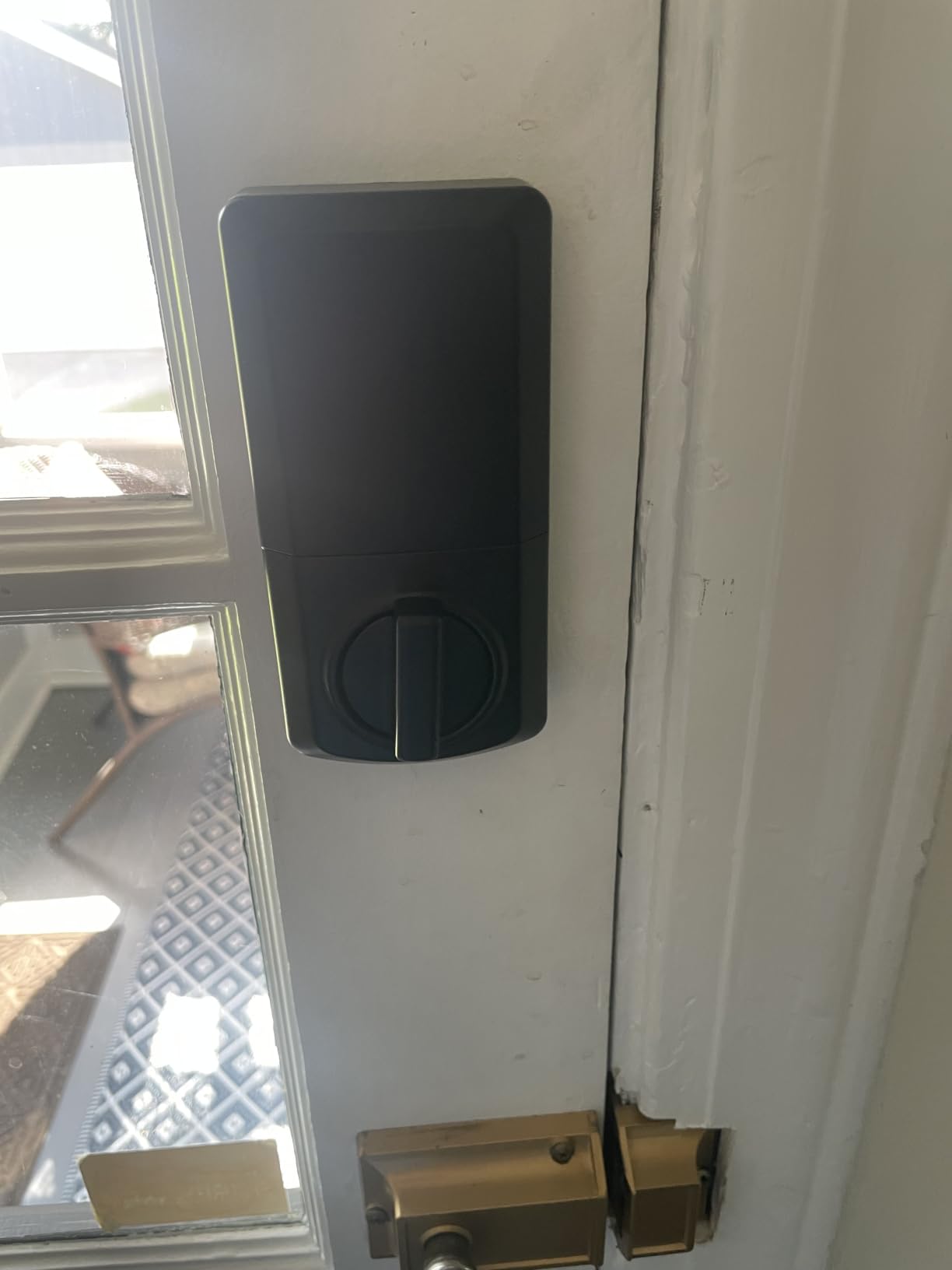
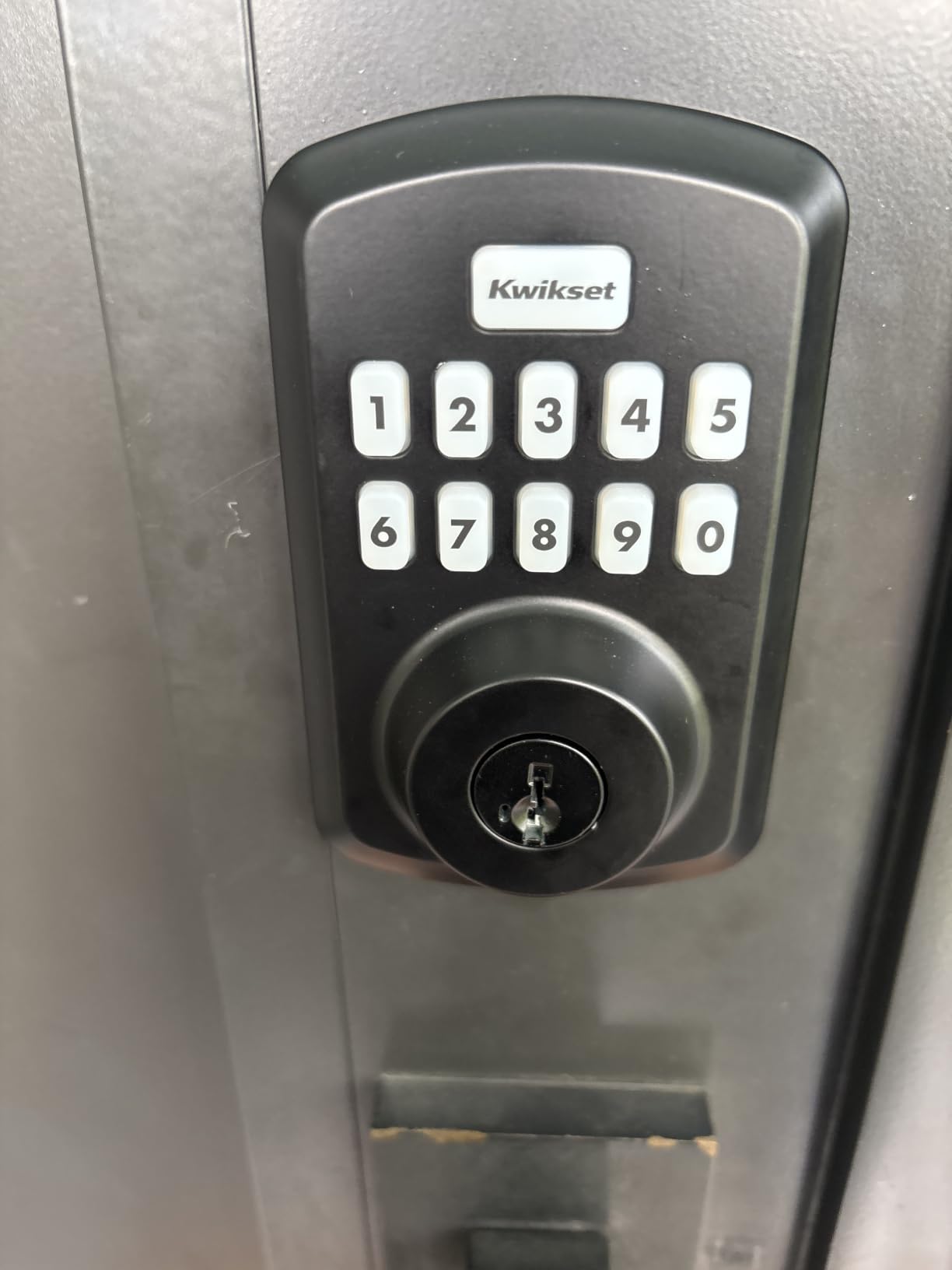
The Kwikset Powerbolt 250 is the simplest lock here and the easiest to defend to a landlord. There is no app, no hub, no account and no subscription, just a physical 10-button keypad with an LED backlight for night entry, which is exactly what you want when your hands are full and the hallway light is off.
SmartKey is the feature that makes it interesting in an apartment. The whole lock re-keys to any existing KW1 key in seconds, so if your building already hands out Kwikset cylinders, your landlord, your super and you can all use the same key without a locksmith visit. That is a genuine operational benefit in a shared unit.
It is also a full replacement rather than a retrofit, which means it replaces the exterior cylinder and needs more of a landlord conversation than the interior-only picks. What it gives back is repairability. There is no app to lose, no hub to re-pair and no cloud account to close out, so the lock keeps working after the manufacturer changes direction.
Codes that suit a shared door
It holds up to 25 user codes, 5 one-time codes and 1 programming code. Owners with tradespeople and cleaners coming and going rate the one-time codes highly, and the intrusion alert that disables the keypad for one minute after three wrong entries is a useful deterrent on a ground-floor unit.
Auto-lock intervals are selectable at 30 seconds or 1, 3, 5 or 10 minutes, and a vacation mode disables the keypad temporarily when nobody is home.
Fit and long-term reliability
Battery life is stated at 12 months or more on four AA alkaline cells. Owners report alkaline batteries outlasting that claim, and repeat buyers describe locks matching the durability of decade-old Kwikset deadbolts.
The reported problems are mostly support and fit rather than mechanism. A minority of pieces failed to accept programmed codes or stopped working within weeks, and the flat rectangular strike plate can leave a visible gap on trim fitted with Kwikset’s older rounded plates. A long-strike plate solves both issues at once.
Seven Criteria That Actually Matter in an Apartment
1. Lease compliance first. Anything that mounts on the interior over an existing deadbolt, with no drilling and no wiring, is the easiest category to get approved. Full replacements are a different conversation.
2. Reversibility. Renters rank reversibility above security features in almost every thread we read. Ask two questions: can I take it with me, and can I put the door back exactly as I found it.
3. Entry method redundancy. A phone can die, a network can drop and a fingerprint reader can reject cold fingers. Every lock here has a PIN, and every lock here except the Schlage and the Kwikset has a fingerprint option. Only the Sesame 5 keeps your existing cylinder, so a maintenance worker with a key is not a problem you have to solve twice.
4. ANSI/BHMA grade. The most secure smart deadbolt is the one with the highest grade on the lock body, and a retrofit keeps whatever grade you already had. Grade 1 is the top residential grade, Grade 2 is the common residential standard, and Grade 3 is the light commercial level that most smart deadbolts sit at. Four of the eight here state a Grade 3 or equivalent rating, the Schlage claims the top residential rating, and the remaining three describe certification without naming a grade. The point for a renter is simple: a retrofit cannot make a cheap apartment deadbolt better than it already is.
5. Connectivity realism. Built-in Wi-Fi is more reliable than a hub, and Bluetooth-only is the least reliable option in a building with dozens of routers sharing the 2.4 GHz band. If your unit has a doorman and you never want remote unlock, an offline lock removes a whole category of failure.
6. Code capacity and rekeying. Twenty-five codes is plenty for a family. Fifty is comfortable for a five-person share. If your building uses Kwikset cylinders, SmartKey compatibility may matter more than any app feature.
7. Total ownership cost. Count the lock, the batteries, any gateway or hub, and any subscription. Two of the eight locks here work fully offline with no account and no recurring fee, which also means nothing to unsubscribe from at move-out. Three need a hub for remote features, and the hub is a separate purchase. The one product with a stated 18-month battery claim is the ULTRALOQ on the Thread mesh.
The downsides of smart door locks, named plainly
Five downsides come up repeatedly in renter communities, and none of them are about hacking.
Battery drain is the first, because renter households have more entries per day than a two-person homeowner household and unheated stairwells shorten battery life further. Lockout risk is the second, and it is the one people underestimate: your phone dies, the batteries die, and now you need the physical key you gave to a neighbour in March.
Auto-lock and auto-unlock reliability is the third, and it is the single most common product complaint across smart home communities. Cloud dependence is the fourth, since some manufacturer servers decide whether your app works at all. The fifth is simpler: several of these locks cost more than a good mechanical deadbolt and add a failure mode rather than removing one.
Moving Out Without Losing Your Security Deposit
Any lock that mounts on the interior with screws or tape can be removed in under 10 minutes and the door fully restored. The difference between a smooth move-out and a deposit deduction is almost always the condition of the strike plate and the screw holes, not the lock itself.
Photograph the door, frame and strike plate before you install anything, and keep the photos with your lease.
Delete your account and factory-reset the lock before you remove it, not after.
Revoke every code and delete every fingerprint, including the landlord master code.
Remove the interior unit, then reinstall the original deadbolt and strike plate with the original screws.
Touch up any filled or enlarged screw holes with matching paint, then photograph the result.
Photograph the restored door next to your original pre-install photo and send both to your landlord on the day you hand back the keys.
Adhesive-mounted models need one extra step. Warm the tape with a hair dryer before peeling, remove residue with an adhesive remover, and never yank it straight off, which is how paint gets taken with it. The Sesame 5 installation is the one most likely to leave a mark if you rush this step.
If you are furnishing the place rather than stripping it, our water softener guide for apartments and generator picks for apartments cover the other upgrades renters can make without a landlord conversation.
Frequently Asked Questions
What is the best smart lock for an apartment building?
For most apartments the best choice is a retrofit smart deadbolt that mounts on the inside of the existing deadbolt with no drilling, such as the TEEHO TE002 for offline fingerprint and keypad entry, or the CANDY HOUSE Sesame 5 for a no-screw install that keeps the original key cylinder. Both leave the exterior hardware untouched and come out in minutes at move-out.
Can I put a smart lock on my apartment?
Usually yes, provided the lock is interior-mounted with no drilling into the door or frame and no permanent wiring. Read the alteration clause in your lease first, and ask management in writing who services the entry lock, because building-owned doors are maintained by the property manager and are often easier to change than tenant-owned ones.
Do I need landlord permission to install a smart lock?
For a full replacement that changes the exterior cylinder, strike plate or frame, written permission is usually required. For an interior-only retrofit, many leases do not require it, but the outcome varies by building. A written request that offers a landlord master code, full access history, no exterior changes and a commitment to restore the hardware at move-out is the version that gets approved.
What is the best retrofit smart lock?
The CANDY HOUSE Sesame 5 is the purest retrofit, mounting over an existing deadbolt with 3M tape and keeping the original key cylinder, which works with about 99 percent of existing keys. The TEEHO TE002 is the best overall pick because it adds fingerprint and keypad entry with no app, no hub and a 2-year warranty.
What are the downsides of smart door locks?
The five recurring downsides are battery drain, which is faster in high-traffic rentals and cold stairwells, lockout risk if your phone dies and there is no physical key, unreliable auto-lock and auto-unlock behaviour, dependence on a manufacturer cloud or app for connected features, and a higher purchase price that adds a failure mode rather than removing one. Offline keypad and fingerprint locks avoid the cloud and app problems entirely.
Can I use a smart lock if my apartment wifi is bad?
Yes, if you choose an offline lock. The TEEHO TE002, the DESLOC B200 over Bluetooth, the Aqara U100 and the Kwikset Powerbolt 250 all unlock with a key, PIN or fingerprint with no network at all. If you want remote access, pick a lock with built-in 2.4 GHz Wi-Fi such as the ULTRALOQ Bolt SE or the Schlage Encode, and test the signal at the door first, because apartment buildings are often congested.
How long do smart lock batteries last?
Stated figures range from about six months to 18 months. The Schlage Encode is rated for about six months, the eufy C220 and Aqara U100 for about eight, the DESLOC B200 for up to 12, the Kwikset Powerbolt 250 for 12 months or more, the TEEHO TE002 for up to 365 days, and the ULTRALOQ Bolt SE for up to 18 months on its low-energy Thread mesh. Renter households with heavy daily traffic should expect the low end.
How do I remove a smart lock when moving out of an apartment?
Photograph the door and strike plate before installing, delete your account and factory-reset the lock before removal, revoke every code and fingerprint including the landlord master code, reinstall the original deadbolt and strike plate, touch up screw holes, then photograph the restored door and send both sets of photos to your landlord on handover day. Adhesive-mounted models need the tape warmed with a hair dryer before peeling.
The Bottom Line
The best smart deadbolts for apartments are the ones your lease cannot object to. The TEEHO TE002 wins this roundup because it needs no app, no hub, no landlord master code and no Wi-Fi, installs on a standard 2-1/8 inch apartment bore with a screwdriver, and still opens with a key when your phone dies. The CANDY HOUSE Sesame 5 is the safest bet of all if you want zero screws, and the Kwikset Powerbolt 250 is the simplest lock here to defend in writing to a property manager.
Check your lease, measure your bore and backset, and photograph the door before you install anything. That last step is what protects your security deposit, and it costs one minute. We refresh this roundup annually, and if you are still assembling renter-friendly upgrades, our battery backup sump pump picks for apartments follow the same no-permission-needed approach.