
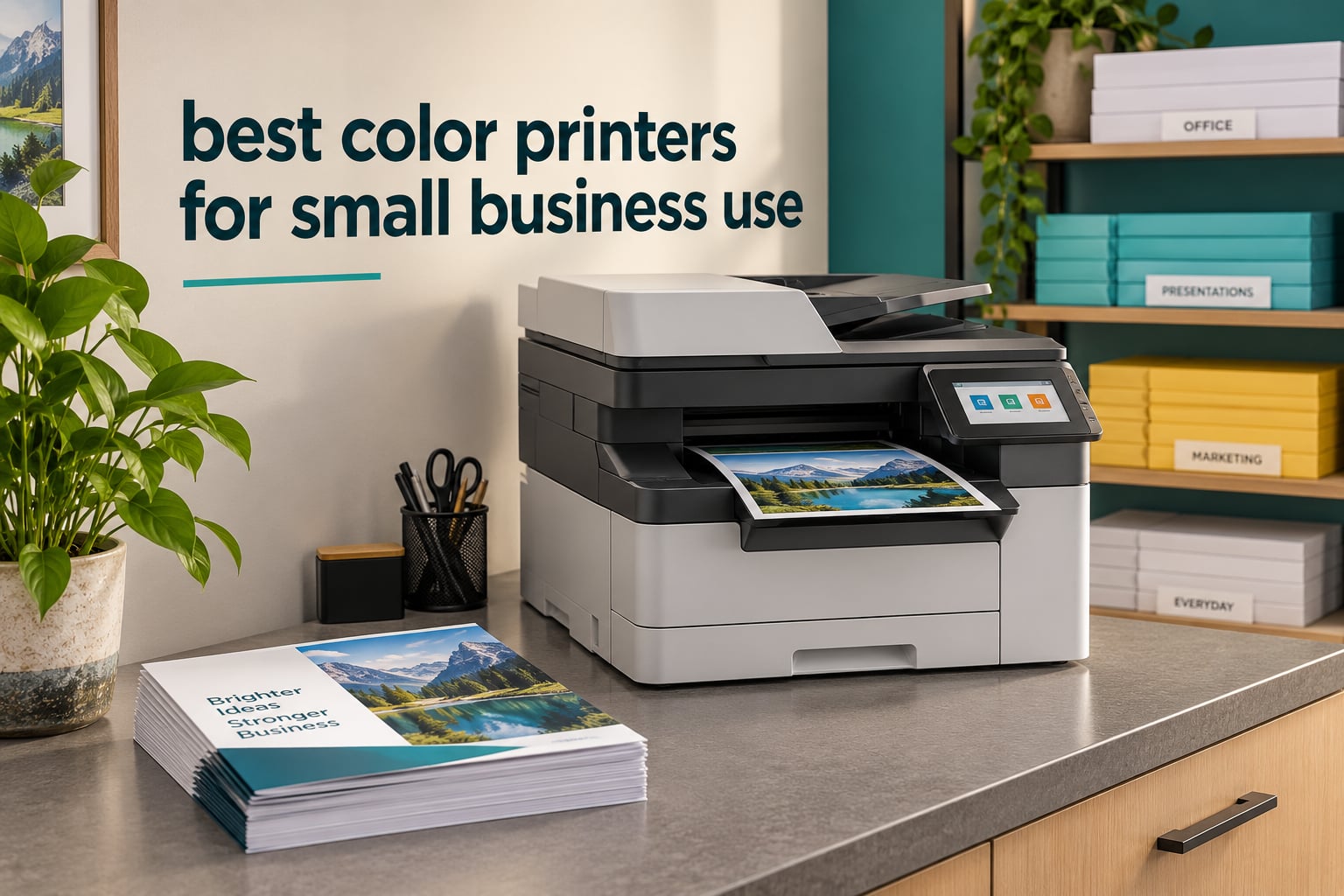
Choosing a color printer for a small business feels simple until you start pricing out what the ink or toner actually costs over a year. We have put ten machines side by side, weighed the running costs, and separated the ones that genuinely suit a small office from the ones that only look good on a spec sheet.
The ten printers below are the best color printers for small business use right now, and they are not all the same kind of machine. Four are color laser all-in-ones built for shared office workflows, two are single-function lasers for print-heavy teams, and four are tank-based or cartridge inkjets that trade speed for much lower running costs.
What follows is our shortlist, ordered by what each printer is genuinely good at, with an honest line on who should skip it. We also explain the arithmetic behind cost per page, because that single number decides more purchases than print speed or screen size ever will. If you are still comparing against our broader color laser printer guide, that page covers the laser category in more depth.
Table of Contents
Top 3 Picks: Best Color Printers for Small Business (October 2026)
The Epson EcoTank ET-4950 is the best color printer for small business overall, because refillable ink tanks keep color cost per page low while automatic duplex, a document feeder and fax still handle office work. The Canon MegaTank G3270 is the cheapest way to print color in volume, and the Brother MFC-L3720CDW is the best value color laser for teams that share one machine.

Epson EcoTank ET-4950
- Cartridge-free EcoTank ink
- Automatic duplex
- 18 black / 9 color ppm
- 250-sheet tray with ADF and fax

Brother MFC-L3720CDW
- 19 ppm color laser
- 50-sheet duplex ADF
- Dual-band Wi-Fi
- 3.5-inch color touchscreen

Canon MegaTank G3270
- Refillable GI-21 ink tanks
- 6000 mono and 7700 color pages per ink set
- Borderless color output
- Compact 13-pound body
Quick Picks: Every Color Printer in This Guide Compared
Here is the whole list in one place, so you can filter it down before reading the detail. The Key Features column covers the reason each machine made the cut, and every pick has a full section further down the page.
| Product | Specifications | Action |
|---|---|---|
| Epson EcoTank ET-4950 |
|
Check Latest Price |
 Epson Workforce Pro WF-3823 Epson Workforce Pro WF-3823 |
|
Check Latest Price |
| Brother MFC-L3720CDW |
|
Check Latest Price |
 Canon imageCLASS MF753Cdw II Canon imageCLASS MF753Cdw II |
|
Check Latest Price |
 HP OfficeJet Pro 9135 HP OfficeJet Pro 9135 |
|
Check Latest Price |
 Canon imageCLASS LBP646Cdw Canon imageCLASS LBP646Cdw |
|
Check Latest Price |
 Brother MFC-L8930CDW Brother MFC-L8930CDW |
|
Check Latest Price |
| Canon MegaTank G3270 |
|
Check Latest Price |
 Epson EcoTank ET-15000 Epson EcoTank ET-15000 |
|
Check Latest Price |
 HP Smart Tank 5003 HP Smart Tank 5003 |
|
Check Latest Price |
1. Epson EcoTank ET-4950: Best Overall Color Printer for Small Business
Epson EcoTank ET-4950 Wireless Duplex All-in-One Cartridge-Free Supertank Color Inkjet Printer, Fax, Black
EcoTank inkjet
18 black / 9 color ppm
Automatic duplex
250-sheet tray with ADF and fax
Pros
- Refillable tanks cut color cost per page to a fraction of cartridge models
- Automatic duplex on print copy and scan
- 250-sheet tray plus document feeder and fax in one unit
- 2.4-inch color display and app-based setup
Cons
- First-time setup can involve paper jams and a long priming cycle
- ADF paper detection is unreliable and scan quality is average
- Photo resolution tops out at 4800 x 1200 dpi
The ET-4950 is the machine we keep coming back to because it does the one thing entry-level machines usually get wrong. Color printing does not force you into a cartridge subscription or a per-c cartridge price spike, since the ET-4950 runs on keyed EcoFit bottles that refill visible tanks on the front of the chassis. Over a year of regular brochures and price tags, that difference is the whole conversation.
It is not a fast machine, and we want to be straight about that. Black pages come out at 18 ppm and color pages at 9 ppm, which is fine for a team of five or six but will feel slow in a busy front office with a queue forming. What it does have is automatic duplex across print, copy and scan, so you are not flipping every sheet by hand, and a 250-sheet tray that holds legal paper.
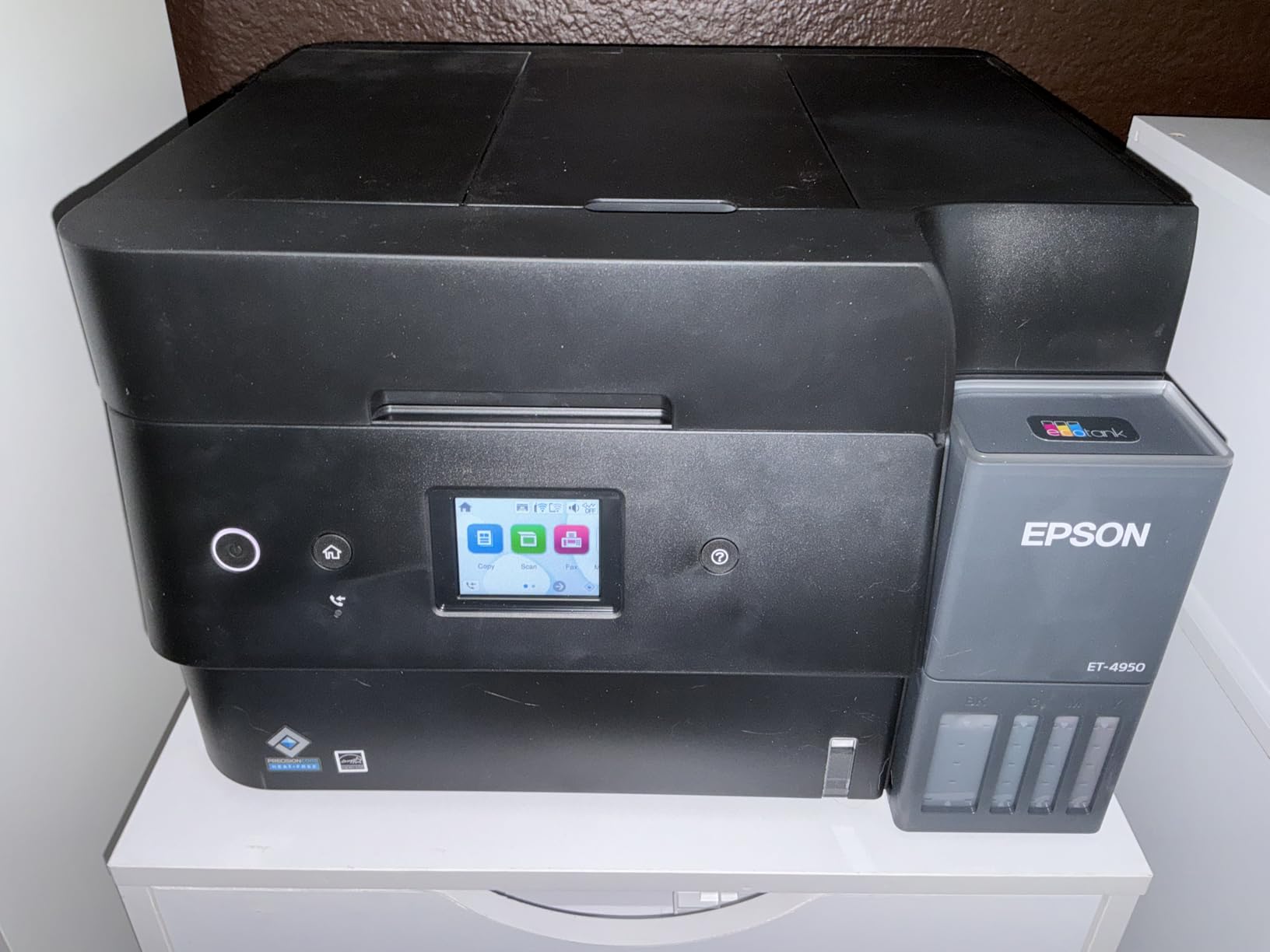
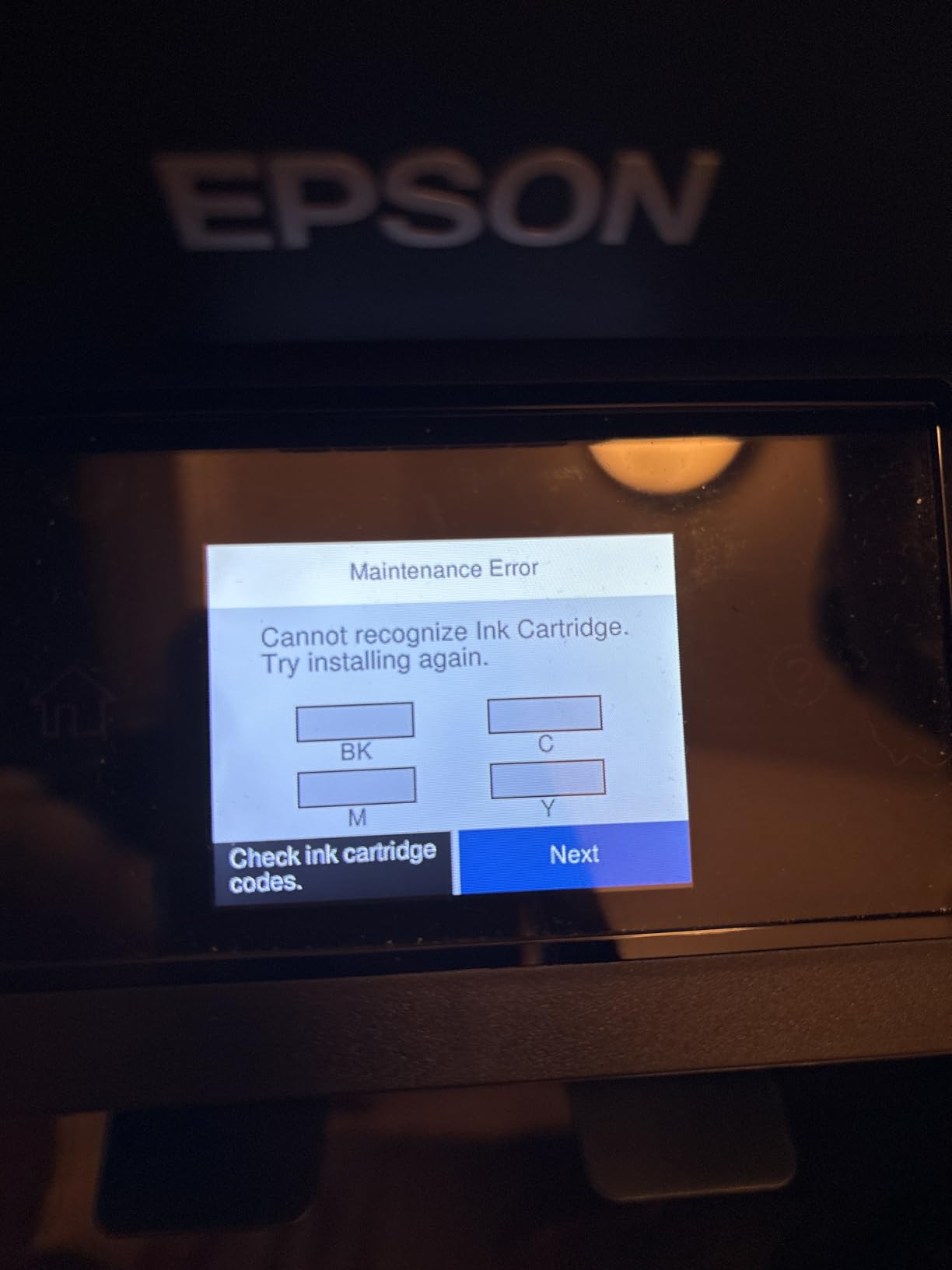
Setup is where most of the friction sits. Owners regularly mention an awkward first run involving a few paper jams and a lengthy ink-priming cycle before the first page comes out clean. The Epson mobile app handles the wireless setup well once the machine is on the desk, and there is no separate network utility to wrestle with.
The document feeder is the weakest link. Reviewers report it sometimes fails to sense loaded paper, and scan quality is average rather than sharp, which matters if you plan to file a lot of paperwork through it. Photocopying in color is adequate, just not something to build a workflow around.
What the refillable tanks actually save you
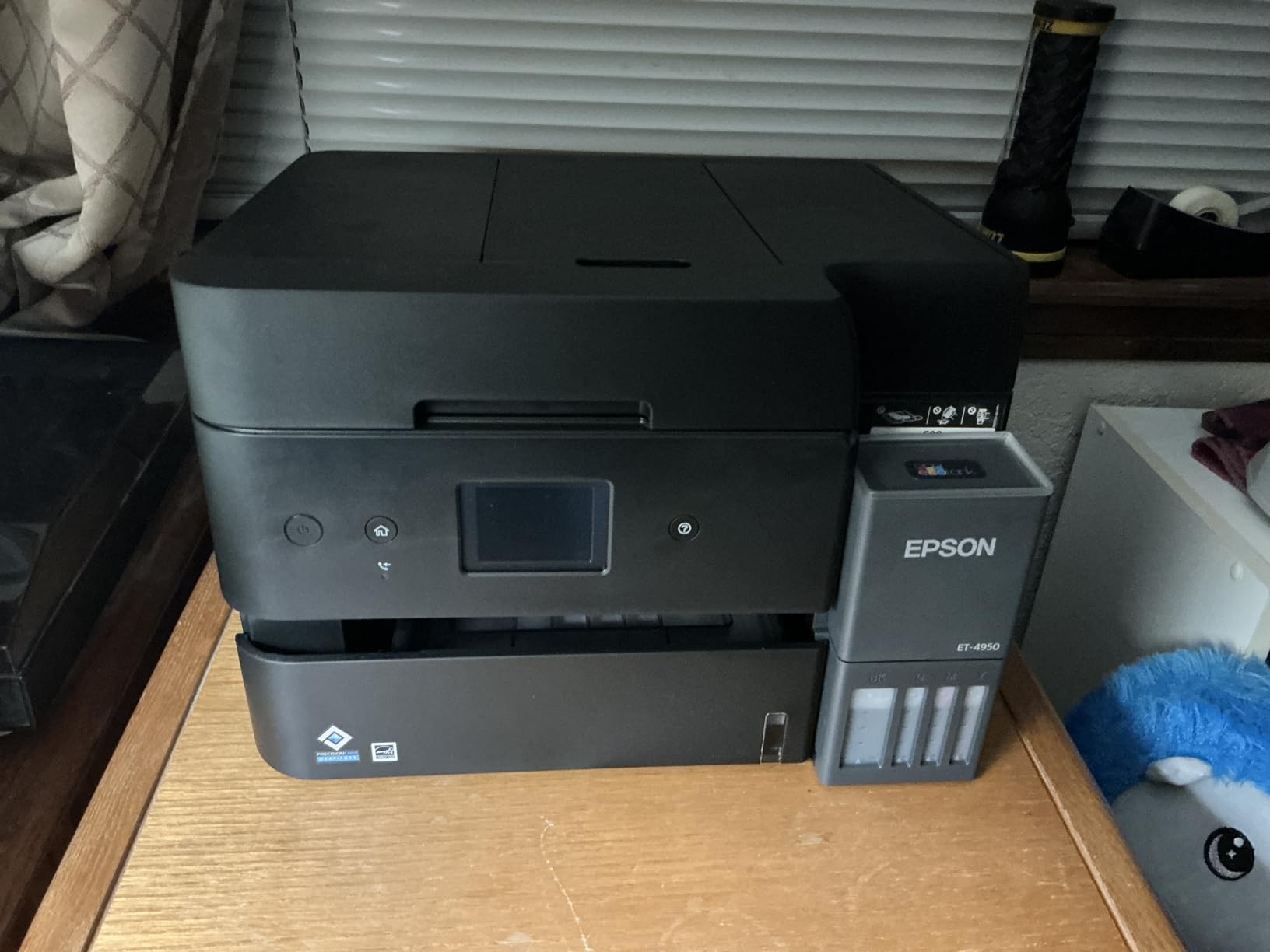
The cost difference is not subtle. A cartridge-based all-in-one at this size charges several cents per color page before you count a single ream of paper, and a small business printing a few hundred color pages a month pays that premium every single month. The ET-4950 pays for its ink bottles instead, at roughly the rate forum buyers quote when they compare tank machines against cartridge models, and the tanks are visible so you can see when a refill is due rather than finding out from a mid-job warning.
Because the ink sits in tanks rather than sealed cartridges, print quality sits at a 4800 x 1200 dpi maximum resolution. That is plenty for flyers, invoices, menus and internal reports, and it will not satisfy anyone chasing gallery-grade photo prints. Business owners printing real-estate flyers and brochures will find it entirely serviceable; anyone printing large photographic images should look elsewhere.
Where the ET-4950 is the wrong choice
Do not buy this machine if color volume runs into the thousands of pages a month, because at 9 ppm the queue will grow faster than you clear it. It is also a poor choice for anyone who scans multi-page stacks regularly, given the average feeder’s paper detection, or for a shared office where color matching accuracy has to be consistent across a team.
It is a 16.1-pound unit drawing 15 watts, which makes it far easier to sit on a small counter than most business printers. If your office prints mostly black and white with a steady trickle of color, this is the machine that keeps the monthly bill predictable without changing how you work.
2. Epson Workforce Pro WF-3823: Best Inkjet for Fast Duplex Daily Volume
Epson Workforce Pro WF-3823 Wireless Color All-in-One Inkjet Printer
PrecisionCore inkjet
21 black / 11 color ppm
35-page ADF
250-sheet tray with touchscreen
Pros
- Heat-free engine rated for sustained daily volume
- Fast 21 and 11 ppm output with automatic duplex
- 250-sheet tray plus 35-page document feeder
- Supports both wireless and wired networking
Cons
- Cartridge ink costs more per page than tank or laser models
- Document feeder scans one side at a time
- Designed to run only with Epson genuine cartridges
The Workforce Pro WF-3823 is the fastest inkjet in this group and the one we would put in front of a team that needs color every day without thinking about it. Black pages run at 21 ppm and color at 11 ppm, and the heat-free PrecisionCore engine is built for the kind of daily grind that wears cartridge-based consumer machines out inside a year.
Automatic two-sided printing is standard, which is where a lot of office inkjets fail without saying so. Paper handling is solid for the size, with a 250-sheet tray and a 35-page automatic document feeder that handles routine filing without anyone walking to the machine.
The 2.7-inch color touchscreen gives you more direct control than a small status display, and the Epson Smart Panel app covers setup and mobile printing. Connectivity covers Wi-Fi, Wi-Fi Direct, Bluetooth LE, Ethernet and USB, so you can wire it in if your office network is crowded with wireless devices.
Output quality reaches 4800 x 2400 dpi, which is the sharpest color inkjet resolution here and fine for photo-heavy internal material. Max paper size is legal, and the unit weighs 19.4 pounds, so it needs a proper shelf rather than a floating desktop.
What makes this one worth the cartridge cost
The reason to accept cartridge running costs here is speed and durability, not value per page. Forum buyers consistently report refilling ink more than once a month as their breaking point, and if you genuinely print that much, the cost per page adds up fast. This machine is for businesses whose color output is steady but moderate, where the drum life and the duplex throughput matter more than the price of a bottle.
Reviewers also note a genuine constraint worth checking against your own habits. The machine is built to run only with Epson genuine cartridges and locks out third-party refills, so plan your supply budget around genuine supplies rather than planning to save with aftermarket cartridges. Secure wireless and data erase features help if the machine sits on a shared network.
Where the WF-3823 is the wrong choice
The single-sided-only document feeder is the dealbreaker for anyone who scans multi-sided documents in volume, since every stack needs manual flipping. It is also the wrong pick for a business with heavy color volume, because a cartridge machine at this speed will still run up a substantial ink bill over a year.
For a solo operator or a two-person office that values output speed and sharp color, this is a strong, uncomplicated choice. For a five-person team printing hundreds of color pages a month, we would steer you toward a tank machine instead.
3. Brother MFC-L3720CDW: Best Value Color Laser All-in-One
Brother MFC-L3720CDW Wireless Color Laser Printer, Scanner, Copier, Fax, Auto Duplex, 250-Sheet Capacity
Color laser all-in-one
19 ppm
50-sheet duplex ADF
Dual-band wireless with touchscreen
Pros
- Toner economics suit sustained business printing
- Dual-band wireless plus Wi-Fi Direct for stable connections
- 3.5-inch color touchscreen with 48 shortcuts
- 50-sheet duplex feeder and 250-sheet tray
Cons
- Starter toner yield is modest so the first refill comes early
- Laser resolution trails inkjets for photo work
- Toner and drum consumables add up at high volume
The MFC-L3720CDW is the most popular color laser here for a reason, with over a thousand reviews behind it and a rating that reflects a machine that simply works. Print, copy, scan and fax all live in one chassis, and the 250-sheet tray with a 50-sheet automatic document feeder means a shared team rarely has to intervene mid-job.
Dual-band wireless is a genuine upgrade over single-band machines, and with 2.4 GHz and 5 GHz on board it holds a connection in an office full of devices. Wi-Fi Direct lets staff print straight from a phone or laptop without going through the network at all, which is handy when the network is the thing being tested.
The 3.5-inch color touchscreen is a bigger deal than it sounds. Forty-eight customizable shortcuts let an admin put scan-to-email, scan-to-folder or a cloud destination on a single tap, so staff who are not confident with menus do not have to be. Direct buttons for Google Drive, Dropbox and OneNote sit alongside them, and a Brother mobile app handles remote management and toner level monitoring.
Print speed is up to 19 ppm in color and black, with first page out in under 15 seconds. Toner uses the TN229 series, and the TN229XL high-yield option plus the DR229CL drum are what actually make the running cost work, so it is worth checking those before you commit.
Why this laser suits a shared team
A color laser at this size is the right shape for a small business that prints a mixed load of proposals, invoices, contracts and client-facing pages. Toner does not smear when pages come off the machine, so staff can grab a printout and hand it straight across a counter without waiting for anything to dry. Output is also predictable, which is what makes it usable for a front desk rather than a back room.
The honest caveat is startup toner. Reviewers note that the supplied cartridges hold a modest amount of color, so the first replacement arrives sooner than people expect. Factor that into your first-year budget rather than treating it as a surprise, and pair the machine with high-yield supplies so the steady-state cost is competitive.
Where the MFC-L3720CDW is the wrong choice
This is not the machine for photo work. Laser resolution at this class sits well below what an inkjet produces, so skin tones and gradients look flat on anything image-heavy. It is also a 44-pound unit at 16.1 by 17.5 by 15.8 inches, so plan counter space before the box arrives.
Scanning resolution is modest compared with a dedicated document scanner, which rules it out for archival-quality paper filing. If your business prints only a few hundred color pages a month, the laser case gets thin, since a tank machine will cost less to run at that level.
4. Canon imageCLASS MF753Cdw II: Best for Speed and Large Jobs
Canon Color imageCLASS MF753Cdw II – All-in-One Color Duplex Laser Printer
Color laser all-in-one
35 ppm
Seven-second first page
Automatic duplex scan and print
Pros
- Very fast 35 ppm output with a seven-second first page
- Handles long jobs without stalling and resumes after jams
- Quiet operation with a lighter and cleaner design than older models
- Onboard color calibration and searchable PDF output
Cons
- Canon installer can fail on Windows 11
- 250-sheet standard tray means frequent loading at high volume
- Heavy 50-pound chassis with a bulky footprint
Speed is the whole argument for the MF753Cdw II. At 35 ppm in both color and monochrome, with a first page out in seven seconds, it is the fastest color machine in this guide by a wide margin, and it stays fast on long runs rather than throttling after a few hundred pages. Reviewers report it handling 600-page jobs without stalling and picking back up after a jam or power loss.
Everything else about it is built for the same audience. The control panel runs a setup wizard that walks a first-time user through network configuration quickly, and there is a built-in local web application for managing the machine once it is live on the network.
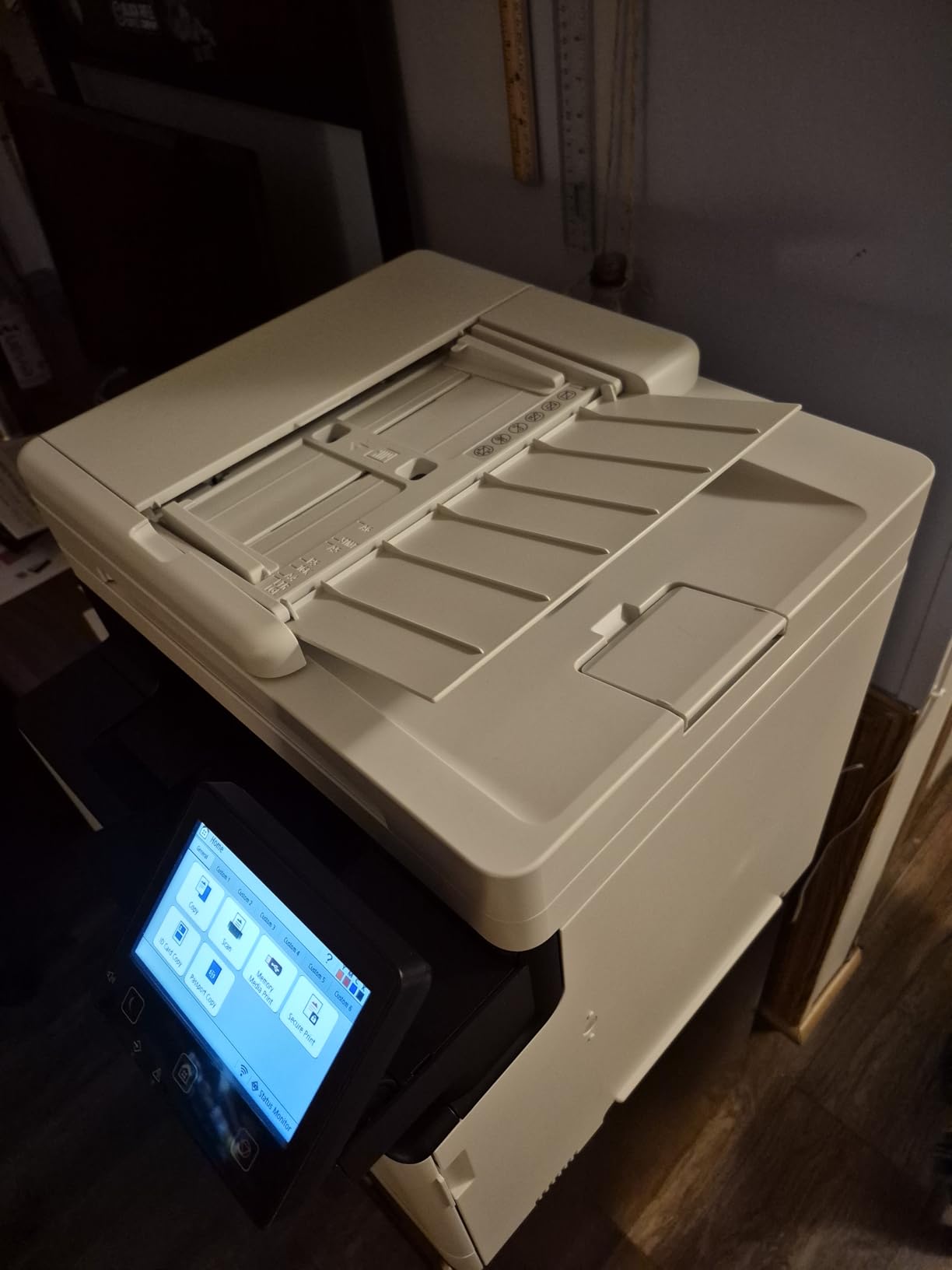
Automatic color calibration uses a linearization chart to keep output consistent across the drum life, which matters if you produce client-facing materials where a color shift between a proof and a final copy is a problem. Scanning supports duplex print and duplex scan, and output includes searchable PDF and scan-to-network destinations.
Paper handling is a 250-sheet cassette plus a multipurpose tray, and the machine handles legal paper. Supplies are Canon Genuine Toner 069. It is ENERGY STAR certified and carries a three-year manufacturer warranty, which is longer than anything else in this roundup.
How to set it up without losing an afternoon
The single most repeated complaint about this Canon is software, not hardware. Owners report that the Canon installer often fails on Windows 11, and the workaround that most people settle on is to skip it entirely, add the printer through Windows own printer discovery, and manage it through the built-in web interface, which works reliably. Plan for that path and the setup takes minutes rather than hours.
Support is the second thing to know about. Some buyers report blocking errors on the Canon USA support site. Because the three-year warranty is the longest here, it is worth registering the machine and confirming your coverage details early rather than at the point you need a replacement.
Where the MF753Cdw II is the wrong choice
It is a 50-pound unit measuring 18.2 by 16.8 by 17 inches, which is a real footprint for a small office. The 250-sheet standard tray also means frequent paper loading at very high volume, where we would want to know you have room to add a second cassette before buying rather than after.
If your color output is light, most of this capability goes unused and a tank machine would cost less to run. This is the pick for a business that prints heavily and needs pages out of the machine immediately.
5. HP OfficeJet Pro 9135: Best for Paper Capacity and Duplex Scanning
HP OfficeJet Pro 9135 Wireless All-in-One Color Inkjet Printer, Print, Scan, Copy, Fax, ADF, Duplex Print/scan, Best-for-Office, 3 Month Trial of Instant Ink Included, AI-Capable (C2WM0A)
Color inkjet all-in-one
25 black / 20 color ppm
Two 250-sheet trays
Single-pass duplex ADF
Pros
- Two 250-sheet trays give 500-sheet capacity at this size
- Single-pass two-sided feeder scans fast
- 4.3-inch touchscreen with HP AI print formatting
- Clean edge-to-edge borderless output
Cons
- Some units report a connection that drops repeatedly
- Color matching skews on saturated brand colors
- Installation was harder than earlier OfficeJet Pro models
The defining feature of the OfficeJet Pro 9135 is paper capacity. Two 250-sheet trays give 500 sheets in total, which is unusual on a machine this size and means a team printing long runs or heavy card stock does not have to refill mid-job. It is also the largest touchscreen here at 4.3 inches, with a phone-like interface that staff pick up quickly.
Speed is genuinely good for an inkjet at 25 ppm black and 20 ppm color, with first page out in 11 seconds. The single-pass two-sided automatic document feeder scans both sides in a single pass, so a 30-page stack takes one trip through the machine instead of fifteen.
Output reaches 4800 x 1200 optimized dpi with working edge-to-edge borderless printing, so you can print full-bleed flyers without a third-party tool. HP AI print formatting strips the clutter out of web pages and email printouts, which saves real time when someone prints from a browser instead of exporting a clean PDF.
Connectivity is the best on offer here, with dual-band Wi-Fi, Wi-Fi Direct, Ethernet, USB, AirPrint and Mopria, plus a front USB port that accepts a flash drive directly. HP Wolf Pro Security adds network protection, and the chassis uses more than 40 percent recycled plastic.
When 500 sheets of paper capacity changes your workflow
Paper capacity sounds like a minor spec until you run the numbers on a busy counter. A shared machine with a 250-sheet tray runs dry several times a week, and every refill means someone leaving their task, walking to the machine and coming back. Two trays also let you keep one type of stock loaded permanently, such as plain bond for internal work and heavier media for client pieces, without reloading every time the job changes.
The single-pass duplex feeder is the other quiet advantage. It cuts document handling time roughly in half on multi-sided paperwork, and paired with a 4.3-inch touchscreen it makes this the easiest machine here to hand to staff who have never used it before.
Where the OfficeJet Pro 9135 is the wrong choice
Wireless stability is the recurring complaint, with some owners reporting a connection that drops repeatedly even over a hardwired link. If your office network is difficult, wire it in permanently and test before rolling it out. Installation also proved harder than earlier OfficeJet Pro models, and some buyers needed outside help to get through setup.
Color matching skews on heavily saturated brand colors, which is a problem if you print materials carrying a specific brand hue, though ordinary documents and photos look fine. The unit runs on HP 936 cartridges that require original HP chips, and an Instant Ink trial converts to a monthly fee if it is not cancelled.
6. Canon imageCLASS LBP646Cdw: Best Print-Only Color Laser
Canon Color imageCLASS LBP646Cdw Wireless Laser Printer, Duplex, 26 PPM, Print Only, White
Print-only color laser
26 ppm
Ten-second first page
250-sheet cassette plus multipurpose tray
Pros
- Fast 26 ppm color output with a 10.3-second first page
- Crisp color and clean text on laser paper
- Simple wireless setup taking about half an hour
- Automatic duplex printing cuts paper use
Cons
- Print-only with no scanner copier or fax
- Windows driver defaults to monochrome and must be switched
- Noisy during operation and heavy at 39 pounds
The LBP646Cdw is the printer we recommend when nobody in the building scans or copies. It prints, and it prints fast, with 26 ppm in color and monochrome and a first page out in about 10.3 seconds. Dropping the scanner, copier and fax takes a significant amount of cost and desk space out of a color laser, and that saving is the entire point of the machine.
Color quality is crisp on laser paper with clean edges on text, and resolution is 1200 x 1200 dpi in color. Paper comes from a 250-sheet standard cassette plus a multipurpose tray, and legal size is supported, so it handles the documents a small office actually prints.
Wireless setup is one of the easier ones, with owners reporting roughly half an hour from unboxing to a first wireless test page. The Canon PRINT app, Apple AirPrint and Mopria cover mobile printing, and the 5-line LCD gives enough control for routine jobs without a large panel to maintain.
Automatic duplex printing is standard, which halves paper use on multi-sided documents. The machine is ENERGY STAR certified and EPEAT Silver rated, and it carries a one-year limited warranty.
When skipping the scanner is the right call
Plenty of small businesses already own a scanner or a phone camera for that job, and some have a dedicated high-speed document scanner elsewhere. In those offices, an all-in-one asks you to pay for a flatbed, an ADF and a fax board you will never touch, and those components are a large share of what separates a single-function laser from an all-in-one at the same price point.
This model sits neatly between home use and large office machines, which is exactly the gap most small businesses need filled. It is a good fit for a front counter or a back office where documents only ever go out, never get scanned in.
Where the LBP646Cdw is the wrong choice
There is one configuration issue that catches people out and is worth checking on day one. The Windows driver can default to monochrome, so a job sent in color may come out black unless the setting is changed in the driver, and staff rarely think to check. Confirm this before you hand the machine to a team.
Canon genuine toner carries a premium, though compatible cartridges exist for this model. It is also noticeably loud during operation and weighs 39.4 pounds. Any workflow that needs scanning or copying should look at an all-in-one instead.
7. Brother MFC-L8930CDW: Best for Secure and Confidential Documents
Brother MFC-L8930CDW Business Color Laser All-in-One Printer with Duplex Print, Scan, Copy, Low-Cost Printing, and Advanced Security Features
Business color laser
33 ppm
80-page duplex ADF
NFC badge authentication
Pros
- Highest rating in the roundup at 4.4 on print quality and reliability
- 33 ppm output with a 9.9-second first page
- 80-page two-sided feeder scanning up to 104 ipm
- 1340-sheet paper capacity and 64 touchscreen shortcuts
Cons
- Heavy 71-pound unit with a large footprint
- Premium position at the top of this roundup
- Cartridge toner costs more per page than tank inkjets
The MFC-L8930CDW is the machine for offices where printing a document means releasing it to a specific person. It carries Triple Layer Security with an integrated NFC card reader, so a job can be held on the machine until the person who sent it taps their badge. For legal, medical, financial and HR offices where confidential pages sit in a shared tray, that feature alone justifies the class.
It is also the best-regarded pick here, holding a 4.4 rating across its reviews, and the quality behind that rating is print and copy speed of up to 33 ppm with a first page out in 9.9 seconds. Scanning goes further, with two-sided scanning up to 104 ipm through an 80-page automatic document feeder and legal-size glass.
Paper capacity is 1340 sheets, which suits a busy department that would otherwise reload several times a day. The 7-inch color touchscreen carries up to 64 customizable shortcuts, so scan-to-cloud, scan-to-email and scan-to-SharePoint destinations all sit one tap away for staff.
Scanned output creates searchable and editable Office documents rather than an image of a page, which is what makes it useful for a records workflow. It is EPEAT Gold and ENERGY STAR certified, with 11 percent post-consumer recycled content in the build, and the chassis is 25 percent smaller than the model it replaced.
Why secure release matters more than speed
On a shared machine, the real risk is not printing quality, it is walking to the device and collecting someone else’s document. In offices handling confidential material, the queue at the printer is effectively an open noticeboard, and a badge-authenticated release turns that into a controlled process where nothing prints until the right person is standing there. Businesses that add this after an incident usually wish they had specified it from the start.
The wider shortcut count matters too, in a less obvious way. When scan destinations are one tap away, staff stop emailing documents to themselves to scan them later, which removes a common route for private files to end up in personal inboxes.
Where the MFC-L8930CDW is the wrong choice
Size is the first limit. At 71.2 pounds and 20.7 by 16.1 by 21.6 inches, it needs a dedicated spot, and it is physically too large for a small counter or a home office. It also carries a premium position at the top of this roundup, which is difficult to justify if nobody in the building handles confidential documents.
Supplies are cartridge-based toner, so cost per page runs higher than a tank inkjet over three years of steady color work. Its 2400 x 600 dpi output is better than entry lasers but still behind an inkjet for photo work. If security is not a requirement, an inkjet will cost less to run.
8. Canon MegaTank G3270: Best Budget Color Printer on a Shoestring
Canon MegaTank G3270 All-in-One Wireless Color Printer
Refillable ink tank color
11 black / 6 color ppm
Borderless 4800 x 1200 dpi
Compact 13-pound body
Pros
- Some of the lowest running costs in this roundup
- Ink bottles included cover thousands of pages
- Compact 13-pound body with wireless printing
- Smartphone and tablet support through the Canon PRINT app
Cons
- Single-sided printing with no automatic duplex
- 100-sheet tray is the smallest here
- Flatbed scanner with no document feeder
With more than 5000 reviews behind it, the MegaTank G3270 is the most proven machine in this guide and the one we recommend to anyone whose budget is tight but whose color output is not. It runs on refillable GI-21 ink tanks, and the bottles included in the box cover roughly 6000 black and white pages or 7700 color pages before you buy anything else.
For a business printing several hundred color pages a month, that is the difference between a predictable bill and one that depends on cartridge pricing that shifts without warning. There is also a five-year spare part availability commitment from Canon, which matters more in an inkjet context than most buyers expect.
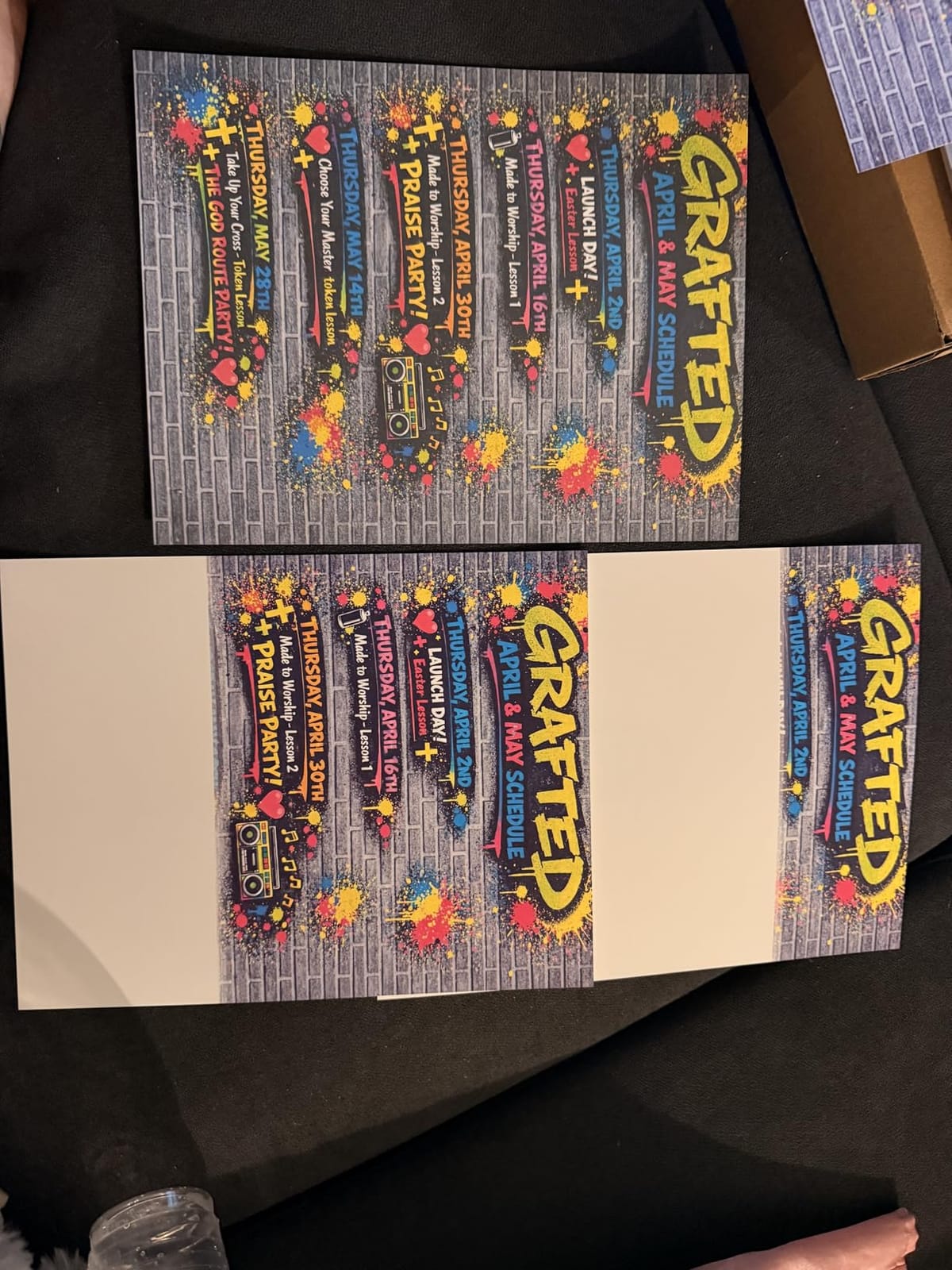
Color output reaches 4800 x 1200 dpi with full borderless printing, so it handles photo prints and full-bleed flyers as well as documents. Paper size goes up to legal, and envelopes and card stock are supported for anyone producing mailers or price cards.
At 13.2 pounds it is one of the smallest machines here, which makes it realistic for a home office or a very small retail counter. It is ENERGY STAR and EPEAT qualified, and printing works wirelessly or over USB, with the Canon PRINT app covering phones and tablets.
What a tank machine changes about your printing budget
The economics are simple enough to reason about without a spreadsheet. You are not buying a sealed cartridge per job, you are buying bottled ink that goes into a tank you can see into, so there is no guesswork about how long a page of color will last and no risk of being caught short with a cartridge line in the middle of a client deadline. Owners consistently single out the running cost as the reason they keep the machine long after the novelty of refillable ink wears off.
The tradeoff people accept is speed and paper handling. At 11 ppm black and 6 ppm color, it is slower than everything else on this list, and printing is single-sided only. The 100-sheet tray is the smallest here, so a busy week means several refills, and the flatbed scanner has no document feeder at all.
Where the MegaTank G3270 is the wrong choice
Any workflow involving multi-page scanning is out, since there is no automatic document feeder and every page goes across the glass by hand. The single-sided-only printing also rules it out for offices that produce a lot of two-sided internal documents, where paper use roughly doubles without duplex.
The 1.35-inch square LCD gives limited on-device control. For a solo trader printing invoices and the occasional flyer, this machine is hard to argue against. For a shared counter taking orders all day, a faster machine with a feeder will pay for itself in saved time.
9. Epson EcoTank ET-15000: Best for Wide-Format and Signage
Epson EcoTank ET-15000 Wireless All-in-One Wide-Format Supertank Printer
Wide-format SuperTank
11 x 17 inch output
17 black / 9 color ppm
33000-page duty cycle
Pros
- Wide-format output up to 11 x 17 inch for posters and signage
- Ink economics that rival laser cost per page
- Double-capacity black tank for heavy monochrome work
- Automatic duplex on Letter and Legal with ADF
Cons
- Duplex is manual for sizes above Letter and Legal
- Reported paper jams and unclear paper-selection guidance
- Black ink can smear on glossy stocks and needs time to cure
The ET-15000 exists because most small businesses outgrow letter paper at some point, and this is the machine that takes them there. It prints up to 11 x 17 inches, which covers posters, charts, window graphics and signage in one pass without a third-party service. Combine that with SuperTank ink economics and you have a machine that produces wide-format color at a cost per page most businesses would assume is impossible.
It prints, copies, scans and faxes, with an automatic document feeder and a large scanner bed for multi-page jobs. Speed is 17 ppm black and 9 ppm color, and the monthly duty cycle is rated at 33000 pages, which puts it in a different class to most inkjets.
The black tank is double capacity alongside the color tanks, a detail that matters for businesses printing heavy monochrome reports on wide sheets. Two paper trays are included, with a rear sheet feeder for wide media, and connectivity covers Wi-Fi, Ethernet and USB.
Long-term owners use this machine well beyond office documents. Reported projects include signage, stickers, canvas and even sublimation workflows, and paper handling on thick and specialty media is described as flawless once the settings are understood. Maximum color resolution is 4800 x 1200 dpi.
Which businesses actually need wide-format color
If you print posters, pull-up banners, price cards, window decals or large charts in-house, this machine replaces a routine outside print job. The math is straightforward: each wide sheet printed at home costs cents in ink, while the same job outsourced carries a setup fee that exists precisely because most small businesses cannot produce it themselves. Shops, studios, clinics and property businesses get the most out of it.
You also gain control over turnaround, since a poster needed this afternoon does not have to wait for a supplier. Color resolution of 4800 x 1200 dpi is well within what signage-grade output needs.
Where the ET-15000 is the wrong choice
It is 26.5 pounds and measures 29.6 by 19.6 by 14.3 inches, so it needs real floor or counter space, and wide media loads into a rear sheet holder rather than a dedicated tray. Wide-format duplex is manual for anything above Letter and Legal, so double-sided wide documents need a hand.
Owners report occasional paper jams and unclear paper-selection guidance, and some units arrived with a faulty ink-delivery system that needed a return. Black ink can also smear on some glossy stocks and needs time to cure, which matters if you hand finished prints straight to a customer.
10. HP Smart Tank 5003: Best for Compact Micro-Offices
HP Smart Tank 5003 Wireless All-in-One Ink Tank Printer, Scanner, Copier with up to 3 Years of Ink Included, Best-for-Home, Cartridge-Free Refillable, AI-Capable (9B2D3A)
Cartridge-free ink tank
10 black / 5 color ppm
Legal size support
Borderless color output
Pros
- Mess-free bottle refills with no cartridge swapping
- Ink tank lowers high-volume color printing cost
- Lightest and most compact machine in this roundup at 11 pounds
- Sharp text and richer color than cartridge-based HP models
Cons
- Manual duplex only with driver support rather than hardware
- 100-sheet paper tray is small for office workflows
- Flatbed scanner with no document feeder
The Smart Tank 5003 is built for a room that does not have a printer corner. At 11.1 pounds and 14.23 by 17.11 by 6.19 inches, it is the smallest machine here, and it still delivers legal size paper plus borderless color output. For a home office, a studio or a one-desk micro-office, that footprint is the deciding factor.
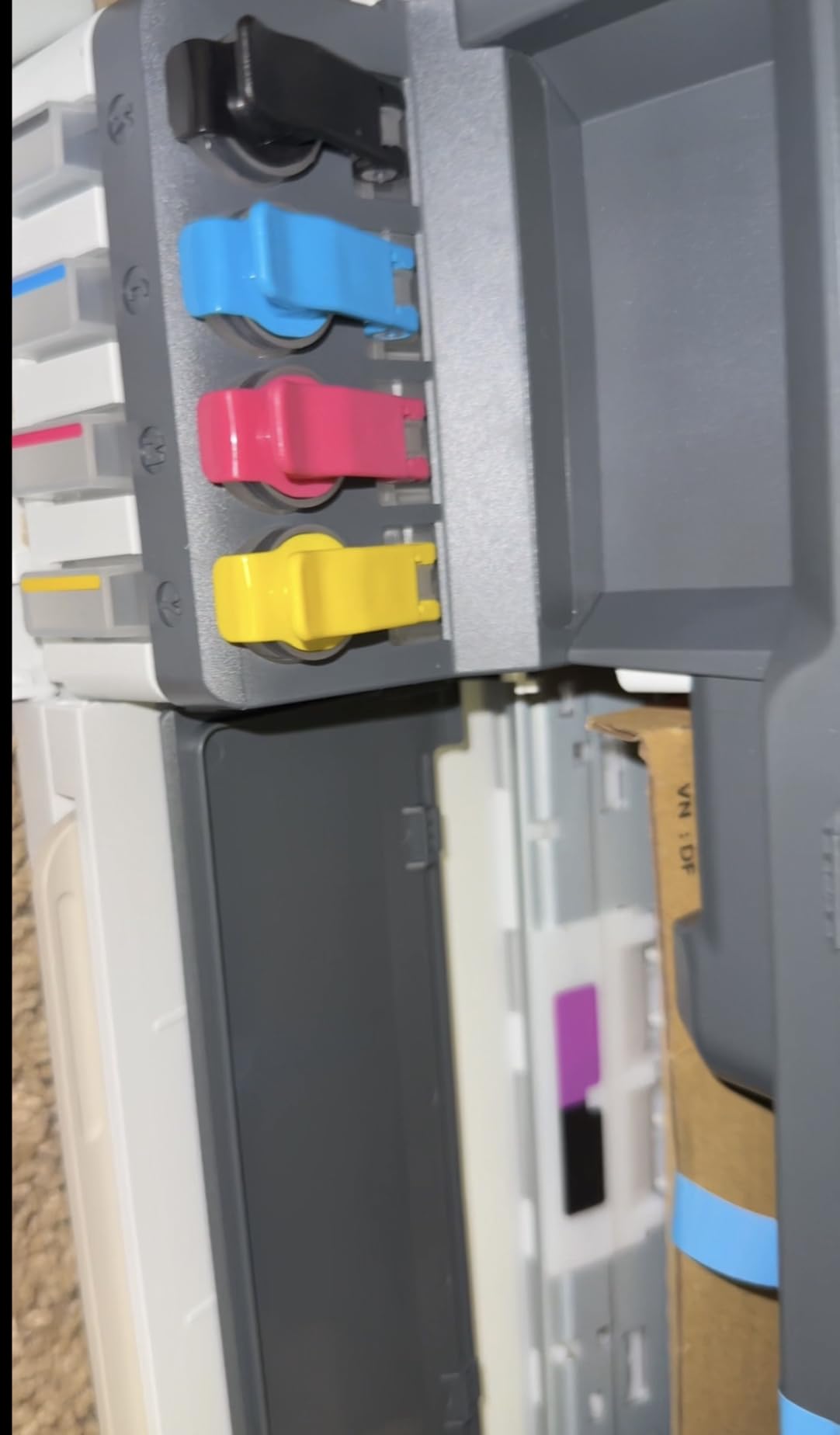
The refill system is cartridge-free, using HP 32XL 135 ml black and HP 31 50 ml color ink bottles, and up to three years of ink is included with the machine. Owners consistently report the refill process as clean and spill-free, with no squeezing and no cartridge swapping.
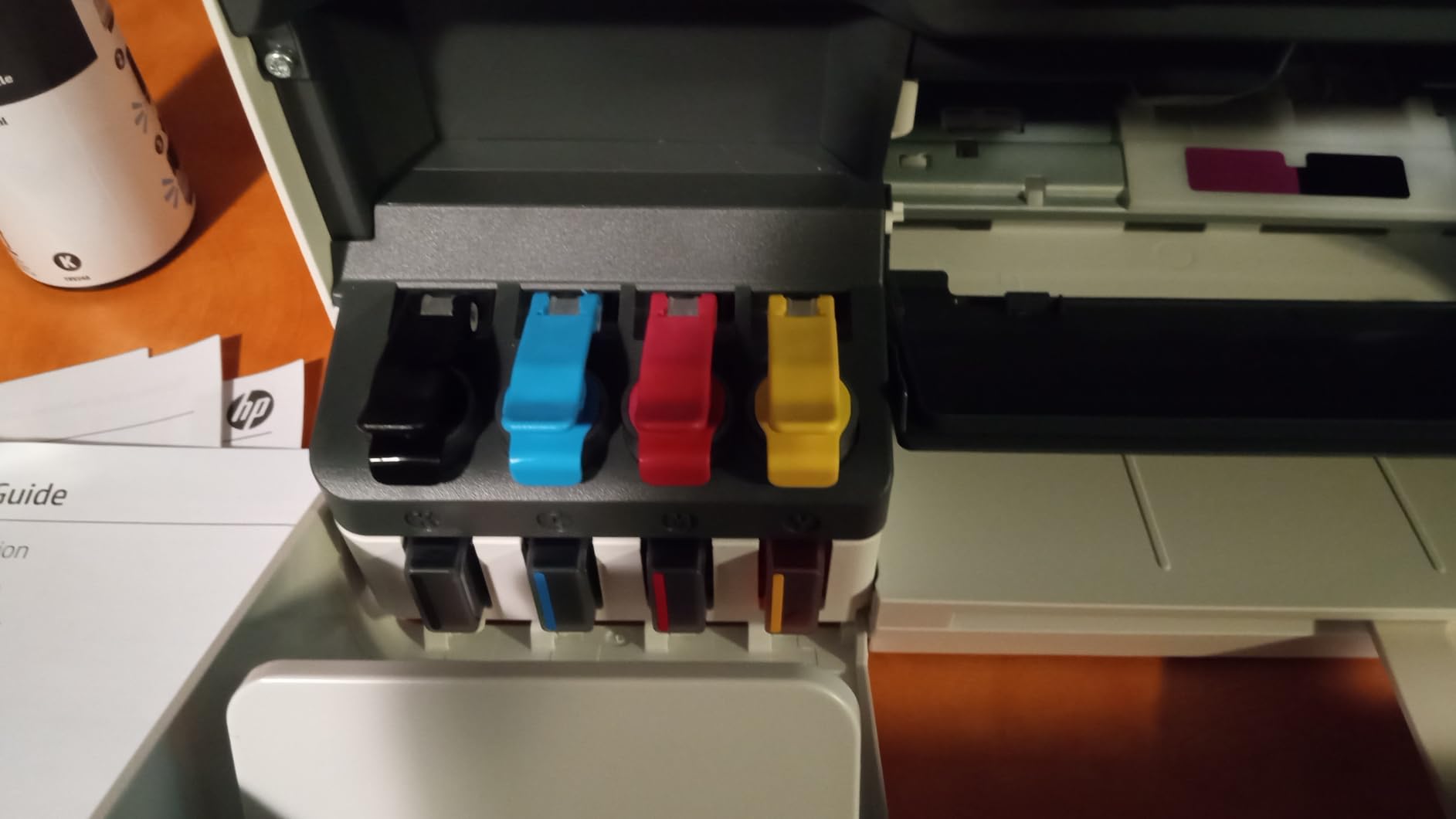
Print quality is a step up from cartridge-based HP machines, with sharper text and richer colors at 4800 x 1200 optimized dpi. Owners also note the ink tank lowers high-volume color printing cost dramatically, which is the entire argument for this class of machine.
Connectivity covers Wi-Fi, USB, AirPrint, Mopria and HP ePrint, so it works with whatever devices staff already own. Scanning is flatbed with scan-to-PDF, and print speed is 10 ppm black and 5 ppm color with a 21-second first page.
What a micro-office gains from a tank printer
The argument here is simplicity rather than throughput. A solo consultant or a two-person studio that prints invoices, proposals and occasional client handouts does not need a workgroup laser, but it does feel cartridge pricing whenever a color job lines up with an empty cartridge. The tank removes that variability without adding a machine you have to walk across the room to reach.
Including up to three years of ink in the box also means the machine is useful on day one without an extra purchase, and refill bottles are simple to handle even for someone who has never maintained a printer.
Where the Smart Tank 5003 is the wrong choice
Duplex is manual, supported through the driver rather than the hardware, so every two-sided document becomes a manual operation. The 100-sheet paper tray is small for office workflows, and the flatbed scanner has no automatic document feeder, which rules out regular multi-page scanning.
Speed is the lowest of the inkjets here at 10 ppm black and 5 ppm color with a 21-second first page, so it is positioned for home and micro-office use rather than shared small-office teams. As a first color printer it is excellent value, but a growing office should plan to move up.
How to Choose a Color Printer for a Small Business
Once you know your numbers, the choice narrows fast. The two decisions that matter most are laser or inkjet, and all-in-one or single-function. Everything else, from touchscreen size to shortcut counts, is a preference rather than a constraint. And if the printer is only part of the office kit, our picks for the best time clocks for small business cover the billable hours side of the same question.
Color laser or color inkjet: which is cheaper for your volume?
A color laser uses four toner cartridges, and a laser draws a static pattern onto a photosensitive drum so fine toner powder sticks to charged areas before the page is heated to set it. An inkjet lays liquid ink directly onto the paper. The practical differences follow from that mechanism: laser pages resist smudging and fading, arrive dry, and cost far less per page at volume, while inkjets produce sharper photographs and much cheaper color at low volume.
As a rough rule from buyer communities, above roughly 1000 pages a month total, laser wins on running cost, and below that, a tank-based inkjet usually wins. The crossover moves with color share, since a color page on an inkjet is far cheaper than a color page on a laser. If your documents are mostly monochrome with a small share of color, look at monochrome cost per page; if color is a third of your output, look at the color number.
Three failure modes are worth naming. Inkjets with cartridge-based supplies refill constantly, which forum buyers treat as a dealbreaker. Cheapest color lasers often carry the highest per-page cost of all, because the entry machine ships with small starter cartridges. And laser color quality flattens skin tones and gradients, so photo-heavy marketing material needs an inkjet even in a laser-dominated office.
All-in-one or single-function: do you need a scanner?
Buy an all-in-one if anyone copies, scans or faxes. Multi-page scanning through an automatic document feeder is the deciding factor, not the flatbed, since a flatbed adds capability but saves almost no time on a stack of paper. The LBP646Cdw is the only print-only machine here, and it makes sense when scanning belongs to a separate dedicated device.
Prefer a single-pass duplex feeder for shared machines, since it scans both sides in one pass rather than pulling the page back through. The Brother MFC-L8930CDW and the HP OfficeJet Pro 9135 both do this, and the difference shows up quickly on filing work.
How much monthly volume do you actually need?
Two numbers appear on every spec sheet and they are not the same thing. Duty cycle is the peak the machine can handle in a month, often many times higher than realistic use. Recommended monthly print volume is the sustained load the manufacturer supports, and that is the number to size on. Buyers routinely size on duty cycle and end up with a machine that is technically capable but constantly asked to run outside its comfort zone.
A practical rule: size on recommended monthly volume, then buy a machine whose recommended volume sits a little above your busiest month rather than exactly at your average. If your color output is under roughly 300 pages a month, a tank inkjet will usually cost least to run. Between a few hundred and around 1000 pages, weigh duplex and a document feeder heavily. Above 1000 pages a month, a color laser all-in-one earns its place.
Cost per page: the number that decides the purchase
Cost per page is calculated by dividing the price of a supply by the page yield printed on it. A cartridge priced per unit with a stated yield gives one figure per color; multiply by your monthly color pages to get a monthly number, then by twelve for a year. Buyers in printer communities quote this in cents rather than vague claims about affordability, because it is the only figure that transfers between machines.
Three adjustments matter for accuracy. Use the high-yield supply figure if that is what you will actually run, because standard cartridges cost more per page at the same page count. Include the drum or maintenance unit where a laser needs one. And add duplex savings: a duplexed color page is two impressions on one sheet, so a machine with automatic duplex effectively halves your paper use.
Speed, duplex and feeder capability vary more across this list than any other spec, so here is the comparison in brief. The Epson EcoTank ET-4950 manages 9 ppm color with automatic duplex and a document feeder. The Epson Workforce Pro WF-3823 reaches 11 ppm with automatic duplex but a single-sided 35-sheet feeder. The Brother MFC-L3720CDW prints 19 ppm color laser with a 50-sheet duplex feeder.
The Canon imageCLASS MF753Cdw II is the fastest at 35 ppm with duplex scanning, the HP OfficeJet Pro 9135 reaches 20 ppm with a single-pass duplex feeder and two 250-sheet trays, and the Canon imageCLASS LBP646Cdw runs at 26 ppm with automatic duplex but no scanner at all. The Brother MFC-L8930CDW combines 33 ppm with an 80-sheet duplex feeder.
At the tank end of the list, the Canon MegaTank G3270 produces 6 ppm color and is single-sided with a flatbed scanner only. The Epson EcoTank ET-15000 manages 9 ppm color with automatic duplex up to Legal size and manual duplex above that. The HP Smart Tank 5003 is slowest at 5 ppm color, with manual duplex and a flatbed scanner only.
Printing labels, price tags and retail signage
Retail businesses keep asking for guidance here and almost no roundup covers it, so here is our take. If you print price tags, shelf labels or product cards on standard stock, any of the inkjets in this list will do it, and the Canon MegaTank G3270 and HP Smart Tank 5003 both support borderless output for full-bleed cards at the lowest running cost. The Epson Workforce Pro WF-3823 offers the sharpest inkjet resolution, which matters when text is small.
If you produce signage on card or vinyl, the Epson EcoTank ET-15000 is the machine here designed for it, since its 11 x 17 output covers posters and window displays in one pass. Cutting and weeding that vinyl is a different job entirely, and our best vinyl cutters for small business guide covers the machines that handle it. A laser suits tags and labels best when they are text-only and printed in long runs, because toner does not smear when a card comes off the machine.
For true shipping labels on adhesive stock, none of these machines is the right tool. A dedicated label printer is a different category, built around a fixed media path and continuous-feed rolls, and it handles barcodes and carrier formats a desktop printer will not. Keep the two separate line items in your budget rather than expecting one machine to do both.
Paper handling, connectivity and total cost of ownership
Paper handling is the feature teams notice only when it fails. Check the input capacity against your busiest week, and remember that a second tray is worth more than a bigger screen because it removes a recurring interruption. Legal size support matters if you print contracts, and wide-format support only matters if you genuinely print large media.
Connectivity is where shared offices lose time. Dual-band wireless holds a connection in a crowded network, Wi-Fi Direct lets staff print without the network at all, and Ethernet remains the most reliable option if your building struggles with wireless. AirPrint and Mopria cover mobile printing without an app, and a front USB port saves installing a print driver on a visitor laptop.
Total cost of ownership is the number to put in your business plan. Take the machine price, add the projected supply cost per page multiplied by your monthly pages across three years, then add paper and any service plan you buy. For a light-color shop a tank machine wins on supplies; for a heavy-color office a laser wins even with a higher entry price, because the crossover happens early. Compare the two lines across three years rather than reading either number alone.
Reliability and support deserve a check before you commit, not after. Firmware and driver support for your current operating system, warranty length, and the availability of high-yield supplies all affect whether the machine is still cheap to run in year three. The Canon imageCLASS MF753Cdw II carries the longest warranty here at three years, while most machines in this roundup sit at one year. Businesses that also prototype in-house can pair the logic in this guide with our best 3D printers for under 500 dollars, since the same buy-against-measured-volume reasoning applies.
Frequently Asked Questions
What is the best color printer for business use?
The Epson EcoTank ET-4950 is our pick for most small businesses because refillable ink tanks keep color cost per page low while automatic duplex, a 250-sheet tray, a document feeder and fax handle normal office work. Businesses printing heavy color should look at the Canon MegaTank G3270 for even lower running costs, while teams needing shared-workgroup speed should choose a color laser such as the Brother MFC-L3720CDW.
What is the best all-in-one color laser printer for a small business?
The Brother MFC-L3720CDW is the best value all-in-one color laser, combining 19 ppm color output, a 50-sheet duplex document feeder, dual-band wireless and a 3.5-inch touchscreen with 48 shortcuts. If you need more speed, the Canon imageCLASS MF753Cdw II runs at 35 ppm with a seven-second first page and carries a three-year warranty.
Which laser printer is best for small business?
For a small business, the best laser depends on volume and security needs. The Brother MFC-L3720CDW suits most offices at 19 ppm with solid paper handling, the Canon imageCLASS MF753Cdw II suits high-volume work needing pages immediately, and the Brother MFC-L8930CDW suits offices printing confidential documents because it includes an integrated NFC card reader for secure release printing.
What is the highest rated color laser printer?
Among the color laser printers we tested, the Brother MFC-L8930CDW holds the highest rating at 4.4 out of 5, with buyers citing sharp color output, 33 ppm print speed and fast two-sided scanning through an 80-page feeder. The Brother MFC-L3720CDW and Canon imageCLASS MF753Cdw II follow with ratings of 4.0 and 4.2 respectively.
What is the best printer for a small business?
It depends on your monthly volume and whether you need scanning. Under roughly 300 color pages a month, a refillable tank printer such as the Canon MegaTank G3270 costs the least to run. Between several hundred and around 1000 pages, weight automatic duplex and a document feeder heavily. Above 1000 pages a month, a color laser all-in-one such as the Canon imageCLASS MF753Cdw II earns its running cost.
Which printer has the best color quality?
Inkjets produce the best color quality, and the Epson Workforce Pro WF-3823 leads the inkjets here with 4800 x 2400 dpi resolution and borderless output. The Epson EcoTank ET-15000 matches that resolution at wide-format sizes up to 11 x 17 inch. Among lasers, color output is crisp for documents and flyers but flattens skin tones and gradients, so photo-heavy marketing work is better suited to an inkjet.
Is Epson or HP a better printer?
Both make strong business machines, and the answer depends on the model and your running cost tolerance. Epson EcoTank models use refillable tanks that cut color cost per page significantly, while HP Smart Tank and OfficeJet Pro models cover the same tank-based approach with 500-sheet capacity on the OfficeJet Pro. HP mainstream cartridge machines cost more per page over time, which is why many business buyers move to tank systems from either brand.
Is an inkjet or laser printer better for small business?
Above roughly 1000 pages a month, a laser usually wins on running cost and produces smudge-free pages that arrive dry. Below that, especially when color is a large share of output, a refillable tank inkjet costs far less per page and prints sharper photographs. The deciding variable is your monthly color volume rather than the total page count.
How much does it cost to print in color per page?
Cost per page equals the price of a supply divided by its stated page yield, quoted in cents by most business buyers. Inkjet cartridges commonly land in the 15 to 25 cent range per color page while standard color laser toner often falls between 10 and 20 cents, and refillable tank ink can drop to around 2 cents per color page. Multiplying by your monthly color volume gives the figure that actually decides the purchase.
Should a small business buy an all-in-one printer?
Buy an all-in-one if anyone in the business copies, scans or faxes, because a multi-page automatic document feeder saves more time than any other single feature. Prefer a single-pass duplex feeder on shared machines so both sides scan in one pass. If scanning already belongs to a separate dedicated device, a print-only color laser such as the Canon imageCLASS LBP646Cdw costs less and uses less desk space.
What is the difference between duty cycle and monthly print volume?
Duty cycle is the peak number of pages a printer can handle in a single month under stress, and it is often many times higher than realistic office use. Recommended monthly print volume is the sustained load the manufacturer supports day to day. Size your purchase on the recommended volume and leave headroom above your busiest month, because sizing on duty cycle leaves you with a machine that is capable but constantly pushed.
How do I choose a printer for my office?
Start with your monthly volume in both color and monochrome, then decide laser or inkjet based on that split. Next, choose all-in-one or single-function based on whether anyone scans or faxes. After that, check paper handling, duplex capability, connectivity for your network, and total cost of ownership across three years including supplies and paper before you commit.
The Verdict
For most small businesses, the Epson EcoTank ET-4950 is the right first color printer, because refillable tanks fix the running-cost problem that makes most entry-level machines expensive to own. If color volume is high enough that the bill still feels steep, the Canon MegaTank G3270 runs even cheaper and has more than 5000 reviews behind it. Teams printing heavily in a shared space should move to a color laser, with the Brother MFC-L3720CDW for value, the Canon imageCLASS MF753Cdw II for speed, and the Brother MFC-L8930CDW when documents need badge-authenticated release.
Check the volume numbers above against your own before you buy. Printers are one of the few office purchases where the wrong sizing decision keeps costing money every month, and the machine that suits a six-person office is rarely the one that suits a twenty-person team.