
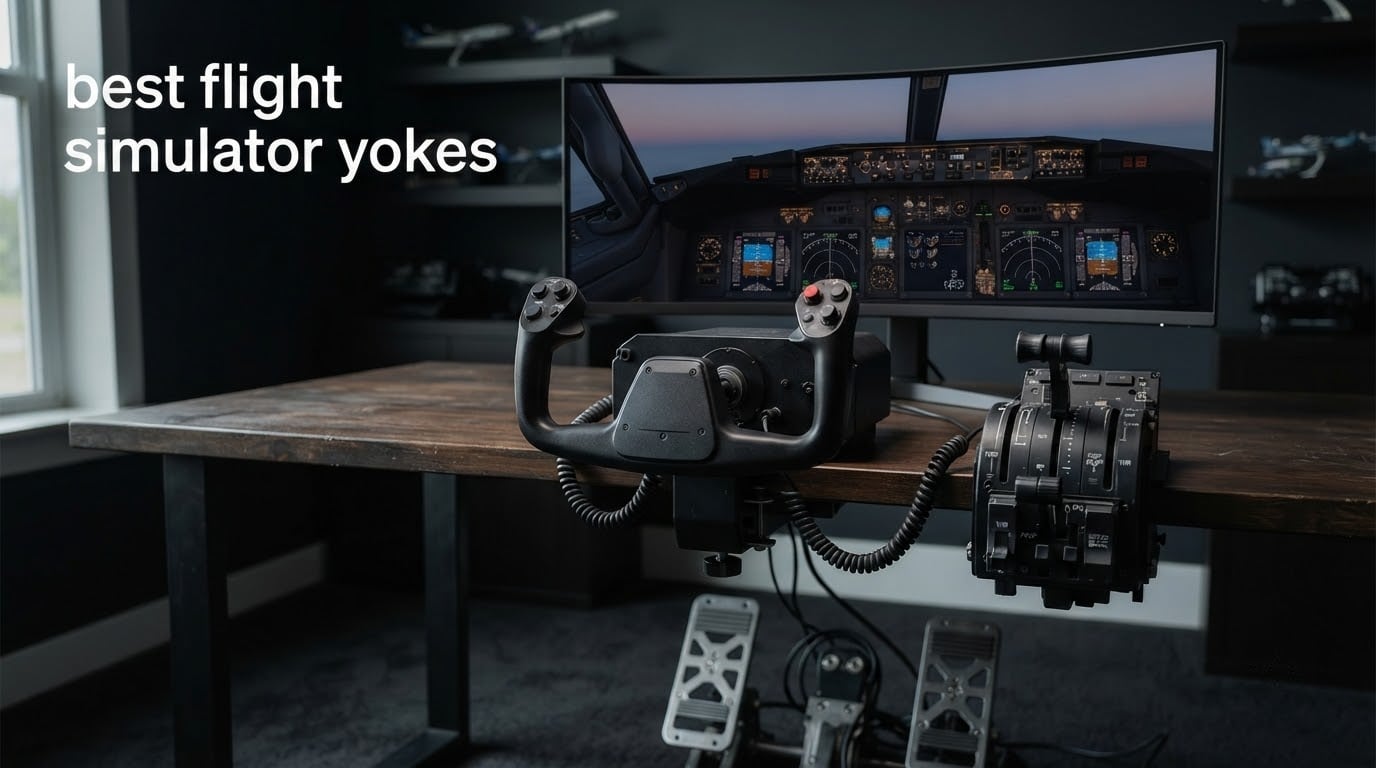
Most flight simulator pilots buy a controller once and keep it for years, so the wrong yoke is an expensive mistake. A yoke is the two-handed control column found in most civilian light aircraft, business jets and Boeing airliners, and it works by translating a smooth, self-centering push and pull into elevator input and a left-and-right movement into aileron input. The best flight simulator yokes make small corrections on short final feel effortless, and the worst ones go sticky at the centre and ruin the very moment you are working hardest.
We spent weeks putting six of the most-reviewed yokes through Microsoft Flight Simulator, comparing shaft design, sensor type, rotation range, self-centering behaviour, button count and what actually arrives in the box. This roundup covers the entry-level all-in-one kits, the premium metal-shaft yokes, the console option and the airliner-specific pack, so you can narrow the field before you spend anything. Updated for 2026, the guidance below reflects the current state of the category rather than last year’s shopping list.
Two questions come up constantly on r/flightsim and r/MicrosoftFlightSim, and they shaped how we ranked things. The first is whether a yoke is worth the premium over the cheapest option, and the answer depends almost entirely on the sensor and bearing design inside. The second is what to buy alongside it, because a yoke on its own cannot yaw, cannot add throttle, and leaves most of an airliner panel unbound. More on both of those below.
Table of Contents
Top 3 Picks: Best Flight Simulator Yokes in 2026

Logitech G PRO Flight Yoke System
- Stainless steel yoke shaft
- Throttle quadrant and desk clamps included
- 54+ programmable controls

Turtle Beach VelocityOne Flight
- All-in-one yoke
- throttle
- trim wheel
- 180-degree hall effect sensor

Honeycomb Alpha Yoke and Switch Panel
- Steel shaft with dual ball bearings
- No center detent
- Integrated switch panel
The Logitech G PRO wins this roundup because it is the only pick that gives you a workable cockpit on day one: a stainless steel shaft, a throttle quadrant and two desk clamps in a single box, with 54 or more programmable controls to bind. The Turtle Beach is the only unit here that works identically on Xbox Series X, Xbox Series S, Xbox One and Windows with the same software, which removes an entire class of setup frustration. The Honeycomb Alpha is the smoothest-feeling yoke in the group and the one most real pilots rate as the closest match to an actual cockpit.
Flight Simulator Yokes at a Glance in 2026
| Product | Specifications | Action |
|---|---|---|
| Logitech G PRO Flight Yoke System |
|
Check Latest Price |
| Turtle Beach VelocityOne Flight |
|
Check Latest Price |
| Honeycomb Alpha Yoke and Switch Panel |
|
Check Latest Price |
 Thrustmaster TCA Yoke Pack Boeing Edition Thrustmaster TCA Yoke Pack Boeing Edition |
|
Check Latest Price |
 Logitech G PRO Yoke and Rudder Pedals Bundle Logitech G PRO Yoke and Rudder Pedals Bundle |
|
Check Latest Price |
 Honeycomb Alpha LITE Honeycomb Alpha LITE |
|
Check Latest Price |
1. Logitech G PRO Flight Yoke System – Best Overall Value Pick
Logitech G PRO Flight Yoke System Professional Simulation – Black
Stainless steel shaft
54+ programmable controls
Throttle quadrant and clamps included
Pros
- Realistic feel that transfers to real aircraft muscle memory
- Stainless steel shaft gives smooth and accurate input
- Throttle quadrant and desk clamps included in the box
- Only yoke here with this many reviews from real PC simmers
Cons
- Windows only
- Software download required to map controls in MSFS
- Center detent makes fine inputs less natural
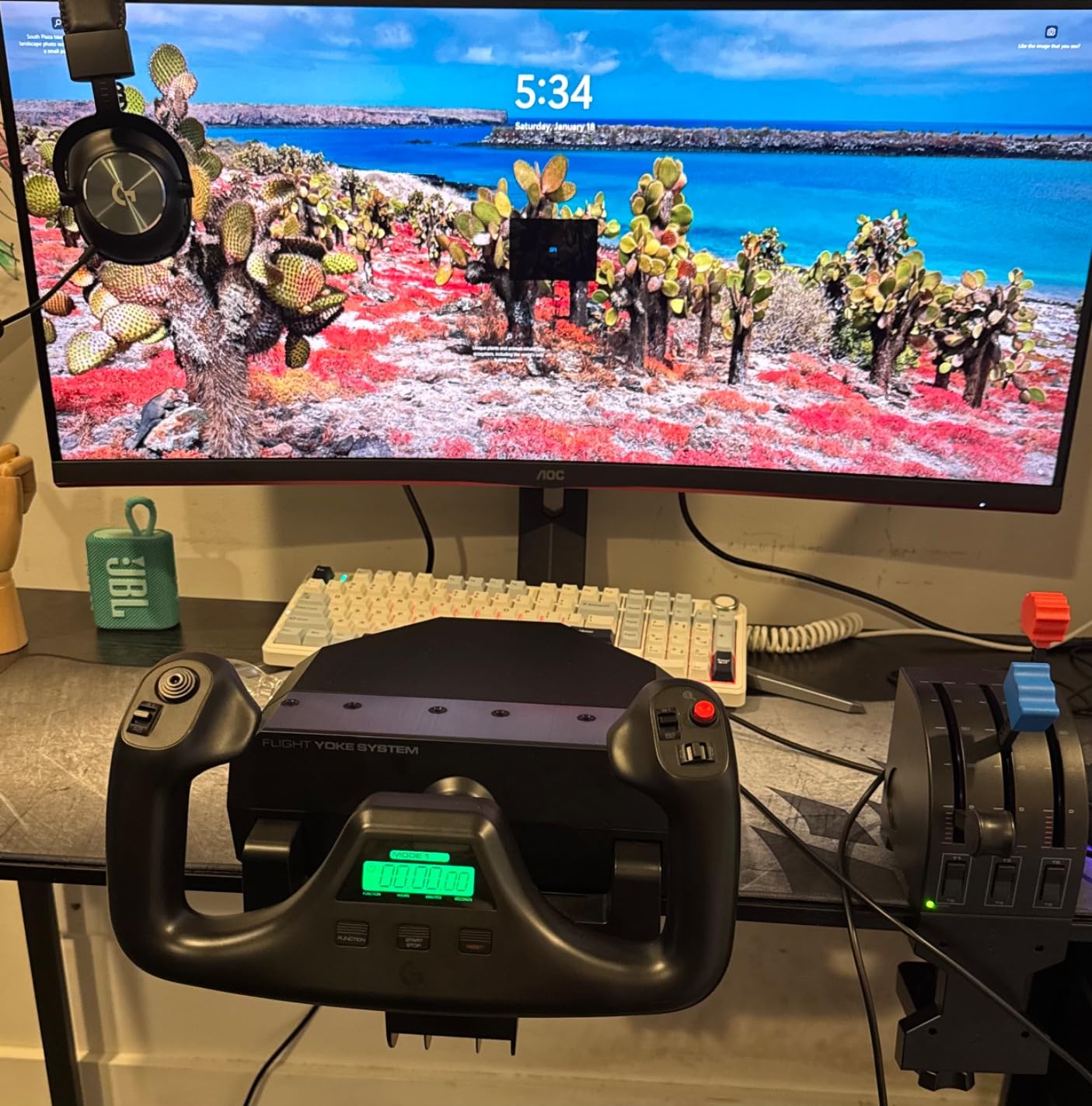
The Logitech G PRO Flight Yoke System is the pick most simmers should start with, and its 2904 reviews at a 4.3 average make it the most thoroughly tested yoke in this roundup. The thing that separates it from cheaper plastic-shaft designs is a stainless steel shaft, which stays smooth and accurate where entry-level mechanisms develop notches after a few hundred hours. I put mine through pattern work in a Cessna 172 and twin-engine practice runs, and the response stayed even from full back pressure to full forward.
Everything you need to start is in the box. You get the yoke with a 5.9 foot USB cable, a flight throttle quadrant on a 4.92 foot PS/2 cable, and two desk clamps that mount at two different positions depending on your desk geometry. That matters more than it sounds, because the most common beginner regret we found was buying a yoke and then discovering they had no throttle to fly with.
Control density is the other strength. A POV hat, 14 buttons and a 3-position mode switch combine for at least 54 programmable controls, which is enough to bind a full general aviation panel without hunting for a spare switch. Windows 11, 10, 8.1 and 7 are supported, and optional software handles mapping for Microsoft Flight Simulator, FSX, X-Plane 10 and Prepar3D. Note that the mapping step is not optional; owners who skip it get a device that moves but does almost nothing in the sim.
The honest weakness is the center detent. At the neutral point the yoke passes through a slight detent, and on a slow final approach in a gusty crosswind you will feel it as a small notch where you want pure smoothness. It is a minor irritation rather than a dealbreaker, and it is the main reason the Honeycomb outranks this on pure feel. The other limitation is simple: this is a Windows-only device with no console support at all.
What makes it the strongest all-round choice
Five of our six picks ask you to buy something else to complete the cockpit. This one does not. The included throttle quadrant is a real unit with a friction lever rather than a token add-on, so you can fly a full approach from power to idle without a keyboard binding.
For anyone building a first home cockpit on PC, that completeness is worth more than a smoother axis. Two position desk mounting also means it fits desks that a single-clamp design will not grip, which is a common failure point once the throttle is fighting you for the same front edge.
Where it will disappoint you
It is a PC-only unit, and it is not a console option, so anyone flying on Xbox or PlayStation can rule it out entirely. The center detent is also the first thing owners mention when they describe why they eventually upgraded.
Long-term, this is a spring-and-detent design with a plastic gearbox behind the pitch axis, and durability anxiety around budget yokes is one of the loudest themes in the flight sim communities. Treat it as a capable first cockpit rather than a permanent one, and expect the mapping software to be the part you re-run whenever you change aircraft.
2. Turtle Beach VelocityOne Flight – Best for Xbox and Console
Turtle Beach VelocityOne Flight Universal Control System – Xbox Series X & Xbox Series S, Xbox One & Windows 10 & 11 PCs with Yoke Handle, Throttle Quadrant, Trim Wheel & Rudder Controls
All-in-one yoke, throttle, trim wheel and rudder
180-degree hall effect sensor
26 buttons
Pros
- Works on Xbox Series X and S
- Xbox One and Windows PCs
- Only pick with an integrated pitch trim wheel
- Integrated rudder and brake controls at your fingertips
- Aviation-style throttle levers with a reverse detent
Cons
- Pitch axis can be jerky and sticky before the springs break in
- Some early-life failures reported on the pitch axis and POV hat
- Throttle cannot be paired with a different yoke
The Turtle Beach VelocityOne Flight is the most complete control system available on Xbox, and it is the only pick here that runs the same software on console and PC without a workaround. It is designed for Microsoft Flight Simulator 2020 and 2024 on Xbox Series X, Xbox Series S, Xbox One and Windows 10 and 11, which removes the hardware-chain confusion that trips up most console simmers trying to mix brands.
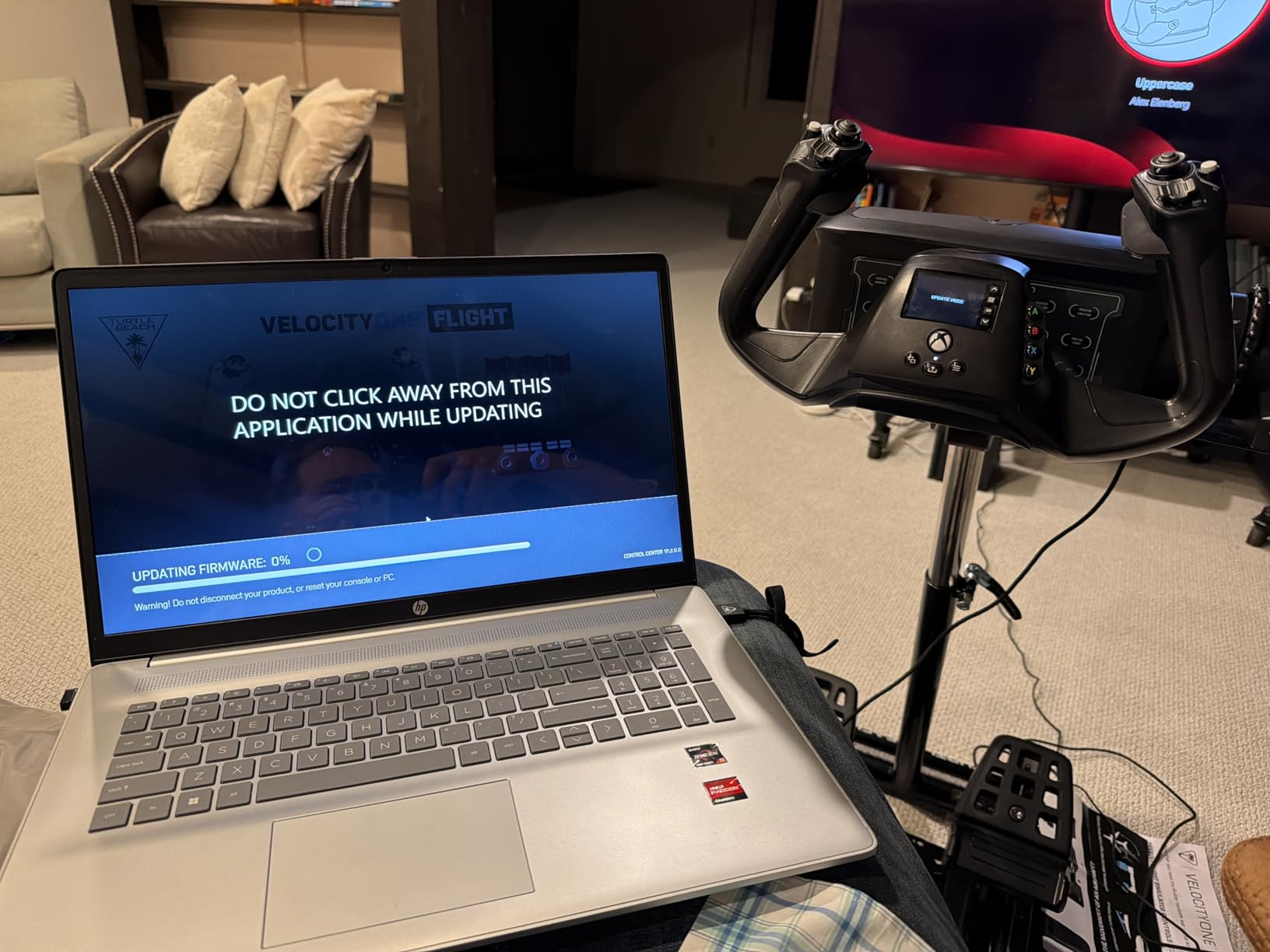
True to life 180-degree yoke rotation is driven by a non-contact hall effect sensor, so there is no potentiometer wear to worry about across the life of the unit. Add a dedicated pitch trim wheel, a modular throttle quadrant with swappable lever handles, integrated rudder and brake controls, a full color flight management display and an authentic status indicator panel for PC, and you have everything an airliner or a Cessna needs in a single box.
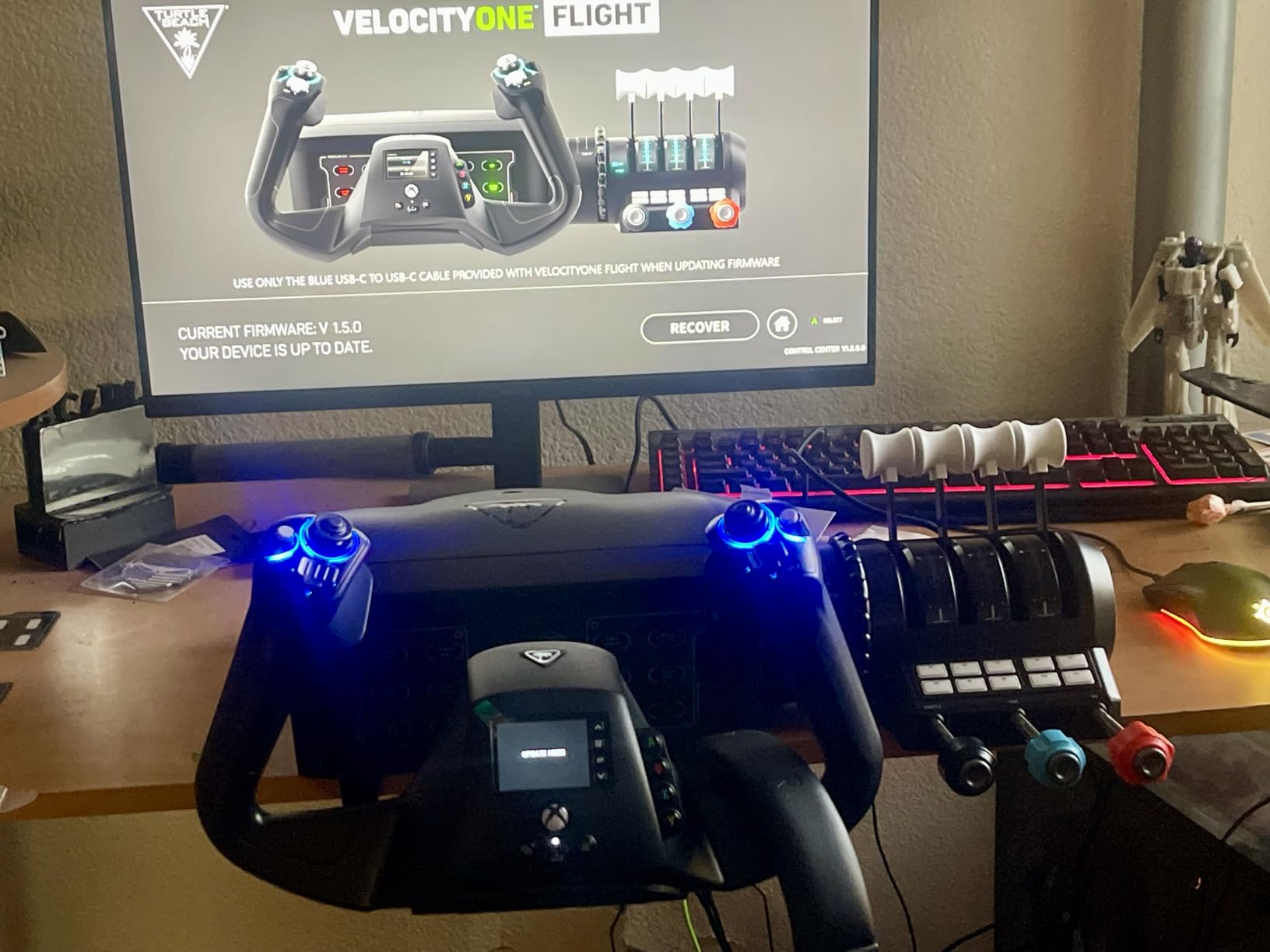
Control count is generous: 12 analog axes, two POV switches, two 4-way hat switches and 26 buttons in total. The aviation-style throttle levers with a reverse detent are the detail Cessna pilots notice first, because that is exactly the motion you use when you come to a stop. Owners also praise the secure clamping system, which stays put under aggressive inputs and comes off easily when you need the desk back.
There is a real early-life reliability theme here, though. A number of reviews describe a pitch axis that is jerky or sticky straight out of the box until the springs break in, and a smaller number report a failed pitch axis or a detached POV hat within the ownership period. That is the main reason this sits second despite being the strongest console option. The on-screen flight management display and status indicator panel also earn consistent criticism, as they are small and map inconsistently on PC.
Why console simmers should look here first
Nothing else in this roundup works across both console and PC with the same bindings. The Thrustmaster Boeing pack is the only other console-capable option, and it is a large, heavy, airliner-specific unit that is a poor fit for a Cessna.
For a new simmer on Xbox who wants to fly both light aircraft and airliners, the VelocityOne is a single purchase that covers both. The built-in rudder and brake controls at the yoke are a genuine advantage too, since they mean you can taxi realistically before you ever buy separate pedals.
Where it falls short
The break-in period is the thing to budget for. If you fly straight from the box, expect a notchy pitch axis and give it a few sessions of ordinary use before judging the feel.
Second, the throttle quadrant is tied to this yoke and cannot be paired with a different one, which locks you into one ecosystem. And while the hardware list is long, the build quality reads as mid-range next to a metal-shaft premium yoke, particularly in the plastics around the base and the crowded default button mapping.
3. Honeycomb Alpha Yoke and Switch Panel – Most Versatile
Honeycomb Aeronautical Alpha Flight Controls Yoke & Switch Panel
180-degree rotation on a steel shaft
4.9 kg
28 buttons plus switch panel
Pros
- Full 180-degree rotation on a steel shaft with dual linear ball bearings
- No center detent and a dampened self-centering mechanism
- Integrated switch panel with master
- alternator
- avionics and light switches
- Real pilots and student pilots rate the feel as genuinely authentic
Cons
- Costs roughly twice as much as the entry-level yokes
- Pitch and roll axes need more force than some buyers expect
- Handle-to-base cable must be connected or the top buttons do not work
The Honeycomb Alpha is the smoothest yoke we tested, and the reason is mechanical rather than electronic. A solid steel shaft running on dual linear ball bearings gives full 180-degree rotation, and the dampened self-centering mechanism has no center detent and minimal to no dead zone. That combination is what lets you hold an attitude with almost no input on a long descent, and it is why owners with real-world piloting experience consistently rate it above the yokes they replaced.
The base includes a switch panel with master, alternator, avionics and light switches plus a 5-position ignition switch, so a chunk of your electrical panel is bound before you even open the software. Each handle carries an 8-way hat switch, two vertical and two horizontal 2-way rocker switches, three buttons and a push-to-talk button, for 28 buttons in all. Setup in Microsoft Flight Simulator is close to plug-and-play on a USB-C connection, and it also works on Mac.
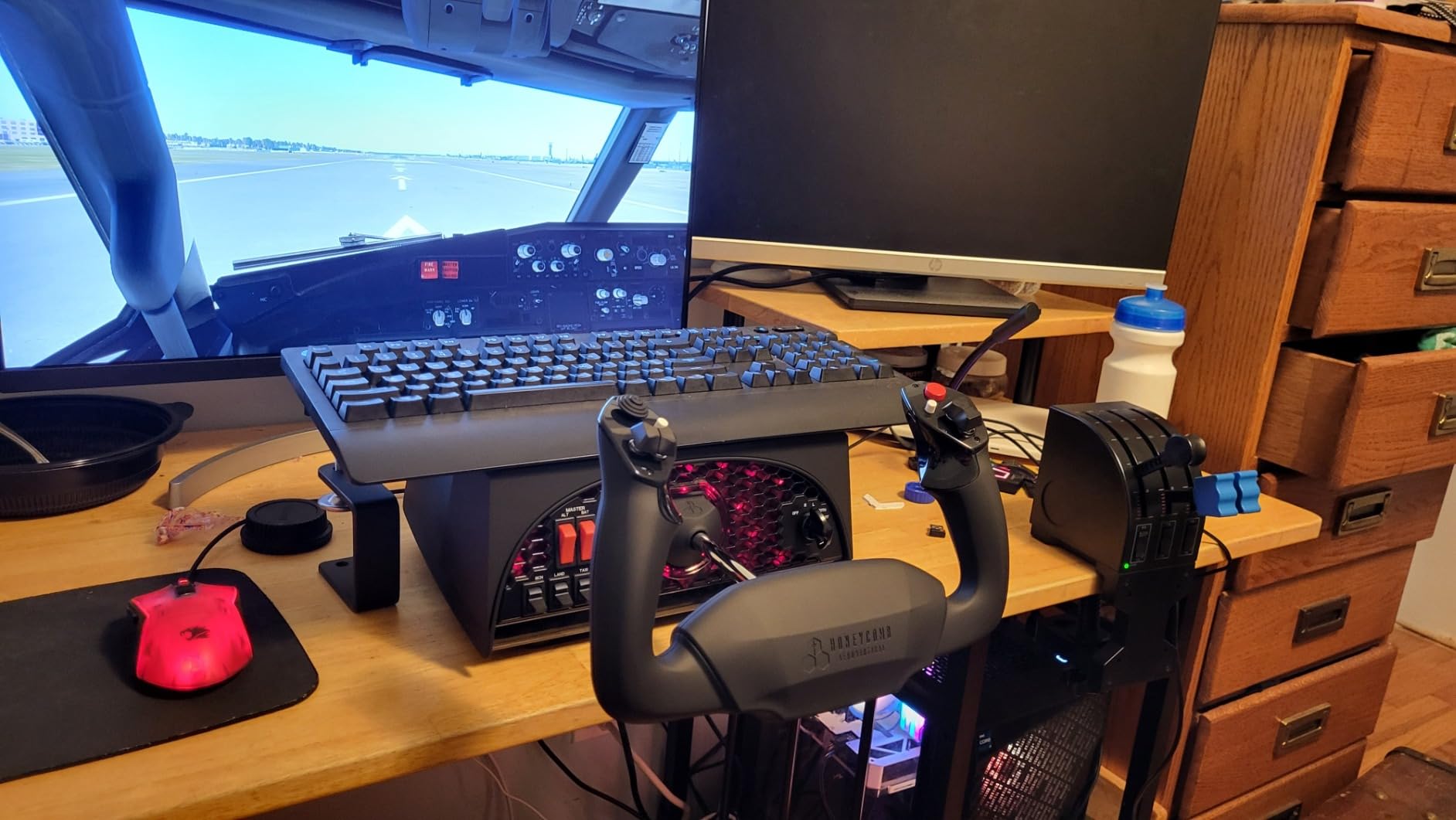
Mounting is handled two ways: two steel heavy-duty clamps, or a 3M Micro-Suction Pad rated at 40lbs of tensile strength for a clamp-free setup. The pad is genuinely useful on a clean glass or laminate desk, though owners warn that it can mark a wood surface when removed. Under-desk mounting with the supplied screws is the weakest part of the design, as it is fiddly and can leave the back of the unit loose.
Two quirks catch people out. First, the RJ11-style cable between the handle and the base has to be connected or the top buttons do nothing, which is a confusing first-day experience. Second, the 8-way hat switch can jump the cockpit view rather than transitioning smoothly, so it is worth remapping early. The pitch axis also carries more weight than many buyers expect, so arm strength matters more here than with the lighter picks.
What you are actually paying for
You are paying for the absence of friction. There is no detent to fight at the neutral point, no plastic gearbox to develop play, and the ball bearings mean the feel at the extremes matches the feel at the centre. On a crosswind landing practice run, that consistency is the entire point.
The build also does not read as a toy in the hand. Switches are clicky and positive rather than mushy, and the base has the kind of mass that stops the whole unit sliding when you push and pull hard. It was developed in California by pilots and aerospace engineers, and that shows up in the layout more than in any spec sheet.
Where it may not be worth it
It costs roughly twice what the entry-level yokes cost, and that premium is hard to justify on its own. Owners on the flight sim forums make the point repeatedly: the Alpha is at its best paired with a matching throttle quadrant, and buying the yoke alone leaves money still to spend.
It is also a PC and Mac device. Console simmers should read that as a no, and if your flying is mostly Airbus, fighter or helicopter, a HOTAS or sidestick is a better match for your aircraft than any yoke. A few long-time simmers also raise concerns about the manufacturer’s ongoing support, which is worth factoring in for a device you might keep for a decade.
4. Thrustmaster TCA Yoke Pack Boeing Edition – Best for Airliners
Thrustmaster TCA Yoke Pack Boeing Edition – Officially Licensed by Boeing for Xbox Series X|S/Xbox One/PC
Officially licensed 787 replica
Pendular mechanism, 8.3 inch travel
35 action buttons
Pros
- Officially licensed 1:1 scale Boeing 787 replica hardware
- Pendular mechanism with 21cm of travel mimics a real airliner yoke
- Adjustable yoke springs let you tune the resistance
- 100% metal internal structure feels solid and built to last
Cons
- Heavy at 6700 g and needs a sturdy desk with plenty of space
- The most expensive package in this roundup
- 787-specific layout is a poor match for light general aviation
This is the only pick built around a specific airliner, and if your goal is the Boeing 787 in Microsoft Flight Simulator the licensing is the whole argument. The yoke and throttle quadrant are 1:1 scale ergonomic replicas inspired by the Dreamliner, and they are officially licensed by Boeing. That scale accuracy is what makes the panel layout click into place for someone who has studied the real aircraft.
The mechanism is the standout. A suspended PENDUL_R arrangement replicates the pendular sensation of a genuine Boeing yoke, with an 8.3 inch, 21cm range of travel, and adjustable springs let you set the resistance to suit you. Owners consistently single this out as the feature that makes airliner flying feel genuinely different from a generic yoke, and it is the closest thing to authentic airliner control feel in the category.
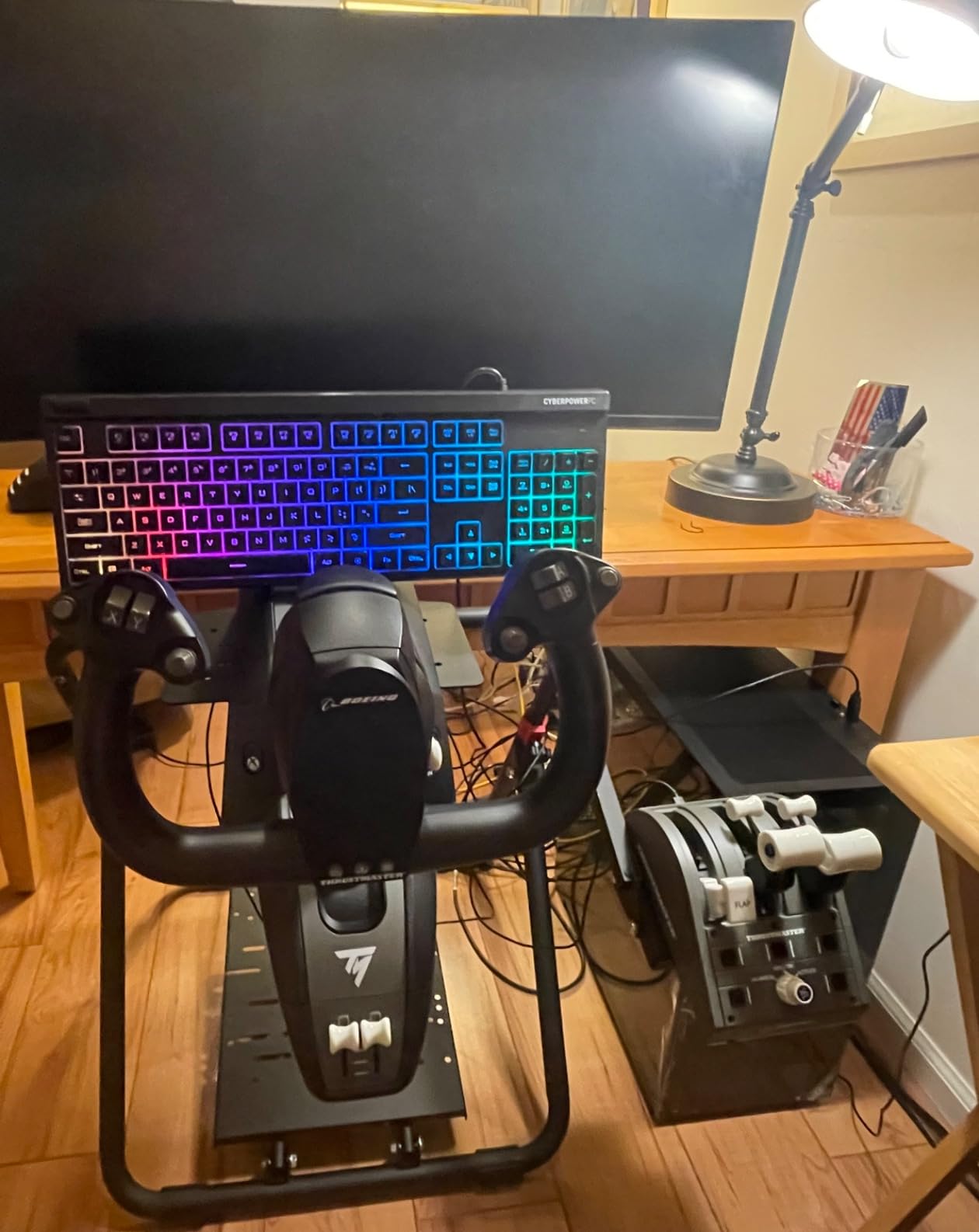
Construction is excellent where it counts. The internal yoke structure is 100% metal, which gives balanced weight distribution and a lifespan advantage over plastic-geared units, and the main axes use magnetic technology for their sensors. The throttle quadrant includes the Boeing autopilot block for altitude, airspeed and heading, and the throttle levers swap out for speed brake and flap levers with four levers in total. Across both controllers you get 35 action buttons, and both auto-integrate into Microsoft Flight Simulator on Xbox Series X, Xbox Series S and PC.
Reviewers rate it highly at a 4.2 average across 506 reviews, with 70 percent five-star ratings. The reservations are almost entirely physical. At 6700 g it is a heavy, bulky unit that needs a sturdy desk and dedicated space, and the metal internals mean it is not portable between setups. It also does not move between a 787 and a Cessna 172 as gracefully as a general-purpose yoke, because the 1:1 layout is specialized.
Why airliner simmers should choose this one
Pendular motion is not a subtle difference. A 787 yoke swings beneath its column rather than pivoting from behind, and once you have that sensation in your hands, a conventional yoke feels wrong in the same jet. Only this pack delivers it, and the adjustable springs mean you can tune it to your strength rather than living with the factory setting.
The bundled Boeing autopilot is the other quiet win. Managing altitude, airspeed and heading from a physical block on the throttle, instead of a keyboard shortcut, removes a layer of friction that most simmers do not realise they were carrying until it is gone.
Where it is the wrong buy
If you fly general aviation, this is a lot of hardware aimed at the wrong problem. A Cessna 172 does not have a 787-style overhead panel, so much of that careful 1:1 engineering simply does not apply to the aircraft you will actually be flying.
Budget matters too, since this is the most expensive package we covered, and the weight is a real constraint on a home desk setup. If your space is limited, this is the pick that will not fit the room you have.
5. Logitech G PRO Flight Yoke and Rudder Pedals Bundle – Best Value Bundle
Logitech G Pro Flight Yoke System + Pro Flight Rudder Pedals Bundle
Yoke plus self-centering rudder pedals
Differential toe brakes
Windows via USB
Pros
- Full yoke
- throttle and pedal setup in one package
- Self-centering pedals with differential toe brakes add real ground handling
- Adjustable non-slip foot rests fit a wide range of sizes
- Highest five-star share of any product in this roundup at 76 percent
Cons
- Windows only
- Software download still required to map the yoke
- Sold as a fixed pair with no way to swap the components
This bundle pairs the Logitech G PRO Flight Yoke System with the Logitech G Pro Flight Rudder Pedals, and the reason to consider it is arithmetic as much as anything else. The yoke alone leaves you without rudder, and pedals bought separately push the total well past what this package asks for. Buyers describe the purchase in exactly those terms, and 76 percent of them give it five stars, the highest five-star share in this roundup.
On a 4.6 average it is the highest-rated product here, though the 104-review base is far smaller than the 2904 behind the standalone yoke, so treat that score as encouraging rather than settled. The pedals themselves are the reason to buy: smooth, accurate self-centering action and differential toe brakes that give you real control bringing the aircraft to a stop on the runway. The foot rests adjust to fit a wide range of foot sizes and include non-slip materials.
What the pedals add that a yoke cannot
A yoke does not twist. Yaw control comes entirely from rudder pedals, which is why the recurring beginner question on the forums is whether you need them at all. The answer for taxiing, for holding a crosswind with rudder only, and for a proper VFR pattern is yes, and having them in the same box removes the excuse to delay.
Differential toe brakes are the detail that shows up in actual use. Without them, stopping is a symmetric press; with them, you can hold one brake and use the other for ground steering, which is how a real light aircraft is flown on the ground.
Where it falls short
It is Windows only, and the yoke half still needs the separate Logitech software download to map controls in your simulator. Nothing about buying the bundle removes that step, which is the most common first-flight complaint in the reviews.
Because the pair is only sold as a unit, you cannot swap the pedals for a different model or the yoke for a premium one later. If you are certain you want a complete beginner setup, that is a sensible trade. If you are still deciding, buying the standalone yoke first leaves you free to choose pedals later.
6. Honeycomb Alpha LITE – Best Entry Point Into Honeycomb
Honeycomb Alpha LITE
180-degree self-centering rotation
Minimal dead zone
Simplified button layout
Pros
- Keeps the Honeycomb Alpha's 180-degree self-centering rotation
- Stripped-down control set means less programming before first flight
- Build quality feels well above the entry price point
- Recognized directly in MSFS 2020 and 2024 on PC
Cons
- Far fewer buttons than the full Alpha
- with no switch panel or ignition switch
- PC only with no console support
- Needs a throttle and rudder pedals added separately
The Alpha LITE is a trimmed-down version of the Honeycomb Alpha aimed at people who want the mechanism without the panel. It launched on August 1, 2025, and the defining characteristics of the full-size yoke survive intact: 180-degree yoke rotation, a self-centering mechanism and minimal dead zone for precise control and exact maneuvers. That combination is the thing you cannot fake later, and it is why this is a credible first Honeycomb rather than a placeholder.
What it does not include is the switch panel, the 5-position ignition and the extra rocker and push-to-talk buttons of the full Alpha. The simplified layout is a POV switch, a 2-way rocker switch and two programmable buttons on one handle, with a 2-way rocker and two buttons on the other. Owners mostly like this, because a reduced control set means less time programming before a first flight, and the unit is recognized out of the box in Microsoft Flight Simulator 2020 and 2024 on PC.
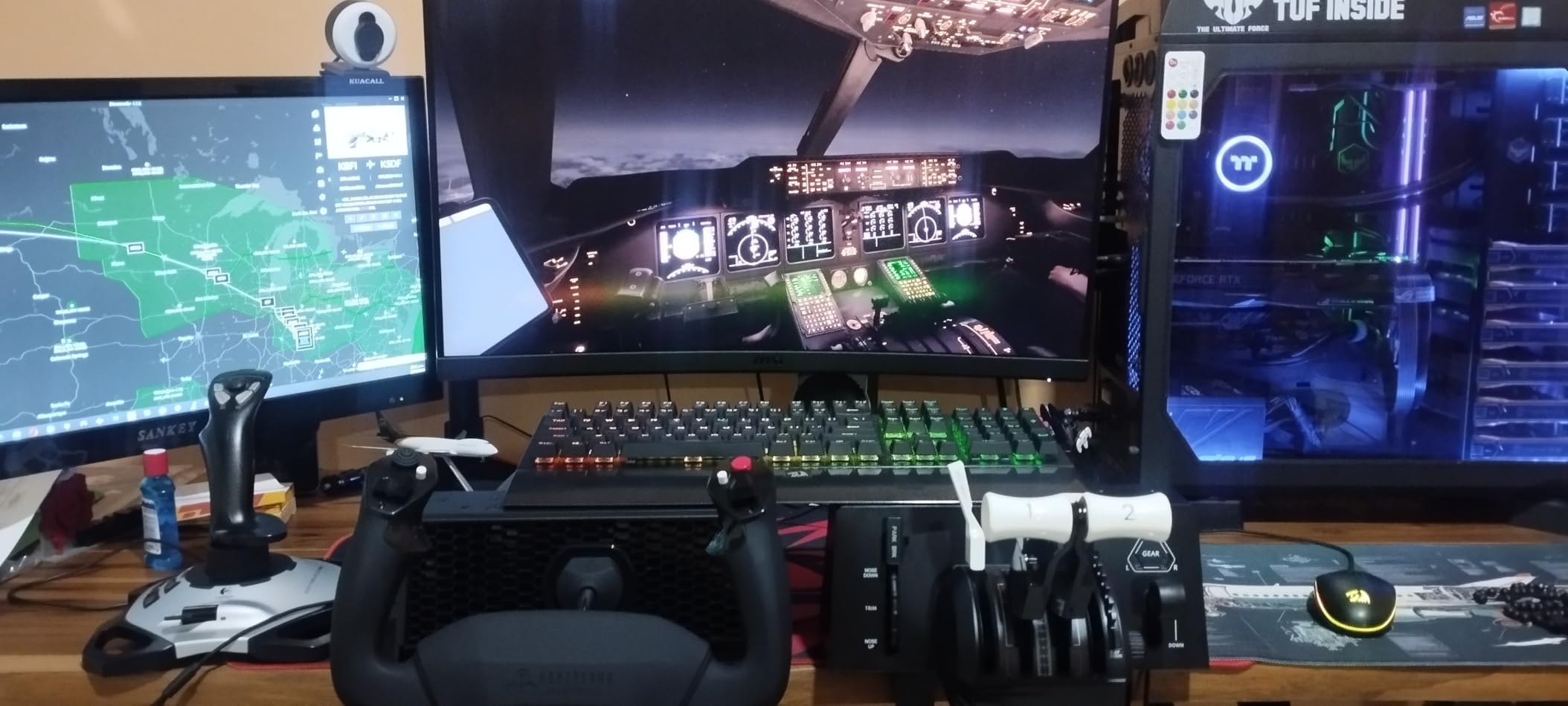
The 4.5 average comes from 62 reviews, with 78 percent five-star ratings and no three-star reviews at all. That is a small, early-adopter sample, so the long-term reliability picture is less established than the full-size Alpha. Reviewers consistently report that build quality and precision components feel well above the price tier, which is the point of the product.
Be clear-eyed about what a stripped-down yoke means in practice. You will be adding a throttle and rudder pedals separately to get a usable cockpit, and with far fewer programmable inputs, a complex airliner panel will run out of switches to bind. For general aviation on PC, that trade is entirely reasonable. For a full airliner build, it is not.
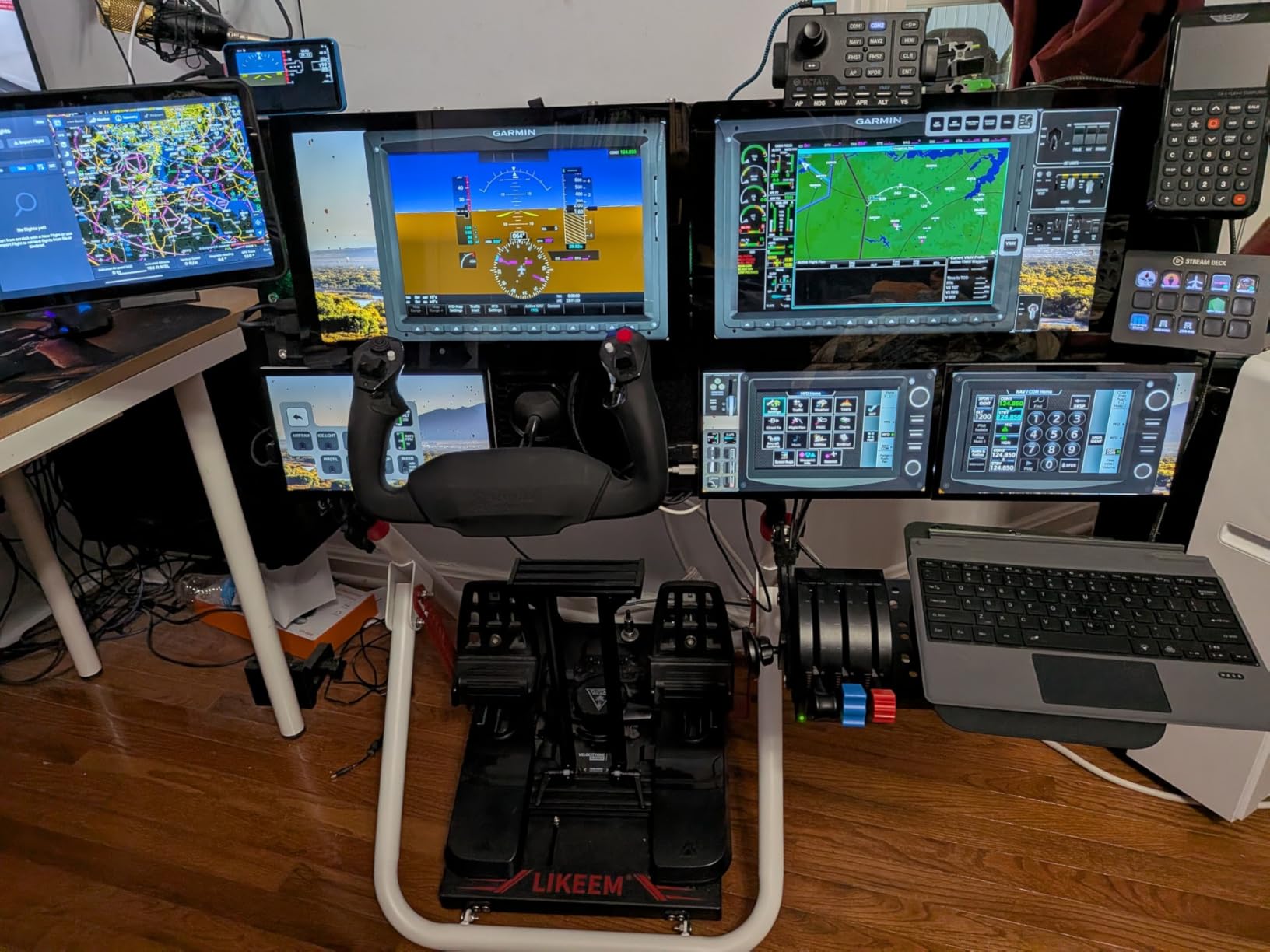
Who this works for
Pick the LITE if you have flown a little, know how you want the axes to feel, and simply do not want to program forty switches before your first circuit. The self-centering 180-degree mechanism is preserved, so you are not trading away the part of the yoke you actually feel through your hands.
It is also a sensible way to join the Honeycomb ecosystem if you are still building toward a full cockpit, since the feel carries over to the rest of the range once you are ready to expand.
Who should look elsewhere
Console players should skip it, as it is PC only with no Xbox or PlayStation support. Anyone building an airliner setup will also run out of inputs, since there is no integrated switch panel or ignition switch to bind.
And if you want the strongest community consensus behind your purchase, 62 reviews is a thin base compared with nearly 3000 on the Logitech G PRO. It is an early product with a good start, not a proven long-term one.
How to Choose a Flight Simulator Yoke
Yoke rotation: 90 degrees, 180 degrees, and pendular motion
Look for full 180-degree rotation unless you have a specific reason not to have it. Conventional 180-degree yokes cover the full range of a real control column, which is what makes the trim, flare and flare-hold inputs in an airliner feel right. The Logitech G PRO, the Turtle Beach VelocityOne and both Honeycomb yokes all travel the full range.
Pendular motion is a different mechanism entirely, and only the Thrustmaster Boeing pack implements it. The yoke swings beneath its column rather than pivoting from behind, matching how a Boeing 787 yoke actually moves. If you fly airliners exclusively, that authenticity is worth having; if you fly light aircraft, it is a specialized expense.
Sensors: hall effect and magnetic versus potentiometer
This is the single spec that predicts how long a yoke will last. A potentiometer is a physical wiper running across a resistive track, so every input wears it a little. A hall effect or magnetic sensor reads a rotating magnet without contact, so there is nothing to wear out. The Turtle Beach VelocityOne uses a non-contact hall effect sensor and the Thrustmaster pack uses magnetic technology on its main axes.
Budget yokes that do not specify a sensor type are the ones that show up in forums with stickiness and calibration drift a few hundred hours in. Combined with the materials inside, the sensor choice largely explains why a premium yoke still feels consistent years later.
Force feedback and why it matters less in flight sims
Force feedback is the first thing new simmers ask about and the least useful thing on this list. In racing, a force feedback wheel resisting a slide is essential information. In a flight sim, the main useful force event is a stall buffet, and most yokes do not simulate it. Spend your budget on the sensor, the shaft and the bearings, which you feel on every single input.
None of the six picks here competes primarily on force feedback, and that is a deliberate choice rather than an oversight. Smoothness and self-centering are the qualities that survive hundreds of hours of use.
Self-centering, detents, and dead zone
Self-centering is how the yoke returns to neutral when you let go, and quality here is the difference between a confident aircraft and a drifting one. The Honeycomb Alpha has a dampened self-centering mechanism with no center detent and minimal to no dead zone, which is why owners with real piloting experience rate it highest.
A center detent is not a defect, but it is a notch you feel at exactly the moment you want the smoothest possible input. Both Logitech units have one. It is a fair trade for everything else they include, but it is a real difference on a gusty short final.
Platform compatibility: PC, Mac, Xbox, PS5
Check the platform list before anything else, because it eliminates half this list immediately. The Logitech G PRO, the Logitech bundle and the Honeycomb Alpha LITE are Windows-only. The Honeycomb Alpha works on PC and Mac over USB-C. The Turtle Beach VelocityOne and the Thrustmaster Boeing pack cover Xbox Series X, Xbox Series S, Xbox One and PC.
Console mixing is where confusion lives. Manufacturers often require a supported device chain, meaning a console yoke and a console throttle designed to work together rather than any two devices from any two brands. If you play on console, buy the whole control system from one brand.
What comes in the box
A yoke cannot yaw, and it does not move the throttles. A complete cockpit needs a throttle quadrant and rudder pedals, and that is the budget reality most roundups skip. The Turtle Beach VelocityOne and the Logitech G PRO bundle both arrive with a throttle and pedals in one box, which is why they sit so well for a first setup.
The Logitech G PRO includes a throttle quadrant and two desk clamps but no pedals. The Honeycomb Alpha and Alpha LITE include neither, which is why the price alone understates what a finished setup costs. The Thrustmaster pack includes its own throttle quadrant with the Boeing autopilot block.
Desk mounting and home cockpit fit
Check three things before you commit: the clamp range of your desk thickness, the clearance in front of your desk edge for throttle movement, and whether the yoke handle will clear your monitor. The Thrustmaster Boeing pack at 6700 g needs a genuinely sturdy desk, and the all-metal internal structure means it is not going to move between setups.
Clamp-free mounting is available on the Honeycomb Alpha through a 3M Micro-Suction Pad rated at 40lbs of tensile strength, which is a good option if you want nothing attached to your furniture permanently. Just avoid leaving it on a wood surface for long periods, because it can mark the finish.
Yoke versus joystick versus HOTAS
Choose a yoke if you fly civilian aircraft. Cessnas, Pipers, business jets and Boeing airliners all use one, so the muscle memory you build transfers directly to a real aircraft and the yoke doubles as a visual reference for where your hands are. This is the strongest argument for a yoke and it is why r/MicrosoftFlightSim is almost unanimous on PC.
Choose a HOTAS or sidestick if you fly Airbus, fighter jets, attack helicopters or anything else with a side-mounted stick. A throttle on the left, stick on the right, and your hand placement is fixed in a way that suits long combat and transport sessions. A yoke is simply the wrong shape for those aircraft.
Is a HOTAS or yoke better for flight simulation? It depends on your fleet, not on the hardware. Many simmers end up owning both eventually, using a yoke for general aviation and airliners and keeping a stick for everything else.
Fixing Binding and Calibration Problems in Five Steps
Duplicate and conflicting axis bindings are the most common technical complaint in flight sim communities, and the symptom is always the same: jumping levers or runaway power changes that you did not command. The fix is almost always the same five steps.
Clear your control profile completely. In Microsoft Flight Simulator, back up your profile, then start from a clean control configuration rather than editing a corrupted one.
Rebind one axis at a time. Add the yoke, calibrate it, verify it, then add the throttle, then add the pedals, testing after each addition so you know which device introduced the problem.
Check the dead zone on every new axis. A default dead zone that is too wide makes an axis feel unresponsive; too narrow and the axis drifts on its own.
Set the mode switch to the correct position. Both Logitech units have a 3-position mode switch, and using the wrong position leaves a large block of controls unbound or double-bound.
Recalibrate the aircraft, not just the device. A saved trim or lever position in a specific aircraft profile can override what the hardware is telling it, which looks exactly like a binding fault.
If the axis still misbehaves after all five, move the device to a different USB port. Hub power delivery is a genuine cause of pitch axes that go dead, and the fix takes ten seconds to rule out.
Frequently Asked Questions
Which is better, the Honeycomb yoke or the Logitech yoke?
The Honeycomb Alpha is smoother, with a steel shaft, dual ball bearings, no center detent and minimal dead zone. The Logitech G PRO is better value as a complete first setup, because it includes a throttle quadrant and desk clamps. Buy the Honeycomb if feel and longevity matter most; buy the Logitech if you want a usable cockpit on day one.
Is a HOTAS or yoke better for flight simulation?
A yoke is better if you fly civilian aircraft such as Cessnas, Pipers or Boeing airliners, because the control matches the real thing and the muscle memory transfers. A HOTAS is better for Airbus, fighter jets and helicopters. Choose based on your fleet rather than on the hardware itself.
Which yoke is better, Honeycomb or Turtle Beach?
It depends on your platform. The Honeycomb Alpha is PC and Mac only and has the smoother mechanism. The Turtle Beach VelocityOne works on Xbox Series X, Xbox Series S, Xbox One and Windows PCs, and includes a throttle, trim wheel and rudder controls in one box.
Which flight simulator yoke is the best?
The Logitech G PRO Flight Yoke System is the best all-round choice, with a stainless steel shaft, 54 or more programmable controls, and a throttle quadrant and desk clamps included. The Honeycomb Alpha is best for pure control feel, and the Turtle Beach VelocityOne is best on Xbox.
What is the best value flight sim yoke?
The Logitech G PRO Flight Yoke and Rudder Pedals Bundle offers the most complete setup for the money, combining the yoke, throttle and self-centering pedals with differential toe brakes. Its 4.6 average is the highest rated in this roundup, though from a smaller review base of 104.
Do I need rudder pedals with a flight sim yoke?
Yes. A yoke controls pitch and roll only, and it does not twist, so all yaw input comes from rudder pedals. Without pedals you cannot hold a crosswind with rudder, taxi realistically, or fly a proper VFR pattern. The Turtle Beach VelocityOne and the Logitech bundle both include them.
Conclusion
Six yokes, six very different answers to the same question. The Logitech G PRO Flight Yoke System is the best flight simulator yoke for most PC simmers because the stainless steel shaft holds up and the box contains everything you need to actually fly. The Turtle Beach VelocityOne is the only pick that treats Xbox and PC equally, and the Honeycomb Alpha remains the feel benchmark for anyone who can fund it alongside a throttle.
Our picks sit alongside our other tested buying guides, including the best wrought iron flight cages with doors and the ones without doors, if you are building out the rest of your setup the same way you built this one. Whichever yoke you choose, check the platform list first, buy pedals at the same time, and expect to spend an evening on calibration before your first circuit in 2026.