
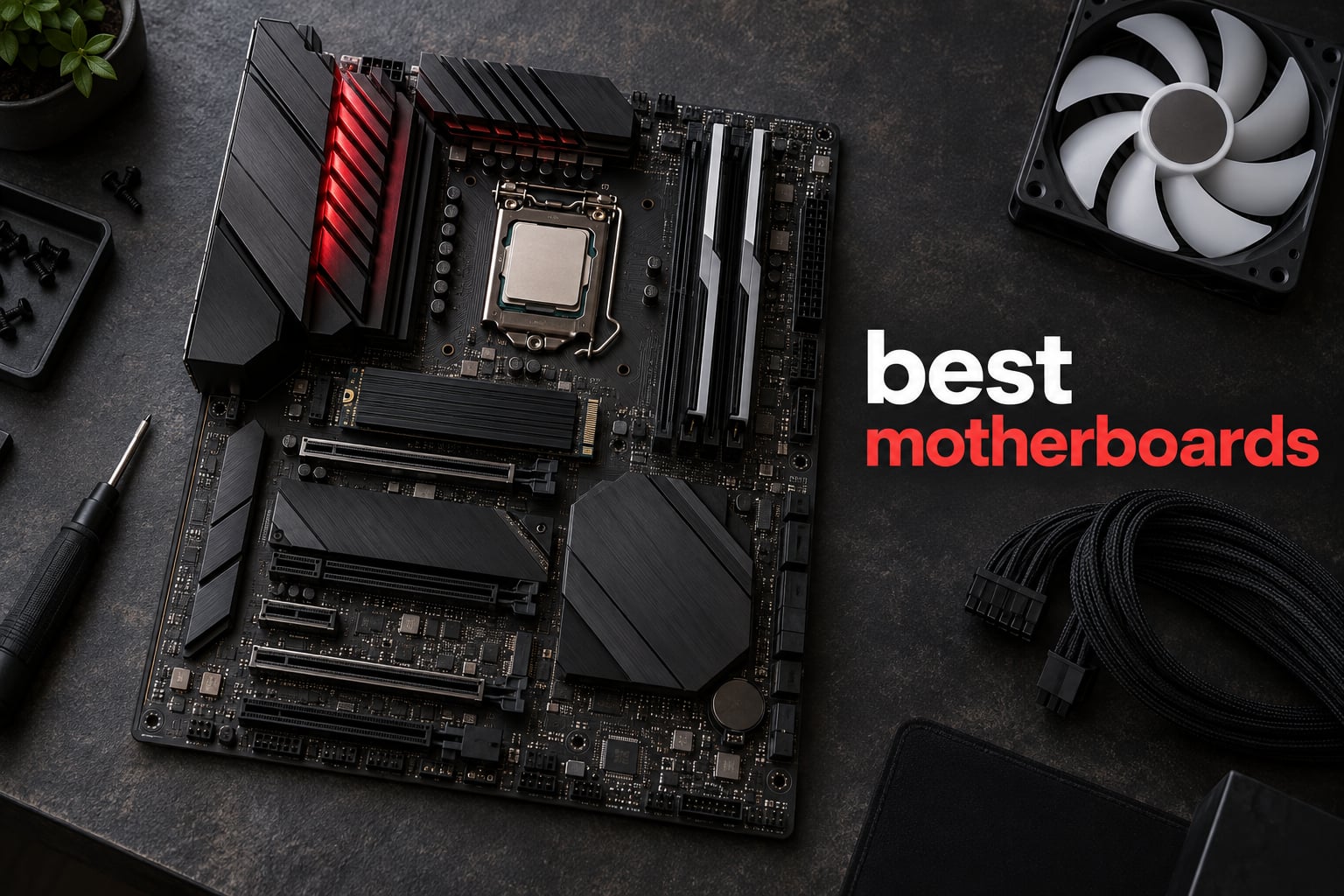
A motherboard is the one component in a PC you effectively cannot swap later without touching the rest of the build. Its socket decides which processors fit, its chipset decides which lanes and ports you get, and its form factor decides whether it goes in your case at all. Get that choice wrong and the fix is a new board, usually a new CPU, sometimes a new case.
That is why the best motherboards question gets asked more than almost any other part-picking question, and why the answer changes so quickly. For 2026, the field has narrowed into a small set of tiers, and the differences that actually matter between two ATX boards in the same tier are power delivery, M.2 slot count, memory support and networking. The badge on the box rarely does anything for frame rates.
We went through the current generation of AM5 and LGA 1700 boards and picked twelve that cover real needs: a default recommendation, budget options, a board for reusing an existing DDR4 kit, a white-themed build, and a handful of enthusiast boards for people who overclock. Every rating and review count below is copied straight from the current listing data, and we have listed the drawbacks for each one, because a roundup with no downsides is just an advertisement.
One note on method: we compared specifications, owner review themes and warranty terms for each board. We did not put every one of these through our own thermal bench, so where a claim about temperatures or stability comes from owner reports, we say so.
Table of Contents
Top 3 Motherboard Picks in 2026
If you want the short version before reading further, these three cover the majority of builds. The MSI MAG B650 Tomahawk WiFi is the default answer for a Ryzen gaming rig, the GIGABYTE B650 AORUS Elite AX does the same job for slightly less, and the ASUS ROG Strix B650-A is the pick if you want the ROG ecosystem and a rear 20Gbps Type-C port.


Quick Picks: The Best Motherboards by Category in 2026
Here is the category breakdown before the full write-ups. One line per board, each written so you can scan it in a few seconds.
- Best motherboard overall: MSI MAG B650 Tomahawk WiFi – extended VRM heatsinks, six SATA ports, WiFi 6E and 2.5GbE.
- Best value AM5 board: GIGABYTE B650 AORUS Elite AX – twin 14+2+1 phases with 70A stages, PCIe 5.0 M.2 and a five-year warranty.
- Best entry to the ROG range: ASUS ROG Strix B650-A Gaming WiFi – 12+2 stages, three M.2 slots and a rear 20Gbps Type-C port.
- Top-rated AM5 board: GIGABYTE B650 Eagle AX – 4.6 average rating, three M.2 slots and Q-Flash Plus recovery without a CPU.
- Best for overclocking a high-power Ryzen: ASUS ROG Strix X870-A Gaming WiFi – 16+2+2 stages rated at 90A each with dual ProCool II connectors.
- Best high-end AM5 feature set: MSI MAG X870 Tomahawk WiFi – USB4, WiFi 7 and 5G LAN with DDR5 support up to 7800 MHz.
- Best for storage and high-speed devices: GIGABYTE X870 AORUS Elite WIFI7 – four M.2 slots and dual USB4 Type-C ports.
- Best B850 board for power headroom: ASUS TUF Gaming B850-PLUS WiFi – 14+2+1 80A DrMOS stages, WiFi 7 and BIOS Flashback.
- Best for reusing existing DDR4 RAM: MSI PRO B760-P WiFi DDR4 – LGA 1700 with DDR4 up to 5333 MHz, WiFi 6E and 2.5GbE.
- Best for clock headroom and diagnostics: ASRock X870 Pro RS WiFi – DDR5 to 8000 MHz, on-board error code display, dual USB4.
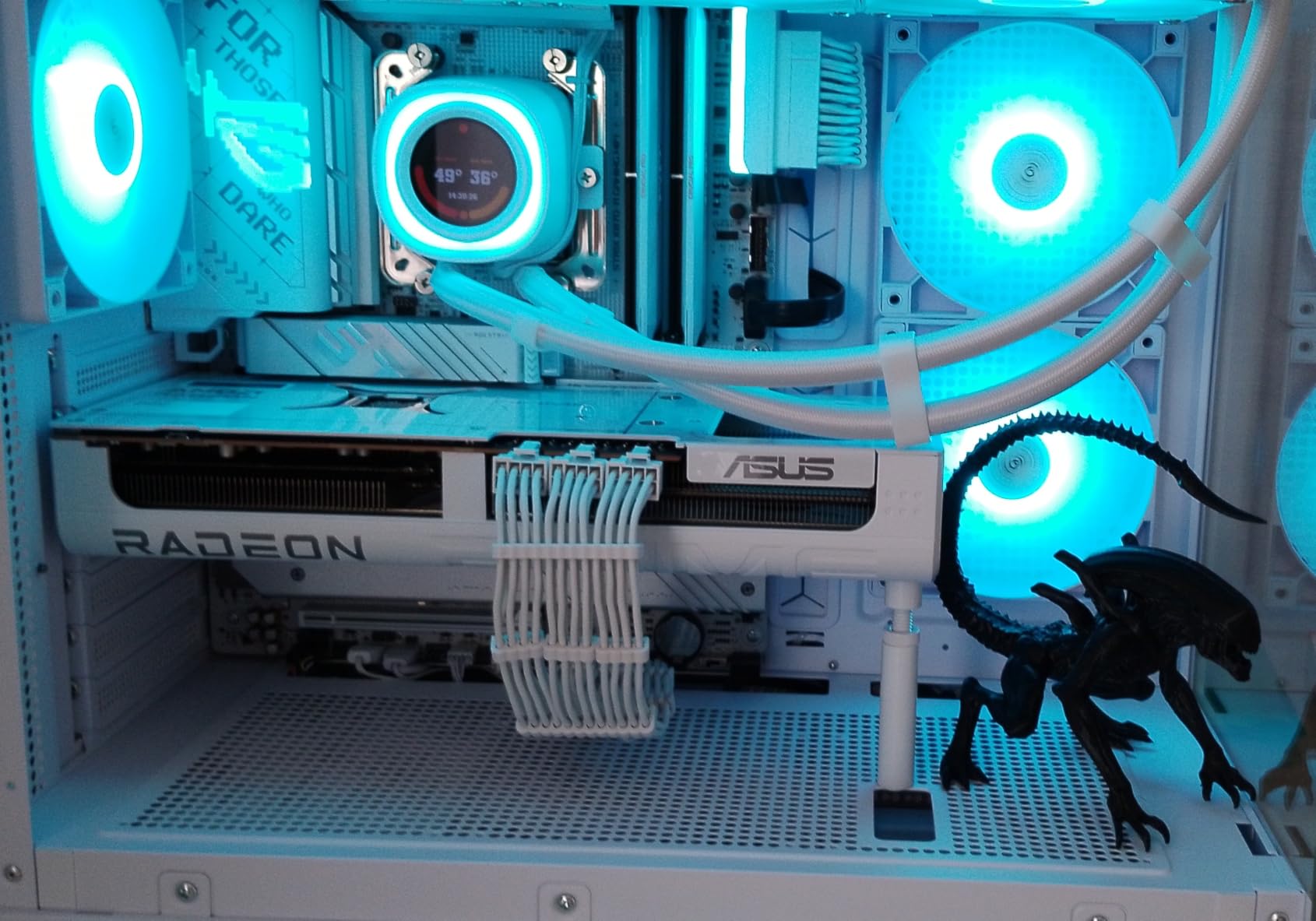
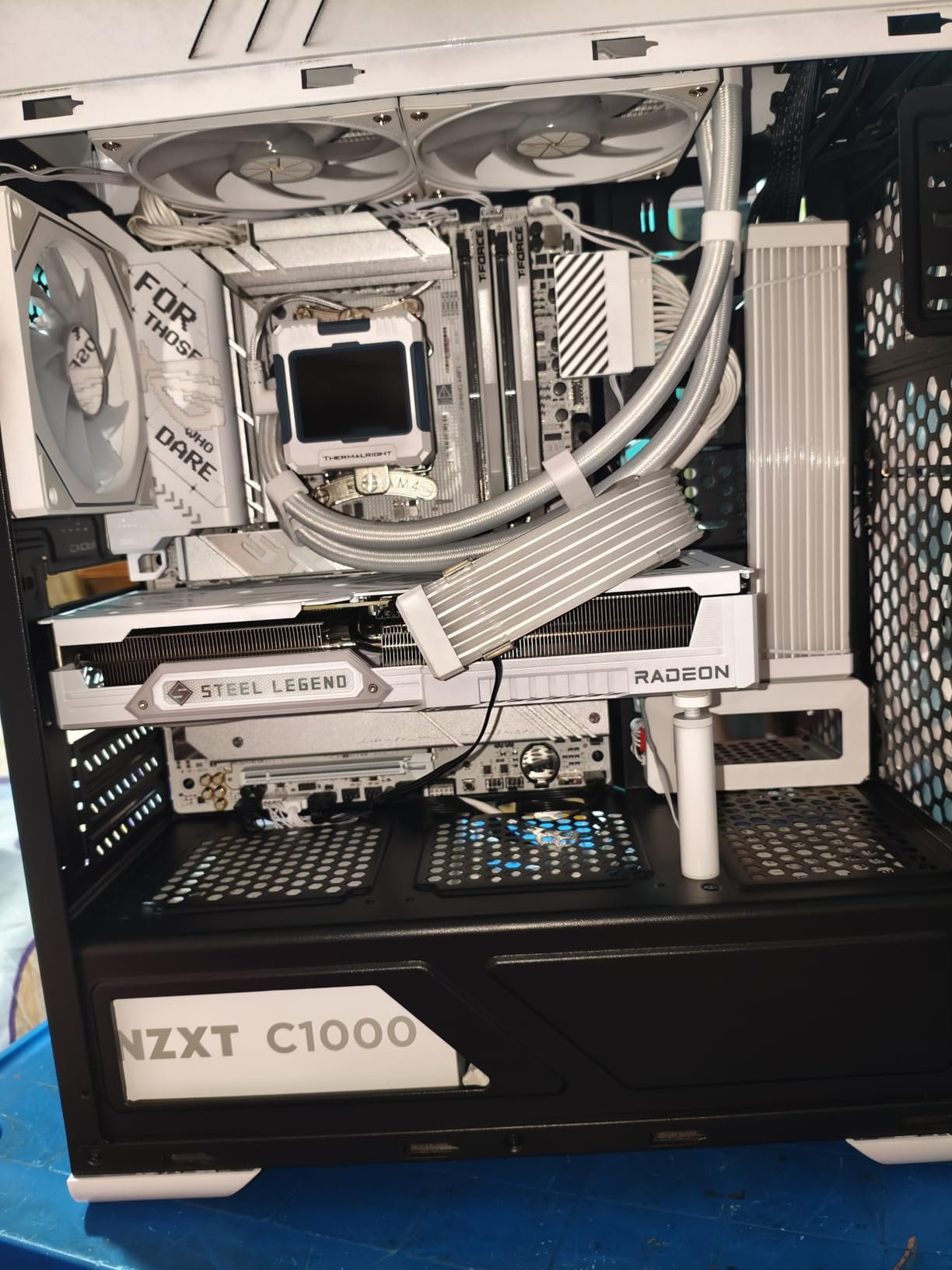
- Best white-themed board: ASRock B650 Steel Legend WiFi – white Steel Legend finish, 80A DrMOS stages and a 7.1-channel codec.
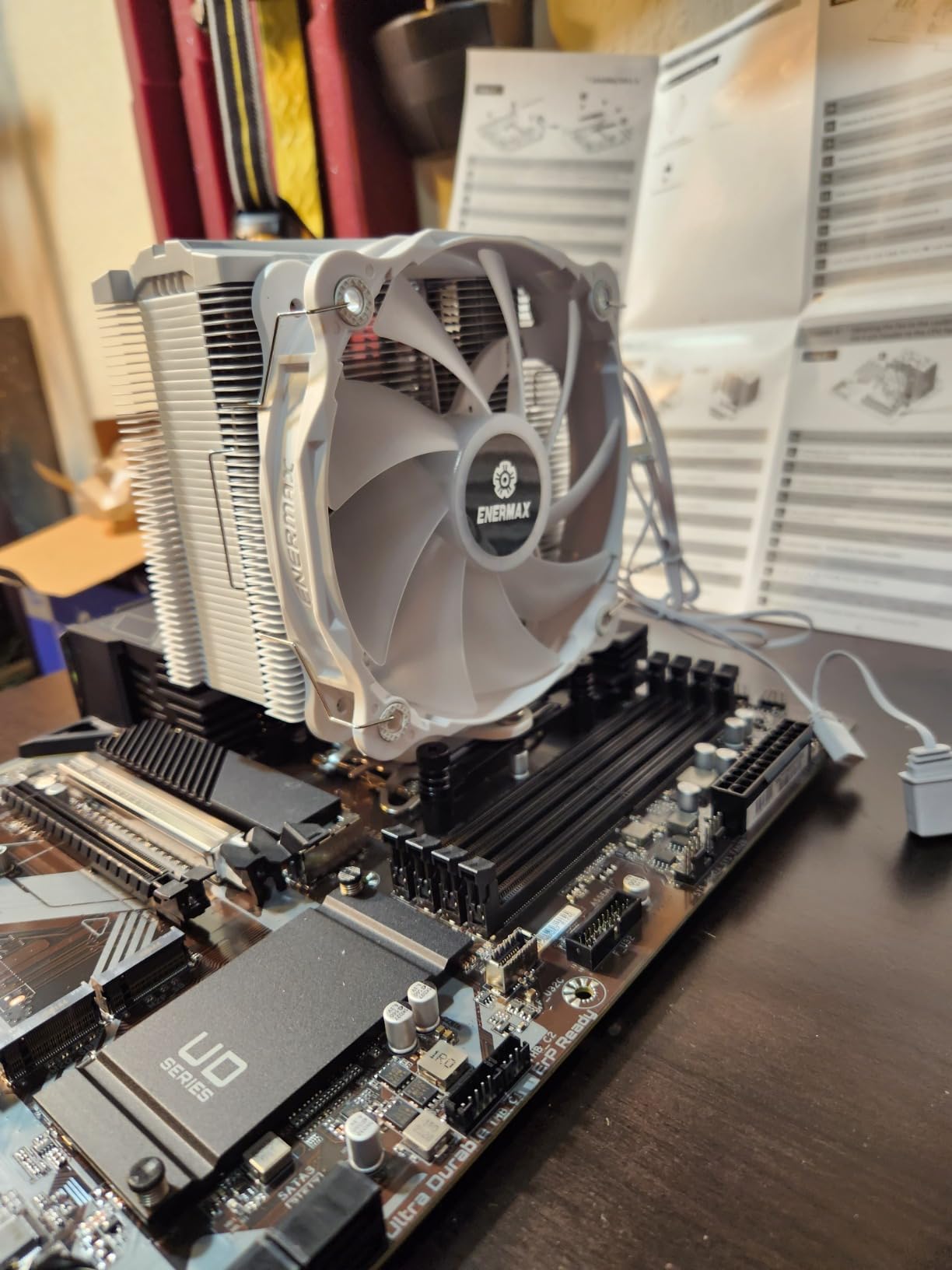
- Best for LGA 1700 upgraders with storage: GIGABYTE Z790 UD AC – full Z790 chipset, six SATA ports and three NVMe slots.
Every board in the list below appears in the comparison table, so you can scan socket, chipset and form factor side by side before you read any individual write-up.
| Product | Specifications | Action |
|---|---|---|
| MSI MAG B650 Tomahawk WiFi |
|
Check Latest Price |
 GIGABYTE B650 AORUS Elite AX GIGABYTE B650 AORUS Elite AX |
|
Check Latest Price |
| ASUS ROG Strix B650-A Gaming WiFi |
|
Check Latest Price |
 GIGABYTE B650 Eagle AX GIGABYTE B650 Eagle AX |
|
Check Latest Price |
 ASUS ROG Strix X870-A Gaming WiFi ASUS ROG Strix X870-A Gaming WiFi |
|
Check Latest Price |
 MSI MAG X870 Tomahawk WiFi MSI MAG X870 Tomahawk WiFi |
|
Check Latest Price |
 GIGABYTE X870 AORUS Elite WIFI7 GIGABYTE X870 AORUS Elite WIFI7 |
|
Check Latest Price |
 ASUS TUF Gaming B850-PLUS WiFi ASUS TUF Gaming B850-PLUS WiFi |
|
Check Latest Price |
 MSI PRO B760-P WiFi DDR4 MSI PRO B760-P WiFi DDR4 |
|
Check Latest Price |
 ASRock X870 Pro RS WiFi ASRock X870 Pro RS WiFi |
|
Check Latest Price |
 ASRock B650 Steel Legend WiFi ASRock B650 Steel Legend WiFi |
|
Check Latest Price |
 GIGABYTE Z790 UD AC GIGABYTE Z790 UD AC |
|
Check Latest Price |
1. MSI MAG B650 Tomahawk WiFi – Best Motherboard Overall
MSI MAG B650 Tomahawk WiFi Gaming Motherboard (AMD Ryzen 9000/8000/7000 Series Processors, AM5, DDR5, PCIe 4.0, M.2, SATA 6Gb/s, USB 3.2 Gen 2, HDMI/DP, Wi-Fi 6E, Bluetooth 5.3, 2.5Gbps LAN, ATX)
AM5 socket
B650 chipset
ATX
DDR5 to 6400+
3x M.2
WiFi 6E
2.5GbE
Pros
- Extended VRM heatsinks designed for Ryzen 9000 and 8000 chips
- 2.5GbE LAN plus WiFi 6E and Bluetooth 5.3
- M.2 Shield Frozr keeps NVMe thermals in check
- Four DIMM slots and six SATA ports
- Plain BIOS with broad Ryzen support
Cons
- M.2 slots run at PCIe Gen 4 rather than Gen 5
- Only three PCIe expansion slots
- Some buyers need a BIOS update for newer Ryzen CPUs
This is the board I keep coming back to for a plain AM5 gaming build. It carries a 4.5 average across 1351 ratings, sits at number 31 in the Computer Motherboards category, and it does the unglamorous work well: an extended heatsink over the VRM, six SATA ports, four DIMM slots and both 2.5GbE LAN and integrated WiFi 6E with Bluetooth 5.3.
Owner reports are consistent. People building Ryzen 7000, 8000 and 9000 systems describe clean assembly, working BIOS updates and stable operation once memory training has settled. The same reports keep flagging the same two things: the M.2 connectors are PCIe Gen 4 rather than Gen 5, and a BIOS update was needed on some units to fully support newer Ryzen processors.
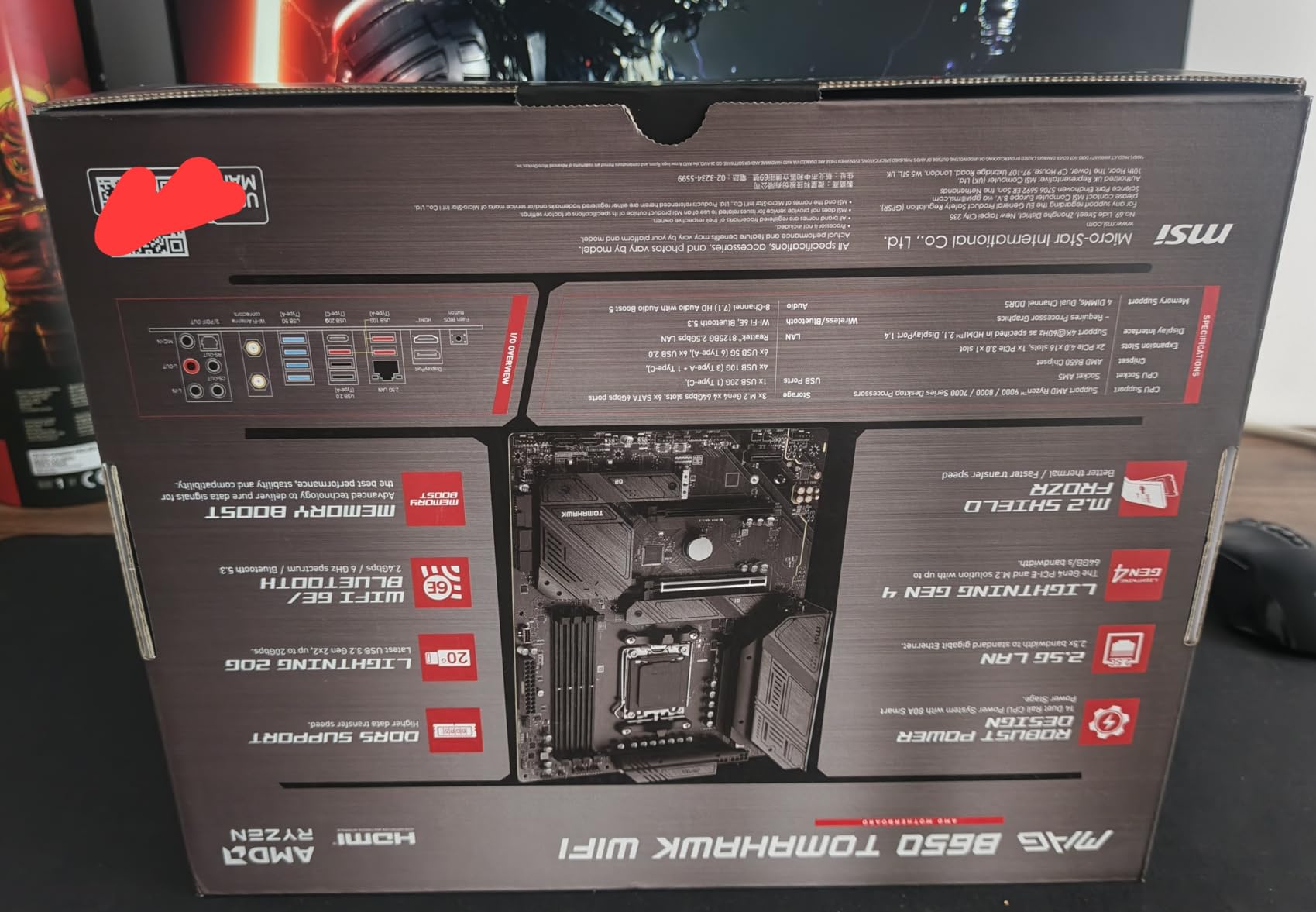
Storage is generous for the class, with the board listing three M.2 connectors plus six SATA ports and up to 128 GB of memory across four DIMM slots. Memory support is listed to DDR5 6400+ (OC), and the board’s Lightning M.2 runs at PCIe Gen 4 under an M.2 Shield Frozr heatsink. A Gen 4 drive loses a little burst speed against a Gen 5 stick in file transfers, and in-game load times the difference is basically invisible.
Connectivity is where it stays ahead of cheaper B650 boards: 2.5GbE rather than plain gigabit, and WiFi 6E on board so you are not adding a PCIe card that competes for lanes you may want. It measures 9.6 by 2.5 by 12 inches and weighs 4 pounds, which is standard ATX and fits any mid-tower or full tower.
Is the MAG B650 Tomahawk right for a first AM5 build?
Yes, if you are pairing it with a Ryzen 5 or Ryzen 7 gaming chip and want the install to be uneventful. The board has the practical connectors most builders reach for on day one, front and rear USB-C on the modern variants, and an extended heatsink over the VRM that has plenty of mass for a 65W to 120W part.
It also suits a productivity machine, since six SATA ports cover multiple hard drives in a NAS-lite or a large library of 2.5-inch drives. If you plan to run a heavily overclocked 12-core or 16-core part at high all-core loads for hours, the X870 board further down handles that with more current headroom.
Where the Tomahawk WiFi falls short
Three PCIe expansion slots is fewer than some rivals, and it matters if you plan to add a capture card, a second GPU or an expansion card alongside a large graphics card. The lack of Gen 5 M.2 is a downgrade in paper specs only; current Gen 4 drives are fast enough that few builds notice.
Software is the other friction point. MSI bundles its control software, and reviewers who dislike it are consistent about that, so plan on spending a few minutes in a fresh install deciding which utilities you keep. Memory training on first boot can also take a couple of passes before your EXPO profile settles.
2. GIGABYTE B650 AORUS Elite AX – Best Value AM5 Board
GIGABYTE B650 AORUS Elite AX AMD AM5 ATX Motherboard, Support Ryzen 9000/8000/7000 Series, DDR5, 14+2+1 Power Phase, PCIe 5.0 M.2, USB-C 3.2 Gen 2, WIFI6E, 2.5GbE, EZ-Latch, Q-Flash, RGB Fusion
AM5 socket
B650 chipset
ATX
14+2+1 at 70A
PCIe 5.0 M.2
WiFi 6E
2.5GbE
Pros
- Twin 14+2+1 phases with 70A power stages on an 8-layer PCB
- PCIe 5.0 NVMe x4 M.2 with tool-free retention
- WiFi 6E and 2.5GbE plus front and rear USB-C
- Five-year warranty after online registration
- Largest owner review base of any board here
Cons
- No printed manual
- download only
- Entry-level onboard audio codec
- Early units needed a BIOS update before XMP worked
If the Tomahawk is the default, this is the value answer, and it is a genuinely strong one. The B650 AORUS Elite AX has more owner feedback than any other board in this roundup at 1547 ratings, holds a 4.3 average, and ranks number 2 in Computer Motherboards. That much feedback is itself a useful signal: when a part has this many builds behind it, the odd hardware failures surface quickly and the common complaints become well known.
The power delivery is the standout spec. Twin 14+2+1 phases using 70A power stages sit on an 8-layer, 2X copper PCB, with a 6mm heatpipe and fully covered MOSFET heatsinks. That stage count and amperage put it above the entry-level B650 layouts in this roundup, which is the spec that decides whether a Ryzen 9 sits off thermal throttling under sustained all-core load.
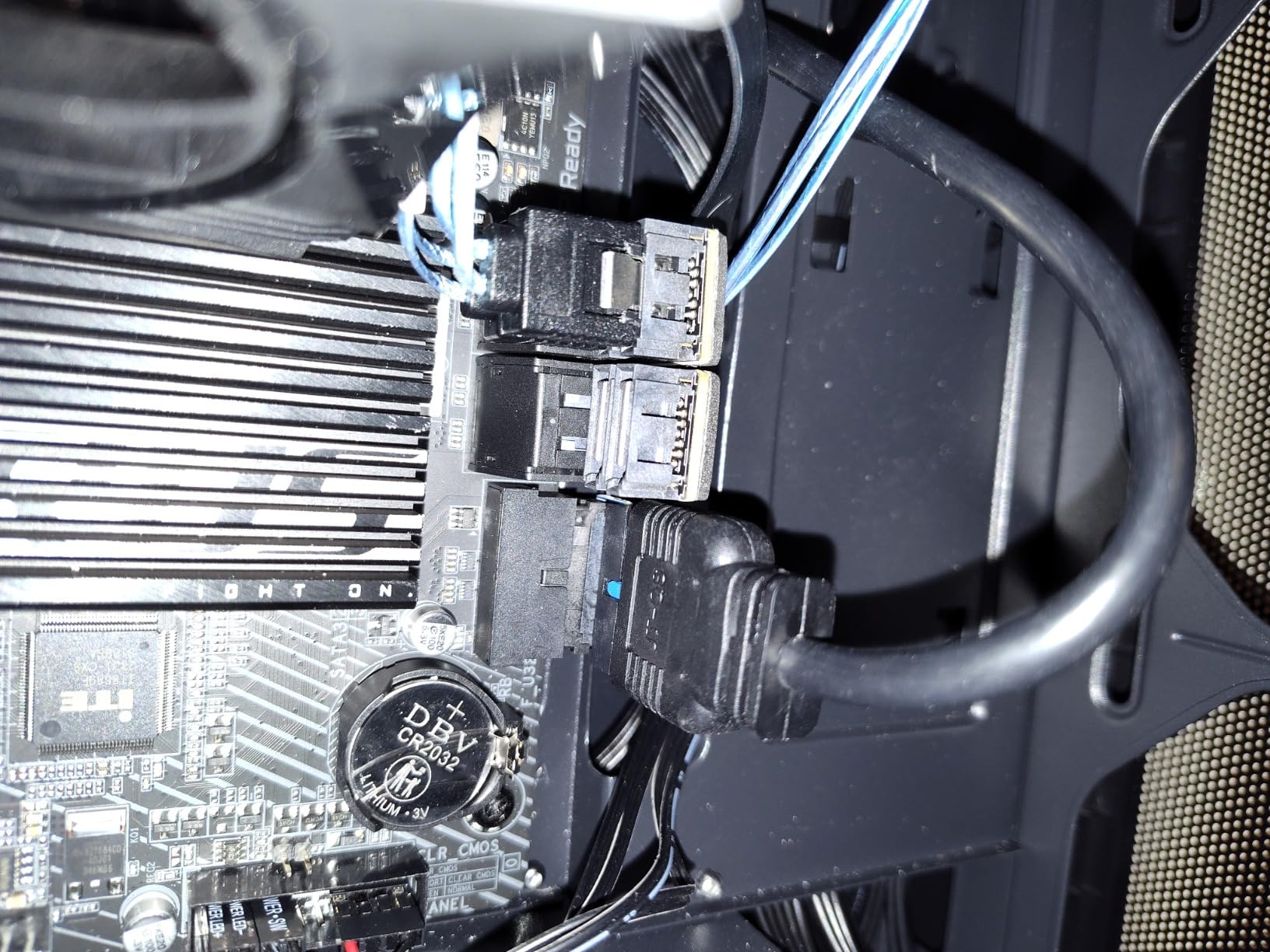
Storage and ports are a step up from most B650 boards at this level. You get PCIe 5.0 NVMe x4 M.2 support, M.2 Thermal Guard heatsinks, and USB-C on both the rear and the front panel header. Networking is 2.5GbE plus WiFi 6E, and there are 12 USB ports in total, which is more than the Tomahawk lists.
Build quality details are the ones experienced builders mention most. EZ-Latch tool-free M.2 clips remove the small screws that are easy to strip or drop, and Q-Flash makes BIOS updates straightforward. Memory support runs to 128 GB across four DIMMs with both AMD EXPO and Intel XMP profiles.
Who should buy the B650 AORUS Elite AX?
Anyone building a Ryzen 7 or Ryzen 9 system who wants Gen 5 storage, 2.5GbE and solid VRM without moving up to an X870 chipset. It is also the board I would suggest for a first build, because the manual is thin but the layout is conventional and the tool-free M.2 latches remove a common source of early frustration.
It suits anyone who values warranty length. The listed coverage is five years after registering online, against the three years on several rivals here, which matters if you keep the machine for a decade.
What you give up with this board
Documentation is the honest weak point: there is no printed manual, only an online download, and first-time builders do complain about that. The onboard audio codec is also described by multiple buyers as entry-level, so if you plan to use speakers rather than a headset, budget for an external DAC or amplifier.
Some early units shipped with a BIOS that could not enable XMP, and a few owners reported reboot or LAN dropouts before updating the BIOS and chipset drivers. Update first, before you declare the board faulty. The adhesive under the top M.2 heatsink is also thick enough to bow a drive slightly, which is cosmetic rather than functional.
3. ASUS ROG Strix B650-A Gaming WiFi – Best Entry Point to ROG
ASUS ROG Strix B650-A Gaming WiFi AMD B650 AM5 Ryzen™ Desktop 9000 8000 & 7000 ATX motherboard, 12 + 2 power stages, DDR5, 3x M.2 slot, PCIe® 4.0, 2.5G LAN, WiFi 6E, USB 3.2 Gen 2×2 Type-C®, Aura Sync
AM5 socket
B650 chipset
ATX
12+2 stages
DDR5 to 6400
3x M.2
WiFi 6E
Pros
- Integrated I/O shield and clearly labelled headers
- One PCIe 5.0 and two PCIe 4.0 M.2 slots with heatsinks
- 2.5GbE
- WiFi 6E and rear 20Gbps Type-C
- High-speed DDR5 profiles boot cleanly
- Many ARGB headers for themed builds
Cons
- Armoury Crate adds background overhead
- Some owners report around 20-second cold boots
- Onboard audio is modest
- Network driver may need updating out of the box
The ROG Strix B650-A is the cheapest sensible way into ASUS’s board ecosystem, and it holds a 4.5 average over 1219 ratings. Where the cheaper B650 boards cut the power design, this one keeps a 12+2 power stage layout with 8+4 pin ProCool connectors and massive VRM heatsinks with airflow channels and high conductivity thermal pads.
Reviewers treat it as a good entry rather than a compromise. Power delivery, memory stability and connectivity draw the praise; the criticism is aimed at ASUS’s software rather than the silicon. Armoury Crate and Aura Sync are the two names that come up, both for requesting admin permissions and for holding resources in the background.
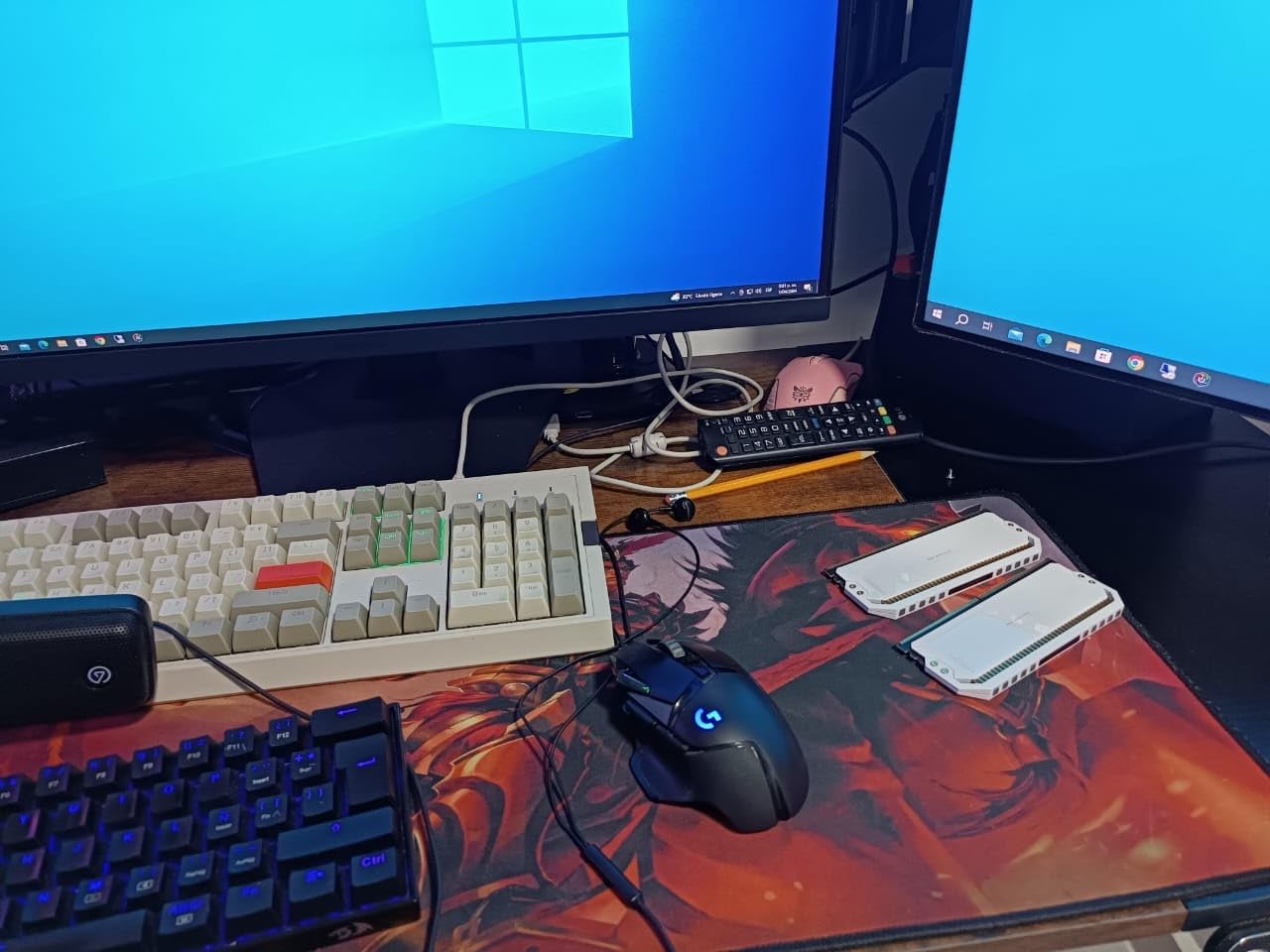
Storage is the reason to stretch here. Three M.2 slots come with a mix of generations, one PCIe 5.0 and two PCIe 4.0, and all three carry heatsinks. That is more usable storage than most B650 boards, and combined with four SATA ports it covers a large game library plus a scratch drive or two.
Rear I/O includes 2.5G LAN, WiFi 6E and a USB 3.2 Gen 2×2 Type-C port, and the board lists 9 USB ports with numerous ARGB headers for lighting. Memory runs to 6400 MHz across four DIMM slots and up to 128 GB, and the board needs a BIOS update when used with Ryzen 9000 or 8000 series processors.
Is the ROG Strix B650-A worth the brand premium?
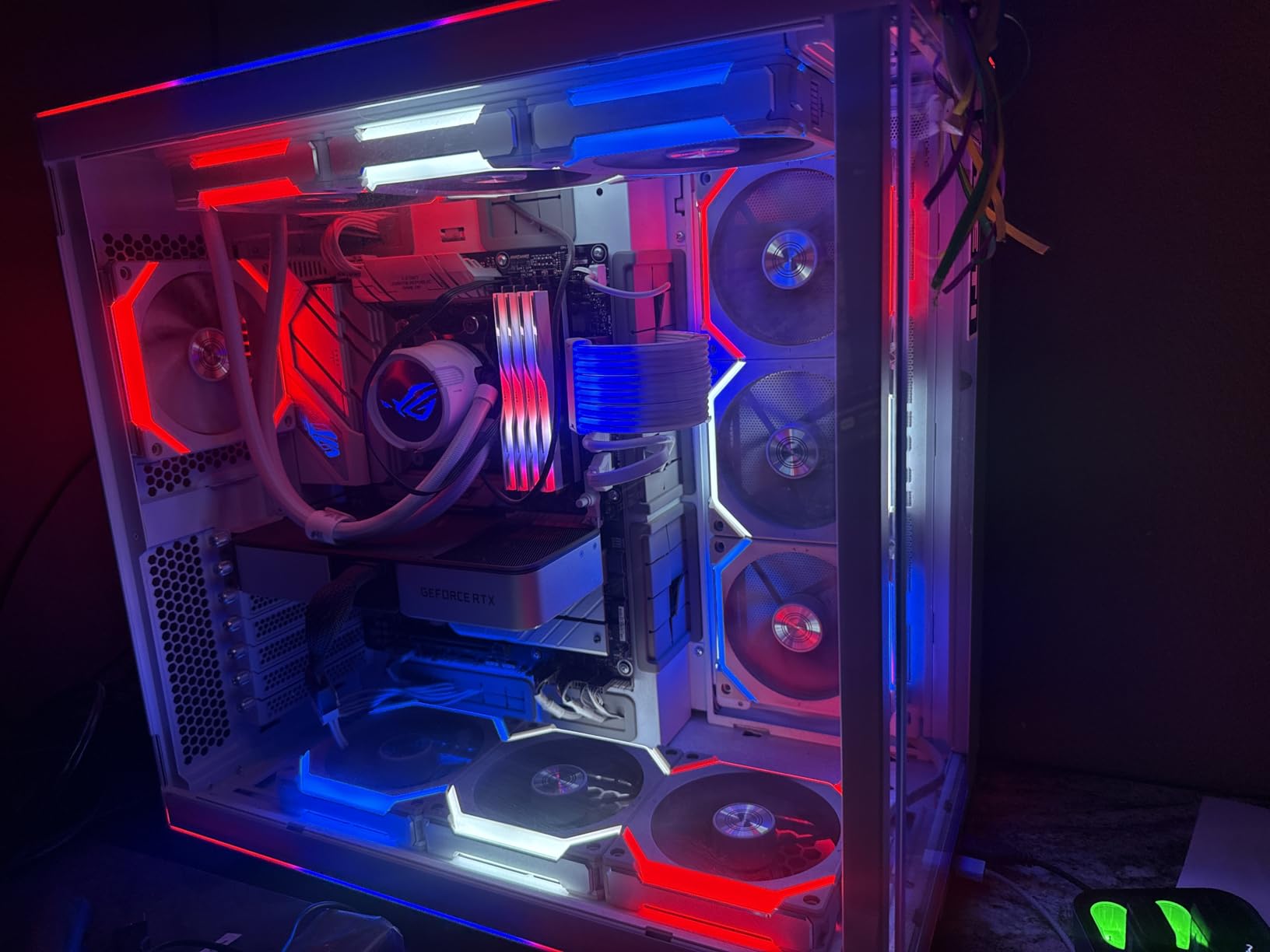
Yes, if you want the rear 20Gbps Type-C, an integrated I/O shield, a clean white finish and the BIOS Flashback-adjacent conveniences that come with the ROG line. The labelled headers and pre-fitted shield also make it a friendlier first build than boards that ship the shield in the box.
It is also the sensible choice if your case is a themed build and you want ARGB headers without buying add-in strips. Multiple owners mention high-speed DDR5 kits enabling their EXPO profiles without boot loops, which is a small thing until it happens to you.
Where the B650-A disappoints
Onboard audio is not the strongest, and some users ended up adding a DAC or external amplifier. If your speakers connect to the motherboard rather than a headset, that is a real cost to factor in.
Two practical notes from owner reports: cold boots of around 20 seconds were mentioned by some, and the Ethernet controller may need a driver update before it behaves properly on a fresh install. A small minority also report GPU-related stability problems, which is unusual for this board but worth knowing if it happens. The listed warranty is three years.
4. GIGABYTE B650 Eagle AX – Top-Rated AM5 Board
GIGABYTE B650 Eagle AX AM5 LGA 1718 ATX Motherboard, DDR5, Triple M.2 Slots (1x PCIe 5.0, 2X PCIe 4.0), USB 3.2 Gen2x2 Type-C, WiFi 6E, Realtek GbE LAN
AM5 socket
B650 chipset
ATX
12+2+2 phases
3x M.2
WiFi 6E
GbE
Pros
- 4.6 average rating with a strong five-star share
- Three M.2 slots including one PCIe 5.0
- Q-Flash Plus recovered a board without a CPU
- Integrated WiFi 6E performs like a discrete card
- Five-year warranty after registration
Cons
- Gigabit Ethernet rather than 2.5GbE
- Runs warm under heavy sustained load
- Printed manual is sparse for beginners
The B650 Eagle AX carries a 4.6 average over 964 ratings, joint-highest in this group, and reviewers single out the five-star share as unusually large. It is the plainest-looking board here, and that is partly the point: it is frequently described as a strong value AM5 ATX option, with the mix of three M.2 slots and recovery features doing the work.
Power delivery is a 12+2+2 phase digital VRM solution, which is a step above the 12+2 layout in the ASUS board and behind the 14+2+1 twins in the Aorus Elite. For a Ryzen 5 or Ryzen 7 at stock or with a modest all-core boost, that is more than sufficient. For a hot 16-core part, we would point you further down the list.
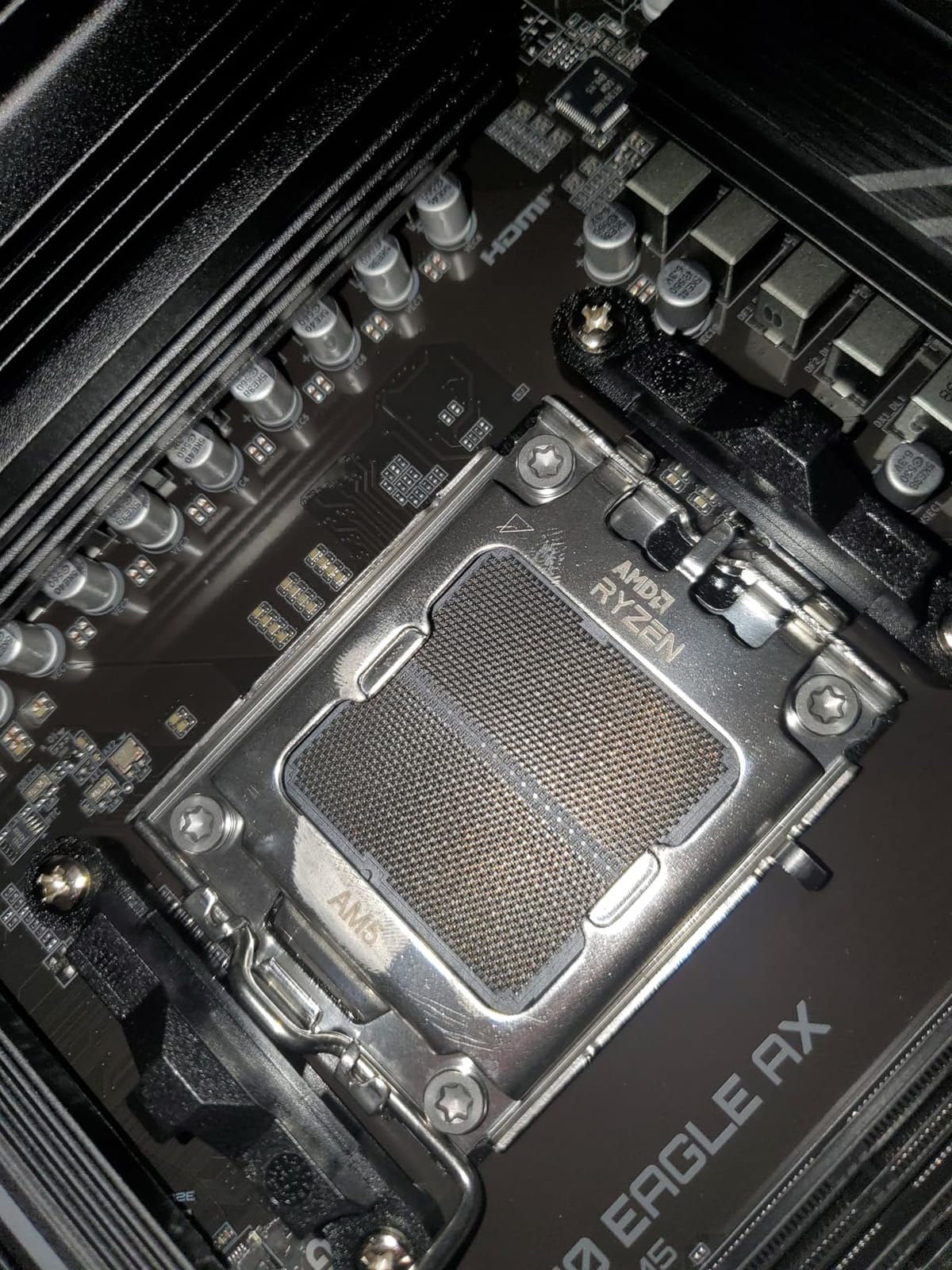
Storage is unusual for this price band: three M.2 slots with one running at PCIe 5.0 and two at PCIe 4.0, all under M.2 Thermal Guard heatsinks. Memory support is four DDR5 DIMMs with EXPO and XMP, and the board lists 18 USB ports in total, the highest count of the B650 models here.
One owner story stands out in the reviews: Q-Flash Plus CPU-less BIOS recovery rescued a board that would not otherwise have posted, which is exactly the scenario that otherwise means a return. Networking is Realtek gigabit Ethernet plus WiFi 6E, and the integrated wireless performs comparably to a discrete card according to owners.
Who is the B650 Eagle AX built for?
A first or second build on AM5 where you want the newest storage support and the longest warranty in the B650 group. The five-year registered warranty is a real differentiator when three years is the norm here, and the tool-free features reduce the chance of a first-build mistake.
It also suits anyone who values port count over port speed. With 18 USB ports listed, a case full of peripherals, an external drive and a stream deck is easier to connect without a hub.
When to look at a different board
Networking is the honest limitation. If you plan to run a NAS, transfer large files over the LAN regularly or want headroom for a faster switch later, gigabit Ethernet is the wrong ceiling and a 2.5GbE board costs little more.
Thermally, owners report it running warm under heavy sustained load, so case airflow matters more than on the boards with larger heatpipe assemblies. The printed manual is also sparse, which is a rough first experience for a new builder even if the BIOS itself is described as clear and well labelled.
5. ASUS ROG Strix X870-A Gaming WiFi – Best for Overclocking a High-Power Ryzen
ASUS ROG Strix X870-A Gaming WiFi AMD AM5 X870 ATX Motherboard 16+2+2 Power Stages, Dynamic OC Switcher, Core Flex, DDR5 AEMP, WiFi 7, 4X M.2, PCIe® 5.0, Q-Release Slim, USB4®, AI OCing & Networking
AM5 socket
X870 chipset
ATX
16+2+2 at 90A
4x M.2
USB4
WiFi 7
Pros
- 16+2+2 stages rated at 90A each for hot high-end Ryzen chips
- All four M.2 slots carry heatsinks
- WiFi 7 and USB4 with a large rear port selection
- Dynamic OC Switcher and Core Flex in the BIOS
- Q-Release Slim removes the GPU without tools
Cons
- Only two SATA ports
- No on-board POST code LED display
- Armoury Crate resets fan and RGB settings after updates
This is the board to buy if your CPU choice is a Ryzen 9 or a flagship X3D part and you intend to push it. The power solution is 16+2+2 stages rated at 90A per stage with dual ProCool II connectors, which is a different class of current delivery from the 12+2 and 14+2+1 designs in the other B650 boards here. Owner reports consistently describe the VRM staying cool under sustained heavy loads with high-end Ryzen 9000 silicon.
It holds a 4.5 average from 708 ratings, with a smaller but well-established review base. The BIOS is the other selling point: Dynamic OC Switcher, Core Flex, Asynchronous Clock and PBO Enhancement are all present, alongside ASUS AI Overclocking, AI Cooling II and AI Networking. AEMP memory profiles are a small convenience if your kit is on the supported list.
Storage is where this board separates itself. Four M.2 slots are listed and all four have dedicated heatsinks, which is the fix for the most common complaint about faster NVMe drives, namely throttling once they get hot. Total USB port count is listed at 21, the highest in this roundup, alongside USB4 connectivity and WiFi 7.
Memory capacity goes to 192 GB across four DIMM slots, and the board carries Q-Release Slim latches for tool-free GPU removal, which matters more than it sounds if you swap graphics cards often. The listed warranty is three years.
Is X870 the right chipset, or is this overkill?
If you are running a Ryzen 9 9950X-class chip at sustained all-core loads, or you plan to overclock, the extra power stages here are the reason this board exists. That is a real answer to the question builders ask constantly, which is whether a B650 board will throttle a 9800X3D: for a six- or eight-core part at stock, it will not, and for a 12- or 16-core part under heavy load, this is the safer buy.
For a Ryzen 5 or Ryzen 7 gaming build, the B650 boards in this list already cover it and the X870 premium buys you features you may never touch. The single-chipset X870 boards below are the better value route if you want the platform without flagship pricing.
What you compromise for that power delivery
Only two SATA ports are listed, which is a real constraint for anyone with multiple hard drives. There is no on-board POST code LED display, so if a system refuses to boot you are reading the Q-LED codes on the board edge rather than a two-character display.
Integrated graphics output is disabled by default and has to be enabled in the BIOS, which catches out people using a Ryzen chip with integrated graphics as a display output. Armoury Crate also resets RGB and fan settings after updates for some owners, and a few memory kits need a BIOS update before they will boot at all.
6. MSI MAG X870 Tomahawk WiFi – Best High-End AM5 Feature Set
MSI MAG X870 Tomahawk WiFi Gaming Motherboard (AMD Ryzen 9000/8000/7000 Series Processors, AM5, DDR5, PCIe 5.0, M.2 Gen5, SATA 6Gb/s, USB 40Gbps, HDMI/DP, Wi-Fi 7, Bluetooth 5.4, 5Gbps LAN, ATX)
AM5 socket
X870 chipset
ATX
DDR5 to 7800
USB4
WiFi 7
5G LAN
Pros
- USB4
- WiFi 7 and 5G LAN without flagship pricing
- Tool-free M.2 heatsink and BIOS Flashback
- EZ Debug LEDs and one-click EXPO in the BIOS
- Pre-loaded BIOS flash drive included
- Extended PWM heatsinks keep VRM temperatures down
Cons
- Only two SATA ports for hard drives
- No native 5.1-channel audio
- Second PCIe 5.0 SSD forces a choice against USB4 bandwidth
The MAG X870 Tomahawk is the board reviewers most often single out as the value route into X870. It lists a built-in USB4 port for 40Gbps transfers, and 5G Ethernet at this level of board is rare rather than standard.
It carries a 4.4 average across 649 ratings, with WiFi 7 and Bluetooth 5.4 alongside the 5G LAN. Owners cite the combination of current high-speed ports and networking without flagship pricing as the reason to step up a chipset tier.
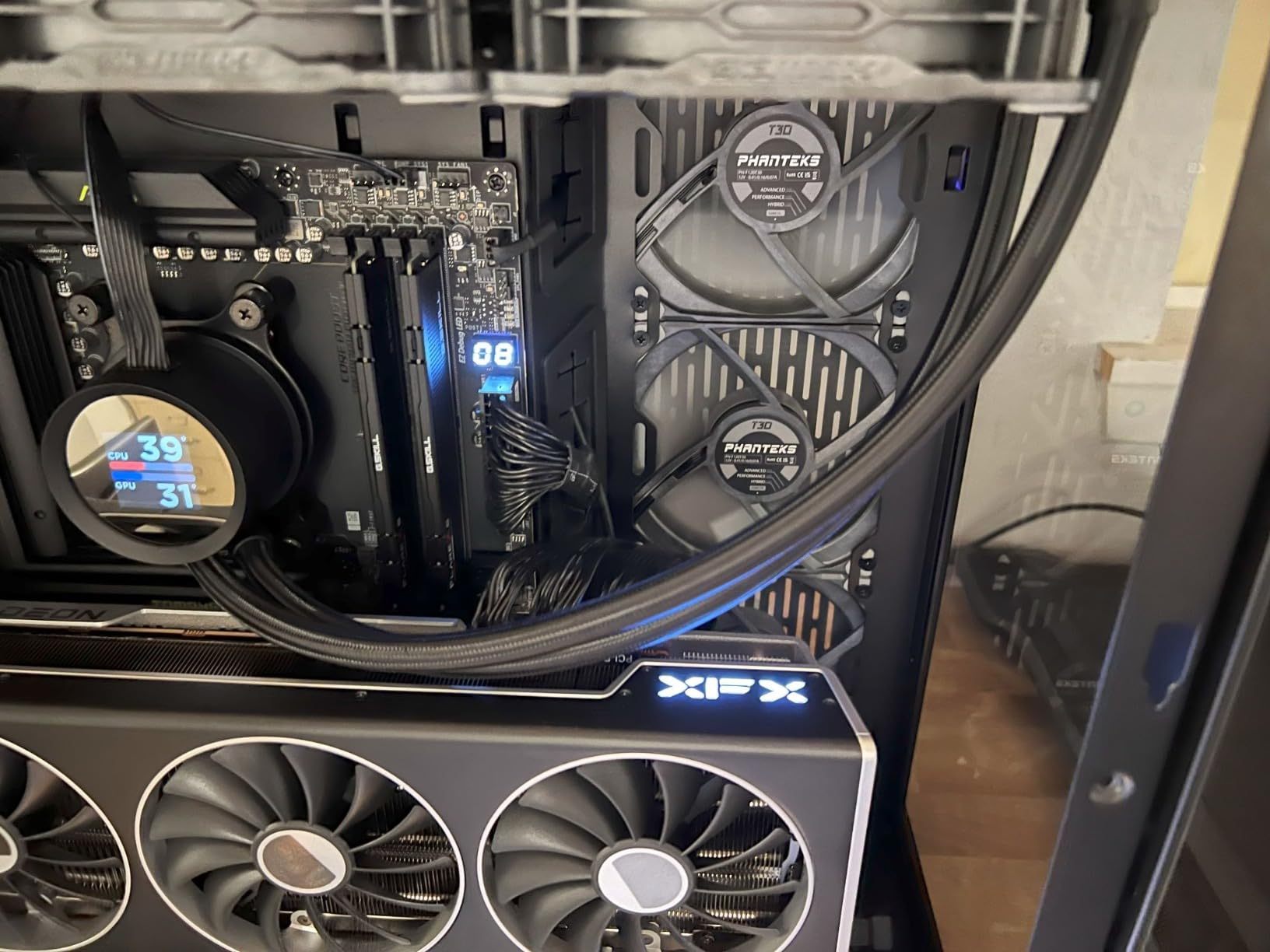
Assembly is the quiet strength. Tool-less EZ M.2 installation, BIOS Flashback, EZ Debug LEDs and a pre-loaded BIOS flash drive in the box mean you can update firmware or diagnose a POST failure without an installed CPU. The BIOS itself draws praise, particularly the one-click EXPO option for memory profiles.
Memory support is listed to DDR5 7800 MHz across four slots with up to 256 GB of capacity, which is a wide range for an enthusiast board. The single-chipset design routes the secondary PCIe 4.0 lane with lower latency, which reviewers single out as useful for capture cards rather than a second graphics card.
Audio is Audio Boost 5 with an isolated processor, though it is not a native 5.1-channel solution. Extended PWM heatsinks cover the VRM, and owners report VRM temperatures staying comfortable under load. The board measures 13.4 by 10.9 by 3 inches and weighs 4 pounds, so check your case accepts a full-size ATX board with room for tall memory.
Is the MAG X870 Tomahawk a good match for a high-end gaming PC?
Yes. It gives you X870 platform features, Gen 5 storage and USB4 without moving up to a flagship board, and the 5G LAN is a genuine advantage if you move large game libraries around on a network. For a Ryzen 7 or Ryzen 9 X3D pairing, the VRM and cooling arrangement leave plenty of margin.
It also suits content creators on the AM5 platform who want fast networking and current high-speed ports without paying for a creator-specific board. Tool-free M.2 fitting is helpful if you swap SSDs regularly.
The lane and SATA trade-offs
There are only two SATA ports listed, so a multi-drive library needs a different plan. More importantly, using a second PCIe 5.0 SSD forces a choice between that slot and USB4 bandwidth, because those share lanes. Know which you need before you buy the drive.
Early firmware produced some reports of slow boot times and WiFi stability issues, which later BIOS versions largely address. MSI Center is disliked by several reviewers for the usual reasons. The board is physically large and can conflict with smaller cases, so measure before committing.
7. GIGABYTE X870 AORUS Elite WIFI7 – Best for Storage and High-Speed Devices
GIGABYTE X870 AORUS Elite WIFI7 AMD AM5 LGA 1718 Motherboard, ATX, DDR5, 4X M.2, PCIe 5.0, USB4, WIFI7, 2.5GbE LAN, EZ-Latch, 5-Year Warranty
AM5 socket
X870 chipset
ATX
16+2+2 phases
4x M.2
dual USB4
WiFi 7
Pros
- Four M.2 slots with VRM and M.2 Thermal Guard heatsinks
- Dual USB4 Type-C plus front and rear USB-C
- 16+2+2 power design suits high-power Ryzen 9000 chips
- Five-year manufacturer warranty
- 2.5GbE LAN with WiFi 7
Cons
- Ethernet stops at 2.5GbE where rivals reach 5GbE
- No printed manual for first-time builders
- Front and rear USB-C placement needs case planning
- RGB-heavy styling
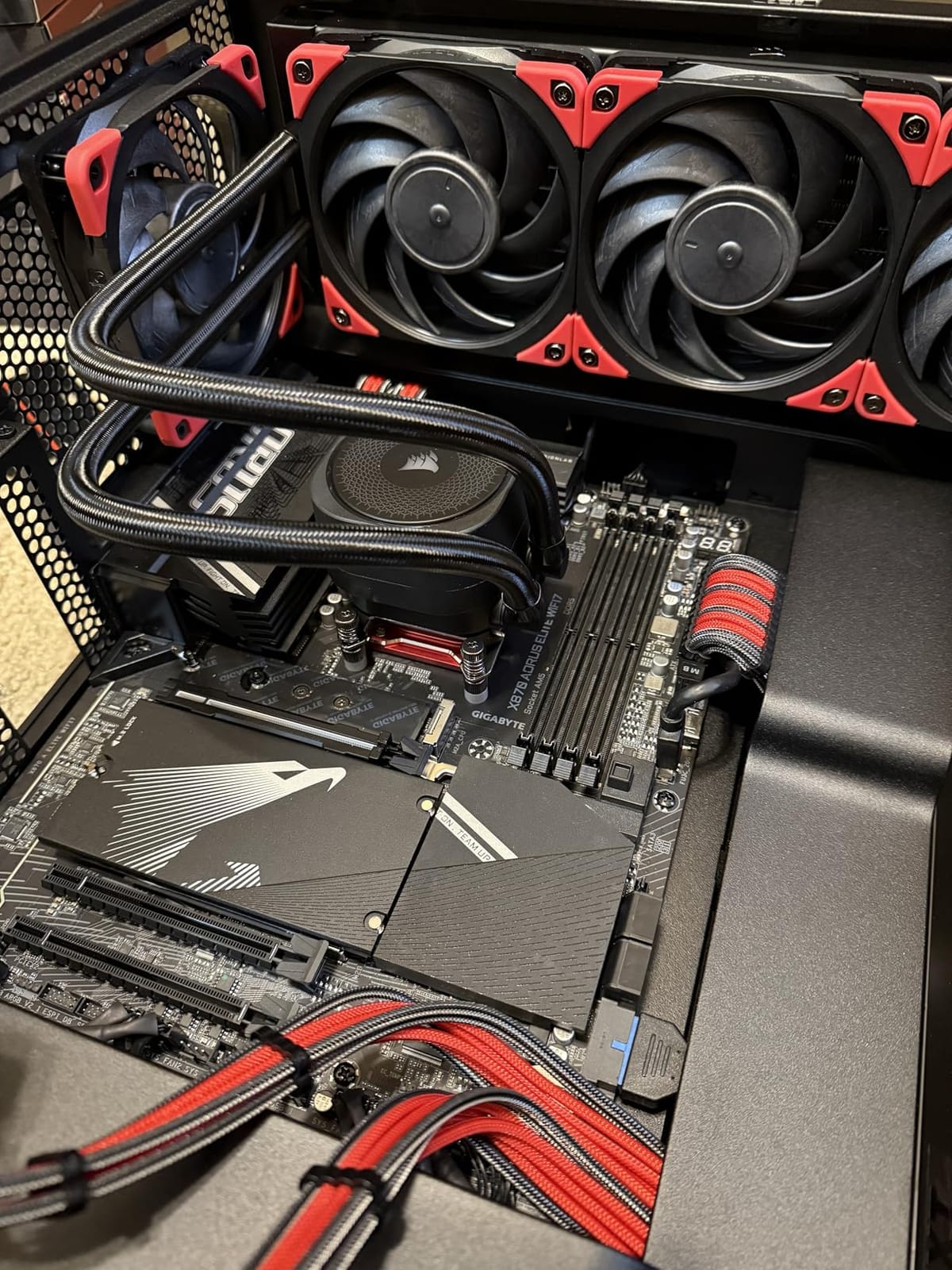
Storage is the pitch. Four M.2 slots with VRM and M.2 Thermal Guard heatsinks, PCIe 5.0 support across the board, and dual USB4 Type-C ports alongside front and rear USB-C. Combining four storage slots with two 40Gbps ports is unusual at this level, and this board also carries a 5-year manufacturer warranty.
It holds a 4.5 average from 455 ratings, a younger review base than the B650 boards above, and the sentiment is strongly positive. Buyers name the four M.2 slots, the USB4 support and the 16+2+2 power design as the main reasons to pick it.
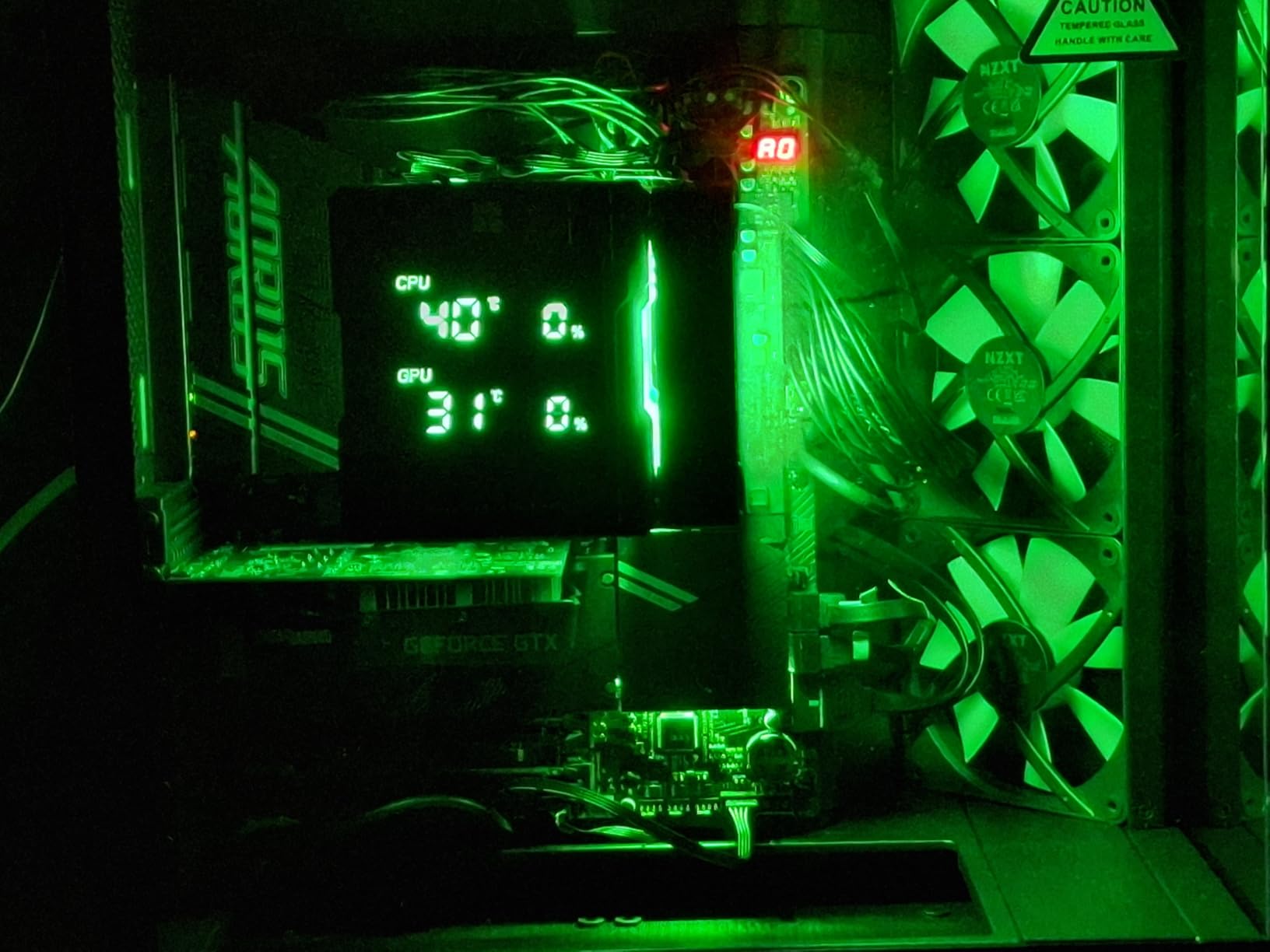
Power delivery is a 16+2+2 phase design, which puts it in the same class as the ROG X870-A and ahead of the B850 board in this list. For a Ryzen 9 under sustained all-core load, that difference is the reason to prefer an X870 board in the first place. Memory support runs to DDR5 8200 MHz across four DIMM slots, with up to 256 GB and AMD EXPO.
There are four SATA ports, which is more than the two on both MSI and ASUS X870 boards here, so this is the storage-maximising pick of the three. Networking is 2.5GbE LAN plus WiFi 7, and 11 USB ports are listed.
When does four M.2 slots actually matter?
When you run a game library across several NVMe drives, edit video from fast scratch storage, or want room to add a drive later without opening the case again. Four slots with heatsinks on all of them also means the second and third drives run at full speed rather than sharing a lane with an installed GPU, which is the usual compromise on two-slot boards.
Dual USB4 is the other reason. A single USB4 dock turns one port into a full workstation hub, which simplifies a desk setup considerably, and front USB-C means a case with a Type-C port can charge a laptop quickly.
What the AORUS Elite WIFI7 cannot do
Ethernet stops at 2.5GbE, so a buyer who wants the faster networking on this platform should look at the MSI MAG X870 Tomahawk instead. The gap matters most for NAS transfers and multi-gigabit home internet, and hardly at all for gaming latency.
There is no printed manual, front and rear USB-C placement varies by case so cable routing needs checking, and the RGB-heavy styling is not going into a minimalist build. A 5-year warranty is the best on offer here, which offsets the missing documentation.
8. ASUS TUF Gaming B850-PLUS WiFi – Best B850 Board for Power Headroom
ASUS TUF Gaming B850-PLUS WiFi AMD AM5 B850 ATX Motherboard, 14+2+1 80A Stages, AI Ready, DDR5, PCIe 5.0, 3X M.2, Wi-Fi 7, 2.5Gb LAN, DisplayPort, HDMI™, USB 10Gbps & 20Gbps Type-C®, BIOS Flashback™
AM5 socket
B850 chipset
ATX
14+2+1 80A stages
3x M.2
WiFi 7
2.5Gb
Pros
- 14+2+1 80A DrMOS stages on an 8-layer PCB
- Three M.2 slots with heatsinks including one PCIe 5.0
- WiFi 7
- 2.5Gb LAN and 20Gbps rear Type-C
- BIOS Flashback updates firmware without a CPU
- DisplayPort and HDMI for Ryzen integrated graphics
Cons
- Some BIOS fan curves need manual tuning
- Armoury Crate and Aura add background overhead
- Compact VRM heatsink area under heavy all-core loads
The B850 chipset is the current answer for people who want modern platform features without an X870 price, and the TUF Gaming B850-PLUS WiFi is one of the stronger ones. Power comes from 14+2+1 80A DrMOS stages on an 8-layer PCB with 8+8 pin ProCool connectors, which is more current than most B650 boards and enough for a Ryzen 9 at stock.
It holds a 4.4 average over 450 ratings, with owners citing power delivery, storage and connectivity as the main satisfaction points. WiFi 7, 2.5Gb LAN and a rear 20Gbps Type-C port make the connectivity list current, and the board ranks number 4 in Computer Motherboards.
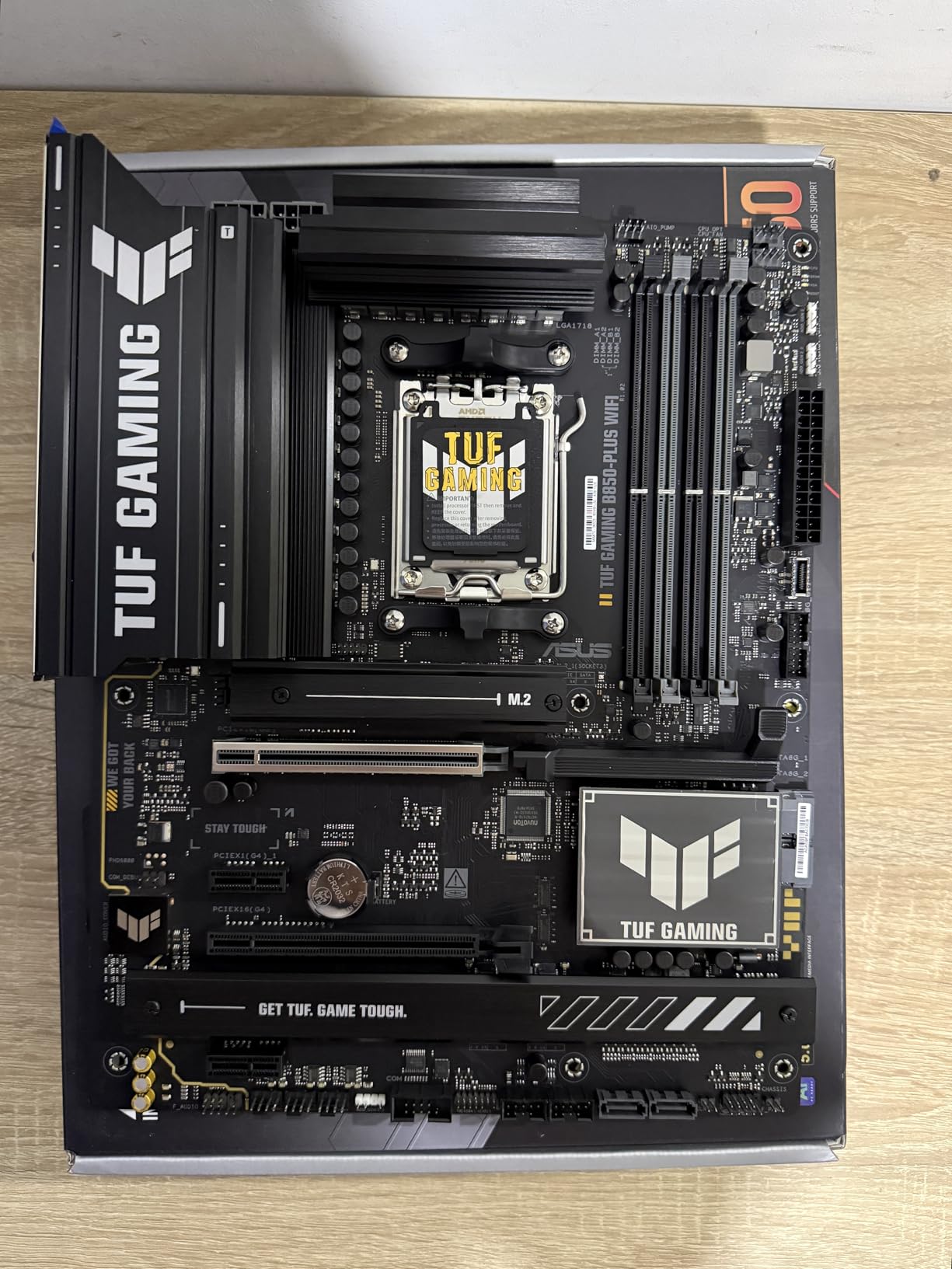
Storage is three M.2 slots with heatsinks, one of them PCIe 5.0, plus four SATA ports and five PCIe expansion slots, which is more expansion room than the other ATX boards here. Memory is listed to DDR5 8000 MHz across four slots with up to 192 GB, and a Thunderbolt header sits alongside the front and rear USB-C connectors.
BIOS Flashback means firmware updates do not need an installed CPU, which is the single most useful feature on any board in a first build. DisplayPort and HDMI output let you use a Ryzen processor with integrated graphics as a display output, useful for troubleshooting a system with no graphics card.
Is B850 enough instead of X870?
For most people, yes. B850 gives you current AM5 support, Gen 5 storage, WiFi 7 and modern USB, and it simply offers fewer PCIe 5.0 lanes than X870. Forum consensus on r/buildapc lands in the same place: a run-of-the-mill gaming PC does not need a flagship chipset, and a B850 or B650 board handles it.
Pick this one specifically if you have a high-power Ryzen and want stage count and amperage on the higher end of the mid-range. If you need four NVMe slots or 5G networking, the X870 boards in this list serve that better.
Where the TUF B850-PLUS falls short
Some BIOS settings and fan curves need trial and error to tune, which is the most repeated complaint in the reviews. Budget a quiet evening after the build rather than expecting sensible defaults. Armoury Crate and Aura also add background overhead for lighting and fan control.
The VRM heatsink area is compact for sustained heavy all-core loads, so keep the case fans moving air across it. And as the review notes point out plainly, the B850 chipset offers fewer PCIe 5.0 lanes than the X870 boards in this roundup, which is the trade you accept for not paying chipset-class money.
9. MSI PRO B760-P WiFi DDR4 – Best for Reusing Existing DDR4 RAM
MSI PRO B760-P WiFi DDR4 ProSeries Motherboard – Supports 12th/13th/14th Gen Intel Processors, LGA 1700, DDR4, PCIe 4.0, M.2, 2.5Gbps LAN, USB 3.2 Gen2, HDMI/DP, Wi-Fi 6E, Bluetooth 5.3, ATX
LGA 1700 socket
B760 chipset
ATX
DDR4 to 5333
12+1 Duet Rail
WiFi 6E
Pros
- Reuse an existing DDR4 kit instead of replacing memory
- Stable on 12th
- 13th and 14th gen Intel CPUs
- Integrated WiFi 6E removes the need for a wireless card
- Simple BIOS with overclocking options exposed
- Handles two graphics cards on the x16 and x4 slots
Cons
- No BIOS Flashback button
- I/O shield is not pre-installed
- Wi-Fi driver must be installed manually
If you already own a DDR4 kit, this board removes the single most annoying line item in a rebuild. The MSI PRO B760-P WiFi DDR4 supports LGA 1700 across 12th, 13th and 14th gen Intel processors, with dual channel DDR4 up to 5333 MHz (OC) and up to 128 GB. It holds a 4.6 average from 656 ratings, joint-highest here, and owners describe it as dependable and no-frills.
Build quality is respectable for a value board: a 6-layer PCB with 2oz thickened copper, server-grade materials, a 12+1 Duet Rail power system with P-PAK, and an extended heatsink with MOSFET thermal pads rated at 7W/mK plus M.2 Shield Frozr. Connectivity includes 2.5Gb LAN, WiFi 6E, Bluetooth 5.3, HDMI and DisplayPort.
Expansion is generous for the tier, with five PCIe ports and four SATA connectors, and it can host two graphics cards on the x16 and x4 slots. Memory fits in four DIMM slots in dual channel. The board weighs 2.7 pounds and measures 13.62 by 10.06 by 2.8 inches, which is standard ATX.
The BIOS is described as simple to navigate with overclocking options left visible, so if you do want to try manual tuning you are not fighting a stripped-down interface. That matters on Intel where the memory and power options are less obvious than on AM5.
Is a DDR4 motherboard still worth buying in 2026?
Yes, when you already own the memory. The maths is simple: a board that accepts your current DDR4 kit removes the largest single line item from a rebuild, and DDR5 kits plus a DDR5 board both cost real money you do not need to spend on a refresh rather than an upgrade.
It is also a sane second entry point into LGA 1700, because it accepts three generations of Intel processor. If you are buying a CPU and RAM from scratch on this platform, a DDR5 board such as the GIGABYTE Z790 UD AC below gives you more future headroom, and a new Intel platform is a better long-term home.
What you miss on this board
There is no BIOS Flashback button, which is a notable omission on a modern board because it means firmware updates need a working CPU. The I/O shield is also not pre-installed and is fiddly to fit the first time, so budget a careful ten minutes.
WiFi drivers must be installed manually before the wireless connects, and updating the BIOS through MSI Center has been reported as risky, with the Flash BIOS button working better. The overall feature set is basic too, with limited RGB and few front-panel controls. The listed warranty is three years.
10. ASRock X870 Pro RS WiFi – Best for Clock Headroom and On-Board Diagnostics
ASRock X870 Pro RS WiFi AMD Ryzen Socket AM5 ATX Motherboard USB4 DDR5 8000 MHz 256 GB SATA3 6.0 Gb/s
AM5 socket
X870 chipset
ATX
14+2+1 Dr.MOS
DDR5 to 8000
dual USB4
WiFi 7
Pros
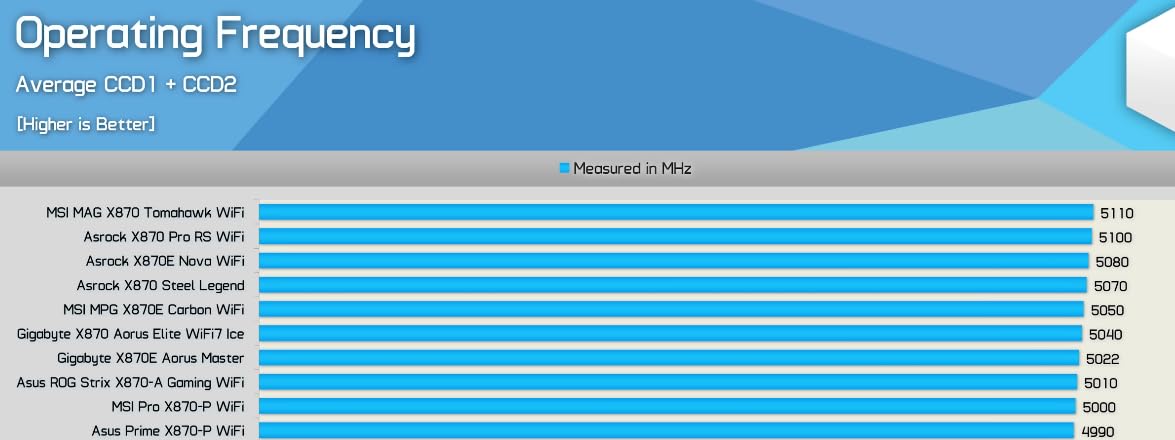
- High boost clock ceilings with a 9800X3D reported above 5 GHz
- Stable with aggressive XMP memory profiles
- Tool-less sliding M.2 retention and a bottom M.2 heatsink
- On-board error code display and status LEDs
- Dual USB4 Type-C and WiFi 7 included
Cons
- Only a one-year warranty
- Windows 10 driver support is incomplete
- BIOS menu is not as user-friendly as ASUS or MSI
The X870 Pro RS WiFi is the pick for people who want to squeeze clock headroom out of a Ryzen chip. The listing is explicit that high CPU clock ceilings are achievable, and one owner reports a 9800X3D running above 5 GHz on it. Memory is listed to DDR5 8000 MHz across four slots with up to 256 GB, and owners report stability with aggressive XMP profiles.
Diagnostics are the quiet feature. An on-board error code display and status LEDs mean a failed POST gives you a two-character code instead of a guess, which is why this board makes sense for a first build where you cannot read a POST LED. Tool-less sliding M.2 retention removes the small screws, and there is a bottom M.2 heatsink for a drive fitted on the reverse side.
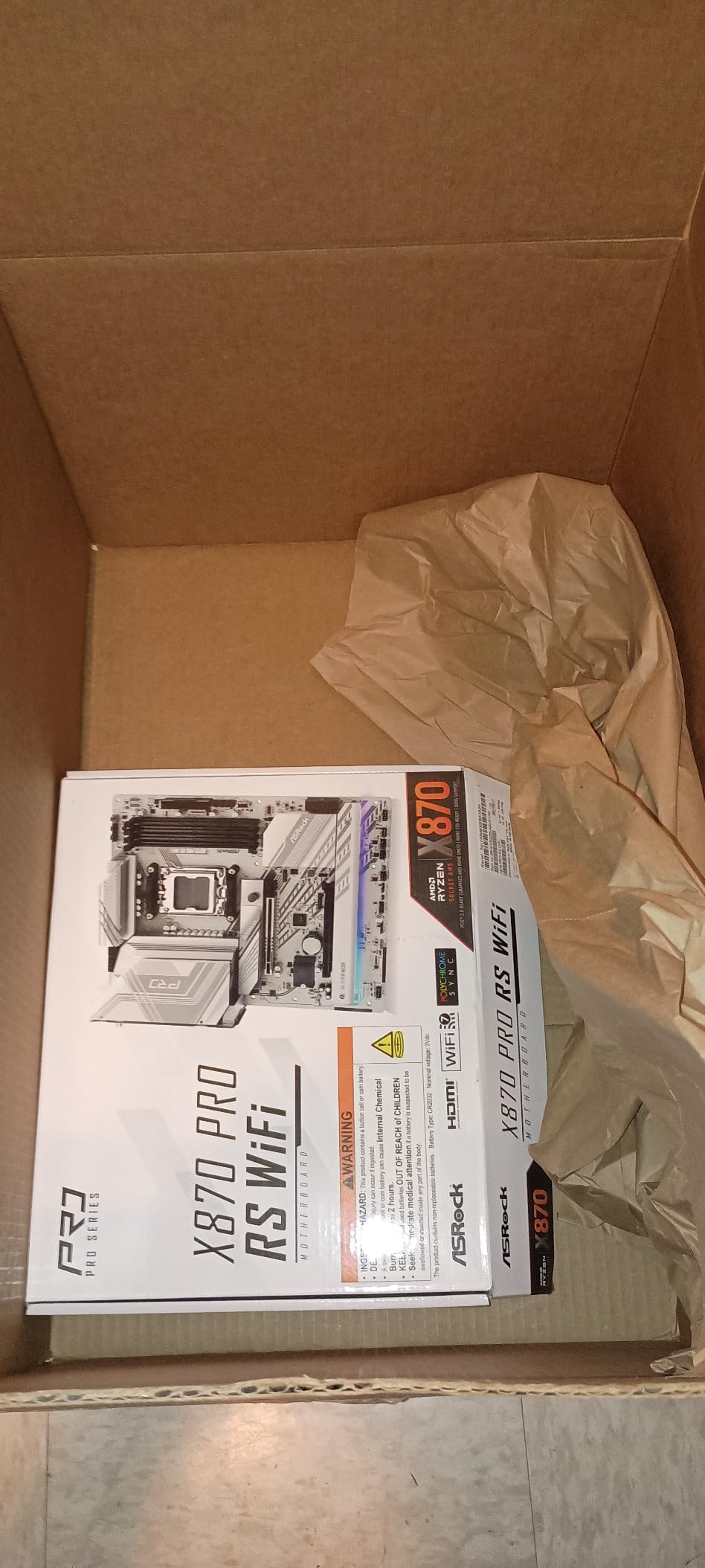
Connectivity is current: dual USB4 Type-C ports, WiFi 7 on 802.11be, and a Blazing M.2 PCIe Gen5 x4 slot with a tool-less multi-layer heatsink. Four SATA connectors cover legacy storage, and 18 USB ports are listed. Power delivery is a 14+2+1 design with Dr.MOS, the same phase layout as the B850 board in this list.
The review base is small at 160 ratings with a 4.3 average, so treat the sentiment as useful but not settled. Praise concentrates on clock behaviour, XMP headroom and the diagnostics; the recurring criticisms are warranty length and driver support.
Who should buy the X870 Pro RS WiFi?
Anyone chasing every frame a boost clock can give them, and anyone who values being able to diagnose a build problem without a multimeter or a manual. A first-time builder who expects one board to last a decade will also appreciate the on-board error codes more than a fan header or a lighting zone.
It is also a reasonable pick for a compact storage-heavy machine, since the tool-less M.2 retention and the bottom M.2 heatsink make fitting drives in a cramped case less painful.
The warranty and driver caveats
The listed warranty is one year, notably shorter than the three to five years on the boards above it, and that gap is the main reason to hesitate. It is also the only board here with a warranty this short, so treat it as a deliberate cost saving rather than an oversight you are getting for free.
Windows 10 driver support is incomplete and can cause intermittent Ethernet drops, and some owners find the BIOS menus harder to work with than ASUS or MSI equivalents. The M.2 heatsink is difficult to remove once a drive is installed, and a small number of owners reported coil whine, RAM fault LED issues or outright board failure.
11. ASRock B650 Steel Legend WiFi – Best White-Themed Motherboard
ASRock B650 Steel Legend WiFi 6E AMD Socket AM5 Ryzen 9000 8000 and 7000 Series SATA3 M.2 DDR5 7200+(OC) 256GB SATA3 6.0 Gb/s ATX Motherboard BIOS Flashback
AM5 socket
B650 chipset
ATX
14+2+1 80A Dr.MOS
3x M.2
white finish
Pros
- White Steel Legend finish for light showcase builds
- 14+2+1 phases with 80A Dr.MOS for Vcore
- One PCIe 5.0 and two PCIe 4.0 M.2 slots
- Realtek ALC4082 7.1-channel audio codec
- HDMI and DisplayPort plus BIOS Flashback
Cons
- Only a 90-day warranty
- ASRock BIOS menus less refined than ASUS or MSI
- Not compatible with every prebuilt system
- Fewer owner reviews than mainstream boards
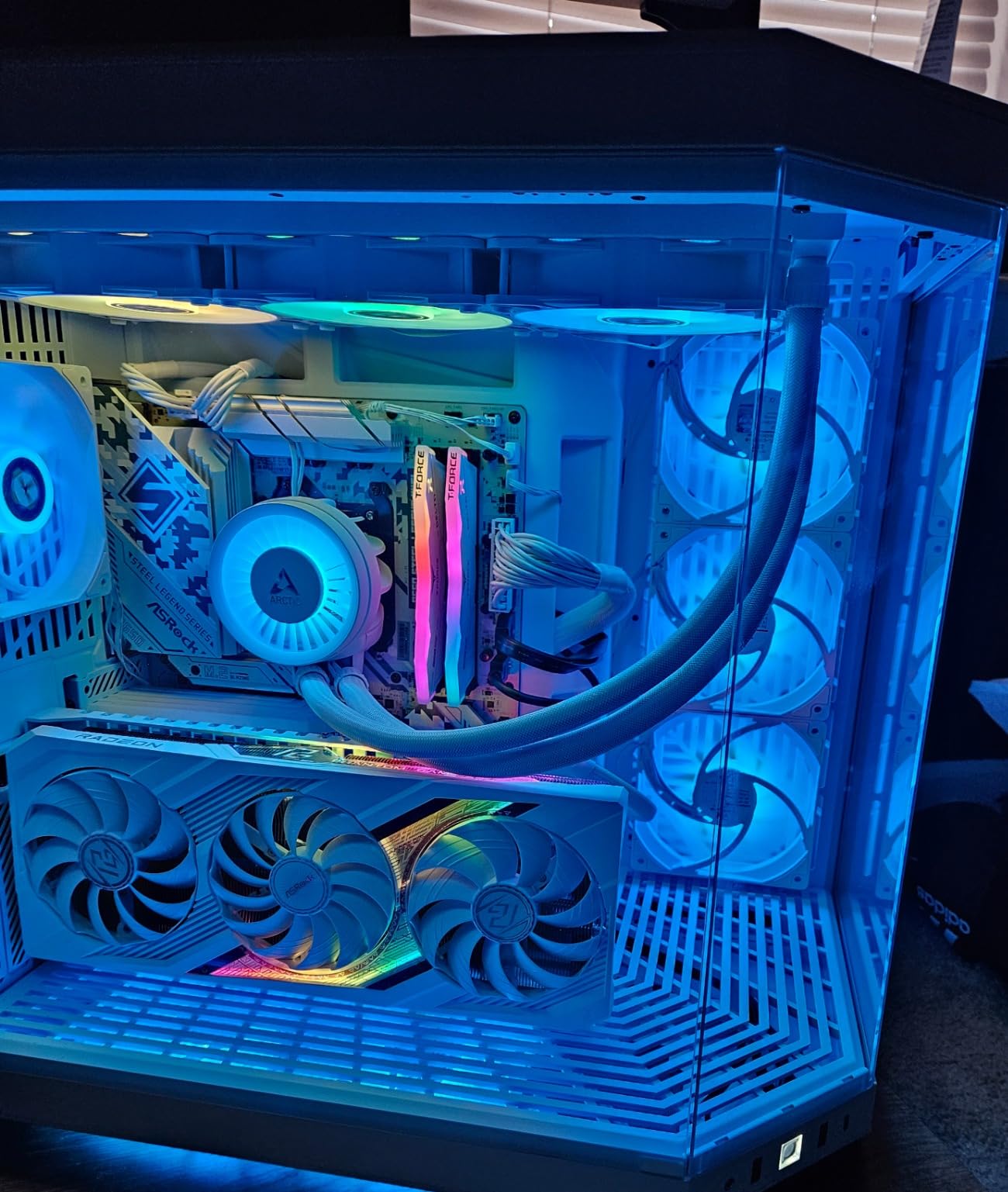
White builds are usually where a buyer ends up with a board that fights the theme, and the B650 Steel Legend is the exception. The white Steel Legend styling is the reason people buy it, and it pairs with a 14+2+1 power phase using 80A Dr.MOS for the Vcore, which is a strong power design for a B650 board.
It holds a 4.5 average from 289 ratings. The audio is also worth pointing out: a Realtek ALC4082 7.1 channel HD audio processor with Nahimic is a step above the entry-level codecs on several rivals, which matters in a showcase build where the speakers are visible.
Storage is one Blazing M.2 PCIe Gen5 x4 slot plus two Hyper M.2 PCIe Gen4 x4 slots, with four DIMM slots supporting DDR5 up to 7200+ (OC) and up to 256 GB. Expansion covers 1x PCIe 5.0 x16, 1x PCIe 3.0 x16 and 1x PCIe 4.0 x1, and 19 USB ports are listed, among the highest counts here.
Networking is a Dragon 2.5G LAN alongside 802.11ax WiFi 6E and Bluetooth, and there is BIOS Flashback plus both HDMI and DisplayPort outputs for a Ryzen with integrated graphics. Four SATA connectors cover legacy drives.
Is the Steel Legend right for a white showcase build?
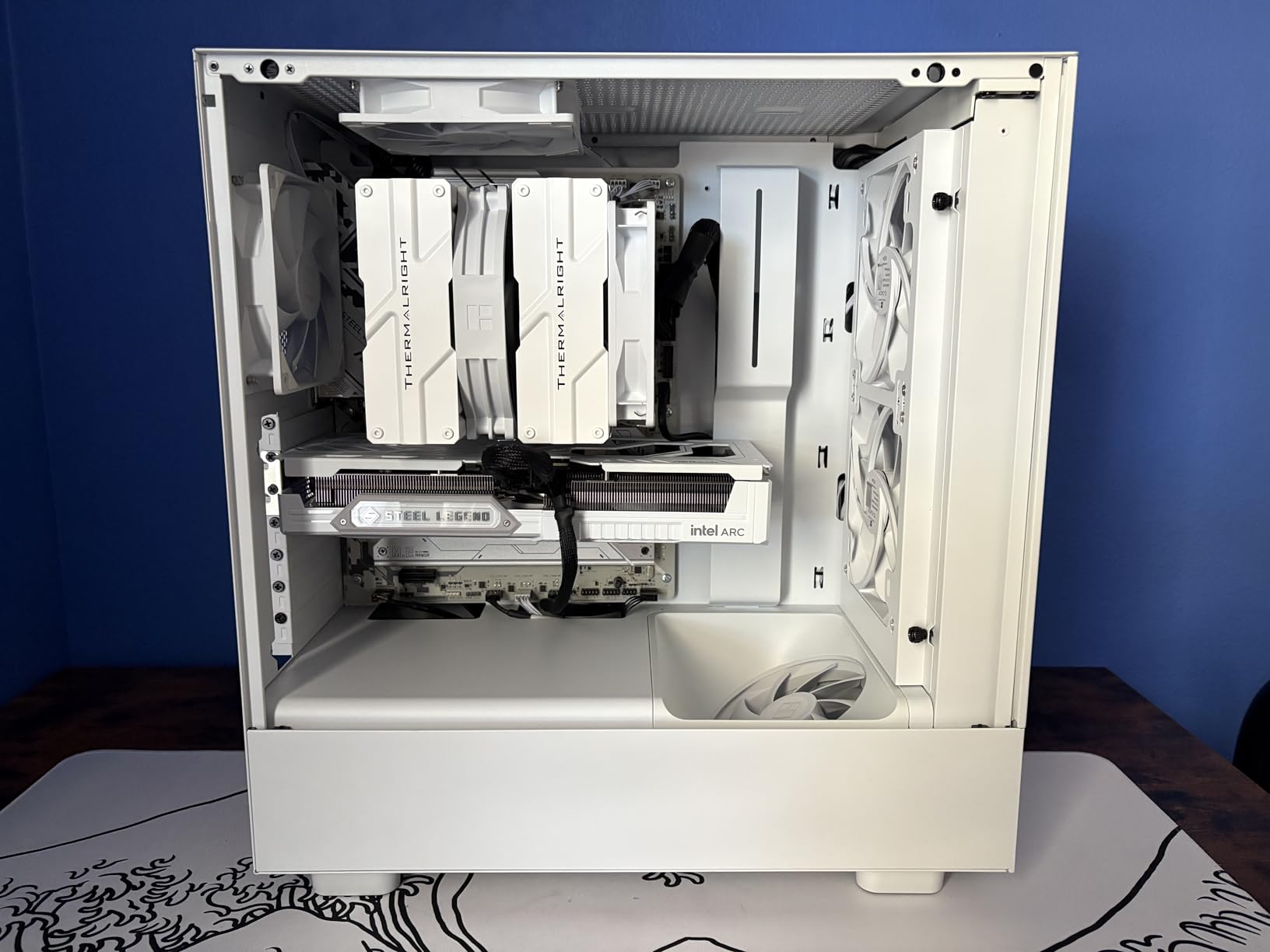
Yes, if the whole system is visible. In a case with a tempered glass panel, a white board with matching white cables and a white GPU is the difference between a build that looks considered and one that looks assembled. The 7.1-channel codec also suits visible desktop speakers, which most white builds end up with.
The power design is strong enough that you are not paying for looks with compromised thermals, and the three M.2 slots give reasonable storage room for a build that may also be a media or photo machine.
What to know before you order
The listed warranty is 90 days. That is dramatically shorter than the three to five years on the boards above and is the single biggest reason to hesitate, because a motherboard is the part you least want to replace. Weigh that against the theme only if the look genuinely matters to you.
The listing also notes compatibility is not universal with prebuilt systems, so check your case and existing parts. ASRock BIOS menus are described as less refined than ASUS or MSI equivalents, and the owner review base is smaller at 289 ratings, so there is less long-term feedback to draw on.
12. GIGABYTE Z790 UD AC – Best for LGA 1700 Upgraders Who Need Storage
GIGABYTE Z790 UD AC LGA 1700 ATX Motherboard, Support Intel Core 14th/13th/12th Gen, DDR5, 16+1+1 Power Phase, 3X M.2, PCIe 5.0, USB-C 3.2, Dual Band WiFi, 2.5GbE, EZ-Latch, Q-Flash, RGB Fusion
LGA 1700 socket
Z790 chipset
ATX
DDR5
16+1+1 at 60A
3x M.2
2.5GbE
Pros
- Full Z790 chipset with six SATA ports
- 16+1+1 twin hybrid phases with 60A DrMOS
- Three NVMe PCIe 4.0 x4 slots plus PCIe 5.0 support
- EZ-Latch tool-free GPU removal and Q-Flash updates
- 2.5GbE
- dual band WiFi and 20Gbps Type-C
Cons
- Lowest average rating in this group
- M.2 slots are PCIe 4.0 rather than Gen 5
- VRM runs warm with power-hungry 14th gen CPUs
The Z790 UD AC is the pick for someone already committed to LGA 1700 who needs storage headroom. Six SATA ports matches the highest count of any board here, and alongside three NVMe slots and PCIe 5.0 support it is the board to buy if your case already holds several hard drives.
It holds a 4.2 average from 430 ratings, the lowest average in this roundup, and the review summary is candid: serviceable and feature-complete for builders already invested in the platform, with more muted sentiment than the AM5 alternatives. Power delivery is a 16+1+1 twin hybrid phase design with 60A DrMOS, fully covered MOSFET heatsinks, M.2 Thermal Guard and a 6-layer PCB.
Networking and ports are 2.5GbE, dual band WiFi and USB 3.2 Gen 2×2 Type-C, with EZ-Latch for tool-free GPU removal and Q-Flash for BIOS updates. Memory is dual channel DDR5 across four DIMM slots up to 192 GB. The board weighs 1760 g and measures 10.62 by 3.14 by 13.18 inches, standard ATX.
RGB Fusion handles coordinated lighting, which is a plus if the build has other RGB parts and a minus if you want a plain interior. The listed warranty is three years from the manufacturer.
Should you build a new DDR5 system on LGA 1700?
Only if you already own a 12th, 13th or 14th gen CPU. Intel’s current generation moved to a different socket, and a new LGA 1700 DDR5 build puts you on a platform with a shorter runway than AM5, which has been extended across four processor generations. For a fresh build in 2026, the AMD boards in this list are the longer-term choice.
If you are in that situation and want the most storage expansion, this is the board. If you want the simplest upgrade path, the MSI PRO B760-P WiFi DDR4 lets you reuse a DDR4 kit instead.
Why the rating is the lowest here
Three things come up repeatedly. Several owners report needing driver and BIOS updates for WiFi and stability out of the box, some find VRM temperatures run warm with power-hungry 14th gen CPUs, and the M.2 slots are PCIe 4.0 x4 rather than Gen 5 even though the board supports PCIe 5.0 elsewhere. A 12% one-star share is higher than any other board here.
None of that makes it unusable, but it makes it a board for someone who values the SATA count more than a flawless first-boot experience. Check your CPU’s power draw against a 60A stage before committing to a heavily loaded 14th gen part.
How to Choose a Motherboard: What Actually Matters
The most common question in builder forums is not which board is best but which specs matter when comparing two. Here is the short version, in the order you should check them.
Socket first, chipset second
The socket is the physical CPU interface and it is not interchangeable. AM5 takes AMD Ryzen 7000, 8000 and 9000 series processors and has been extended across those generations, which is why it keeps appearing in this roundup. LGA 1700 takes Intel Core 12th, 13th and 14th gen processors, and both memory generations, depending on the board.
The chipset is what sits beside the socket and decides lane counts, USB versions and whether you get CPU overclocking. People confuse the two constantly, but the rule is simple: the socket decides whether the CPU fits, the chipset decides what features you get. A B650 board on AM5 runs a Ryzen 9 perfectly well.
Chipset tiers: B-series, X-series and Z-series
On AMD, the B-series boards such as B650 and B850 cover gaming and general use, while the X-series such as X870 add more PCIe 5.0 lanes, more M.2 slots and more tuning options. On Intel, B760 is the everyday gaming tier, Z790 is the enthusiast tier with CPU overclocking, and Z890 is its successor for the newest processors. You rarely need the top tier unless you overclock the CPU itself or run four high-speed drives.
That is the whole answer to the question builders ask constantly about X870 boards. For a standard gaming PC, a B650 or B850 board is enough. The X870 boards earn their money with higher stage counts for hot 12- and 16-core chips, extra Gen 5 storage slots, USB4 and faster networking.
Form factor and case clearance
ATX is 305 by 244 mm and fits most mid and full towers. Micro-ATX is smaller at 244 by 244 mm and fits more cases, Mini-ITX is a compact 170 by 170 mm for small builds, and E-ATX is wider than a standard ATX case allows. E-ATX boards physically will not fit many ATX cases, which is the single most common compatibility mistake new builders make.
Check two more things before ordering: GPU clearance with tall memory modules installed, and whether your case has the I/O shield cutout if the board does not include a pre-fitted one. Several boards in this roundup, including the MSI PRO B760-P, include the shield loose in the box.
VRM and power delivery, translated
When a board claims a 12+2 or 16+2+2 power design, the first number is the phases dedicated to the CPU core. The amperage per stage, typically 60A, 70A, 80A or 90A on the boards here, tells you how much current each phase can deliver. Multiply the two and you get a rough ceiling on what the board can feed a Ryzen 9 or a power-hungry 14th gen Core under sustained all-core load.
For context from this roundup: a 12+2 design like the ASUS ROG Strix B650-A sits at the bottom, 14+2+1 at 70A to 80A is comfortable, and 16+2+2 at 90A is the range for a hot chip or an overclocking build. Also look at the heatsink, since a big stage count under a small heatsink simply throttles. And if you are running an X3D chip, remember these parts are efficiency-oriented, so far less current is needed than the core count suggests.
Storage slots and lane sharing
Count M.2 slots, but check the generation on each one and whether a heatsink is fitted. Gen 5 drives are fast enough that a Gen 4 slot rarely matters for gaming, but a missing heatsink on a Gen 5 drive does cause throttling. Also check SATA connectors, because two is restrictive for anyone with hard drives.
Lane sharing is the trap. A board advertising four M.2 slots may disable USB4 or reduce a PCIe slot when all four are populated, and the MSI MAG X870 Tomahawk is explicit that a second Gen 5 SSD costs you USB4 bandwidth. Two usable slots at full speed beats four at reduced speed, so work out your real drive count before paying for the headline number.
Networking, WiFi and ports
For gaming, WiFi 6E versus WiFi 7 changes very little. Gigabit Ethernet is enough for online play, but 2.5GbE matters if you move large libraries around a network or run a NAS, and 5G LAN is worth having if your switch and internet plan support it. Boards with no onboard WiFi save a little and cost you a PCIe slot later.
Rear USB is worth a look for external storage and docks. USB4 and Thunderbolt 4 at 40Gbps are the current high-speed standard, USB 3.2 Gen 2×2 at 20Gbps is the halfway point, and a rear Type-C is far more useful than an extra USB-A.
BIOS support, QVLs and warranty length
New CPUs regularly need a BIOS update on boards bought earlier, which is why BIOS Flashback and Q-Flash Plus matter. Several boards in this roundup need an update to support Ryzen 9000 or 8000 series processors, and the MSI PRO B760-P has no Flashback at all, so its updates need a working CPU. Check the vendor’s qualified vendor list for your memory kit, and update the BIOS and chipset drivers before you decide a board is faulty.
Warranty length varies more than most buyers notice, from a listed 90 days on the ASRock Steel Legend to five years on the GIGABYTE boards. Since a motherboard is the component you cannot easily replace, treat the shortest warranty in this roundup as a real cost rather than a footnote.
What not to pay for
Onboard RGB, an LCD screen, a pre-mounted I/O shield and multi-gigabit networking are all nice, and none of them make a game run faster. The parts that genuinely matter are the socket matching your CPU, enough power delivery for that CPU, a form factor that fits your case, and enough storage and memory for what you actually own.
Our advice for 2026: if you are building a standard Ryzen 5 or Ryzen 7 gaming PC, buy a B650 or B850 board. If you already own DDR4, buy a DDR4 board. If you run a Ryzen 9 under sustained load or plan to overclock, this is the moment an X870 board earns its place. Anything above that is money better spent on memory or a graphics card.
Frequently Asked Questions
Which motherboard brand is best?
ASUS, MSI, Gigabyte and ASRock all make dependable boards, and the difference between them is usually software and documentation rather than hardware reliability. MSI tends to offer the simplest BIOS and the cleanest diagnostic tools, ASUS offers the widest feature set and the deepest tuning options, Gigabyte generally pairs the longest warranty with the tool-free build features, and ASRock is the value route. Match the brand to how much you want to fiddle rather than treating one as universally best.
What are the top 5 best motherboards?
Our five strongest picks are the MSI MAG B650 Tomahawk WiFi as the all-round choice, the GIGABYTE B650 AORUS Elite AX for value, the ASUS ROG Strix B650-A Gaming WiFi for ROG features, the GIGABYTE B650 Eagle AX for one of the highest average ratings, and the ASUS ROG Strix X870-A Gaming WiFi if you are running a hot, high-power Ryzen or plan to overclock.
What is the best motherboard for a computer?
For most gaming builds in 2026, the MSI MAG B650 Tomahawk WiFi is the best motherboard overall because it pairs a full power design under extended heatsinks, six SATA ports, 2.5GbE and WiFi 6E at a price that leaves room in the budget. If you want a little more power delivery and a Gen 5 M.2 slot, step up to the GIGABYTE B650 AORUS Elite AX.
Which motherboards are most reliable?
Reliability tracks the vendor’s BIOS maturity and warranty length more than any single spec. The GIGABYTE boards in this roundup carry listed five-year warranties and the widest owner feedback, while the MSI and ASUS B650 boards have the largest installed bases of reported stable systems. Avoid the shortest warranty terms, update the BIOS and chipset drivers early, and check your memory kit against the vendor’s qualified vendor list.
What motherboard is better, AMD or Intel?
AMD AM5 is the better platform for a new build in 2026 because the socket has been extended across Ryzen 7000, 8000 and 9000 series, so your board choice is not a dead end. Intel LGA 1700 is the better choice only if you already own a 12th, 13th or 14th gen CPU, particularly if you also own a DDR4 kit, since the MSI PRO B760-P WiFi DDR4 lets you reuse that memory.
Do I need an X870 board for a gaming PC?
No, not for most gaming PCs. A B650 or B850 board handles a Ryzen 5 or Ryzen 7 comfortably, and the general builder consensus is that a standard gaming machine does not need a flagship chipset. An X870 board earns its place with higher stage counts for a hot 12- or 16-core chip, more Gen 5 M.2 slots, USB4 and faster networking.
Conclusion: Which Motherboard Should You Buy in 2026
The MSI MAG B650 Tomahawk WiFi is the best motherboard overall in this roundup, and it is where we would start. It has the power delivery, connectivity and storage most builders need, more than 1300 owner ratings backing its spec list, and coverage of every port a first build actually reaches for.
Buy the GIGABYTE B650 AORUS Elite AX if you want a Gen 5 M.2 slot and a five-year warranty for slightly less. Buy the ASUS TUF Gaming B850-PLUS WiFi for current features without the X870 tier, the MSI MAG X870 Tomahawk WiFi if you want USB4, WiFi 7 and 5G networking, and the ASUS ROG Strix X870-A Gaming WiFi only if you are running a hot Ryzen 9 or intend to overclock.
If you already own a DDR4 kit, do not replace it. The MSI PRO B760-P WiFi DDR4 keeps that money in your pocket. If your case is small, check the form factor before anything else, because no amount of VRM phase count helps if the board does not fit.
Whichever you pick, update the BIOS and chipset drivers as soon as it is in the bench, and check your memory kit against the vendor’s qualified vendor list. Those two steps remove most of the problems new owners report about the best motherboards in this list.