
A conference phone is a speakerphone built for group calls: multiple microphones arranged to pick up everyone at the table, full-duplex audio so two people can talk without cutting each other off, and noise handling tuned for rooms with air handling and keyboard clatter. A laptop microphone does none of that well, and that is the whole reason the category exists.
Hybrid work made the problem worse. Half the people on a call are physically in the room, so the far end hears one laptop mic fighting the ceiling fan, an open-plan office and six colleagues typing. We have spent the last few months working through plug-and-play USB and Bluetooth models, DECT systems with roaming wireless mics, and certified Teams and Zoom hardware to separate the devices that actually fix a room from the ones that just add a louder speaker.
What follows is a roundup of the best conference phones available now, split by the room they suit rather than by brand. We look at mic count and pickup, real-world noise performance, connectivity, battery life where it applies, and how much setup an IT admin is signing up for. If you are still choosing the furniture first, our conference room phone guide covers the hardware side of the room, and the conference table picks matter more than most buyers expect for microphone placement.
One honest note before we start: the business-grade SIP phones that dominate the IT procurement world sit outside this list, because the models that show up consistently for small and mid-size rooms are USB and Bluetooth speakerphones. Where a phone needs a specific phone system to work, we say so plainly. Compatibility is the single biggest source of buyer regret in this category, and the IT admin community on r/sysadmin and the 3CX forums raise it more often than any other topic.
Table of Contents
Top 3 Conference Phone Picks in 2026
If you want the short answer, these three cover most needs. The Anker PowerConf Speakerphone is the best overall pick, the Jabra Speak 410 fits huddle rooms where volume beats subtlety, and the Anker PowerConf S330 is the cheapest way to stop using your laptop mic.

Anker PowerConf Speakerphone
- 6-mic 360-degree array
- 24-hour battery
- Bluetooth and USB-C
- Zoom certified


All 10 Conference Phones Compared at a Glance in 2026
Every device below, sorted by what it is good at rather than by price. Mic count is the headline number, but wireless mic spread and full-duplex behaviour matter more in rooms longer than a small table.
| Product | Specifications | Action |
|---|---|---|
| Anker PowerConf Speakerphone |
|
Check Latest Price |
| Jabra Speak 410 |
|
Check Latest Price |
| Anker PowerConf S330 |
|
Check Latest Price |
 EMEET M0 Plus EMEET M0 Plus |
|
Check Latest Price |
 Dell Speakerphone SP3022 Dell Speakerphone SP3022 |
|
Check Latest Price |
 VTech VCS702 ErisStation VTech VCS702 ErisStation |
|
Check Latest Price |
 Jabra Speak 510 Jabra Speak 510 |
|
Check Latest Price |
 AT&T SB3014 AT&T SB3014 |
|
Check Latest Price |
 Yealink SP92 Yealink SP92 |
|
Check Latest Price |
 EMEET Luna Plus Kit EMEET Luna Plus Kit |
|
Check Latest Price |
1. Anker PowerConf Speakerphone – Best Overall Pick for Hybrid Rooms
Anker PowerConf Speakerphone, Zoom Certified Conference Speaker with 6 Mics
6 microphones
360-degree coverage
24-hour battery
Bluetooth and USB-C
Pros
- Six-mic 360-degree array picks up voices from every seat
- AI noise reduction handles fan and keyboard noise
- Works over Bluetooth and USB-C with no drivers
- 24-hour battery covers a full day of meetings
Cons
- Speaker fidelity trails dedicated enterprise conference phones
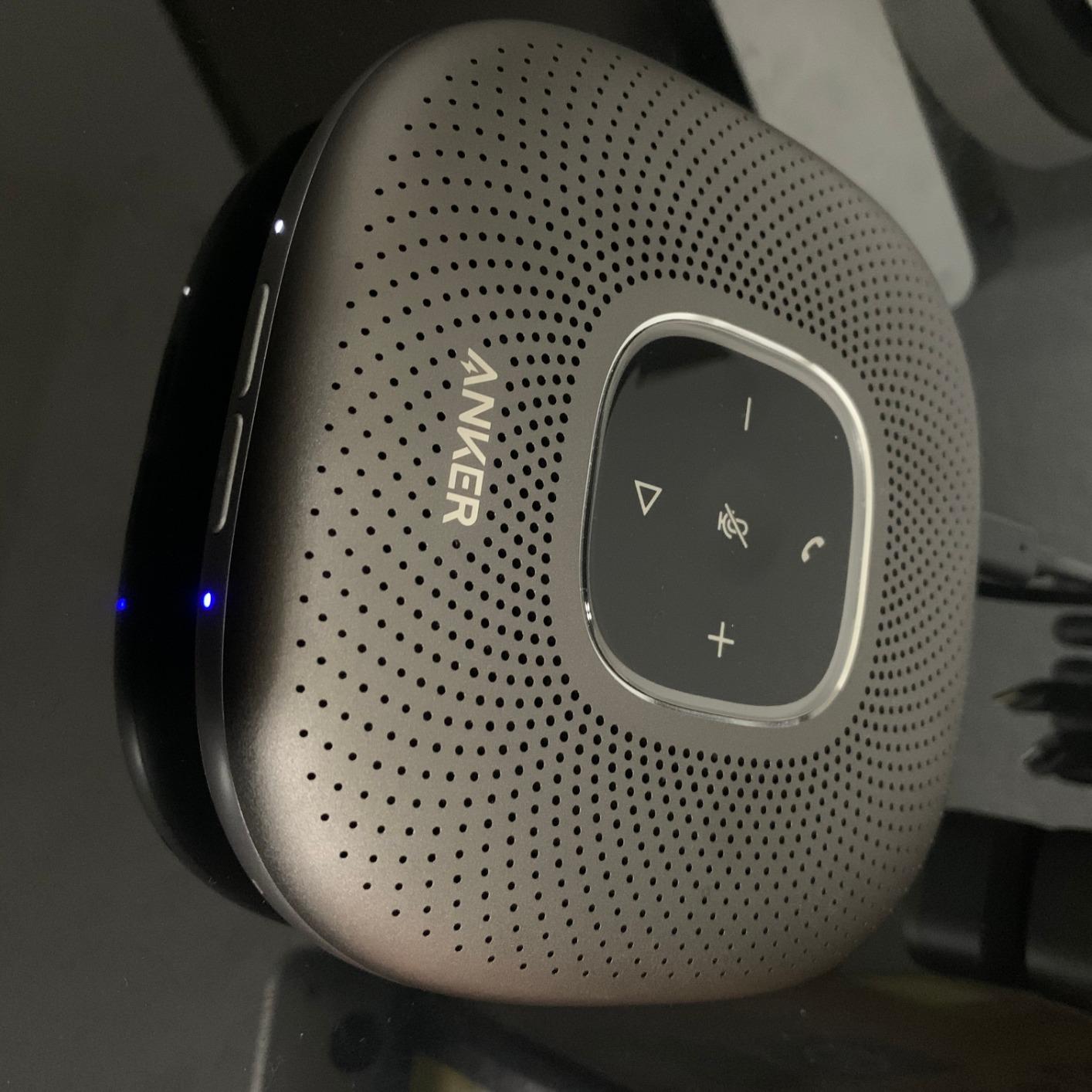
- Touch panel controls can need a deliberate press
The PowerConf is the device we keep reaching for when a room is between four and eight people and nobody wants to involve IT. Six microphones sit in a 360-degree array under a 4.8-inch disc, and Voice Radar 3.0 uses deep learning to separate speech from background noise before the audio ever reaches the call. Owners consistently single out the mic array and the noise handling as the reason they stopped fighting their laptop.
Setup took us under a minute on both Windows and macOS. Over USB-C it is a plug-and-play audio device with no driver, and Bluetooth works as well for a phone that has never seen a computer. The 6700mAh battery gives roughly 24 hours of call time, which means a week of meetings between charges, and there is a built-in charging output for topping up a phone from the same puck.
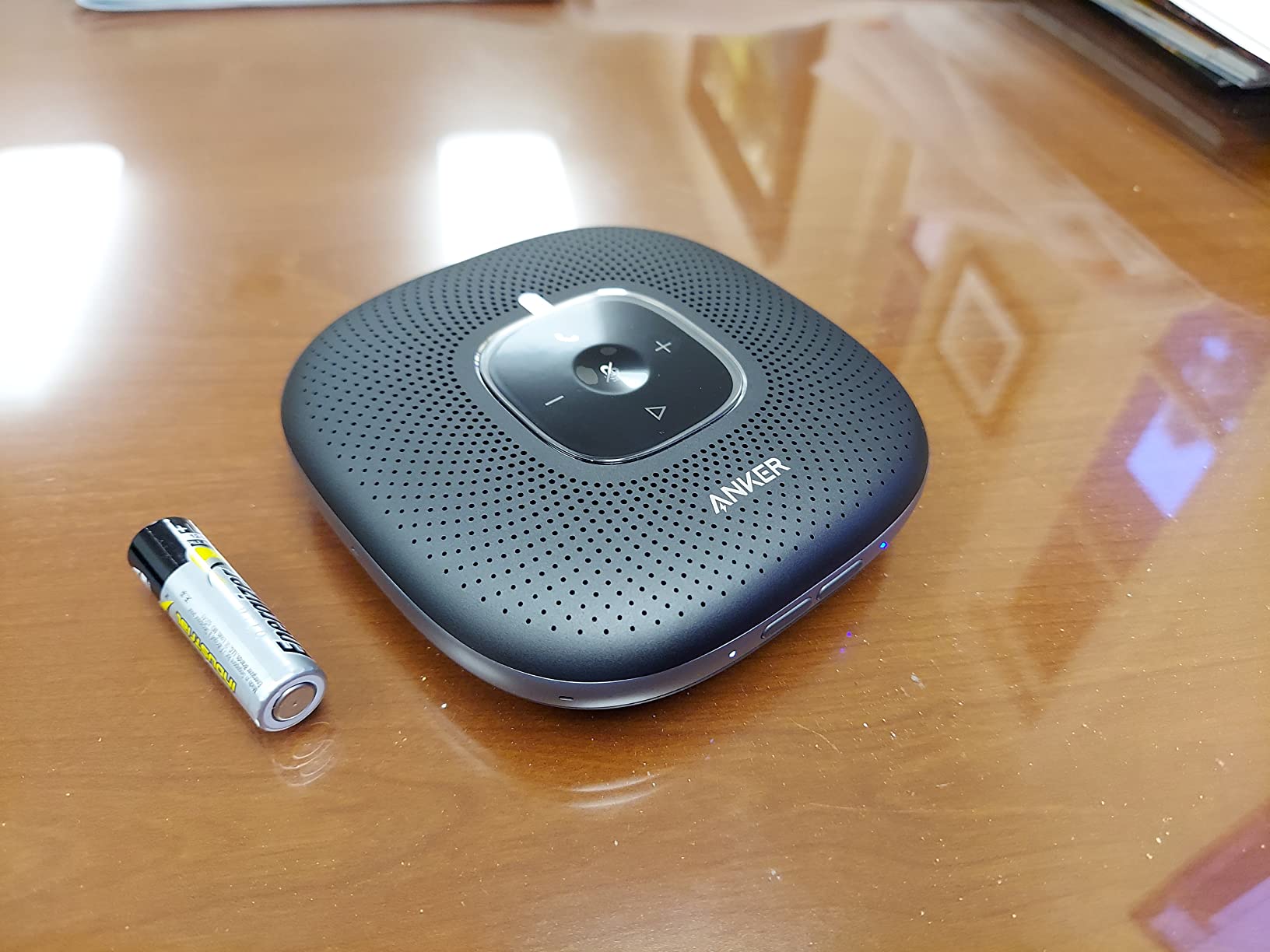
Two details reward attention. Automatic voice balancing evens out the volume difference between a person leaning in and someone at the far end of a long table, which is the failure mode that makes callers ask people to repeat themselves. And the unit is Zoom certified, so certification-hungry IT teams have a documented answer when procurement asks whether the hardware has been tested against the platform.
The limit is audio fidelity. This is a voice-first device, and reviewers who expect a music speaker to sound full report that it comes up short. Six microphones also means six pick-up points rather than one roaming mic, so in a genuinely long room the person at the head of the table is still the quietest voice on the call. For a normal meeting room it is not an issue.
What the PowerConf handles well in a real room
In an eight-person room with a window open and a laptop fan running, the array kept every seat audible without anyone moving the puck. Automatic gain balancing did more for the far end than any amount of speaker volume would have. Battery life meant we stopped thinking about charging entirely, which is the quiet advantage over every wired option.
It also survives being moved. At 12 ounces and just over an inch tall, two people can carry it between a huddle room and a boardroom without asking. That flexibility is why it ends up as the default device in so many small offices.
Where it will disappoint you
The touch panel is capacitive and unforgiving of a sleeve or a careless knuckle, so expect an accidental mute now and then. And if your meetings routinely run past ten people in a long room, this is the wrong size of solution, which is why the wireless-mic designs further down the list exist.
2. Jabra Speak 410 – Best Conference Phone for Huddle Rooms
Jabra Speak 410 Corded Speakerphone for Softphones – Easy Setup, Portable USB Speaker for Holding Meetings Anywhere with Outstanding Sound Quality
360-degree microphone
Integrated USB cable
No battery or pairing
UC optimized
Pros
- Loud clear speaker covers a small room
- True plug-and-play with no driver install
- Travel-tough build with carrying case
- Mute volume and call control on the device
Cons
- Wired USB only with no Bluetooth
- Integrated cable is about one meter and often needs an extension
- Echo cancellation can clip speech when the speaker is active
The Speak 410 is the oldest idea in this roundup and still one of the best executed: a wired USB speakerphone with a 360-degree microphone and call controls on the top. It skips wireless entirely, which sounds like a compromise until you remember that every office has a free USB port and a cable cannot drop out mid-sentence. Long-term owners describe years of daily use and repeat purchases, which is the strongest durability signal we found across the ten devices.
There is no pairing step, no battery and no app. You plug it into a laptop, the softphone finds it, and the buttons handle mute, volume, accept and hang up. For a softphone-based team, that is an IT ticket you never file, and it is why the 410 remains a staple in huddle rooms and home offices years after release.
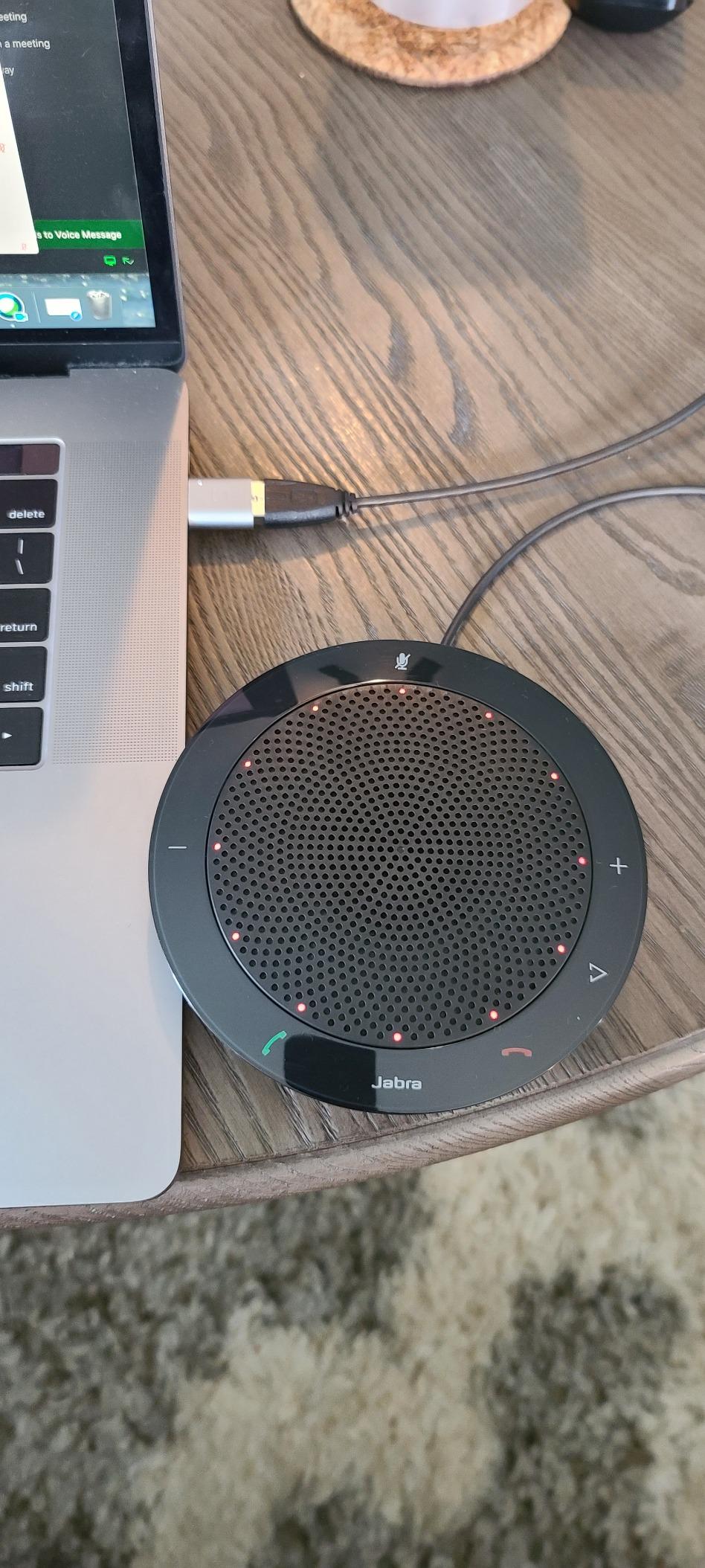
The 4-inch speaker is genuinely loud for a device this small, and at 6 ounces the whole unit plus its carrying case fits in a laptop sleeve. The review data is unusually consistent: 84 percent of reviews are five star, and the complaints are the same handful of physical facts rather than quality problems. That consistency is why the rating sits at 4.7 across more than 2,700 reviews.
Wired-only is the trade-off you accept by buying it. There is no Bluetooth, so pairing to a phone means reaching for an adapter, and the fixed one-meter cable frequently leaves the puck too close to the laptop. Owners also report the echo canceller clipping the start of speech when the speaker is active, so natural overlap is less smooth than on the newer AI-driven models.
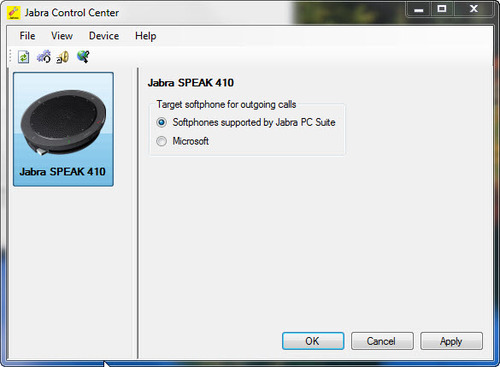
Who should buy the Speak 410
A team that lives in softphones and has no interest in pairing anything. Small rooms where volume and instant setup matter more than microphone sophistication. Anyone who has watched a colleague spend four minutes troubleshooting a Bluetooth speaker before a client call will appreciate the zero-friction alternative.
It is also the easiest device here to hand to a non-technical colleague. There is nothing to configure, so the person who books the room can use it without asking for help.
Who should skip it
Anyone who wants to take calls from a phone without an adapter, or who needs AI noise suppression in a genuinely noisy room, because the 410 has no active ambient noise reduction. And if your meetings regularly run large, the fixed mic array is the wrong shape for the room.
3. Anker PowerConf S330 – Best Value Desk Conference Phone
Anker PowerConf S330 USB Speakerphone for Home Office, Plug and Play
4 microphones
USB-C plug-and-play
Corded electric
3 meter pickup
Pros
- True plug-and-play with automatic mic and output switching
- Four-mic array covers a desk huddle well
- Mute and volume buttons map to Microsoft Teams controls
- No battery to charge
Cons
- Attached USB-C cable is short and limits placement
- No power button so it is only off when unplugged
- Speech-tuned so music sounds flat
The S330 is the cheapest convincing fix for a home office or a two-person meeting. Four high-sensitivity mics give 360-degree coverage within about three meters, which is exactly a desk plus a couple of chairs, and the speaker pairs a 1.75-inch driver with two passive bass radiators for more body than the size suggests. Smart Voice Enhancement strips background noise before it reaches the caller.
It behaves like a headset, not like a device. Plug the USB-C cable in and it switches the microphone and output automatically with no driver and no companion app. An included USB-C to USB-A adapter covers older machines, and the front buttons map to Microsoft Teams controls so mute and volume work without touching the keyboard.
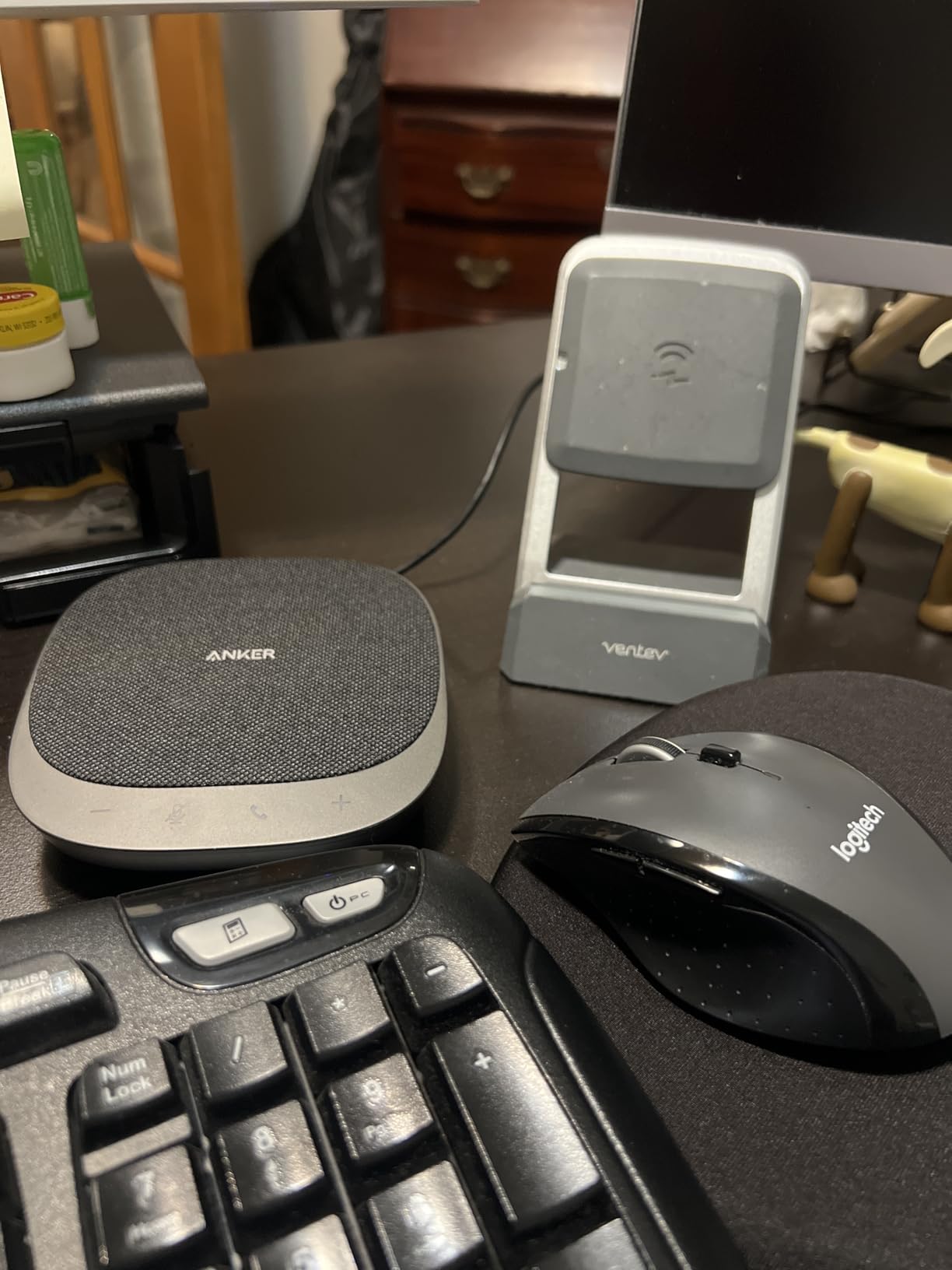
Home-office buyers treat it as a headset replacement, and that is the right framing. It is corded, so there is no battery to think about, and the 8-ounce body is small enough to move between a laptop and a shared desk bag. The review pattern is steady: clean voice pickup and instant USB recognition as the wins.
The permanent short cable is the most common complaint, and it is a real constraint in a large desk where the laptop sits to one side. There is also no on or off button, so the device is technically live whenever it is plugged in, which some people find unsettling in a shared office. Sound is tuned for speech, so it is not a music speaker.
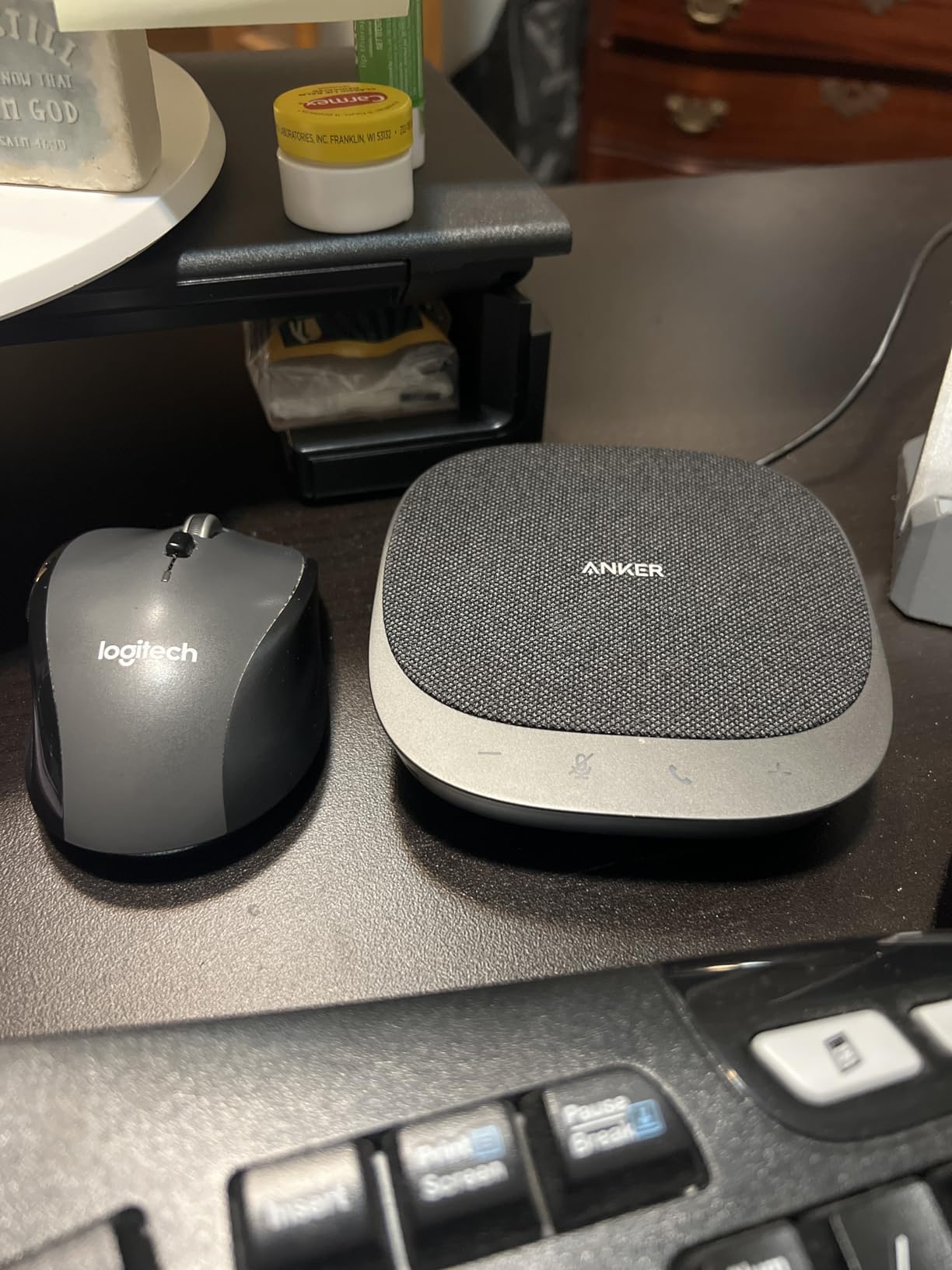
Where the S330 earns its place
Anyone spending two or three calls a day at a desk with colleagues nearby. The Teams button mapping makes it feel native to a Microsoft workflow, and the AI noise filter handled keyboard noise without thinning the voice noticeably. It is also the least fiddly device in the roundup for a non-technical user.
For a small business replacing headset-and-laptop arrangements, this is the fastest improvement per unit deployed. It needs no charging, no pairing and no support ticket.
Where it falls short
Three meters of pickup is a real ceiling, and it is the reason this is a desk device rather than a room device. The short fixed cable and lack of a power switch are the two things to accept before buying. If you need Bluetooth to a phone, this is the wrong box.
4. EMEET M0 Plus – Best Budget Pick for Eight-Person Tables
EMEET M0 Plus Conference Speaker and Microphone, 4 Mics 360° Voice Pickup
4 AI microphones
Full duplex audio
Daisy chain for 16
10-hour battery
Pros
- Four AI mics give clean 360-degree pickup for a table of eight
- VoiceIA filters HVAC hum and keyboard noise
- Daisy chaining a second M0 Plus doubles coverage
- Dual USB-C and Bluetooth 5.0 with fast pairing
Cons
- Speaker output is thin and tinny for music
- Aggressive noise reduction can add a faint hiss
- Touch controls are easy to bump accidentally
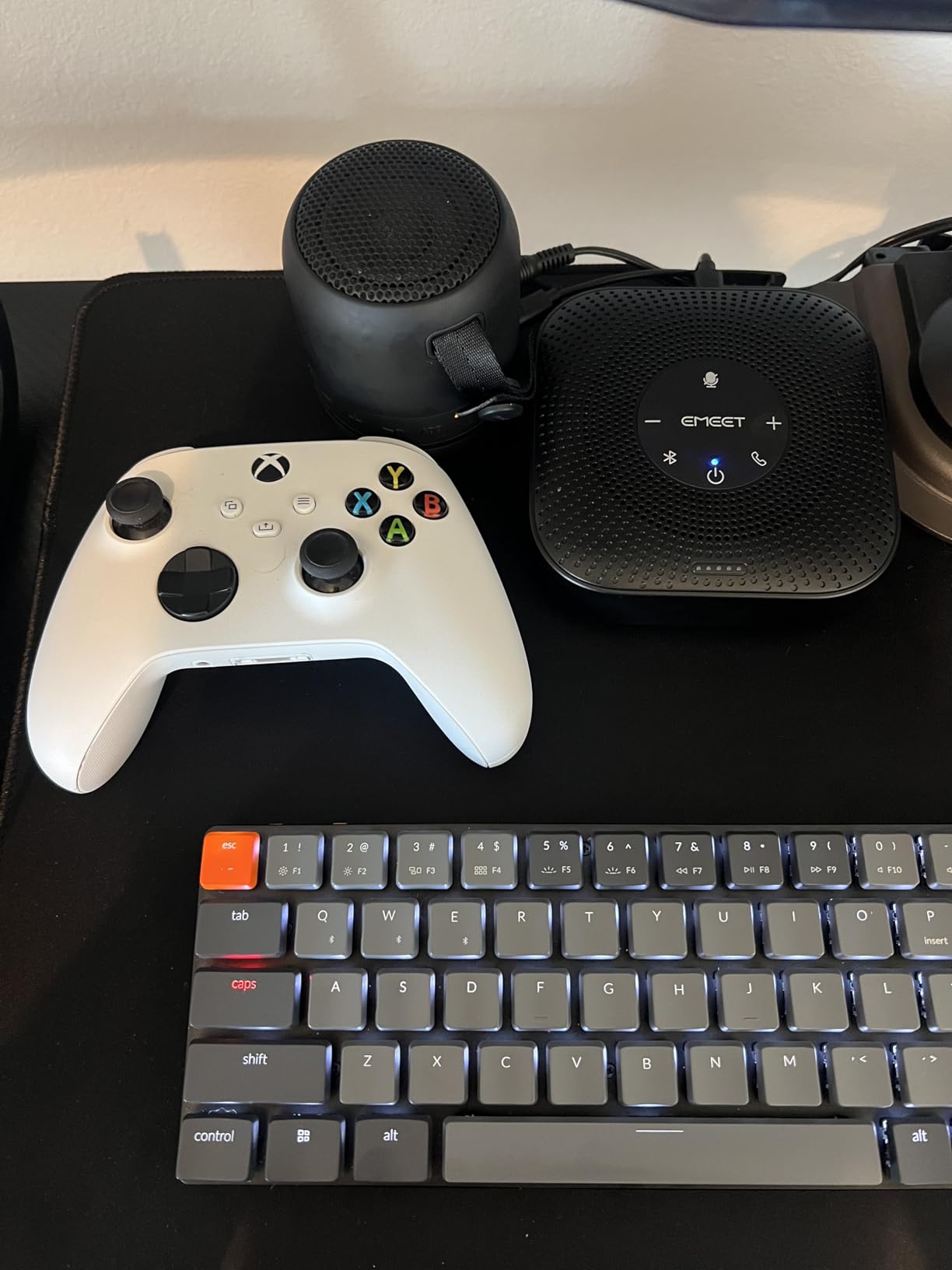
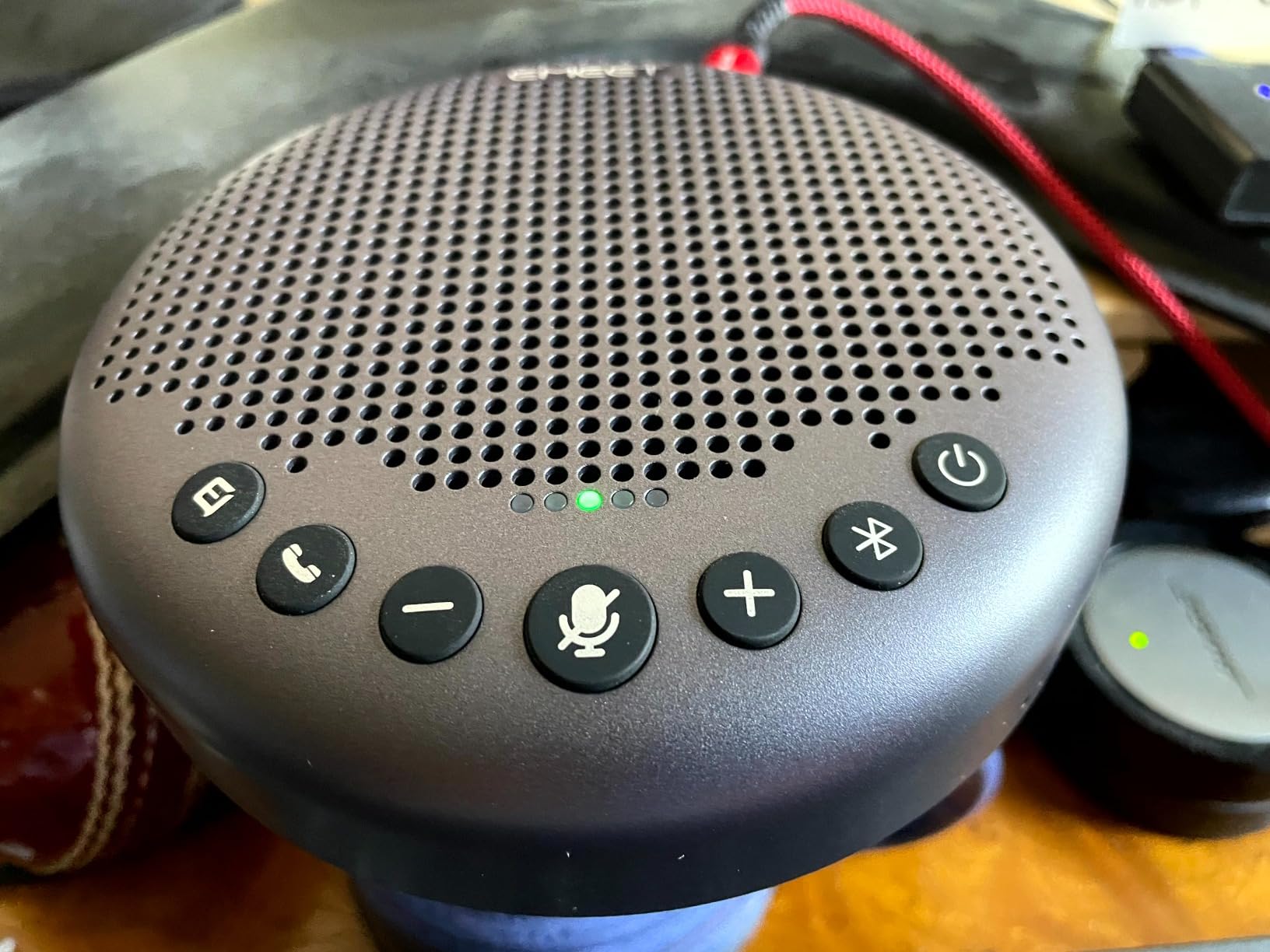
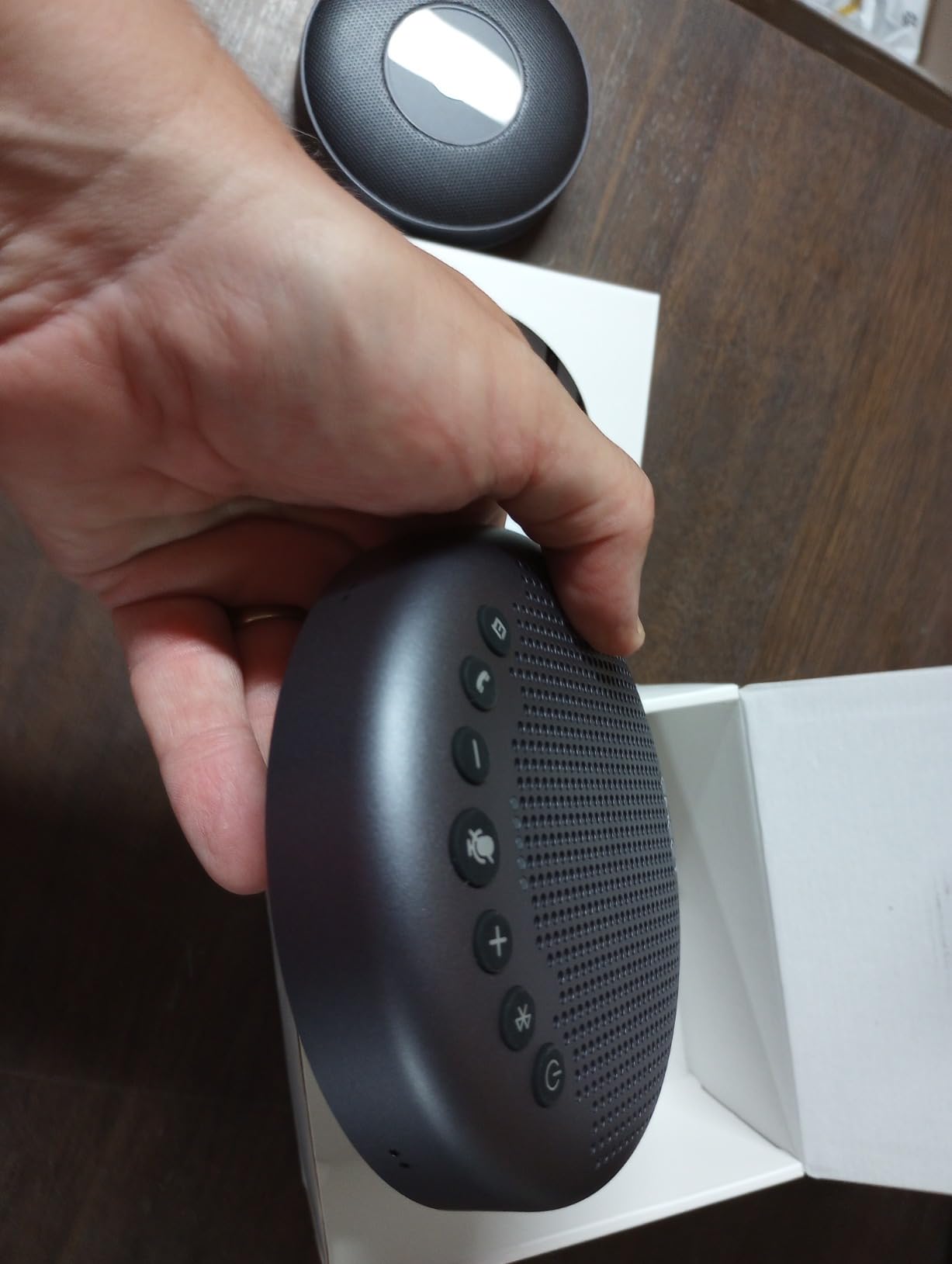
The M0 Plus is the cheapest device here that scales. Four microphones cover a table of up to eight people, the VoiceIA algorithm was upgraded in 2023 and does a convincing job on air handling and background chatter, and the full-duplex audio lets two people talk without the constant cut-off that plagues budget speakerphones. At under 10 hours of talk time per charge, it also handles a full working day of short meetings.
Connectivity is USB-C and Bluetooth 5.0 with no drivers, and it is named as compatible with Zoom, Microsoft Teams, Slack and Webex. The feature that separates it from other budget devices is daisy chaining: pair two M0 Plus speakerphones and coverage extends to around 16 attendees, which turns a cheap device into a plausible medium-room solution.
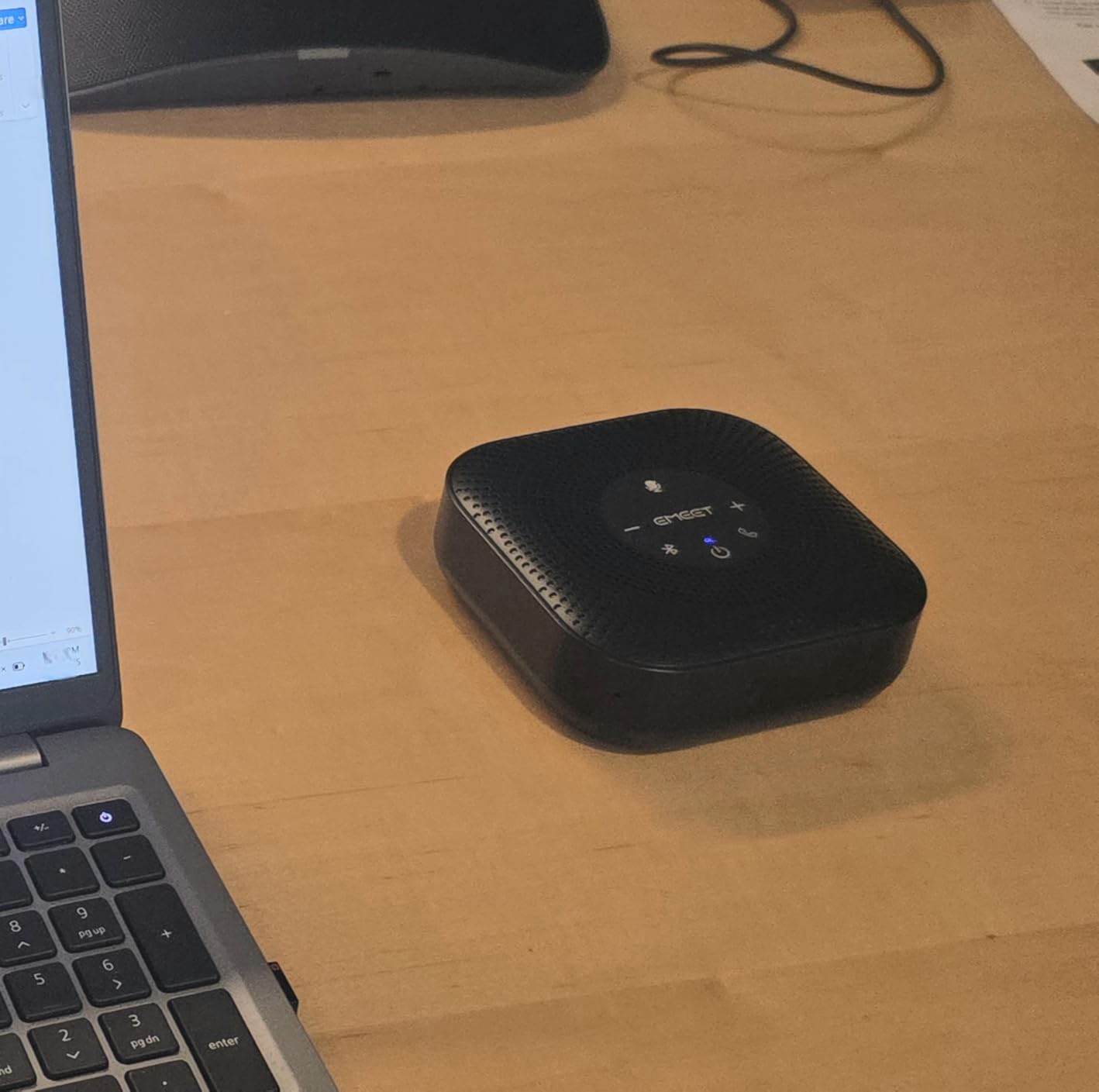
It also ranks in the top of its category on Amazon, which is not a technical claim but does signal how many people are running it in real rooms. Buyers consistently highlight the noise cancellation at this price point, which is unusual. Most budget devices simply pass room noise through.
There are trade-offs. The 3-watt speaker is thin and tinny outside of calls, and the noise processing sometimes adds a faint hiss under quiet voices. The touch controls are sensitive enough that a sleeve can change the volume or drop the mute. Software occasionally needs its audio settings adjusted in-app before it sounds right, and a documented docking-station compatibility problem means some setups need a Bluetooth workaround.
What the M0 Plus is good for
Small and medium rooms on a tight equipment budget, especially where the meeting table seats six to eight. If you might outgrow it, the daisy chain option means you can double the coverage later rather than replace the unit. The wide platform list is reassuring for mixed Zoom and Teams teams.
It is also a strong second device: keep one in the small huddle room and one for travel, since the 4.6-inch square footprint and 0.26kg weight travel easily.
What to watch out for
The hiss from aggressive processing, the easily triggered touch controls and the docking-station issue. If your setup routes audio through a USB-C hub, test it before committing. The speaker is for voices, so do not expect it to double as a music system.
5. Dell Speakerphone SP3022 – Best for Teams-Centric Desks
Dell Speakerphone SP3022, Microsoft Teams Certified, Zoom Certified
2 microphones
USB-A and USB-C
Teams certified
3-year warranty
Pros
- Genuine plug-and-play with no app or driver
- AI noise cancellation filters keyboard and HVAC noise
- Responsive touch controls for volume mute and end call
- Compact soundbar footprint that fits on a monitor base
Cons
- Microphone quality is mediocre with some muffled pickup
- Mac control through the Dell Peripheral Manager app is clunky
- Weak MacOS system notification output
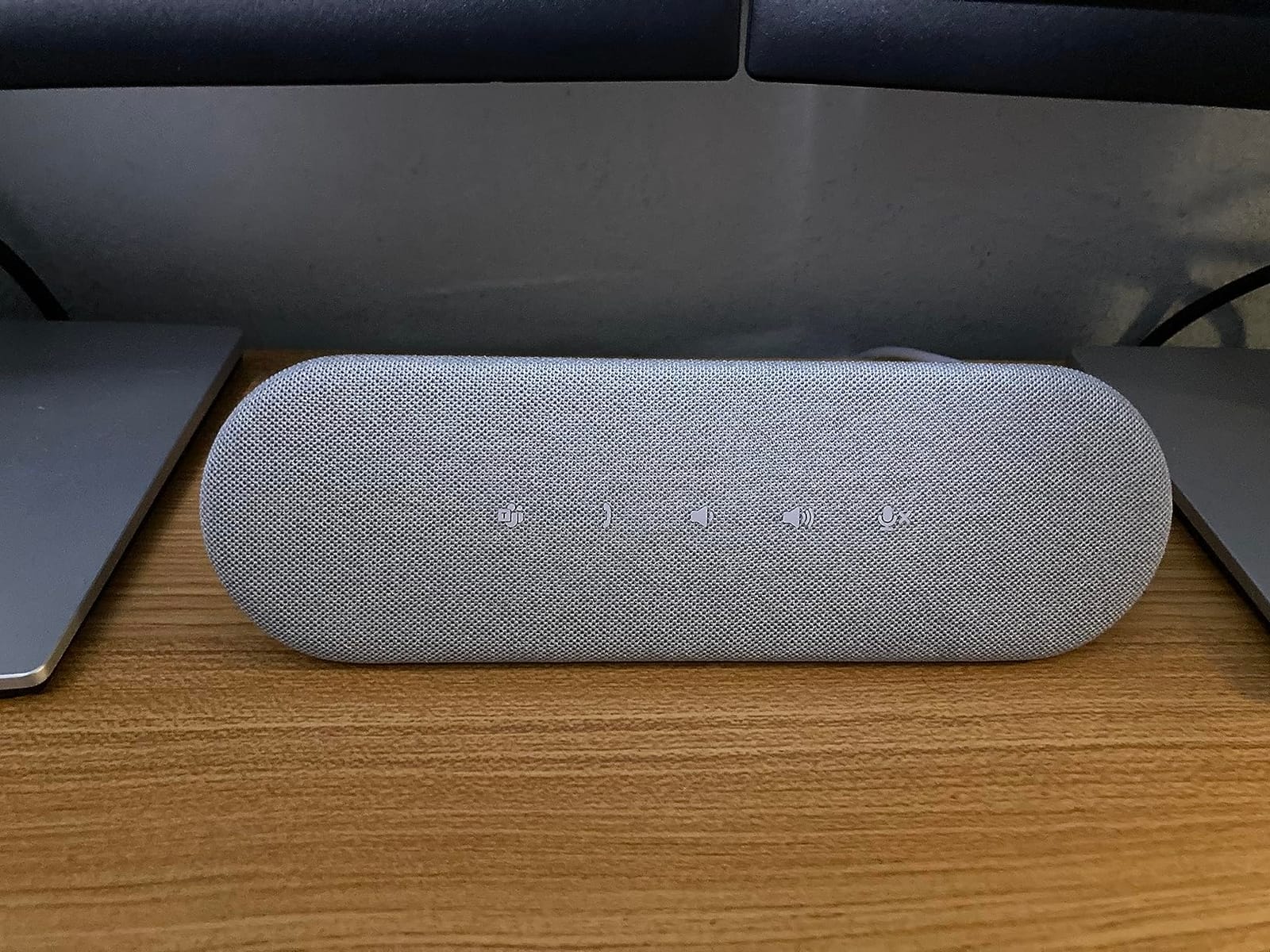
The SP3022 is shaped like a monitor-base soundbar rather than a round puck, at 8.89 inches wide and under 3 inches deep, so it sits in front of a display without looking like conference equipment. It is certified for both Microsoft Teams and Zoom, and the LED indicators show Teams status, call state, volume and mute at a glance, which matters in an open office where you cannot hear whether you are live.
Setup is genuine plug-and-play over USB-A or USB-C with no companion software, and the full-duplex audio with AI noise cancellation handles several simultaneous speakers. Our favourite detail is the dedicated Teams button for joining meetings and seeing notifications, which cuts a specific, irritating step out of every call.
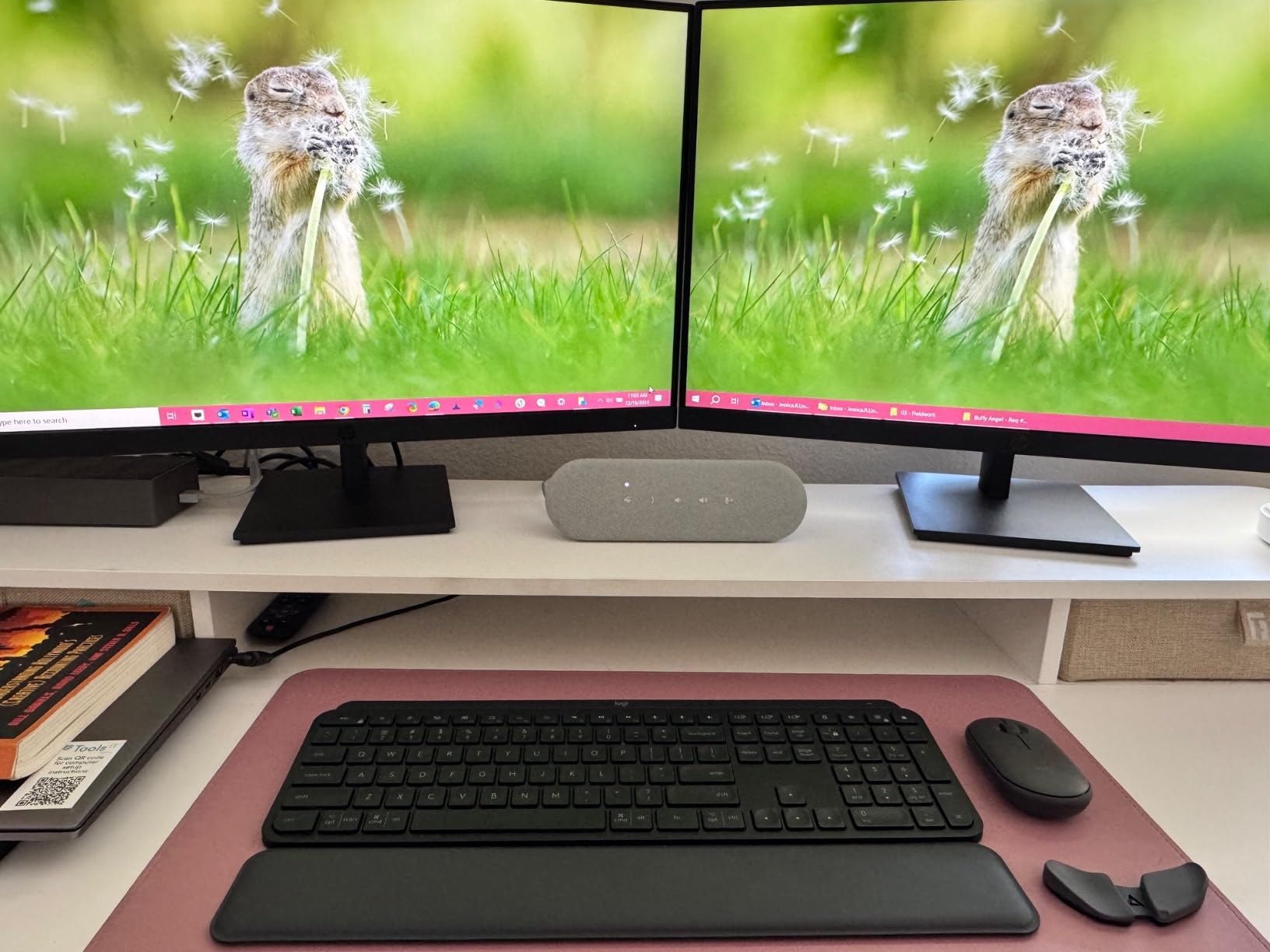
The three-year warranty is the longest in this roundup, and the metal and plastic build feels like office hardware rather than a gadget. At 11.5 ounces it travels in a laptop bag without a case, and users on Dell and Windows machines report clean, instant setup and a tidy desk footprint.
The recurring complaint is the microphone. Callers sometimes report muffled or distinctly speakerphone-like voice, and a 90dB signal-to-noise figure describes the electronics rather than real speech pickup in a furnished room. Mac users also run into clunky software control through the Dell Peripheral Manager app and thin system notification output. Several buyers note it costs noticeably more than competing budget USB models, and given the mic feedback that is a fair criticism.
Reasons to pick the SP3022
A Windows or Dell workstation where Teams is the default meeting app and you want status indicators you can see from a seat away. The soundbar shape suits a monitor-based desk better than any round device here, and the long warranty is meaningful for a business that deploys the same unit to many people.
It is a good second device for a manager who takes calls from a home desk, since the physical buttons remove the need to find controls mid-call.
Reasons to pass
If audio quality on the send side is your top priority, the mediocre microphone is the deal-breaker. Mac-heavy teams will want to check the peripheral app experience first. And the price-to-performance case is weaker than cheaper USB alternatives unless the warranty and certification matter to you.
6. VTech VCS702 ErisStation – Best for Wireless Mic Coverage on a Budget
VTech VCS702 ErisStation DECT 6.0 Conference Phone
2 DECT 6.0 wireless mics
1 fixed mic
Analog line
3-way calling
Pros
- Detachable wireless mics let people spread around the room
- Clear speaker output for small and medium offices
- Single-cable power and line feed simplifies hookup
- LED ring shows call status at a glance
Cons
- Echo reported by some callers in small rooms
- You often need to sit close to a mic to be picked up
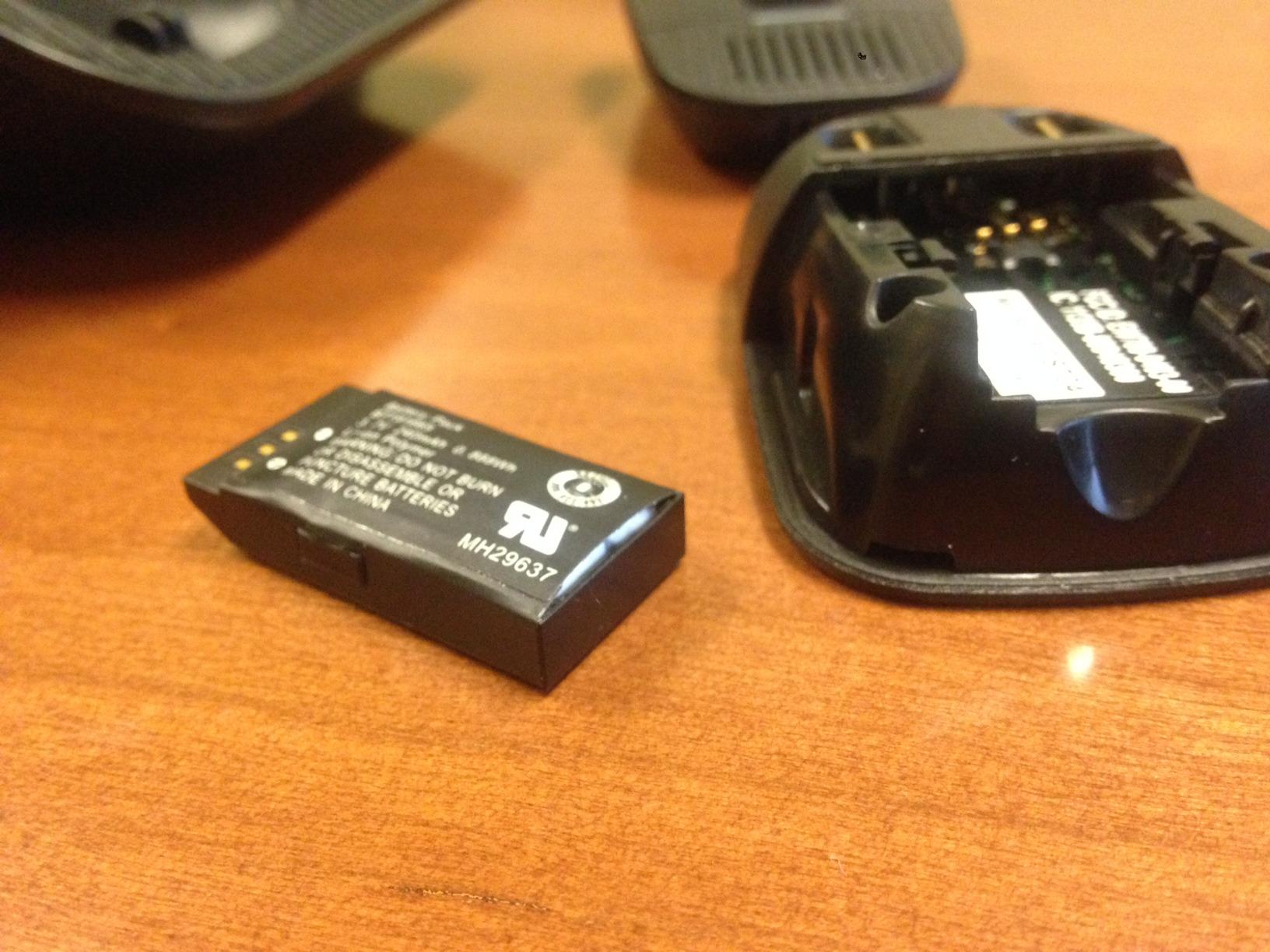
- Mic batteries in earlier units swelled within about a year
- Analog line only so it will not connect to a digital PBX
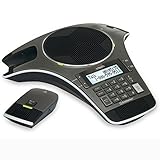
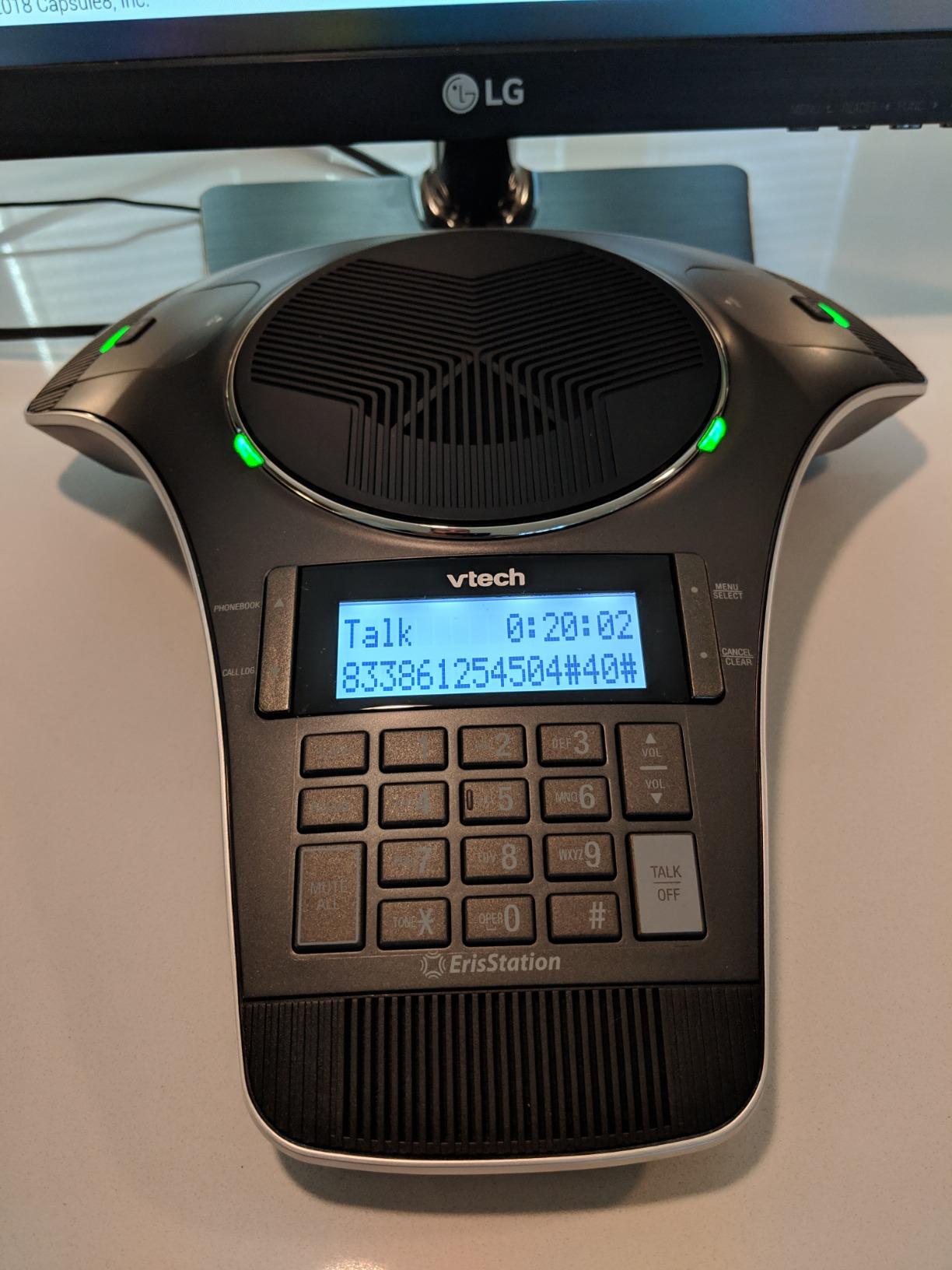
The VCS702 solves a different problem from every other device on this list. Instead of relying on a fixed array, it ships with two detachable DECT 6.0 microphones plus one central fixed mic, and the wireless pair can be handed out or set down anywhere in the room. Orbitlink wireless technology keeps the spread-out mics interference-free, and magnetic bays in the base keep them charged.
That changes the pickup picture in a long room. Owners with U-shaped tables and large boards report it fixing the specific problem of the person at the far end being inaudible, which is the failure that fixed arrays cannot solve. The base also has a two-line backlit display with date and time, 50-entry caller ID and a 50-entry phonebook, so it functions as an ordinary small-office phone between meetings.
Audio processing includes acoustic echo cancellation, automatic gain control and dynamic noise reduction, and full-duplex operation lets a room talk naturally. Each wireless mic gives 8 hours of talk time and 70 hours of standby. Several buyers note it costs a fraction of comparable multi-mic systems from enterprise brands, and that the LED ring around the unit makes call state obvious across the room.
The big caveat is the analog line. The VCS702 plugs into a phone line, not a VoIP or digital PBX port, so it needs an analog port or a converter to join a modern phone system. Some users also report echo and callers struggling to hear, particularly in small rooms, and several note you need to sit near one of the mics. Battery swelling in earlier units cost some owners their microphones within about a year, so check the warranty if you are buying a unit from an older batch.
What the ErisStation handles better than fixed arrays
Long tables, U-shaped boardrooms and any room where the person furthest from the base is always asked to repeat themselves. Handing a wireless mic to the quietest participant solves the problem outright, and the individual mic mute lets you pass the conversation deliberately rather than muting everything.
It is also a genuinely useful desk phone between calls, which no other device here offers. The single-cable power and line feed keeps installation simple for anyone comfortable with a wall jack.
What makes it a harder sell
The analog-only connection is the blocker for most modern businesses. If your phone system is SIP-based, you need an analog gateway before this makes sense, and reviewers warn that call transfer and other digital PBX features will not come through. Small rooms can also produce echo, which is the opposite of what you want.
7. Jabra Speak 510 – Best for Travel and Bluetooth Calling
Jabra Speak 510 (2025 Edition) Portable USB Bluetooth Speaker, Black
Bluetooth and USB
15-hour battery
10W speaker
100 foot range
Pros
- Excellent noise cancellation for fans and 3D printers
- Crisp two-way voice audio with no echo
- Truly zero setup over USB or Bluetooth
- Compact and light enough to move between rooms
Cons
- 2025 edition drops the folding leg so it cannot stand vertically
- Includes USB-A rather than USB-C
- Some buyers report intermittent dropouts
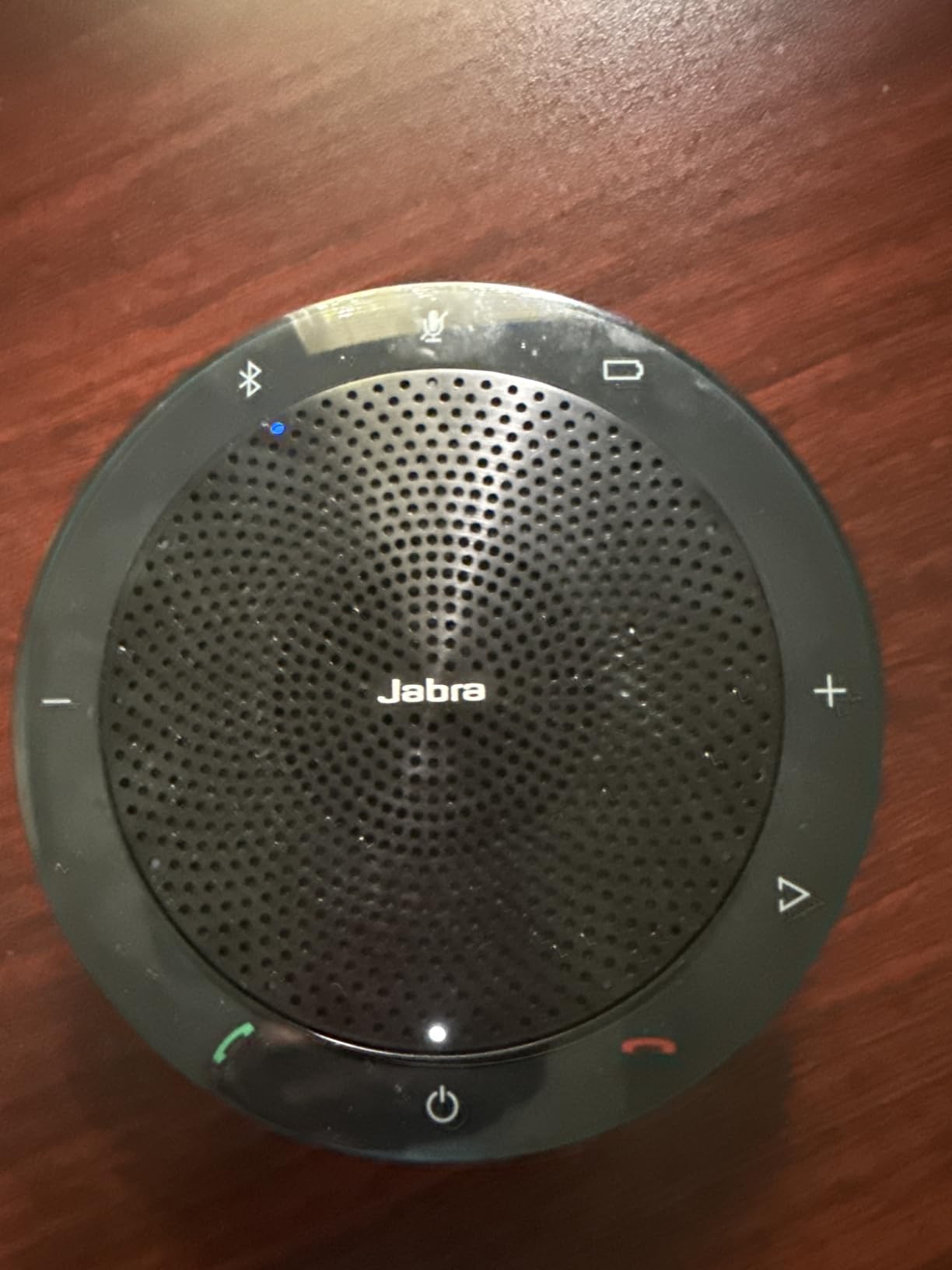
The Speak 510 is the 2025 edition of Jabra’s portable speakerphone and one of the two highest-rated devices in this roundup, at 4.7 with 87 percent five star, the strongest distribution of the ten. It works over Bluetooth or USB, connects to laptops, desk phones, mobile phones and softphones, and pairs fast enough that a spontaneous call in a hotel room is not an event.
The audio is the story. Owners switching from headsets to this report crisp voice in both directions with no echo or feedback, and the noise cancellation handles practical nuisances well: desk fans, 3D printers and typing. A 10-watt speaker with 15 hours of battery gets through a full day of calls, and the included travel pouch makes it the most genuinely portable unit here.
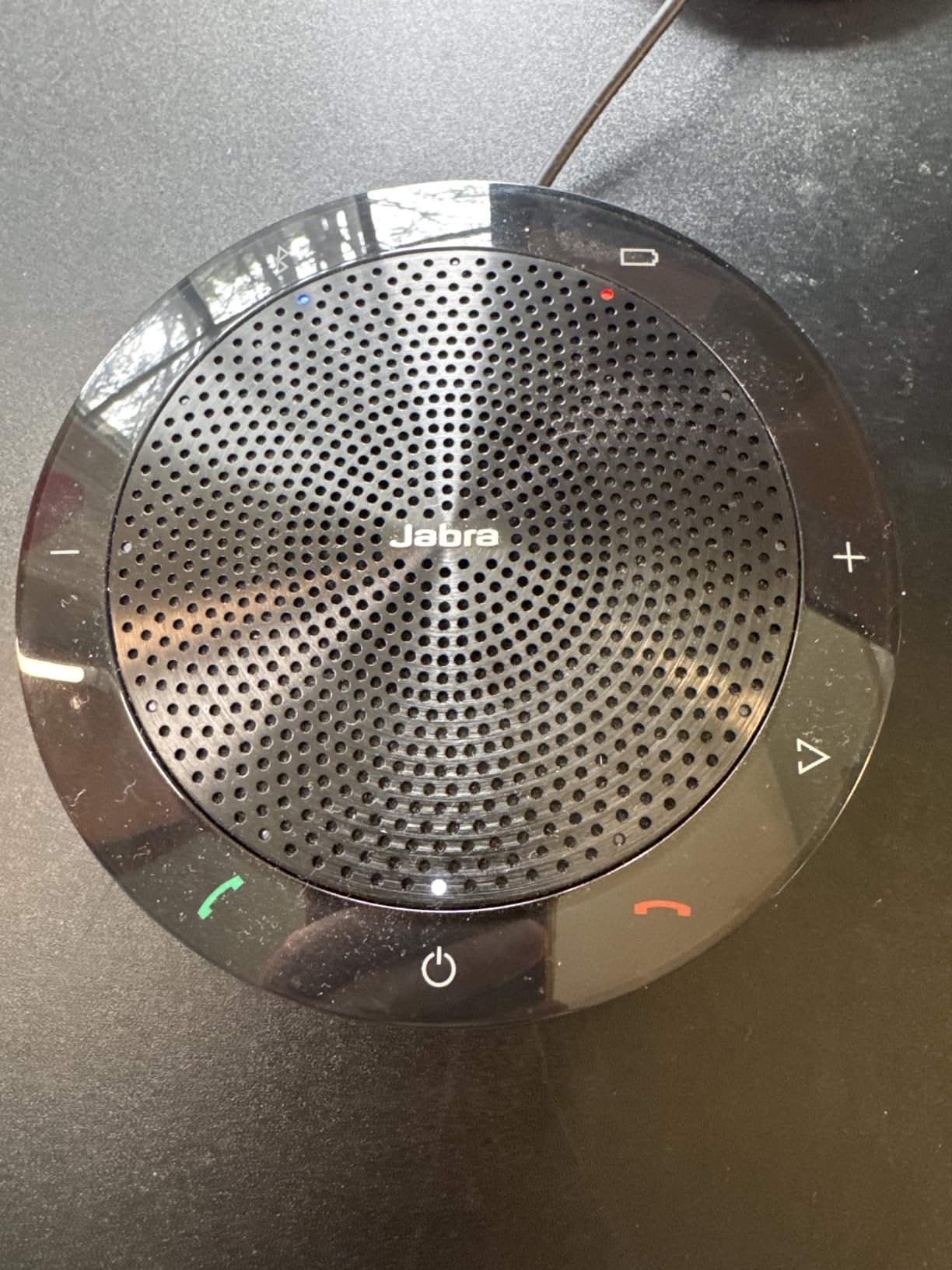
At roughly 195 grams and just over an inch tall, it is one of the few devices in this roundup you would put in a carry-on without thinking. The mute button is easy to find without looking, which matters when you are mid-conversation and cannot hunt for controls.
There are three specific gripes and they all concern this edition. The folding back leg is gone, so it cannot stand vertically on its side, and the included connector is USB-A rather than USB-C, meaning older laptops are the happy case. A small number of buyers also report intermittent connection dropouts, so a wired session is the fallback for critical calls.
When the Speak 510 is the right call
Frequent travellers, remote workers and anyone who runs meetings from more than one location. Fifteen hours of battery means it survives a day of back-to-back calls, and the noise handling covers the open-plan and home-office noise that laptop microphones amplify.
It is also a strong gift for someone who dials in from a phone and a laptop, since it covers both desk phone and mobile workflows in one device.
When it is not
Not a room device. One microphone and a small footprint mean it works for a desk or a huddle table, not a boardroom, and anyone expecting a vertical mount should look elsewhere. USB-C-only laptops will want an adapter.
8. AT&T SB3014 – Best for Long Boardroom Tables
AT&T Conference Phone with 4 Wireless Microphones, DECT 6.0 Speakerphone for Office Meetings, Landline Corded Base, 6-Mic Full Room Coverage, SB3014
4 DECT 6.0 wireless mics
6 microphones total
Analog line
3-way calling
Pros
- Four wireless mics spread around the room for far better pickup
- Full-duplex audio with digital mixing and equalization
- Individual mic mute hands the conversation around
- Magnetic bays keep all four mics charged
Cons
- Analog line required so it needs a converter for a digital PBX
- Call transfer and other digital PBX features do not work
- Some users rate audio below older corded Polycom phones
The SB3014 is the most thorough room-coverage solution in this roundup, with four DECT 6.0 wireless microphones plus two fixed mics for six in total. You can hand a mic to each end of a long boardroom, set them down where the talk actually happens, and mute individually to pass the conversation between speakers. Magnetic charging bays in the base keep all four topped up.
Audio uses full-duplex technology with digital mixing and equalization, which came through clearly for mid-size rooms in owner reports. Each wireless mic runs about 8 hours of talk time and 70 hours of standby, and a 50-entry phonebook with caller ID log makes the base usable as the room phone itself. It also packs into its own box, so a business can move it between offices rather than buying one per site.
The unanimous caution is the connection. The SB3014 needs an analog line, and without an analog port or converter it will not connect to a digital phone system at all. Call transfer and other PBX features do not pass through the analog path. A few owners also rate the audio below older corded Polycom conference phones, so it is not automatically the better-sounding option in a smaller space.
Why boardroom buyers choose it
Long tables and rooms where the far end is consistently inaudible on a fixed array. Four roaming microphones is the simplest fix for that problem, and the individual mute is a genuinely useful way to run a discussion. Buyers report it beating a higher-cost Polycom unit for their use case.
It is also the only device here that still comes as a complete portable conference phone, base and mics, in one box. That suits organisations deploying to more than one site.
Where it becomes a problem
Any business already migrated to VoIP. The analog requirement and the loss of digital PBX features are deal-breakers in a modern phone system, and buyers in that situation end up buying a converter first. The 5-pound base also needs real desk space.
9. Yealink SP92 – Best for Small Rooms and Travel-Heavy Home Offices
Yealink Sp92 Conference Speaker and Microphone Teams Certified Mic with Al Noise Cancelling 20H Call Time USB Speakerphone for Small Meeting Room, Bluetooth Speaker for Computer/Laptop
1 microphone
Teams certified
13ft pickup radius
20-hour battery
Pros
- Very easy to set up over USB-C or Bluetooth 5.3
- Clear audio in small rooms with good noise isolation
- 20-hour battery recharges in 2.5 hours
- Light 276g body with a carrying case
Cons
- Single front mic gives muffled or distant sounding pickup
- AI noise and echo settings are not exposed in the device
- Very sensitive top buttons caused accidental disconnects
- Thin mono 50mm driver
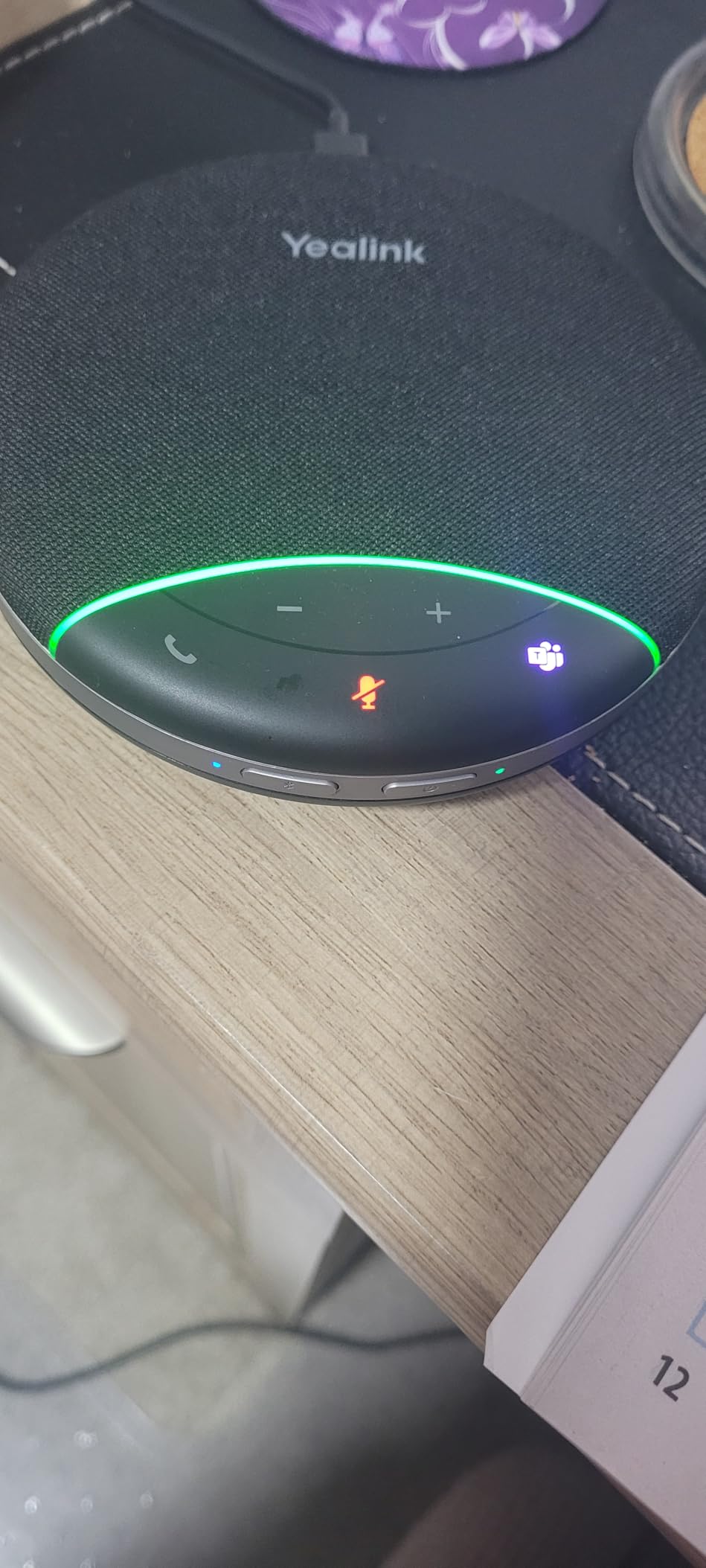
The SP92 is Yealink’s compact, Teams-certified unit aimed squarely at 4-to-8 person rooms and home offices. It covers a 13-foot, roughly four-metre radius with a 360-degree omnidirectional mic, carries a 20-hour battery that recharges in about 2.5 hours, and works over Bluetooth 5.3, USB-C with an included C-to-A adapter, or an optional dongle. It is certified for Microsoft Teams and named as working with Zoom, Google Meet and Webex.
In a small room it does its job well. Owners report quick setup, clean connectivity and clear audio with reasonable background isolation, and the full-duplex microphones with echo cancellation keep conversation moving. At 276 grams with a carrying case, it is the easiest device here to genuinely travel with.
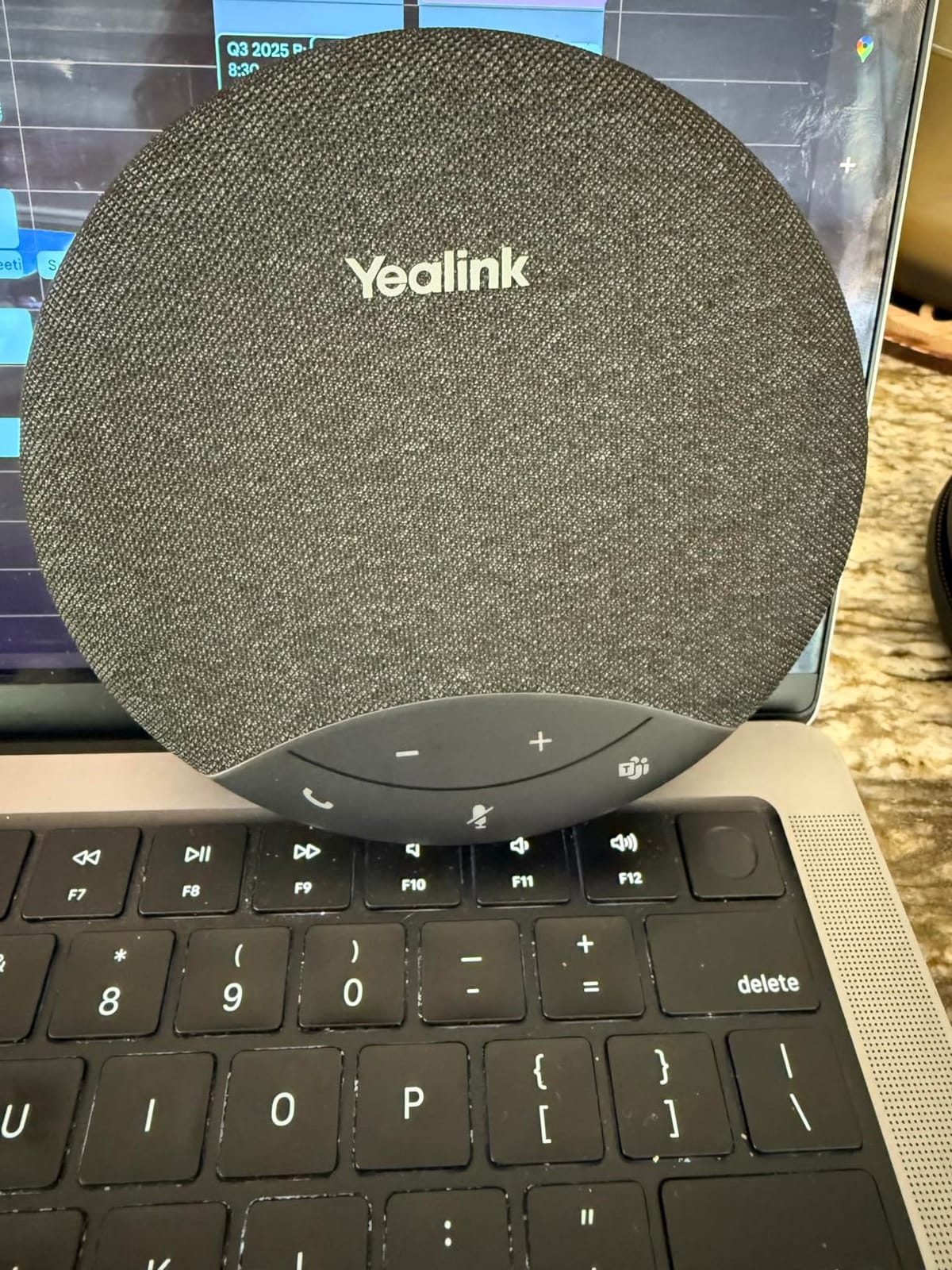
The problem is the single microphone. Several owners heard reports that they sounded like they were in a tin can or far away, and they attribute it to the one front-mounted mic combined with the absence of real echo-cancellation controls. That is the single most common complaint across the reviews, and it explains the 4.1 rating, the lowest in this roundup alongside a 10 percent one-star share.
Two further issues: the claimed AI noise and echo cancellation filters over a thousand noise patterns, but those settings are not actually exposed in the device or its companion utility, so you cannot tune them. The top buttons are also very sensitive, and one user reported accidental disconnections. The 50mm mono driver sounds thin, with one owner finding it worse than a promotional Bluetooth speaker.
What the SP92 does right
Small rooms and home offices where the goal is to sound present rather than to fill a space. The 20-hour battery and 2.5-hour recharge are the most generous figures among the portable units here, and Bluetooth 5.3 pairing is fast and stable. It is a good pick for a user who moves between rooms and platforms.
Teams certification also makes it an easy approval for organisations with a formal device standards list, which removes a procurement conversation.
What to weigh before buying
Mic quality is the whole debate. If your priority is how you sound to the far end rather than how convenient the device is, the Anker options with multi-mic arrays are a better use of money. The unexposed AI settings and sensitive buttons are also worth knowing about in advance.
10. EMEET Luna Plus Kit – Best for Large Hybrid Meetings
EMEET Luna Plus Kit Conference Speaker and Microphone with 8+1 Mics
9 microphones with satellite
Daisy chain to 25
Bluetooth 5.3 and USB
89dB speaker
Pros
- Nine microphones give broad pickup for up to 14 people
- VoiceIA filters air conditioning and keyboard clicks
- Daisy chaining a second Luna Plus covered a large boardroom
- Easy USB and Bluetooth setup with no drivers
Cons
- Satellite mic adds little pickup in larger setups
- Close mic placement can cause feedback or a robotic tone
- Dongle connector is not sold separately
- Single USB-C input is not universal across softphones
The Luna Plus Kit is the largest microphone count we found in this price bracket: an eight-omni-mic array in the speakerphone plus a dedicated satellite microphone, rated for up to 14 people. The VoiceIA algorithm with dynamic noise reduction handles the two things that ruin big-room calls, air conditioning and keyboard noise, and the 5-watt speaker pushes to 89dB, which is loud enough to fill a boardroom without straining.
It is also the only kit here that handles a genuinely large hybrid meeting on one setup. Daisy chaining a second Luna Plus supports meetings up to 25 attendees, with the cable sold separately, and one owner reported using that setup to cover a large boardroom and replace far costlier AV hire. Setup is USB 2.0, Bluetooth 5.3 or the upgraded A350 dongle, with no drivers, and it works across Windows, Mac, iOS and Android.
Churches, schools and nonprofits appear often in the reviews, and they converge on the same conclusion: the device solves hybrid-meeting audibility problems at a fraction of professional installation cost. Compatibility across Zoom, Teams, Skype for Business and Webex is reported as dependable in daily use, and the 4-hour charge with 10 hours of talk time suits a room that is not plugged in.
The critical feedback is consistent too. The satellite microphone adds little in some setups, with remote attendees still struggling to hear an 11-person room, and placing mics too close together produces feedback or a robotic tone. The bundled dongle connector is not sold separately, so losing it means replacing the set. The single USB-C input also behaves as a headset-level device, which does not suit every softphone platform.
What makes the Luna Plus Kit worth it
Rooms where 12 to 14 people speak in the same meeting. Nine microphones is the difference between everyone being audible and the far end straining, and the 89dB speaker fills a space a 3-watt puck cannot. Church and education buyers get a lot of capability from one base unit.
If you know you will eventually need 20-plus people in the room, the daisy chain means a second Luna Plus Kit is a known quantity rather than a gamble. Just budget for the cable, which is not included.
What to be careful of
Do not assume the satellite mic solves a very large room on its own, and give the mics space rather than clustering them. Check that your platform is happy with a single USB-C input before deploying widely, and treat the bundled dongle as a spare part worth ordering.
How to Choose the Best Conference Phone in 2026
Start with the room, not the spec sheet. Microphone pickup is measured as a radius, but what actually matters is the distance between the device and the furthest speaking person. Map your room, note where people sit, and pick a device whose stated range comfortably exceeds it. A fixed array at the centre of a long table is always going to lose to a wireless microphone at the far end, which is the single most useful thing we learned going through owner reports.
Count the microphones against the seats. Four microphones is a comfortable match for six to eight people around a normal table. A single microphone works for a desk or a two-person huddle, and anything beyond that risks the muffled, distant sound several owners described. Nine microphones with a satellite, or four roaming wireless mics, is the configuration that actually fills a boardroom.
Decide how the phone connects before anything else. This is where compatibility problems come from, and it is the concern IT admins raise most often on community forums. A USB or Bluetooth speakerphone is a peripheral: it works with any softphone, Teams, Zoom, Webex or Google Meet, on any laptop, with no phone system involved. A SIP or PoE conference phone is an endpoint on your network and must match your platform. An analog conference phone needs a real phone line, and two of the devices here are analog-only.
Check platform certification if your IT team requires it. The Anker PowerConf Speakerphone is Zoom certified, the Dell SP3022 is certified for both Microsoft Teams and Zoom, and the Yealink SP92 is Teams certified. Certification means the hardware has been tested against the platform and gives procurement a documented answer. If your organisation runs one platform everywhere, a certified device removes a category of support ticket.
Consider wireless mics for anything over eight people. DECT systems such as the VTech VCS702 and the AT&T SB3014 let a participant hold or set down a microphone, which is the most reliable cure for inaudible far-end seating. EMEET daisy chaining is the wireless-free version of the same idea, extending a speakerphone to 16 or 25 attendees without cable microphones.
Battery life matters only if you go untethered. The Anker PowerConf Speakerphone runs about 24 hours, the Yealink SP92 about 20, the Jabra Speak 510 about 15, and the EMEET units about 10 per charge. Corded options such as the Jabra Speak 410, the Anker S330 and the Dell SP3022 have no battery to think about, which is a genuine advantage in a permanently installed room.
Ask about firmware support before you commit. Platform features change, and a device that stopped receiving updates loses compatibility with new meeting features over time. The devices with the largest review counts here also have the largest installed base, which usually means ongoing vendor attention. If you are replacing hardware on a three-to-five-year cycle, favour a brand whose current models are actively supported rather than an older enterprise line that is being phased out, and check for end-of-life notices on any business SIP model you are considering.
Consider accessibility and shared-room realities. Look for a visible call-status indicator, a mute button you can find without looking, and physical controls for volume and hang-up. Every device here has a mute button, but only some make the call state obvious from across a table. For rooms shared by many people, a bright status LED saves more confusion than any audio improvement.
Two final practicalities. Cable length matters more than buyers expect: several permanently attached USB cables on this list are short enough to force you to place the speakerphone next to the laptop rather than in the middle of the table, which defeats the whole 360-degree concept. And if you need phone service away from a desk, our satellite phone guide covers a different connectivity problem entirely, but the same principle applies, which is to match the device to where the call happens.
Frequently Asked Questions
What are the best phones for conference calls?
For most small and medium rooms the best phones for conference calls are multi-mic USB or Bluetooth speakerphones such as the Anker PowerConf Speakerphone, the Jabra Speak 410 and the Anker PowerConf S330. They connect as audio devices to any laptop, work with Teams, Zoom and Webex, and need no phone system. For rooms of ten people or more, add roaming wireless microphones or daisy-chain two speakerphones.
What is a conference phone?
A conference phone is a speakerphone designed for group calls in a meeting room. It uses a 360-degree array of microphones so every person at the table is heard, full-duplex audio so two people can talk at once, and echo cancellation plus noise suppression to keep room sound out of the call. Most models today connect over USB or Bluetooth, while enterprise versions register as SIP endpoints on a VoIP network.
What is the best conference microphone and speaker?
The best conference microphone and speaker combinations pair at least four microphones with a speaker rated for your room size. The Anker PowerConf Speakerphone uses six microphones with a 3-watt speaker for rooms up to eight people, and the EMEET Luna Plus Kit uses nine microphones with a 5-watt speaker reaching 89dB for rooms up to 14. In rooms longer than 20 feet, a wireless DECT microphone beats any fixed array.
Can I just plug a VoIP phone into my router?
A USB or Bluetooth conference phone needs no network configuration at all, since it appears to your computer as a standard audio device and works with any softphone or meeting app. A SIP conference phone is different: it is a network endpoint and must be pointed at your VoIP server, so check SIP registration details, PoE requirements and platform support with your IT admin before buying. Analog models need a real phone line or a converter.
What is the best conference speakerphone?
The Anker PowerConf Speakerphone is the best conference speakerphone overall, combining six microphones in a 360-degree array, AI noise reduction, USB-C and Bluetooth connectivity and a 24-hour battery at 4.4 stars across more than 5,800 reviews. The Jabra Speak 410 is the strongest wired option for huddle rooms, and the EMEET Luna Plus Kit is the pick for rooms of 12 to 14 people. Rooms over 15 people need roaming wireless microphones.
How do I set up a conference phone?
For USB and Bluetooth models, connect the cable or pair the device, then choose it as the microphone and speaker in your meeting app, which usually takes under a minute with no drivers. For wireless DECT systems, charge the microphones in the base, register them to the base, then place them around the room. For SIP phones, connect Ethernet, supply power over Ethernet or a power adapter, and ask your IT admin for registration credentials.
Conclusion: The Best Conference Phone for Your Room
The Anker PowerConf Speakerphone is the best conference phone in this roundup, and the margin over the alternatives comes down to three things held at once: six microphones in a 360-degree array, AI noise reduction that survives a real room, and a 24-hour battery with both USB-C and Bluetooth. Nothing else here matches that combination, and its review count shows how many people have made the same choice.
Match the device to the room instead. The Jabra Speak 410 covers huddle rooms with zero setup, the Anker PowerConf S330 handles desk calls, the Yealink SP92 suits small rooms and travel, the EMEET Luna Plus Kit covers 12 to 14 people, and the DECT systems with roaming wireless mics are the answer when the far end of a long table can never be heard clearly. Whichever you pick, check the connection type against your phone system first, because that is the mistake that ends up on a return label.